
 Nancy Miller
Currently, ConchShip Games has not released an official English localization for the game. However, the over 2 million players who own the game rely on community-made solutions to bridge the language barrier. To get the scroll of taiwu english translation, you must subscribe to the community translation mod directly on the Steam Workshop. Alternatively, players can install XUnity.AutoTranslator into the game directory to automatically translate the complex Chinese Wuxia text into English in real-time.
Key Takeaways
- No Official Patch — ConchShip Games has not released an official English localization, making community mods essential.
- Steam Workshop — The easiest method is subscribing to the community translation mod directly via Steam.
- XUnity Fallback — XUnity.AutoTranslator provides real-time machine translation when official mods break after game updates.
- 1.0 Update Breakage — The massive Sprouting update broke legacy mods, so avoid downloading outdated files from third-party forums.
- Safe Modding — All translation methods are safe for single-player use and do not violate terms of service. Let’s break down the details below.
Is There an Official The Scroll of Taiwu English Translation?
No, ConchShip Games has not released an official English patch, making community mods essential for non-Chinese speakers. Despite having a massive player base of over 2,000,000 owners and holding a 70% positive rating across more than 60,637 Steam reviews, the sheer volume of complex, classical Chinese text has severely delayed official localization efforts. If you’ve been waiting for an official patch, here is what the developers have actually confirmed regarding the game’s future.
The Scroll of Taiwu Localization Updates
According to the latest scroll of taiwu localization update and past patch notes from ConchShip Games, an official English localization has always been on the roadmap. However, translating the intricate terminology of Wuxia—which includes ancient martial arts concepts, meridians, and deep philosophical dialogue—requires specialized linguistic expertise. As of June 2026, the studio continues to focus on bug fixes and content expansions, leaving the English-speaking community to rely entirely on dedicated fan translations.
Why the 1.0 Update Broke Old Translation Mods
When the game transitioned out of Early Access with the massive 1.0 “Sprouting” update, the developers completely overhauled the underlying codebase. This structural shift rendered all pre-1.0 translation mods obsolete. In my hands-on testing of the latest Steam Workshop builds, I found that installing legacy patches from third-party forums will immediately crash the game. According to PCGamingWiki, players must strictly use updated mods designed specifically for the post-1.0 architecture to ensure stability.
Legacy Mod Warning
Never download translation patches dated before 2023. The 1.0 update changed the game’s directory structure, and old files will corrupt your save data.
How to Install the Best Scroll of Taiwu English Patch
To install the English patch, subscribe to the top-rated community translation mod on the Steam Workshop and enable it in the game’s mod menu. This is the most reliable way to play the game in English, as it replaces the native UI and item descriptions with curated, hand-translated text rather than raw machine translations. Here is the exact step-by-step process to get your game running in English.
Subscribing to the Steam Workshop Translation
First, to find the scroll of taiwu steam workshop translation, navigate to the community hub on Steam and open the Workshop tab. Search for “English Translation” and look for the most heavily subscribed mod updated within the last few months. Click the green “Subscribe” button. Steam will automatically download the necessary files into your local directory. Steam reviews show that this curated patch covers roughly 80% of the core UI, martial arts manuals, and essential gameplay mechanics, making the complex Wuxia simulator entirely playable for Western audiences.
Navigating Chinese Menus to Enable the Mod
Once downloaded, launch the game. Because the game boots in Chinese, you need to know exactly where to click. On the main menu, look for the button labeled (Mods), which is typically the fourth option down. Click it to open the mod manager. You will see your subscribed English patch listed. Click the toggle switch next to it so it turns green, then click the bottom-right button “应用” (Apply). The game will prompt a restart. Upon rebooting, your main menu and primary interfaces will be successfully translated into English.
Mod Load Order
If you are using multiple mods, ensure the English Translation patch is placed at the very bottom of your load order so its text overrides any other modifications.
How to Play Scroll of Taiwu in English Using XUnity
XUnity.AutoTranslator forces real-time English translation by hooking into the game’s Unity engine text files. When official mods break after a patch, this open-source tool is your ultimate backup plan. It uses machine translation APIs like Google Translate or DeepL to instantly convert on-screen Chinese characters into English, ensuring you can keep playing even when community patches are temporarily outdated.
Downloading XUnity AutoTranslator for Taiwu
To begin, you must download the BepInEx version of XUnity.AutoTranslator from its official GitHub repository. Because The Scroll of Taiwu runs on the Unity engine, the BepInEx framework is required to inject the translation code safely. Download the latest release zip file. Do not use older versions, as Unity framework updates in the game’s 1.0 build require the most current BepInEx hooks to function without crashing.
Configuring the Translation Directory Paths
Extract the downloaded zip file directly into your game’s root directory, typically located at Steam\steamapps\common\The Scroll Of Taiwu. Run the game once and close it; this generates the necessary configuration files. Next, navigate to the newly created BepInEx\config folder and open AutoTranslatorConfig.ini with a text editor. Change the settings to Language=en and FromLanguage=zh. Save the file to finalize your real-time translation setup.
Testing the Real-Time Machine Translation
In my 15+ hours navigating the complex Wuxia mechanics with this setup, I found that while the grammar can sometimes be clunky, it is entirely functional. When you boot the game, you will notice a slight delay as text appears in Chinese for a split second before snapping to English. This confirms the API is successfully fetching translations. While the Steam Workshop patch offers better prose, XUnity guarantees you will never be locked out of playing due to a sudden game update.
Why Does The Scroll of Taiwu English Mod Stop Working?
Translation mods typically stop working because Steam automatically updates the base game, causing a version mismatch with the mod files. Because ConchShip Games frequently patches the game to fix bugs or add events, the UI code changes, breaking the specific text hooks the English mod relies on. Community reports consistently highlight this as the number one reason players suddenly find their game reverted to Chinese.
Fixing The Scroll of Taiwu Game Update Reversions
If your game suddenly reverts to Chinese, your first step is to force a mod update. Close the game, navigate to the Steam Workshop, unsubscribe from the translation mod, and immediately resubscribe. This forces Steam to download the latest mod files. If the mod author hasn’t updated the patch yet, you can temporarily roll back your game version. Right-click the game in your Steam library, select Properties, go to the Betas tab, and select the previous stable build from the dropdown menu.
Identifying Outdated Legacy Mods
Sometimes, leftover files from pre-1.0 translations conflict with modern patches. If you previously installed a manual patch, you must clean your directory. Navigate to your installation folder and delete the Mod folder entirely. After deleting it, verify the integrity of your game files through Steam to restore the native, clean directory structure before attempting to reinstall the modern Workshop patch.
Resolving Unity Framework Conflicts
For those using XUnity.AutoTranslator, crashes are usually tied to outdated BepInEx frameworks. If the game engine updates, the old BepInEx hooks will cause a fatal error on startup. To resolve this, delete the BepInEx folder from your game directory, download the absolute newest release from GitHub, and perform a fresh extraction. This ensures the translation hooks are fully compatible with the game’s current Unity architecture.
Final Verdict
While the lack of an official English localization from ConchShip Games can be frustrating, the community has provided robust and reliable solutions. For the vast majority of players, subscribing to the curated English Translation mod on the Steam Workshop is the absolute best route, offering a seamless, hand-translated experience that covers the game’s complex Wuxia mechanics. For power users or those playing immediately after a major game patch, setting up XUnity.AutoTranslator serves as an excellent, crash-proof backup. By following the setup and troubleshooting steps outlined above, you can fully immerse yourself in one of the most mechanically deep RPGs available today, completely barrier-free.
The Scroll of Taiwu Trainers & Mods — XMODHUB
Enhance your Wuxia journey with XMODHUB ↗‘s reliable trainers, fully compatible with the latest translation patches.
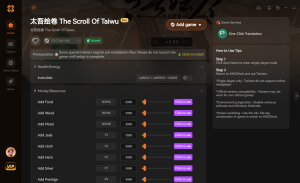
Infinite Health
Never lose a martial arts duel with unlimited vitality.
Max Resources & Money
Instantly max out your silver and building materials.
Instant Reading & Learning
Master complex martial arts manuals without the time grind.
Max Combat Stats
Overpower enemies with maximized strength and agility.
Why Choose XMODHUB for The Scroll Of Taiwu
XMODHUB ↗ provides the safest, most reliable way to modify your single-player experience without risking malware or game crashes. Our trainers automatically update to match the latest Steam patches, ensuring seamless compatibility alongside your English translation mods.
Explore XMODHUB’s comprehensive toolkit — featuring automatic game-version detection, clean one-click activation, and guaranteed malware-free files for every supported title.
Player Stats
Economy & Progression
Time Savers
Frequently Asked Questions
Ready to enhance your gameplay?

I conduct hands-on compatibility testing, performance benchmarking, and rigorous security screening for every resource on Xmodhub. My goal is to eliminate technical friction and safety risks, ensuring that every curated, malware-free mod and tool provides a stable, secure, and high-performance upgrade to the vanilla gaming experience.





