The Ultimate Dust Front RTS Cheat Engine Guide (And A Much Easier Alternative)

Quick Answer: How do you cheat in Dust Front RTS?

To cheat in Dust Front RTS, you can manually attach Cheat Engine to the game’s executable and scan for changing numeric values like your current resource pool or your maximum population cap limit. However, because game updates frequently break Cheat Engine tables (.CT files), the safest and easiest alternative is using an auto-updating mod manager like XMODhub, which provides 1-click cheats without requiring any memory scanning.

Editor’s Note

Look, I get it. We all start Dust Front RTS thinking we’re going to play it completely legit. But after dying to the massive Mutant faction swarms on max difficulty for the 15th time, or spending hours grinding for passive resource generation points to deploy your army, the fun stops. I’ve been messing with Cheat Engine for years, and trying to isolate the exact memory values for this game’s current patch almost drove me insane. Today, I’m going to show you how to manually hack the values if you want the technical challenge—but I’ll also share the 1-click shortcut I actually use to save my sanity.

— Catherine Hu, Content Lead at XMODhub

You may also like:  Dust Front RTS Cheats and Console Commands

1. How to Use Cheat Engine for Dust Front RTS (The Manual Way)

If you want to go the old-school route and find the memory addresses yourself, here is the basic “First Scan/Next Scan” method tailored for this game. Dust Front RTS is a complex real-time strategy game featuring grand strategy elements, base building, and massive army combat on a devastated planet. Because you are managing an MCV (Mobile Construction Vehicle), multiple strike groups, off-map reinforcements, and a strict population cap, isolating the right memory addresses requires patience.

Here is the exact step-by-step process to manipulate your primary resource pool so you can instantly build your base defenses, trenches, and armored vehicles without waiting for your harvesters.

1.Attach Cheat Engine to the Game Process: Launch Dust Front RTS and load into a single-player mission (for example, the industrial city siege). Once you have deployed your MCV and established your initial Headquarters, pause the game or find a safe spot. Alt-tab out and open Cheat Engine. Click the glowing PC icon in the top left corner of the Cheat Engine interface, locate the Dust Front RTS.exe process in the application list, and click “Open”.
2.Perform the First Scan for Resources: Look at your current in-game resource counter. Let’s say your harvesters have gathered exactly 1,500 resources. In Cheat Engine, ensure the “Value Type” is set to “4 Bytes” (which is standard for whole-number resource values in most modern RTS engines). Type 1500 into the “Value” input box and click “First Scan”. Cheat Engine will search the game’s active memory and likely return thousands of addresses that currently hold the value of 1500. Do not touch any of them yet.
3.Change the In-Game Value: Alt-tab back into Dust Front RTS. You need to change that resource number. The easiest way to do this is to spend resources or let your harvesters drop off a load. Queue up a squad of infantry, build a defensive turret, or construct a machinery plant. Let’s assume building an infantry squad costs 200 resources. Your new resource total is now 1,300.
4.Perform the Next Scan: Quickly alt-tab back to Cheat Engine. Do not click “New Scan”. Instead, type your new resource value (1300) into the “Value” box and click the “Next Scan” button. This filters the previous thousands of results down to only the addresses that changed from 1500 to 1300. You may need to repeat Step 3 and Step 4 one or two more times (e.g., let a harvester return 50 resources so the total becomes 1350, then scan for 1350) until you have isolated just one or two green or black addresses in the left-hand pane.
5.Edit and Freeze the Value: Double-click the isolated memory address to drop it into your active cheat table at the bottom of the Cheat Engine window. Double-click the number under the “Value” column and change it to something massive, like 999999. Finally, click the small checkbox to the left of the address to “Freeze” it. This locks the value in place, meaning no matter how many Dreadnought super heavy artillery units or Brem repair vehicles you build, your resources will never deplete. Be careful, though: in some RTS games, if you don’t find the player-specific pointer, freezing this address might also give infinite resources to the enemy Bandit or Mutant factions!
Primary Resources (4 Bytes): Easy search difficulty. Standard whole integer. Changes immediately when harvesters return or when queuing building production.
Unit Health / Dreadnought (Float): Hard search difficulty. Health bars are usually represented as Float values. Often shared with enemy unit logic; requires AOB injection to isolate player-only health.
Population Cap / Supply (4 Bytes): Medium search difficulty. Found within the supply depot/HQ logic. Freeze this at 0 to build infinite units without needing more supply structures.
Reinforcement Cooldown (Float): Medium search difficulty. The timer for calling in off-map strike groups and bombers. Search for decreasing values as the timer ticks down.
Production Speed (Float): Very Hard search difficulty. Controls how fast the machinery plant outputs vehicles. Requires writing an assembly script to multiply the base speed value.

2. Common CE Errors: Pointers Breaking & Not Attaching

If you are pulling your hair out because CE isn’t working for Dust Front RTS, you aren’t alone. Modding a modern real-time strategy game with procedural world elements and massive destruction mechanics is notoriously difficult. Here is what’s probably happening behind the scenes:

Error: “Cannot attach to process” / Game Crashes: Dust Front RTS might be using specific engine protections or custom memory management to handle the massive amount of on-screen entities, debris, and weather conditions. When you try to attach a standard Windows debugger to find “what writes to this address” (a crucial step in building a permanent cheat engine table), the game engine detects the intrusion and immediately terminates the process to prevent memory corruption. This results in a hard crash to your desktop. To bypass this, you need to navigate to Cheat Engine’s Settings, go to the “Debugger Options” tab, and change the debugger method from “Windows Debugger” to “Use VEH Debugger”. The VEH (Vectored Exception Handling) debugger hooks into the game at a lower level, often bypassing basic anti-tamper checks and allowing you to trace the instructions that govern unit damage and resource generation without triggering a crash.
The Pointer Problem: Nothing is more frustrating than spending an hour finding the exact memory address for your HQ’s health, only to lose it completely the moment you load a new save file or transition to a different procedural map. This is known as the pointer problem. Dust Front RTS utilizes dynamic memory allocation. Every time you launch the game, deploy your MCV, or call in off-map reinforcement armies, the game’s engine assigns entirely new, randomized memory blocks to store those variables. The address that held your resources yesterday is now holding the animation data for a mutant worm today.

To fix this manually, you have to perform a “Pointer Scan” to find the static base address (the green address) and map the offset paths that point to your resources. Alternatively, you have to write an AOB (Array of Bytes) injection script using Assembly language to intercept the game’s code as it runs. For the average player who just wants to enjoy the siege of an industrial city without stressing over micro-management, learning Assembly language is an absurd and unreasonable requirement.

3. The Better Alternative: 1-Click Cheats with XMODhub

Here is the dirty little secret of the modding community: Nobody actually wants to spend two hours updating Cheat Engine tables every time a patch drops. The moment Dust Front RTS updates on Steam, your hard-earned memory addresses shift, and your game crashes to the desktop. Whether the solo indie developer pushes a hotfix for the Mutant faction’s pathfinding or tweaks the armor values of the Empire’s self-propelled artillery, those minor code changes will completely shatter your .CT file.

Setup Time: Manual Cheat Engine takes 30 – 60+ minutes per session, whereas XMODhub Auto-Trainer takes under 10 seconds.
Update Reliability: Manual CE breaks on every single game patch. XMODhub is cloud-synced and auto-updates instantly.
Crash Risk: High for manual CE (incorrect memory edits cause fatal errors), zero for XMODhub (professionally engineered memory hooks).
Ease of Use: CE requires hexadecimal and assembly knowledge. XMODhub offers a 1-Click visual UI & Hotkeys.
Feature Access: CE is often limited to basic values (Resources, Pop Cap). XMODhub provides advanced tools (God Mode, Instant Build, Map Reveal).

Why XMODhub beats manual CE for Dust Front RTS:

Zero Hex Codes Needed: Just toggle a beautiful switch on our UI. You don’t need to know the difference between a 4 Byte integer and a Float value.
Auto-Updating Cloud Tech: When the game patches, XMODhub updates its trainer automatically. No more broken scripts, no more waiting weeks for a forum user to upload a new table.
Undetected God Mode: Infinite Health for your entire strike group.
Unlimited Base Resources: Gain instant reinforcement call-ins.
Super Speed & Custom Jump Height: Great for exploring the procedural maps.
One-Hit Kills: Perfect for annoying bosses, heavy mutant monsters, and fortified Bandit bases.

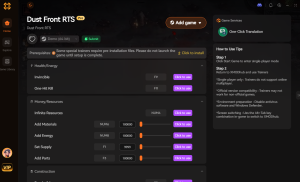
(Image Placeholder: XMODhub 1-click trainer interface for Dust Front RTS replacing complex Cheat Engine tables)

How to Use XMODhub for Dust Front RTS?

1.Download: Download and Launch the free XMODhub desktop app.
XMOD APP
2.Search: Search for “Dust Front RTS” in the library of over 5,000 supported titles.
Dust Front RTS PC cheat trainer options screen
3.Auto-Hook: Click “Play” to auto-hook the game safely. The app automatically detects your game version.
4.Activate: Toggle your desired cheats directly from the clean UI or via customizable hotkeys on your keyboard while in-game.

Download Dust Front RTS Trainer Now

4. Where to Find Safe Dust Front RTS Cheat Tables (.CT)?

If you absolutely insist on using CE and want to bypass the grueling process of finding pointers yourself, you’ll want to download a pre-made Cheat Table (.CT file). However, you must exercise extreme caution. Because Dust Front RTS is a highly anticipated real-time strategy game with a massive following from events like Steam Next Fest, malicious actors frequently target the community.

Searching for a “Dust Front RTS cheat engine table” on random forums, obscure Reddit threads, or unverified Discord servers is incredibly dangerous. Cheat Engine tables are not just simple text files; they can contain complex, embedded Lua scripts. When you open a compromised .CT file and grant it permission to attach to a process, a malicious Lua script can execute commands directly on your PC. Hackers use fake cheat tables to silently install Trojans, steal Discord authentication tokens, scrape your browser passwords, or inject background crypto-miners that will permanently throttle your GPU performance.

You should only ever download .CT files from highly reputable, heavily moderated communities like FearLess Cheat Engine, where veteran reverse-engineers thoroughly vet the code. Even then, you are still at the mercy of game updates breaking the table. This severe cybersecurity risk is exactly why a verified, sandboxed, and professionally maintained application like XMODhub is the vastly superior and safe choice for modifying your single-player experience.

5. Top Features of a Premium Dust Front RTS Cheat Engine Table

When veteran modders actually manage to construct a stable Dust Front RTS cheat engine table, they move far beyond simply locking resource values. A high-quality .CT file will utilize custom Assembly scripts to fundamentally alter the game’s logic, giving you absolute strategic dominance. If you are hunting for a table on community forums, these are the advanced features you should be looking for—though keep in mind that activating too many scripts simultaneously increases your risk of a fatal game crash.

Instant Build/Recruit: Uses AOB Injection. Removes the production queue timer for machinery plants and barracks. (Medium Stability Risk)
God Mode (Player Only): Uses Complex Lua Script. Ensures your strike groups are immune to all incoming enemy damage. (High Stability Risk)
Fog of War Reveal: Uses Byte Edit / Hook. Instantly reveals hidden Bandit bases and resource nodes on procedural maps. (High Stability Risk)
Infinite Command Points: Uses Static Pointer. Allows you to bypass the strict population cap and build massive armies. (Low Stability Risk)
No Reinforcement Cooldown: Uses Float Freeze. Lets you spam off-map artillery strikes and bomber runs continuously. (Medium Stability Risk)

6. The Update Curse: Why Your .CT Files Keep Breaking

A major point of frustration for players using a Dust Front RTS cheat engine table is the “Update Curse.” Modern indie RTS games receive frequent micro-patches to balance unit stats, fix pathfinding bugs, or optimize performance.

Whenever the developer pushes a tiny 50MB update to Steam, the game’s executable file is recompiled. This shifts the internal memory architecture. The Array of Bytes (AOB) that your cheat table was relying on to activate “Instant Build” is no longer at the same address. When you try to activate the script, Cheat Engine searches for a string of code that no longer exists, resulting in a script error or an immediate desktop crash. This forces you to wait days or weeks for the original table creator to manually reverse-engineer the new update and release a revised .CT file. This tedious cycle of broken tables is the exact problem XMODhub’s auto-updating cloud architecture was built to solve.

7. Frequently Asked Questions (FAQ)

Steam (Singleplayer): 100% Compatible | Safe Risk Level. Perfect for campaign missions, skirmishes, and demo testing.
Epic Games Store: 100% Compatible | Safe Risk Level. Memory addresses may slightly differ from Steam, but XMODhub auto-adjusts.
Xbox Game Pass (PC): Very Difficult | High Frustration. UWP encryption blocks standard CE attachment. Requires advanced bypasses.
Multiplayer / Co-Op: Strictly Prohibited | Account Ban. Never use memory editors in online environments. It ruins the game and triggers anti-cheat.
Q: Can I use Cheat Engine on the Xbox Game Pass version of Dust Front RTS?

A: Usually, no. Game Pass uses strict UWP (Universal Windows Platform) file encryption and aggressive permission management that actively blocks Cheat Engine from reading or writing to the game’s active memory. If you try to attach CE to a Game Pass executable, you will likely get an “Access Denied” error. However, XMODhub is specifically engineered to bypass these UWP restrictions seamlessly, allowing you to mod the Game Pass version just as easily as the Steam version.

Q: Is it illegal to use Cheat Engine?

A: Modifying data on your own PC for a single-player, offline experience like the Dust Front RTS campaign or skirmish mode against AI is completely legal. You own your hardware and can alter the local memory of the software running on it. Just never bring memory editors into a multiplayer server, as that violates the Terms of Service and will result in an immediate, permanent account ban.

Q: Will using Cheat Engine drop my FPS or slow down my PC?

A: Performing a “First Scan” with the “Unknown Initial Value” setting on a massive RTS game like Dust Front RTS will absolutely tank your performance temporarily. If the game has thousands of active entities—like infantry squads, tanks, flying mutants, and dynamic destruction physics—Cheat Engine has to index gigabytes of RAM simultaneously. This creates massive CPU load and severe stuttering until the scan finishes. However, once you have isolated an address and actively “Freeze” it, the CPU load is virtually zero. XMODhub avoids this performance hit entirely by injecting directly into the known memory hooks without needing to scan your RAM.

Conclusion: Work Smarter, Not Harder

Learning how memory manipulation works in Cheat Engine is a cool flex. It teaches you the fundamentals of game engine architecture, hexadecimal values, and reverse engineering. But let’s be real—when you come home from a long day at work, you just want to spawn in that legendary Dreadnought super heavy artillery and wreck some enemy Bandit bases without taking a computer science class.

Why spend 45 minutes digging through hex codes, fighting pointer shifts, and dealing with random desktop crashes when you can click one button and instantly get God Mode for your entire strike group? And the best part? XMODhub supports over 5,000+ PC games. Once you install the app, you can ditch the complicated, malware-risky cheat tables for good and get straight to dominating the battlefield.


xmod games

Download XMODhub Trainer Now

  • Catherine Hu

    I am a passionate gamer and writer at XMODhub, dedicated to bringing you the latest gaming news, tips, and insights. Connect with me: LinkedIn Profile ↗

    Related Posts

    palworld

    XMODhub_support

    幻獸帕魯快速配種PC作弊:安全指南

    閱讀時間 5 分鐘快速配種YouReduceCommon 快速解答幻獸帕魯 → 要在《幻獸帕魯》中使用PC作弊進行快速配種,玩家可以使用像XMODHUB這樣的專用PC修改器,立即跳過繁瑣的蛋孵化計時器,並生成無限的蛋糕資源。雖然Pocketpair的這款生存遊戲允許調整世界設定來縮短孵化時間,但PC修改器能完全消除數小時的實際等待時間,實現即時孵化。這對於單人遊戲中的嚴選或被動技能遺傳測試來說是絕佳選擇。在官方公開伺服器上使用修改器可能會導致帳號被停權,因此務必在離線或自己架設的私人伺服器上遊玩。 重點摘要 優化蛋糕生產 — 使用熔岩獸和阿努比斯,將手動準備蛋糕的時間最多縮短80%。 調整世界設定 — 在伺服器設定中將蛋的孵化計時器降至0,合法地加速孵化。 使用PC修改器 — 使用安全的PC修改器完全跳過配種循環,立即孵化蛋並獲得無限物品。 安全的離線遊玩 — 務必在單人遊戲或私人合作世界中使用MOD,以避免在官方伺服器上被停權。詳情將在下文解說。 目錄 ●如何在《幻獸帕魯》中更快地配種帕魯? ●如何在《幻獸帕魯》中縮短蛋的孵化時間? ●使用《幻獸帕魯》PC作弊時的常見錯誤 ●《幻獸帕魯》快速配種PC作弊:休閒玩家 vs. 核心玩家 ●最終結論 如何在《幻獸帕魯》中更快地配種帕魯? 要在《幻獸帕魯》中更快地配種帕魯,在應用PC作弊之前,需要先優化蛋糕的生產線,並活用特定的據點設施。結合高階級的工作帕魯和系統性的農園配置,可以將手動準備時間最多減少80%,讓您能更專注於被動技能的遺傳,而非資源收集。 有效使用幻獸帕魯配種計算機 根據《幻獸帕魯》1.0變更總覽,理解被動技能的遺傳規則對於最小化RNG至關重要。《幻獸帕魯》的配種計算機能告訴您繼承「傳說」或「腦筋」等頂級特性所需的確切親代組合。當我在遊玩遊戲後期時,將此計算機的邏輯與即時孵化修改器的選項結合使用,原本可能需要數週才能完成的完美個體值(IV)嚴選工作,在短短幾分鐘內就完成了。 設定幻獸帕魯的蛋糕牧場作弊 配種過程中最繁瑣的部分,就是無止盡地農蜂蜜、牛奶、蛋和麵粉。透過PC修改器設定《幻獸帕魯》的蛋糕牧場作弊,可以完全避開這個瓶頸。開啟無限物品功能,就能立即用數千個蛋糕填滿配種牧場的箱子。對於休閒玩家來說,使用修改器生成蛋糕可能比手動農場更有益於心理健康,因為它消除了重複性的資源農場,同時保留了發現新帕魯組合的核心樂趣。…

    Leave a Reply

    Your email address will not be published. Required fields are marked *

    Primary Color

    Secondary Color

    Layout Mode