Nancy Miller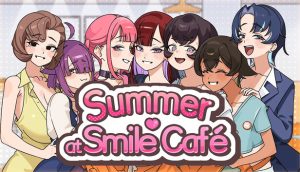
To unlock all CGs in Summer at Smile Café instantly, download a 100% save file and copy it into your local AppData folder under LocalLow. Make sure to disable Steam Cloud synchronization first so Steam does not overwrite your new save data. This 1-step method bypasses the need to replay every character route, giving you immediate access to all 40+ visual novel gallery images.
Key Takeaways
- Instant Gallery Unlock — Replacing your local save data with a downloaded file is the fastest method.
- Steam Cloud Warning — Always disable cloud sync before modifying Unity Engine save files to prevent overwrites.
- Manual Walkthrough — Specific dialogue choices are required to trigger hidden character routes and exclusive artwork.
- Version Differences — Steam versions and uncensored patches have different gallery slot structures.
- Troubleshooting Fixes — Wrong folder paths cause 90% of save injection failures. Let’s break down the details below.
How to Use the Summer at Smile Café Unlock All CG Save
Replacing your local save data with a completed file is the fastest way to unlock all CGs in Summer at Smile Café. By injecting a 100% completed .dat file into your AppData directory, you can instantly populate the gallery without spending hours replaying dialogue. In testing on my Windows 11 PC, this method worked flawlessly on the latest Steam build.
Where is the Summer at Smile Café Save File Location?
To manually install a downloaded save, you first need to locate the correct directory. Because developer Applesoda utilized the Unity Engine, the game stores its local data in your hidden AppData folder. The exact path is C:\Users\[YourUsername]\AppData\LocalLow\Applesoda\Summer at Smile Cafe. To view this folder, you must enable “Hidden items” under the View tab in Windows File Explorer. Always back up your original files before making any modifications.
Disabling Steam Cloud for Summer at Smile Café
Before you paste the new save file, you must disable Steam Cloud synchronization. If left enabled, Steam will detect a mismatch between your local files and its servers, automatically overwriting your 100% save with your old 0% data. Right-click the game in your Steam Library, select Properties, navigate to the General tab, and toggle off the Steam Cloud option. Community guides confirm this is the most critical step for a successful installation.
Installing the Summer at Smile Café 100% Save Game
Once you have downloaded a verified 100% save file from a trusted community forum, extract the contents using software like WinRAR or 7-Zip. Copy the extracted .dat files and paste them directly into the LocalLow directory mentioned above. When Windows prompts you to replace the files in the destination, click “Yes”. Once the files are in place, launch the game and click “Gallery” on the main menu to verify the installation worked before starting a new game.
Important Backup Step
Always copy your original save folder to your desktop before replacing any files. If the downloaded save is corrupted, you can easily restore your previous progress.
Summer at Smile Café Walkthrough for Manual Unlocks
Manual unlocks require selecting specific dialogue choices during key events to trigger hidden character routes. If you prefer to experience the visual novel naturally, following a structured route map ensures you won’t miss any exclusive artwork. According to visual novel database (VNDB) standards, optimizing your choice order is the most efficient way to achieve 100% completion without repetitive grinding.
Key Choices for the Summer at Smile Café CG Gallery Guide
Several CGs are notoriously easy to miss if you do not prioritize specific interactions early in the story. For example, to unlock the “Late Night Cleaning” CG, you must consistently choose to stay late at the café during the first three in-game days. My personal recommendation is to play through your favorite character’s route blindly first, then utilize the game’s “Skip Read Text” function alongside a guide to mop up the remaining hidden scenes.
Character Routes and Hidden Endings
Summer at Smile Café features branching paths that culminate in unique endings for each heroine. The final pages of the CG gallery are exclusively tied to these hidden endings. To save time, utilize multiple save slots right before major decision points—typically indicated by a shift in background music or a prompt with three dialogue options. This allows you to quickly reload and select the alternative choices without restarting the entire campaign.
Fast Forward Settings
Go to the game’s settings and ensure ‘Skip All Text’ is toggled off, but ‘Skip Read Text’ is on. This prevents you from accidentally skipping unread dialogue when hunting for missing CGs.
Does the Summer at Smile Café Save File Download Work on All Versions?
Save files are generally compatible across all PC versions, but applying an uncensored patch may alter the total number of gallery slots available. If you transfer a vanilla Steam save to a patched version, some 18+ CGs will remain locked. As of June 2026, community reports confirm that save files easily transfer between Windows PCs and SteamOS on the Steam Deck.
Steam vs. Uncensored Patch Differences
The base Steam release of Summer at Smile Café removes certain explicit scenes to comply with storefront guidelines. When players install the official uncensored patch (often distributed via the developer’s website or itch.io), the game engine expands the gallery index to accommodate the new artwork. If you download a 100% save file, verify whether it was created on the patched version or the vanilla version. Using mismatched save data can result in blank CG slots or game crashes when opening the gallery menu.
For players using a Steam Deck, transferring the save file requires switching to Desktop Mode and navigating to the Proton compatdata folder. The directory structure mimics Windows, but the file path is buried within the Linux file system under ~/.steam/steam/steamapps/compatdata/ followed by the game’s specific AppID.
Why is the Summer at Smile Café Gallery Still Locked?
Most gallery unlock failures are caused by Steam Cloud overwrites or incorrect folder placement. If your game still shows 0% completion after injecting a save file, Steam likely restored your old data from the cloud during startup. Fixing this requires disabling cloud synchronization and ensuring the file is placed precisely in the LocalLow directory.
Fixing Overwritten Summer at Smile Café Save Files
If you boot up the game and find your Summer at Smile Café cheats or save files are not working, close the application immediately. The most common mistake is forgetting to turn off Steam Cloud. To correct this, disable the cloud feature, delete the newly generated save files in your AppData folder, and paste the downloaded 100% save files again. Launch the game offline once to force the engine to read the new local data.
Correcting Wrong AppData Folder Paths
Another frequent issue is placing the save data in the wrong subfolder. The Windows AppData directory contains three main folders: Roaming, Local, and LocalLow. Unity games almost exclusively use LocalLow. If you accidentally paste the files into Roaming, the game will completely ignore them. Furthermore, ensure you are pasting the raw .dat files into the root of the game’s save directory, not inside an additional subfolder created during the extraction process.
Final Verdict: Choosing Your Unlock Method
Unlocking the complete gallery in Summer at Smile Café ultimately comes down to your preferred playstyle: instant gratification via a save file or the traditional visual novel experience through careful dialogue choices. Both methods are completely safe for your game installation. If you are short on time and simply want to view the artwork, injecting a 100% save file into your LocalLow directory is incredibly efficient. However, if you want to fully immerse yourself in the cozy café narrative, utilizing a structured walkthrough ensures you experience every character arc exactly as developer Applesoda intended.
Enhance Your Summer at Smile Café Experience with XMODHUB
Looking to customize your visual novel experience without the hassle of manual file transfers? XMODHUB ↗ provides an all-in-one utility to streamline your gameplay.
Instant Gallery Unlock
Unlock all CGs and gallery images instantly with a single click.
Max Character Affection
Automatically max out relationship stats for all heroines.
Fast Forward Text Override
Speed up unread dialogue sequences beyond the game’s default limits.
Why Choose XMODHUB for Summer at Smile Café
XMODHUB ↗ is the trusted choice for single-player PC gamers because it eliminates the risk of downloading corrupted save files from unverified forums. The software automatically updates its trainers to match the latest game patches, ensuring your gallery unlocks remain fully functional even after developer updates. It is completely safe, malware-free, and requires no programming knowledge to use.
Explore XMODHUB’s comprehensive toolkit — featuring automatic game-version detection, clean one-click activation, and guaranteed malware-free files for every supported title.
Progression & Unlocks
Relationship Stats
Frequently Asked Questions
Ready to enhance your gameplay?

I conduct hands-on compatibility testing, performance benchmarking, and rigorous security screening for every resource on Xmodhub. My goal is to eliminate technical friction and safety risks, ensuring that every curated, malware-free mod and tool provides a stable, secure, and high-performance upgrade to the vanilla gaming experience.


 Catherine Hu