
 Catherine Hu
Quick Answer: How do you cheat in Dust Front RTS?
To cheat in Dust Front RTS, you can manually attach Cheat Engine to the game’s executable and scan for changing numeric values like your current resource pool or your maximum population cap limit. However, because game updates frequently break Cheat Engine tables (.CT files), the safest and easiest alternative is using an auto-updating mod manager like XMODhub, which provides 1-click cheats without requiring any memory scanning.
Editor’s Note
Look, I get it. We all start Dust Front RTS thinking we’re going to play it completely legit. But after dying to the massive Mutant faction swarms on max difficulty for the 15th time, or spending hours grinding for passive resource generation points to deploy your army, the fun stops. I’ve been messing with Cheat Engine for years, and trying to isolate the exact memory values for this game’s current patch almost drove me insane. Today, I’m going to show you how to manually hack the values if you want the technical challenge—but I’ll also share the 1-click shortcut I actually use to save my sanity.
You may also like: Dust Front RTS Cheats and Console Commands
1. How to Use Cheat Engine for Dust Front RTS (The Manual Way)
If you want to go the old-school route and find the memory addresses yourself, here is the basic “First Scan/Next Scan” method tailored for this game. Dust Front RTS is a complex real-time strategy game featuring grand strategy elements, base building, and massive army combat on a devastated planet. Because you are managing an MCV (Mobile Construction Vehicle), multiple strike groups, off-map reinforcements, and a strict population cap, isolating the right memory addresses requires patience.
Here is the exact step-by-step process to manipulate your primary resource pool so you can instantly build your base defenses, trenches, and armored vehicles without waiting for your harvesters.
2. Common CE Errors: Pointers Breaking & Not Attaching
If you are pulling your hair out because CE isn’t working for Dust Front RTS, you aren’t alone. Modding a modern real-time strategy game with procedural world elements and massive destruction mechanics is notoriously difficult. Here is what’s probably happening behind the scenes:
To fix this manually, you have to perform a “Pointer Scan” to find the static base address (the green address) and map the offset paths that point to your resources. Alternatively, you have to write an AOB (Array of Bytes) injection script using Assembly language to intercept the game’s code as it runs. For the average player who just wants to enjoy the siege of an industrial city without stressing over micro-management, learning Assembly language is an absurd and unreasonable requirement.
3. The Better Alternative: 1-Click Cheats with XMODhub
Here is the dirty little secret of the modding community: Nobody actually wants to spend two hours updating Cheat Engine tables every time a patch drops. The moment Dust Front RTS updates on Steam, your hard-earned memory addresses shift, and your game crashes to the desktop. Whether the solo indie developer pushes a hotfix for the Mutant faction’s pathfinding or tweaks the armor values of the Empire’s self-propelled artillery, those minor code changes will completely shatter your .CT file.
Why XMODhub beats manual CE for Dust Front RTS:
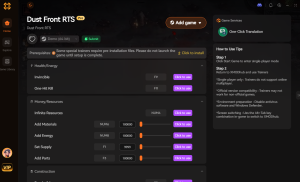
(Image Placeholder: XMODhub 1-click trainer interface for Dust Front RTS replacing complex Cheat Engine tables)
How to Use XMODhub for Dust Front RTS?

Download Dust Front RTS Trainer Now
4. Where to Find Safe Dust Front RTS Cheat Tables (.CT)?
If you absolutely insist on using CE and want to bypass the grueling process of finding pointers yourself, you’ll want to download a pre-made Cheat Table (.CT file). However, you must exercise extreme caution. Because Dust Front RTS is a highly anticipated real-time strategy game with a massive following from events like Steam Next Fest, malicious actors frequently target the community.
Searching for a “Dust Front RTS cheat engine table” on random forums, obscure Reddit threads, or unverified Discord servers is incredibly dangerous. Cheat Engine tables are not just simple text files; they can contain complex, embedded Lua scripts. When you open a compromised .CT file and grant it permission to attach to a process, a malicious Lua script can execute commands directly on your PC. Hackers use fake cheat tables to silently install Trojans, steal Discord authentication tokens, scrape your browser passwords, or inject background crypto-miners that will permanently throttle your GPU performance.
You should only ever download .CT files from highly reputable, heavily moderated communities like FearLess Cheat Engine, where veteran reverse-engineers thoroughly vet the code. Even then, you are still at the mercy of game updates breaking the table. This severe cybersecurity risk is exactly why a verified, sandboxed, and professionally maintained application like XMODhub is the vastly superior and safe choice for modifying your single-player experience.
5. Top Features of a Premium Dust Front RTS Cheat Engine Table
When veteran modders actually manage to construct a stable Dust Front RTS cheat engine table, they move far beyond simply locking resource values. A high-quality .CT file will utilize custom Assembly scripts to fundamentally alter the game’s logic, giving you absolute strategic dominance. If you are hunting for a table on community forums, these are the advanced features you should be looking for—though keep in mind that activating too many scripts simultaneously increases your risk of a fatal game crash.
6. The Update Curse: Why Your .CT Files Keep Breaking
A major point of frustration for players using a Dust Front RTS cheat engine table is the “Update Curse.” Modern indie RTS games receive frequent micro-patches to balance unit stats, fix pathfinding bugs, or optimize performance.
Whenever the developer pushes a tiny 50MB update to Steam, the game’s executable file is recompiled. This shifts the internal memory architecture. The Array of Bytes (AOB) that your cheat table was relying on to activate “Instant Build” is no longer at the same address. When you try to activate the script, Cheat Engine searches for a string of code that no longer exists, resulting in a script error or an immediate desktop crash. This forces you to wait days or weeks for the original table creator to manually reverse-engineer the new update and release a revised .CT file. This tedious cycle of broken tables is the exact problem XMODhub’s auto-updating cloud architecture was built to solve.
7. Frequently Asked Questions (FAQ)
A: Usually, no. Game Pass uses strict UWP (Universal Windows Platform) file encryption and aggressive permission management that actively blocks Cheat Engine from reading or writing to the game’s active memory. If you try to attach CE to a Game Pass executable, you will likely get an “Access Denied” error. However, XMODhub is specifically engineered to bypass these UWP restrictions seamlessly, allowing you to mod the Game Pass version just as easily as the Steam version.
A: Modifying data on your own PC for a single-player, offline experience like the Dust Front RTS campaign or skirmish mode against AI is completely legal. You own your hardware and can alter the local memory of the software running on it. Just never bring memory editors into a multiplayer server, as that violates the Terms of Service and will result in an immediate, permanent account ban.
A: Performing a “First Scan” with the “Unknown Initial Value” setting on a massive RTS game like Dust Front RTS will absolutely tank your performance temporarily. If the game has thousands of active entities—like infantry squads, tanks, flying mutants, and dynamic destruction physics—Cheat Engine has to index gigabytes of RAM simultaneously. This creates massive CPU load and severe stuttering until the scan finishes. However, once you have isolated an address and actively “Freeze” it, the CPU load is virtually zero. XMODhub avoids this performance hit entirely by injecting directly into the known memory hooks without needing to scan your RAM.
Conclusion: Work Smarter, Not Harder
Learning how memory manipulation works in Cheat Engine is a cool flex. It teaches you the fundamentals of game engine architecture, hexadecimal values, and reverse engineering. But let’s be real—when you come home from a long day at work, you just want to spawn in that legendary Dreadnought super heavy artillery and wreck some enemy Bandit bases without taking a computer science class.
Why spend 45 minutes digging through hex codes, fighting pointer shifts, and dealing with random desktop crashes when you can click one button and instantly get God Mode for your entire strike group? And the best part? XMODhub supports over 5,000+ PC games. Once you install the app, you can ditch the complicated, malware-risky cheat tables for good and get straight to dominating the battlefield.


I am a passionate gamer and writer at XMODhub, dedicated to bringing you the latest gaming news, tips, and insights.
Connect with me:
LinkedIn Profile ↗

 Nancy Miller





