Кэтрин Ху
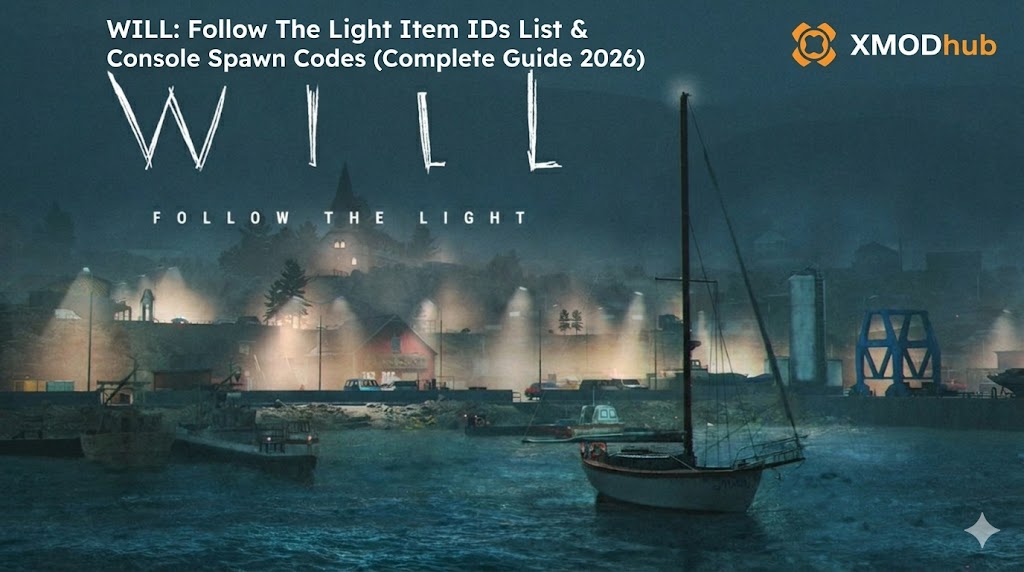 Want to test out the endgame thermal gear early? Are you tired of grinding for Yacht Fuel to keep Molly running, or perhaps you accidentally dropped a critical weather station puzzle item and now your narrative playthrough is soft-locked?
Using developer console commands to spawn items is a beloved staple of PC gaming freedom. Below is the most comprehensive, categorized, and up-to-date list of Item IDs and Unreal Engine 5 spawn codes for WILL: Follow The Light, verified for the latest patch.
Quick Reference: Top 10 Most Wanted WILL: Follow The Light IDs
If you don’t want to scroll through thousands of rows of engine data, here are the exact spawn codes for the most essential and frequently searched items in the game (including Fuel, Batteries, and crucial survival gear).
Формат команды: summon [Item ID]
| Название предмета | Категория | Internal Engine ID (Blueprint) |
|---|---|---|
| Backup Flashlight | Tool | BP_Item_Flashlight_C |
| Yacht Fuel Canister | Resource | BP_Item_YachtFuel_C |
| Radio Battery | Consumable | BP_Item_RadioBattery_C |
| Flare Gun | Equipment | BP_Item_FlareGun_C |
| Thermal Winter Coat | Gear | BP_Gear_ThermalCoat_C |
| First Aid Kit | Consumable | BP_Item_Medkit_C |
| Ice Axe | Tool | BP_Item_IceAxe_C |
| Signal Flare (Red) | Consumable | BP_Item_SignalFlare_C |
| Sled Dog (Husky) | NPC | BP_NPC_SledDog_Husky_C |
| Master Lighthouse Key | Quest Item | BP_Key_LighthouseMaster_C |
How to Enable the Console & Use Spawn Commands
Before you can use the ID codes listed below, you must understand the correct syntax for the developer console in WILL: Follow The Light. Because the game runs on Unreal Engine 5, the console is locked by default in the retail version. You must first inject the Universal Unreal Engine 5 Unlocker (UUU) client.
- ▸
Open the Console: Once UUU is injected and you are in-game, press the Tilde key (~). - ▸
The Command Syntax: The standard UE5 format requires thesummonaction followed by the Blueprint path (ID). - ▸
Format:summon [Item ID] - ▸
Пример: To spawn a backup battery at your feet, you would typesummon BP_Item_RadioBattery_Cand press Enter.
The Easy Way: XMODhub Visual Spawner (No Typing Required)
Stop Alt-Tabbing to check massive spreadsheets. Typing long, case-sensitive ID codes breaks your immersion and ruins the cinematic atmosphere of the Northern Seas.
The XMODhub PC Client includes a dedicated “Visual Item Spawner” feature specifically built for WILL: Follow The Light.
- ✓Icon-Based UI: See exactly what the radio, map, or thermal gear looks like before you spawn it.
- ✓Instant Search: Just type “Fuel” in the overlay search bar and click the one you want.
- ✓Batch Spawning: Fill your yacht’s entire storage with 99x of every single survival resource with one button press.
- ✓Auto-Updated Lists: When TomorrowHead Studio patches the game, XMODhub updates its database automatically via the cloud. You never have to hunt for new ID codes again.
🚀 Get the XMODhub Visual Spawner for Free
Список идентификаторов инструментов и оборудования
Use these codes to instantly equip Will with the best navigational and survival tools.
(Command Format: summon [Item ID])
| Название инструмента | Internal Item ID |
|---|---|
| Advanced Compass | BP_Tool_CompassAdv_C |
| Flare Gun (Empty) | BP_Item_FlareGun_C |
| Heavy Ice Axe | BP_Tool_IceAxe_Heavy_C |
| Portable Heater | BP_Tool_PortaHeater_C |
| Binoculars | BP_Tool_Binoculars_C |
Survival Clothing & Gear IDs List
Stay warm in the blizzards by spawning these high-tier clothing items directly.
(Command Format: summon [Item ID])
| Gear Name | Internal Item ID |
|---|---|
| Heavy Snow Boots | BP_Gear_SnowBoots_C |
| Insulated Gloves | BP_Gear_InsulatedGloves_C |
| Thermal Winter Coat | BP_Gear_ThermalCoat_C |
| Snow Goggles | BP_Gear_SnowGoggles_C |
Consumables & Resources IDs List
Never run out of supplies while sailing Molly or riding your dog sled again. To get more than one, you will need to repeat the command or use XMODhub.
(Command Format: summon [Item ID])
| Название предмета | Internal Item ID |
|---|---|
| Yacht Fuel Canister | BP_Item_YachtFuel_C |
| Radio Battery | BP_Item_RadioBattery_C |
| Flare Gun Ammo | BP_Ammo_Flare_C |
| Sled Dog Food | BP_Consumable_DogFood_C |
| Canned Rations | BP_Consumable_CannedFood_C |
Progression & Narrative Trigger IDs
In UE5 narrative games, you don’t just spawn physical items. You can use the console to alter hidden story flags or unlock specific journal entries.
(Command Format: ce [Event ID]) Note: ‘ce’ calls a custom event in UE5.
| Event / Trigger | Internal Event ID | Эффект |
|---|---|---|
| Unlock Map Data | UnlockMap_NorthSea |
Reveals the entire sailing map. |
| Skip Puzzle Phase | ForceSolve_WeatherStation |
Bypasses the current puzzle. |
| Max Sled Bond | SetDogBond_Max |
Maxes out loyalty with your sled dogs. |
Troubleshooting: Why Are My Commands Failing?
If you are typing the IDs correctly but the game is throwing errors, check these common issues:
- ▸
“Command not found”: The developers locked the console in the retail patch. You must install a script hook (like the Universal Unreal Engine 5 Unlocker) or use an external injector like XMODhub to re-enable it. - ▸
“Item ID invalid”: Check if you forgot the_Cat the end of the Blueprint path. UE5 requires the exact class name. - ▸
Falling Through the World: Spawning large items (likeBP_MollyYacht_C) on uneven terrain will cause the physics engine to panic, crashing the game or sending Will falling through the floor. Always spawn vehicles on flat water.
Frequently Asked Questions (FAQ)
Q: Are these Item IDs case-sensitive in WILL: Follow The Light?
A: Yes. Native UE5 blueprint paths in WILL: Follow The Light are case-sensitive. Typing bp_item_radiobattery_c will result in a syntax error. It must be BP_Item_RadioBattery_C.
Q: Can I spawn items while playing on Xbox or PlayStation?
A: No. These console commands are executed client-side via a memory injector and only function on the PC version. Console players cannot access the developer backend.
Q: How do I find the Item IDs if the developers add new DLC items?
A: Finding dynamic memory strings manually in UE5 is extremely difficult after an update. We highly recommend using the XMODhub Item Browser, which automatically scans the engine’s memory, detects new items, and lets you spawn them with a single click without knowing the hex ID.
Conclusion: The Ultimate Sandbox Experience
Having access to the complete WILL: Follow The Light Item IDs list is the fastest way to recover lost quest items, test out different sailing routes with unlimited fuel, or simply recover from a frustrating puzzle bug. Bookmark this page so you can quickly reference the codes whenever you need a resupply in the harsh cold.
However, if you want a significantly smoother, crash-free experience where you don’t need to memorize strings of code like BP_Item_YachtFuel_C, the XMODhub Visual Spawner is the superior modern choice. Browse items visually. Spawn them instantly. Keep your achievements active and stay immersed in the story.
🚀 Get XMODhub Visual Spawner Now
 XMODhub is your ultimate all-in-one toolkit for PC single-player gaming. Whether you need powerful Trainers, Visual Item Spawners, or Interactive Maps, our engine supports over 5,000+ games—including WILL: Follow The Light and similar hits like Firewatch и Alan Wake 2.

Я страстный геймер и писатель XMODhub, который стремится предоставить вам самые свежие игровые новости, советы и мнения.
Свяжитесь со мной:
Профиль LinkedIn
 Нэнси Миллер