
 Catherine Hu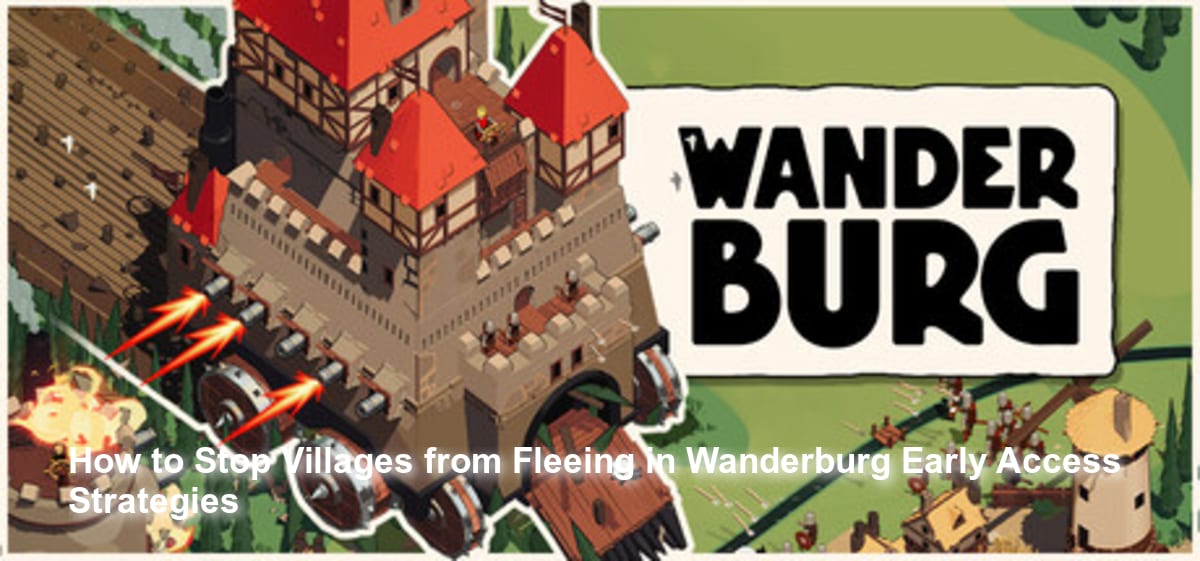
There is nothing quite as frustrating in the action roguelike genre as watching your primary source of power run away from you. In Wanderburg, you command a massive, imposing medieval castle on wheels. Your primary objective is to devour whole villages, sheep, and houses to grow your fortress and survive the bullet hell-like frenzy. However, players are quickly discovering that these villages do not just sit around waiting to be consumed. They scatter. When you are busy dodging enemy crossfire and trying to line up the perfect approach, seeing your precious upgrades literally run away can ruin an entire run.
“I spent five minutes navigating a brutal bullet hell barrage from an enemy stronghold, only to watch the village I needed to consume scatter into the grassy field before my rolling castle could reach them. My run was essentially dead right there.”
If you are struggling to keep your prey in place, you are not alone. Let us break down exactly what we know about this mechanic, how to optimize your rolling fortress, and what you can do to ensure you consume everything in your path.
TL;DR: The Short Answer
Because the game is currently in its Early Access phase (slated for September 2026), no official fix has been confirmed yet regarding a guaranteed single button or setting to freeze villages in place. However, based on community reports and the core mechanics of the game, here are the most effective ways to manage fleeing targets:
- Prioritize Speed in Customization: Always kit out your fortress with mobility upgrades first to close the gap before the village AI triggers a flee response.
- Herd Before You Strike: Approach villages from the outside edges of the map to herd them toward center obstacles.
- Clear Enemy Castles First: The bullet hell-like frenzy from enemy strongholds will distract you; clear the immediate threats so you can focus entirely on chasing down the village.
- Use XMODhub: If the chase is ruining your experience, utilize external modding tools to increase your castle’s base speed or instantly consume targets.
Table of Contents
- TL;DR: The Short Answer
- Understanding the Devour Mechanic in Wanderburg
- Why Villages Flee: The Bullet Hell Distraction
- Best Strategies to Catch Fleeing Villages
- Recovering a Ruined Run
- The Ultimate Shortcut: Using XMODhub
- Analyzing Target Types and Flee Mechanics
- Frequently Asked Questions
- Final Verdict: Mastering the Rolling Castle
Understanding the Devour Mechanic in Wanderburg
Developed by Randwerk, Wanderburg operates on a highly unique premise: you are a medieval fortress on wheels, and you must grow strong from the very things you consume [1]. Unlike traditional roguelikes where you simply pick up experience gems dropped by defeated enemies, Wanderburg requires you to actively run over and “devour” dynamic targets in the environment.
These targets include sheep, houses, and entire villages [3]. Consuming these elements is the fundamental way you add more weapons to your castle and ensure your survival. The game looks borderline cute at first sight, but the sinister reality is that your progression is entirely dependent on your ability to hunt down these civilian structures and livestock.
When a village flees, you are not just losing points; you are losing the structural upgrades required to survive the late-game scaling. If you miss too many of these targets, your castle will remain under-kitted, making it mathematically impossible to survive the escalating enemy waves.
Why Villages Flee: The Bullet Hell Distraction
To understand how to stop them from fleeing, we must understand why they get away in the first place. Wanderburg is not just a peaceful driving simulator; it is described as a “bullet hell-like frenzy” [2].
While you are attempting to consume a village, you are simultaneously being attacked by other rolling enemy castles. The screen quickly fills with projectiles. Based on community reports from early demo testing, players often lose villages because they are forced to take evasive maneuvers to avoid taking massive damage from enemy strongholds.
While you are dodging, the village AI reacts to your proximity and the ongoing chaos, causing the houses and sheep to scatter. Because your castle is massive and carries a heavy momentum, reversing direction to chase down a rogue sheep or a fleeing house is incredibly difficult. The speed gap between a heavily armored, under-upgraded early-game castle and a scattering village is the primary reason players fail to consume their targets.
Best Strategies to Catch Fleeing Villages
Since no official fix has been confirmed yet to simply turn off the fleeing mechanic, players must rely on tactical gameplay to secure their upgrades. Here are the best strategies based on community reports and genre-standard mechanics.
The Herding Technique
In Wanderburg, positioning is everything. Do not simply drive your rolling castle straight into the center of a village. If you do, the entities will scatter in 360 degrees, making it impossible to catch them all.
Instead, practice the herding technique. Approach the village from the most open side of the grassy field. Use the sheer size of your fortress to block their primary escape route, forcing the sheep and houses to funnel toward environmental boundaries or other enemy castles. By corralling the village into a tighter cluster, you can devour multiple targets in a single, sweeping pass rather than awkwardly attempting to reverse your massive wheels to catch stragglers.
Optimal Fortress Customization
The developers at Randwerk have emphasized that Wanderburg allows you to “kit out and customize” your medieval fortress [2]. How you build your castle directly impacts your ability to catch villages.
When presented with upgrade options after consuming your initial targets, you must resist the urge to only pick heavy artillery. While adding more weapons is crucial for fighting other castles [3], mobility is the key to stopping villages from fleeing.
Based on community reports, players should prioritize:
- Movement Speed Enhancements: Anything that increases the RPM of your castle’s wheels or boosts your top speed.
- Turning Radius Improvements: A tighter turning circle allows you to quickly correct your course if a village suddenly changes its fleeing trajectory.
- Area of Effect (AoE) Weapons: If you have weapons that can slow down the surrounding area or create hazards, you can use them to trap the village, making it easier for your physical castle to roll over them.
Recovering a Ruined Run
Sometimes, despite your best herding efforts and speed upgrades, the bullet hell frenzy simply overwhelms you. You dodge a massive volley from an enemy castle, and the village you desperately needed to consume vanishes into the distance. In a roguelike, this usually means a slow, agonizing defeat as you lack the weapons to continue.
If you find yourself constantly frustrated by lost progression and do not want to restart your entire run from scratch, there are alternative methods to manage your game state. Many players who want to experiment with different castle builds without the grind choose to modify their save data. If you want to learn how to manually adjust your resources to compensate for those lost villages, you should absolutely read the comprehensive Wanderburg Save File Editor Guide for Wanderburg. This guide will walk you through the precise steps to salvage your hard-earned progress.
The Ultimate Shortcut: Using XMODhub
Let us be brutally honest: sometimes you just want to drive a giant castle and destroy things without worrying about the tedious task of chasing down runaway sheep. If you are tired of the fleeing mechanics, frustrated by the bullet hell difficulty spike, or just want to see how massive your castle can get without the grind, you need a shortcut.
You do not have to wait for the developers to patch the game or rely on perfect positioning. You can bypass the frustration entirely with XMODhub.
XMODhub is the premier tool for single-player PC game modifications, allowing you to inject quality-of-life features directly into Wanderburg. With dedicated scripts for the game, you can completely ignore the fleeing mechanics.
How to dominate Wanderburg with XMODhub in 3 simple steps:
- Download XMODhub: Install the lightweight client from the official website and create your free account.

- Auto-Detect Wanderburg: Launch the XMODhub app and let it automatically scan your Steam/PC library to hook into the Wanderburg executable.
- Toggle Cheats: Open the in-game overlay and activate features like “Max Castle Speed,” “Instant Devour Radius,” or “God Mode” to ignore enemy bullet hells while you peacefully consume the map.
With XMODhub, a fleeing village is no longer a problem—your devour radius will be so massive that they will be consumed before they even realize you are there.
Download Wanderburg Trainer Now
Analyzing Target Types and Flee Mechanics
To effectively stop villages from fleeing, you need to understand that not all targets in Wanderburg react the same way. The AI behavior changes drastically based on the size and type of the entity you are trying to devour. Recognizing these differences allows you to prioritize your targets during a chaotic bullet hell wave and optimize your approach angle.
Here is a strategic breakdown of the primary targets, their base flee mechanics, and how to counter them:
| Target Type | Detection Radius | Flee Speed | Resource Yield | Recommended Catch Strategy |
|---|---|---|---|---|
| Stray Sheep | Small | Very Fast | Low (Minor Repairs) | Ignore unless directly in your path; not worth breaking your combat momentum. |
| Small Houses | Medium | Moderate | Medium (Basic Weapons) | Herd them toward the map edges or natural obstacles to restrict their movement. |
| Large Villages | Large | Slow (but scatters widely) | High (Core Upgrades) | Trap them using AoE Weapons and prioritize consuming the cluster over dodging minor projectiles. |
| Fortified Towns | Very Large | Stationary (until damaged) | Massive (Castle Expansions) | Clear enemy castles first, then devour the town systematically before individual structures trigger a flee response. |
By studying this data, you can see that chasing Stray Sheep is often a trap that leaves you vulnerable to enemy fire. Focus your mobility upgrades and herding tactics on catching Small Houses and Large Villages, as their resource yield is essential for surviving the late-game scaling.
Frequently Asked Questions
Why do villages flee in Wanderburg?
Villages flee as a core gameplay challenge. In this action roguelike, you must devour villages, sheep, and houses to grow stronger [3]. The developers designed them to scatter to force players to balance dodging enemy bullet hell attacks [2] while actively hunting down their upgrades.
Is there a setting to turn off fleeing villages?
As of the current Early Access build, no official fix has been confirmed yet. There is no in-game toggle to disable the fleeing mechanic. Players must use speed upgrades or external tools like XMODhub to mitigate the issue.
When does Wanderburg release?
Wanderburg, developed by Randwerk, is scheduled for an Early Access release on PC (Windows) in September 2026 [1][2].
What happens if I fail to consume a village?
If a village escapes, you miss out on crucial resources. In Wanderburg, you grow strong from the very things you consume [1]. Missing a village means you will not be able to add more weapons to your rolling castle [3], leaving you underpowered against enemy strongholds.
Final Verdict: Mastering the Rolling Castle
Wanderburg is shaping up to be one of the most unique and compelling action roguelikes hitting the PC market in September 2026. The bizarre but brilliant premise of commanding a medieval fortress on wheels and engaging in a bullet hell-like frenzy against other castles is incredibly fresh. However, the challenge of trying to devour fleeing villages, sheep, and houses can quickly become a massive pain point for players trying to optimize their runs.
Since no official fix has been confirmed yet to stop the fleeing behavior, your best bet is to master the art of herding, prioritize mobility when you kit out your fortress, and ensure you clear the immediate bullet hell threats before attempting to consume civilian structures.
If you find that the grind of chasing down these targets detracts from the fun of building a massive, unstoppable rolling fortress, do not hesitate to take the ultimate shortcut. XMODhub supports over 5,000+ single-player PC games, including upcoming roguelike hits like Wanderburg and other genre staples like Warhammer 40,000: Space Marine 2 and Deus Ex – Mankind Divided. By utilizing XMODhub, you can instantly boost your castle’s speed, maximize your devour radius, and focus entirely on the chaotic, sinister joy of crushing enemy strongholds under your massive wheels.
Stop Grinding, Start Enjoying.
Bypass the tedious resource gathering and unlock your full potential instantly.

I am a passionate gamer and writer at XMODhub, dedicated to bringing you the latest gaming news, tips, and insights.
Connect with me:
LinkedIn Profile ↗
 Nancy Miller