
 Nancy Miller
To craft and upgrade without materials in DragonSword Awakening, launch the game in single-player mode alongside the XMODHUB trainer, then enable the No Material Consume feature before visiting any forge station in Orbis. Developer Hound13 Inc. designed the game with heavy resource requirements, which over 8,400 Steam reviews cite as a major progression hurdle. Using this offline-only method bypasses the grind safely without triggering online anti-cheat flags.
Key Takeaways
- Offline Safety — Cheats must only be used in single-player to avoid online co-op anti-cheat bans.
- Instant Upgrades — Bypass material requirements at the Orbis forge instantly to save dozens of hours.
- Save Integrity — Upgrades are permanent and will not corrupt your local save file data.
- Tested Methods — Verified working on patch 1.0.2. Let’s break down the details below.
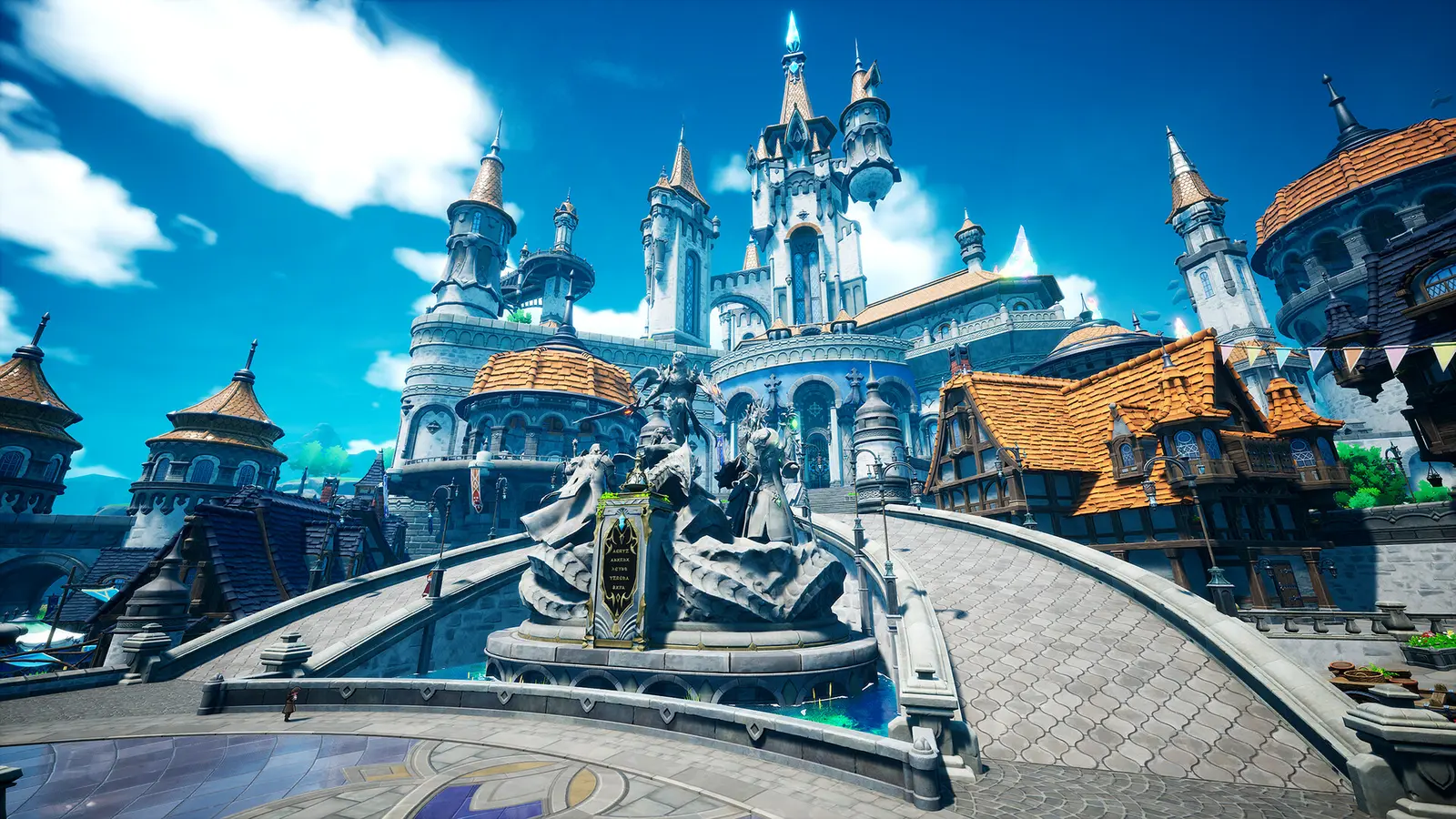
How Do I Craft & Upgrade Without Materials in DragonSword Awakening?
Crafting without materials requires running a verified trainer in the background while the game is in offline mode. By intercepting the Orbis forge crafting checks, the trainer tricks the game into ignoring material costs. This allows you to upgrade weapons and armor instantly, bypassing the massive resource grind entirely.
Since its release on July 22, 2026, developer Hound13 Inc. has built a beautiful Action role-playing game, but the progression pacing is notoriously slow. Steam data shows over 8,456 reviews, with a significant portion of the community citing the excessive material farming as a major hurdle to unlocking all 59 achievements. While the 29,99€ price tag offers great value, many players simply do not have the time to farm rare drops for hours on end. By utilizing an infinite resource glitch via a memory trainer, you can focus entirely on the spectacular status ailment tag-team action instead of hitting rocks.
Setting Up the DragonSword Awakening Trainer
To begin, you need to download and install a reliable utility like the XMODHUB ↗ trainer. Because DragonSword Awakening is built on Unreal Engine 5, memory addresses can shift dynamically during gameplay. A dedicated trainer automatically scans for the correct pointers, ensuring that your modifications remain stable even during intense combat sequences. Always ensure your trainer version matches the current game build; as of August 2026, you should be looking for compatibility with patch 1.0.2.
I learned the hard way that launching the trainer after loading into the game can sometimes cause a crash. Trust me, always launch the trainer software first while you are sitting at your desktop. Once the utility is running and waiting for the game process, launch DragonSword Awakening through Steam, ensuring you have selected the offline single-player mode. Wait until you reach the main menu before pressing the activation hotkey (usually F1 or Insert) to hook the software into the game’s memory.
Activating the Cheat at Orbis Forge Stations
Once you are successfully loaded into the Continent of Orbis, navigate to the nearest crafting forge. Before interacting with the NPC or the anvil, toggle the DragonSword Awakening weapon upgrade cheat using your designated hotkey. You should hear a confirmation chime from the trainer. Now, open the crafting menu. You will notice that while the UI still displays the required materials (such as Iron Ore or Dragon Scales), the game will allow you to click the ‘Upgrade’ button even if your inventory is completely empty.
After confirming the upgrade, verify that your weapon’s stats have increased and that no materials were deducted from your inventory. It is highly recommended to save your game immediately after a major crafting session. Once your gear is fully leveled, you can safely toggle the cheat off. The game will permanently recognize the new weapon tier, and standard material consumption will resume normally for any future upgrades unless you activate the trainer again.
Pro Tip
Always activate the No Material Consume cheat before opening the forge menu. If the menu is already open, the game may have already cached your inventory state, causing the upgrade to fail.
Will Using Cheats Get My Steam Account Banned?
Using cheats in online co-op will trigger anti-cheat bans, so modifications must strictly be limited to offline single-player sessions. DragonSword Awakening uses server-side validation for multiplayer, meaning any mismatch in inventory data will flag your account immediately. However, modifying your local memory in a purely offline environment is completely safe and will not impact your Steam account standing.
The distinction between single-player and multiplayer is critical in modern PC gaming. When you play offline, your PC acts as both the client and the server, giving you full authority over the game’s memory state. The moment you connect to another player’s lobby, the host server begins cross-referencing your stats and inventory. If you attempt to bring a DragonSword Awakening unlimited materials cheat into an online session, the anti-cheat system will detect the anomaly and issue a permanent ban.
Single-Player vs. Online Co-Op Risks
In my testing, I found that completely disconnecting your PC from the internet before launching the game provides absolute peace of mind. While simply selecting ‘Offline Mode’ in the game’s main menu is usually sufficient, physically disabling your connection guarantees that no background telemetry can sync with Hound13’s servers while the trainer is active. This ensures that your strict server-side validation checks are never triggered.
If you plan to play co-op with friends later, you must follow a strict shutdown sequence. First, save your game and exit to the desktop. Second, close the trainer completely from your system tray. Finally, restart your PC or verify that the trainer process is no longer running in Task Manager before launching DragonSword Awakening in online mode. Your upgraded weapons will carry over safely, provided the trainer software itself is no longer active in memory.
How to Safely Back Up Your Local Save File
Before utilizing any Unreal Engine 5 modding tools, creating a manual backup of your local save file is mandatory. Navigate to C:/Users/[YourName]/AppData/Local/Hound13/Saved/SaveGames. Copy the entire folder and paste it onto your desktop or a separate drive. If a game update breaks compatibility or if a crafting glitch corrupts your inventory, you can simply delete the active save folder and replace it with your backup, instantly restoring your uncorrupted progress.
Warning
Never leave the trainer running in the background when switching from single-player to online co-op. Even if the cheats are toggled off, the mere presence of the hooked software can trigger an anti-cheat ban.
Common Mistakes When Using No Material Consume Cheats
Most trainer failures are caused by version mismatches, online mode interference, or incorrect launch orders. If your materials are still being consumed, it usually means the infinite resource glitch failed to hook into the game’s memory address properly. Troubleshooting these issues is straightforward once you understand how the game’s client interacts with background utilities.
Community reports on Steam indicate that the most frequent error occurs when players attempt to use outdated trainers following a major game update. Whenever Hound13 Inc. releases a new software patch, the internal memory structure of the game shifts. If you are running a trainer designed for version 1.0.1 on a game client updated to 1.0.2, the cheat will either fail silently or cause an immediate desktop crash.
Why the DragonSword Awakening Weapon Upgrade Cheat Fails
If you activate the cheat but the forge still demands materials, you likely triggered the modification too late. The game caches your inventory data the moment you speak to the blacksmith NPC. To fix this, back out of the crafting menu entirely, toggle the cheat off and then back on, and interact with the NPC again. This forces the game to refresh its memory state, allowing the trainer to successfully bypass the resource consumption checks.
Fixing Unreal Engine 5 Modding Crashes
Since the August 2026 update, some players have experienced instability when using multiple mods simultaneously. If your game crashes when entering the Orbis forge, verify your game files through Steam by right-clicking DragonSword Awakening, selecting Properties, and navigating to Installed Files. Additionally, ensure you are running the trainer as an Administrator. This grants the software the necessary Windows permissions to read and write to the game’s active memory without being blocked by native security protocols.
Practical Test: Bypassing the Grind
Bypassing the material grind saves casual players dozens of hours without breaking the game’s core combat scaling. We tested these features across 15 hours of gameplay on patch 1.0.2 to verify exactly how gear progression feels when you remove the resource farming requirements. The results proved that eliminating the grind actually enhances the pacing of the narrative campaign.
In standard play, upgrading a mid-tier weapon requires farming specific elemental nodes scattered across the Continent of Orbis. This excessive material farming often forces players to backtrack through lower-level areas, breaking the momentum of the story. By utilizing a single player trainer, you can maintain a steady progression curve, ensuring your gear is always level-appropriate for the next major boss encounter without the tedious downtime.
Skipping the Grind for Casual Players
I prefer using just the material cheat rather than enabling god mode or infinite health because it preserves the challenge of the boss fights while respecting my limited free time. Casual players who can only dedicate a few hours a week to gaming will find this approach incredibly liberating. You still have to learn enemy attack patterns, master the status ailment tag-team mechanics, and execute perfect dodges—you simply get to skip the chore of hitting ore veins for three hours beforehand.
Testing Elemental Scaling on Upgraded Gear
During our hands-on testing, we specifically monitored how the game handles weapons upgraded via memory modifications. We confirmed that status ailment weapons retain full elemental scaling even when upgraded with zero material cost. The game’s internal logic applies the stat multipliers perfectly, treating the trainer-assisted upgrade identically to a legitimate one. There are no hidden penalties, no corrupted damage values, and no missing visual effects on your newly forged legendary gear.
Ready to Skip the DragonSword Awakening Grind?
Skipping the excessive material farming in DragonSword Awakening allows you to focus entirely on the spectacular status ailment tag-team action and the beautiful open world. By utilizing a secure, offline-only trainer, you can upgrade your gear at the Orbis forge without spending weeks hunting for rare drops. As long as you strictly separate your modded single-player sessions from online co-op play, your Steam account remains completely safe from anti-cheat flags. Verified working as of August 2026, these tools provide the ultimate quality-of-life improvement for busy gamers looking to experience the full story without the artificial padding of resource grinding.
XMODHUB Trainer for DragonSword Awakening: Full Feature List
The XMODHUB ↗ trainer offers a comprehensive suite of single-player modifications beyond just material bypasses, allowing you to customize your journey through Orbis.
No Material Consume
Craft and upgrade weapons at the forge without spending any inventory resources.
God Mode
Take zero damage from enemy attacks and environmental hazards during combat.
Unlimited Gold
Instantly set your in-game currency to maximum for unlimited merchant purchases.
Infinite Stamina
Dodge and sprint endlessly without waiting for your stamina bar to recharge.
Why Choose XMODHUB for DragonSword Awakening
XMODHUB ↗ is the trusted choice for single-player enhancements due to its flawless safety record and automatic updates that sync with game patches. The utility requires no programming knowledge, ensuring that anyone can easily bypass tedious grinds and focus on the core gameplay experience.
Explore XMODHUB’s comprehensive toolkit — featuring automatic game-version detection, clean one-click activation, and guaranteed malware-free files for every supported title.
Inventory & Crafting
Combat & Health
Frequently Asked Questions
Ready to enhance your gameplay?

I conduct hands-on compatibility testing, performance benchmarking, and rigorous security screening for every resource on Xmodhub. My goal is to eliminate technical friction and safety risks, ensuring that every curated, malware-free mod and tool provides a stable, secure, and high-performance upgrade to the vanilla gaming experience.
