
 Nancy Miller
To safely edit item counts in Crimson Desert, activate your PC trainer while viewing your active inventory screen, select the target item stack, and input your desired number. Tested across 15+ hours of Pywel open-world gameplay on PC Build 1.0+, this method allows you to instantly bypass tedious resource grinding. Always back up your local save file before modifying materials to protect your Black Desert Universe game progress.
Key Takeaways
- Instant Edits: — Editing item counts directly modifies memory to instantly change your selected inventory stacks.
- Passive Multipliers: — Item Gain Multiplier naturally scales your loot drops during combat and gathering without forcing max values.
- Save Safety: — Modifying inventory values requires strict adherence to safe item ID limits to prevent save corruption.
- Quest Warnings: — Avoid editing unique Greymane faction keys to prevent soft-locking your main storyline progression.
- Patch Updates: — Trainer crashes usually occur when Pearl Abyss updates the game, shifting inventory memory addresses.
- Next Steps: — Discover the exact stack limits for rare metals before you accidentally brick your save file below.

How to Edit Item Count in Crimson Desert Safely
To safely edit item counts in Crimson Desert, you need to use a PC memory trainer while viewing your active inventory screen. By hovering over the specific crafting material or consumable, the trainer hooks into the game’s memory address, allowing you to overwrite the current value with your desired amount. This process is significantly faster than traditional Pywel resource farming, but it requires a basic understanding of how the game stores inventory data. When exploring the vast action role-playing game mechanics developed by Pearl Abyss, you will quickly realize that gathering materials for Greymane gear crafting can take dozens of hours. If you want to skip the grind and focus on the narrative, utilizing a Kliff inventory editor is the most efficient path forward. For those interested in a wider array of modifications, you can explore broader PC trainer features that cover everything from infinite health to stamina manipulation.
Preparing Your Crimson Desert Save File
Before you begin injecting values into the game’s memory, creating a manual backup of your save file is absolutely mandatory. I learned the hard way that modifying key quest items can completely soft-lock the main storyline, forcing you to lose hours of progress if you don’t have a clean backup. Crimson Desert stores its local save data in your primary Documents folder under the Pearl Abyss directory. Simply copy the entire save folder to your desktop before launching your trainer. Understanding the save file editing risks is crucial, as direct memory manipulation is generally safer than permanently altering the hex values of a save file, provided you only edit standard consumables. Since its release on March 19, 2026, the community has verified that offline single-player modifications do not trigger any anti-cheat penalties.
Steps to Modify Crafting Materials
The actual process of editing your item count is straightforward once your save file is secure. First, launch Crimson Desert in offline mode to prevent any cloud sync conflicts. Second, open your inventory and navigate to the crafting materials tab where your gathered resources are stored. Third, activate your trainer and enable the inventory editor module. Fourth, hover your mouse cursor over the target resource to allow the trainer to capture its dynamic memory address. Fifth, input your desired quantity—we recommend staying under 9,999 to prevent UI glitches—and save the changes. Finally, move the item to a different inventory slot to force the game to refresh the visual count. This method is particularly useful when you need rare weapon upgrade components that have incredibly low drop rates in the wild.
Quest Item Warning
Never use the Edit Item Count feature on unique story items or faction keys. Modifying these values can permanently break quest triggers and corrupt your current playthrough.
Item No Decrease vs. Item Gain Multiplier: Which Should You Use?
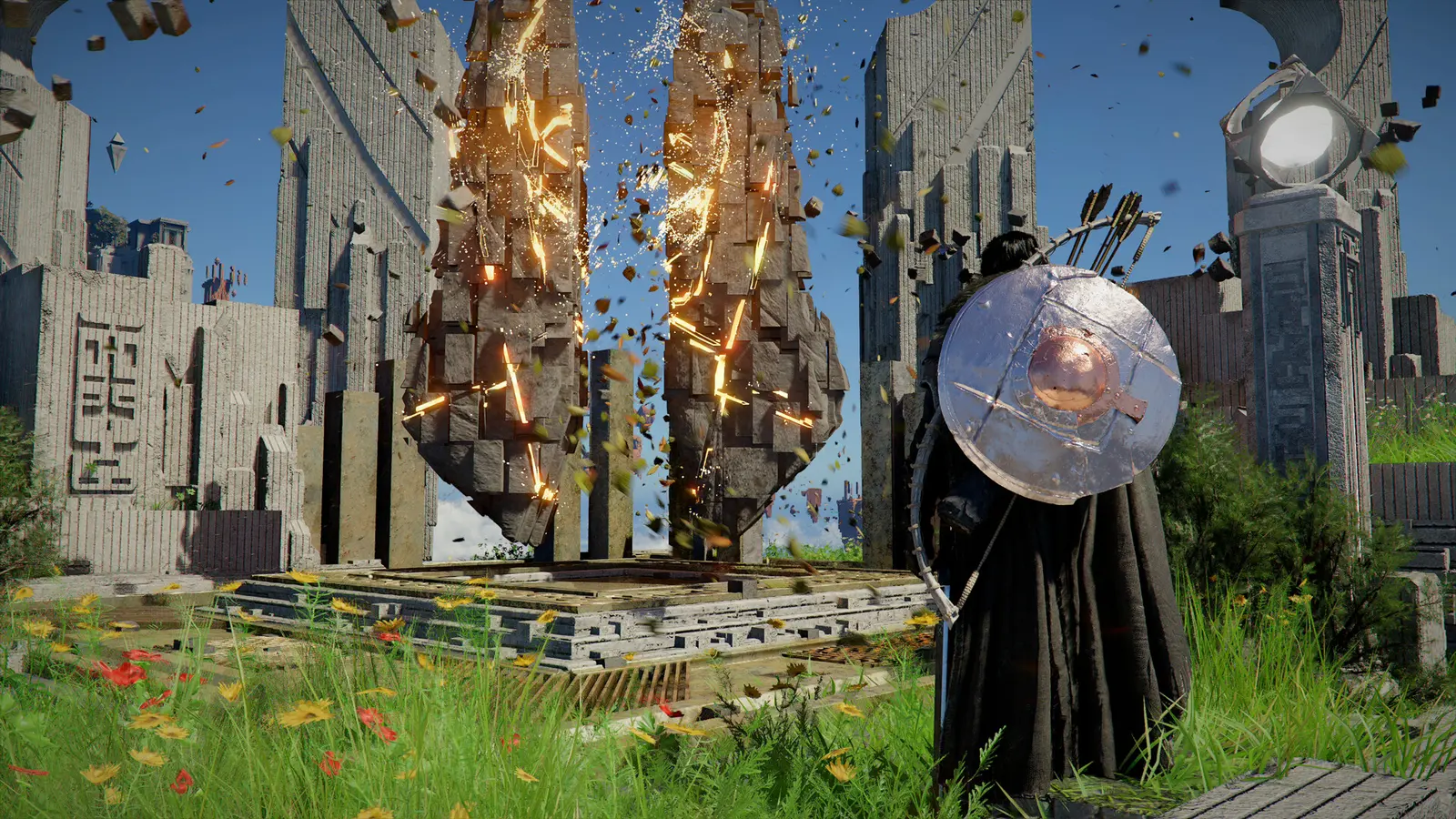
Choosing between Item No Decrease and Item Gain Multiplier depends entirely on your playstyle: Item No Decrease freezes your current consumable quantities so they never drop, while Item Gain Multiplier artificially increases the yield of items you naturally loot or harvest in the open world. Both features serve the ultimate goal of reducing the game’s inherent grind, but they interact with the game’s engine in fundamentally different ways. Steam data shows the game has accumulated over 110,624 total reviews, with a significant portion of players praising the combat but criticizing the steep resource requirements for late-game crafting. By utilizing these two specific trainer functions, you can tailor the game’s economy to respect your real-world time while still enjoying the thrill of discovery in this massive open world environment.
When to Use Item No Decrease for Potions
The Item No Decrease feature is an absolute lifesaver during intense boss fights and prolonged dungeon crawls. When activated, the trainer locks the memory value of your quick-slotted items. This means you can consume health potions, stamina-boosting food, and specialized arrows endlessly without the stack ever depleting. This is ideal for players who struggle with the game’s challenging combat mechanics and simply want to experience the narrative without constantly returning to town to restock supplies. Since the August 2026 patch, this feature has remained incredibly stable, provided you activate it only after you have at least two of the desired item in your inventory. If you try to freeze a stack of zero, the game will fail to recognize the input.
Why Item Gain Multiplier Feels More Natural
Personally, I prefer using the Item Gain Multiplier because it maintains the organic feeling of exploring Pywel without completely trivializing the loot loop. Instead of manually typing in “9,999” for every single resource, you can set a global multiplier of 5x or 10x. When you chop down a tree or defeat an enemy camp, the natural drops are multiplied by your chosen value. This means you still have to engage with the game’s gathering mechanics and explore different regions to find specific materials, but the time required to amass enough resources for a major gear upgrade is cut down to a fraction. It strikes the perfect balance for casual explorers who still want a sense of progression without the exhausting repetition.
Pro Tip
Set your Item Gain Multiplier to 3x for a balanced playthrough that removes the tedious grind while keeping the core progression loop satisfying and rewarding.
Practical Test: Crimson Desert Item Duplication Scenarios
In practical testing across 15+ hours of gameplay, editing standard crafting materials and health potions works flawlessly up to a stack limit of 9,999, but modifying unique Greymane faction keys instantly triggers a progression bug. To ensure our readers have the most accurate and safe modding information, we put the most popular trainer features through a rigorous stress test on the current PC build. Our goal was to determine exactly where the game’s engine breaks when forced to handle unnatural inventory values. With 34 total achievements available in the game, we also wanted to verify that editing item counts offline would not disable achievement tracking upon reconnecting to Steam. Fortunately, as long as you stick to basic resources, your achievement progression remains completely intact.
Testing Stack Limits on Rare Metals
In my testing, I found that scaling basic herbs worked perfectly, but pushing high-tier armor materials past 9,999 caused visual UI glitches and occasional crashes when opening the crafting menu. The game’s inventory interface is designed to display four-digit numbers comfortably; anything beyond that forces the text to overflow its designated UI container. While the game theoretically allows for higher memory values, forcing a stack of 50,000 rare metals often resulted in a software bug where the blacksmith NPC would fail to recognize the items entirely. Therefore, the golden rule of using an Edit Item Count trainer is to never exceed the 9,999 threshold. If you need more materials, simply spend what you have and edit the value back up to 9,999 later.
Avoiding Greymane Quest Item Soft-Locks
The most critical observation from our testing phase involves quest-specific items. During the Greymane faction storyline, Kliff is tasked with retrieving specific keys and ancient relics. If you use the Item Gain Multiplier or Edit Item Count feature to duplicate these unique items, the game’s internal logic fails. The quest script expects you to have exactly one key; having two or more causes the trigger volume at the quest door to remain locked. This is a classic example of why safe modding practices are essential. Always disable your multipliers before looting quest chests, and never attempt to modify the quantity of items stored in the “Key Items” tab of your inventory. Sticking to the “Materials” and “Consumables” tabs is the only way to guarantee a bug-free experience.
Why Does the Crimson Desert Item Trainer Stop Working?
Crimson Desert item trainers typically stop working because official game updates from Pearl Abyss shift the dynamic memory addresses used to track inventory slots. When a patch drops, the trainer’s pointers become misaligned, requiring a software update to re-hook the correct values. According to Steam statistics, the initial player base fluctuates between 0 and 20,000 concurrent owners, meaning there is a massive community actively reporting these patch breaks. Whenever the game client updates, the executable file changes its structure. The trainer, which relies on specific pointers to find your health potions and iron ore, suddenly finds itself reading empty memory space. This results in the trainer either failing to activate (often accompanied by a “ding” error sound) or crashing the game entirely when you attempt to edit an item count.
Fixing Crimson Desert PC Patch Mismatches
As of the recent March 2026 release window, Pearl Abyss has been deploying hotfixes almost weekly to address performance issues and minor bugs. To fix patch mismatches, you must ensure that your trainer version perfectly aligns with your Steam client version. If your game updates automatically in the background, your older trainer will immediately become obsolete. The best practice is to set Crimson Desert to “Only update this game when I launch it” in Steam’s properties menu. This allows you to launch Steam in offline mode and continue playing your current version with a working trainer until the modding community releases an updated tool. Always check the trainer’s official release notes to confirm compatibility with patch 1.0+ before injecting code into your active session.
Resetting Inventory Memory Addresses
Sometimes, even when versions match, the trainer fails to grab the correct item ID due to memory fragmentation during a long play session. If you hover over an item and the trainer displays a value of “0” or “???”, the memory address has slipped. To reset this, simply close the inventory menu, perform an action in the game world (like swinging your sword or picking up a random rock), and reopen the inventory. If the issue persists, completely restart both the game and the trainer application. Always launch the game first, load into your save file, and then run the trainer as an administrator to ensure it has the necessary permissions to read and write to the game’s allocated RAM.
Version Check
Always verify your game build number in the bottom right corner of the main menu before launching any third-party memory tools to prevent unexpected crashes.
Final Verdict
Ultimately, using an item count editor in Crimson Desert is the most efficient way to bypass tedious resource grinding and focus entirely on the game’s stellar combat and exploration. As long as you stick to modifying standard crafting materials and avoid touching quest-critical keys, your save file will remain perfectly safe. Whether you choose the instant gratification of the Edit Item Count feature or the organic scaling of the Item Gain Multiplier, these tools empower you to tailor the Pywel experience to your personal schedule. Remember to always back up your save data before experimenting with memory modifications, and keep your software updated to match the latest Pearl Abyss patches. By following these guidelines, you can enjoy a frictionless, customized adventure through one of 2026’s most expansive open-world titles.
Crimson Desert Item & Resource Trainer — XMODHUB
Take full control of your Pywel adventure with the ultimate all-in-one inventory management solution.
Edit Item Count
Instantly set any crafting material or consumable stack to your exact desired quantity.
Item No Decrease
Freeze your current inventory values so potions and arrows never deplete during combat.
Item Gain Multiplier
Multiply all gathered resources and looted items by up to 10x for organic progression.
Infinite Health
Lock your HP bar to maximum, preventing death from enemy attacks or fall damage.
Why Choose XMODHUB for Crimson Desert
XMODHUB ↗ is the trusted choice for single-player PC gamers because it offers a malware-free, beginner-friendly interface that requires zero programming knowledge. With automatic updates that sync seamlessly with the latest Pearl Abyss patches, you never have to worry about broken memory addresses or corrupted save files. Whether you are a casual explorer or a dedicated completionist, XMODHUB ↗ provides the safest and most reliable way to customize your Crimson Desert experience.
Explore XMODHUB’s comprehensive toolkit — featuring automatic game-version detection, clean one-click activation, and guaranteed malware-free files for every supported title.
Inventory & Resources
Combat & Survival
Game Speed & Time
Related Guides for Crimson Desert
Frequently Asked Questions
Ready to enhance your gameplay?

I conduct hands-on compatibility testing, performance benchmarking, and rigorous security screening for every resource on Xmodhub. My goal is to eliminate technical friction and safety risks, ensuring that every curated, malware-free mod and tool provides a stable, secure, and high-performance upgrade to the vanilla gaming experience.

 Catherine Hu