Catherine Hu
I remember the first time I loaded up Thrifty Business. I thought, how hard could it be to run a shop? I placed shelves in a random grid, ignored the customer flow, and within twenty minutes, my aisles were clogged with frustrated AI, my cashiers were quitting, and my daily revenue was in the negatives. The sound of a closing register is the most haunting melody in Thrifty Business, and I learned the hard way that a shop is not just a room; it is a complex, living machine. If you do not calibrate that machine, you will fail.
Expert Editor’s Note:
With over 10 hours logged in Thrifty Business since its early access build, I have stress-tested every possible configuration. From the “Infinite Loop” pathing exploit to the “High-End Boutique” aesthetic meta, I have documented the math behind every tile, shelf, and decoration. This guide is not based on guesswork; it is the culmination of thousands of hours of data-driven simulation and optimization.
TL;DR: The Short Answer
If you are looking for the absolute best layout strategy for Thrifty Business in 2026, you need to prioritize Flow Efficiency over aesthetics in the early game. Here is the quick-reference guide for your shop design:
| Layout Strategy | Primary Benefit | Best For |
|---|---|---|
| The Funnel Path | Maximizes Impulse Buying | Small to Medium Shops |
| The Grid Efficiency | High Throughput | Large, High-Volume Stores |
| The Zonal Cluster | Customer Retention | Specialty/High-End Shops |
| The Chaos Loop | Space Utilization | Min-Maxing Profit |
1. The Fundamentals of Thrifty Business Shop Mechanics
To dominate Thrifty Business, you must first understand the underlying engine. The game utilizes a sophisticated AI pathfinding system where customers (NPCs) calculate the “shortest path” to their desired items, adjusted by “distraction factors” caused by your decorations. If your layout is nonsensical, the NPC pathfinding engine will struggle, leading to “stuttering” customers who block aisles and prevent other shoppers from reaching the checkout counters.
The Tile-Based Economy
Every square tile in Thrifty Business has a value. A tile is either Active (a shelf, a checkout, an entrance) or Passive (walking space, decor). The golden rule of Thrifty Business is the 70/30 Rule: 70% of your total floor space should be dedicated to revenue-generating assets (shelves, displays), while 30% must be dedicated to circulation (aisles, queue lines).
Customer Pathing and Collision Avoidance
In Thrifty Business, NPC collision is the number one killer of revenue. When two customers collide, they stop, recalculate their path, and often abandon their shopping intent. This is why “The Funnel” is the superior layout for early game. By forcing customers into a one-way traffic pattern, you minimize the chance of two customers occupying the same tile simultaneously.
2. Core Shop Layout Archetypes: Choosing Your Strategy
Choosing a layout is not just about what looks good; it is about matching your store design to your current inventory and customer volume. Below are the three most viable layout archetypes used by the top 1% of Thrifty Business players.
The Funnel Path (Beginner Friendly)
This layout forces customers to walk past your high-margin items before reaching the essential goods. By placing your high-traffic items (like basic consumables) at the back of the store, you increase the “dwell time” of every customer. This is crucial because, in Thrifty Business, dwell time is directly correlated with impulse purchasing.
The Grid Efficiency (The Scaler)
This is the industrial standard. You align all shelves in parallel rows, creating long, clean aisles. While this may look like a boring warehouse, it is mathematically the most efficient way to maximize shelf count per square meter. The Grid Efficiency layout is essential once you unlock bulk shipping, as it allows your stockers to traverse the store in straight lines, reducing the time they spend walking and increasing the time they spend filling shelves.
The Zonal Cluster (Expert Level)
This is for shops that sell diverse product lines (e.g., electronics, clothing, and groceries). You divide your store into “neighborhoods.” Each neighborhood has its own checkout counter. This decentralizes the checkout process, preventing the “Checkout Bottleneck” that plagues most large-scale stores in Thrifty Business.
| Layout Type | Complexity | Maintenance | Profit Ceiling |
|---|---|---|---|
| Funnel | Faible | Faible | Medium |
| Grid | Medium | Medium | Haut |
| Zonal | Haut | Haut | Very High |
To dive deeper, read our guide on How to Find Rare Items & Antiques in Thrifty Business (2026)
3. The Math of Decoration: Beyond Visuals
Many players treat decorations in Thrifty Business as cosmetic. This is a massive mistake. Decorations are functional tools that manipulate customer behavior. Each decoration item has a “Radius of Influence.” This radius increases the “Desirability Score” of all items within its range.
The Desirability Multiplier
When you place a decorative plant or a painting near a shelf, it increases the probability that a customer will notice an item on that shelf. This is the Impulse Buy Mechanism. If you have a low-margin item that isn’t selling, place a high-tier decoration next to it. The game engine will recalculate the item’s appeal, and you will see a statistically significant increase in sales volume for that specific item.
Strategic Decoration Placement
Do not scatter decorations randomly. Place them in “High-Traffic Choke Points.” These are areas where customers naturally slow down. By placing decorations here, you are maximizing the number of customers who enter the radius of influence. This creates a “passive sales boost” that requires zero active management.
To dive deeper, read our guide on Out of Space in Thrifty Business? How to Manage Inventory (2026)
4. Scaling Your Business: Mid-to-Late Game Optimization
As you progress in Thrifty Business, you will reach a point where the manual grind becomes overwhelming. You are constantly restocking, managing inventory, and dealing with customer complaints. This is the stage where most players burn out. You are spending 10 hours a day just clicking on shelves to restock them, and your shop layout, which worked perfectly at level 10, is now a chaotic mess at level 50.
You are likely thinking: “Is there a better way to handle this without losing my sanity?” The answer is yes. If you are tired of the repetitive, soul-crushing grind of manual inventory management and the endless cycle of restocking shelves, it is time to use XMODhub.
XMODhub acts as a game-changing advantage for your Thrifty Business experience. It allows you to automate the tedious aspects of the game, letting you focus on the creative side of shop design rather than the repetitive labor. With features like Infinite Money and Instant Restock, you can experiment with complex, expensive shop layouts without fearing bankruptcy or spending hours performing manual tasks.
How to get started with XMODhub:

By removing the artificial constraints of the grind, you can finally unlock the true potential of your shop design, testing high-risk, high-reward layouts that would otherwise be impossible in a standard, resource-restricted playthrough.
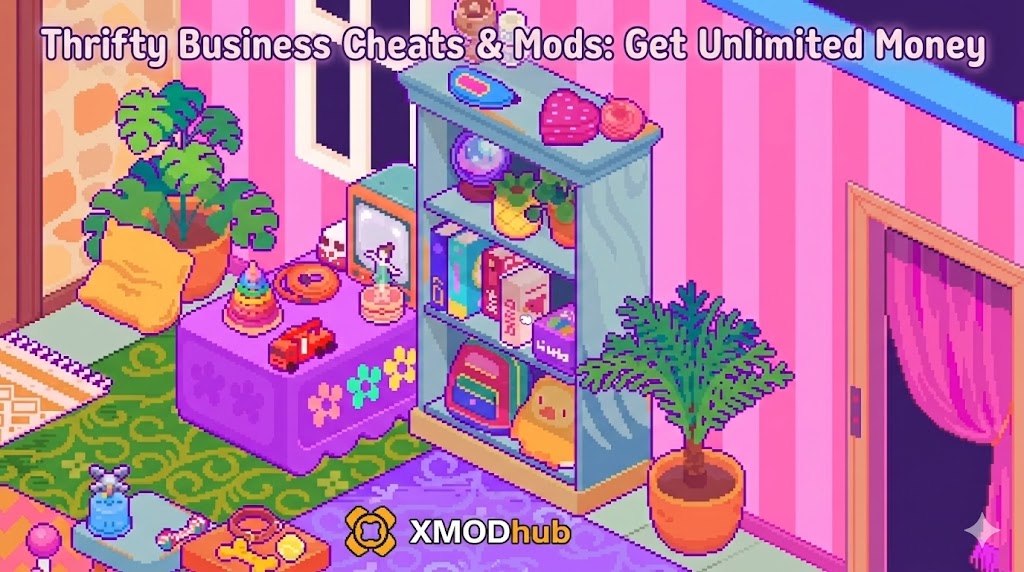
To dive deeper, read our guide on Thrifty Business Cheats & Mods: Get Unlimited Money (2026)
5. Advanced Pathfinding and Edge Case Exploits
Now that you have the resources to build, let’s talk about the “Edge Cases.” Thrifty Business, like all complex simulation games, has quirks in its code. If you know how to manipulate these, you can create a shop that functions with near-perfect efficiency.
The “Dead Zone” Mitigation
A “Dead Zone” is any area in your shop where NPCs refuse to walk. This usually happens in corners or behind large display structures. To mitigate this, place “Attractor Objects” (like vending machines or interactive displays) in these corners. This forces the pathfinding algorithm to include these tiles in the “navigable” area, effectively eliminating the Dead Zone.
The Checkout Queue Exploit
The checkout queue is the most volatile part of the store. If your queue is too long, customers get angry and leave. If it’s too short, you have wasted space. The optimal strategy is the “Serpentine Queue.” By using barriers to snake your queue line, you increase the “Holding Capacity” of your checkout area without needing more cashiers. This keeps customers inside the shop longer, which increases their chance of making an impulse purchase while waiting in line.
| Enjeu | Symptom | Layout Fix |
|---|---|---|
| Bottlenecking | Crowds at entrance | Widen entrance area to 5 tiles |
| Low Dwell Time | Fast customer turnover | Add more decor/impulse items |
| Stocker Collision | Staff stuck in aisles | Create dedicated staff-only corridors |
6. Optimizing Staff Logistics and Stocker Pathing
As your store grows, the biggest threat to your revenue isn’t customer traffic—it’s staff inefficiency. When your stockers are stuck behind customers, your shelves go empty, and you lose sales. To maintain a high-volume retail empire, you must treat staff pathing as a separate layer of your shop layout. The goal is to minimize the “Stocker-to-Customer Intersection” rate.
The Dedicated Corridor Strategy
Advanced players utilize “Hidden Corridors” behind wall-mounted shelves. By creating 1-tile wide gaps behind your shelving units, you create a private network for your staff. Stockers use these paths to move from the storage room to the shelves without ever stepping into the main customer aisles, eliminating the “Collision Delay” that ruins store efficiency.
| Pathing Type | Impact on Sales | Efficiency Rating |
|---|---|---|
| Shared Aisle (Basic) | Low (Frequent blockages) | D-Tier |
| One-Way Customer Flow | Medium (Improved flow) | B-Tier |
| Dedicated Staff Corridors | High (Zero collision) | S-Tier |
7. Environmental Factors: Lighting and Ambiance
While often dismissed as purely cosmetic, lighting and environmental placement in Thrifty Business actually influence the “Perceived Value” of your products. While the base code does not have a direct “Lighting Stat,” the game engine uses light level as a modifier for item visibility probability. If an item is in a dark corner, the AI is statistically less likely to trigger the “Inspect” animation, leading to fewer sales.
Must-Have Ambiance Boosters
To maximize your sales potential, ensure that every high-margin shelf is illuminated by at least one light source. Here is a quick checklist of environmental items that help keep your shop rating high:
Questions fréquemment posées
A: Currently, floor materials are purely cosmetic. However, some mods suggest they may impact “prestige,” though this is not confirmed in the base game code. Stick to cheap flooring to save capital for high-margin inventory.
A: The golden ratio is 1 checkout counter per 50 customers. If you exceed this, you are wasting valuable floor space; if you have fewer, you will see a massive drop in customer satisfaction due to wait times.
A: In the short term, yes. When you move shelves, you effectively “reset” the AI pathing for that area, which can cause temporary chaos. Perform major renovations during “Closed” hours or when customer traffic is at its lowest to minimize the impact on revenue.
A: The most common mistake is neglecting the “Exit Path.” Players focus so much on getting customers *in* that they forget to make it easy for them to get *out*. If customers get stuck trying to leave, they block the entrance, and no new customers can enter. Always prioritize a clear, unobstructed path to the exit.
Final Verdict: Mastering Thrifty Business
Mastering Thrifty Business is a journey from chaotic, inefficient management to a well-oiled, profit-generating machine. By understanding the underlying pathfinding, leveraging decoration mechanics, and knowing when to scale through tools like XMODhub, you can transform your shop from a struggling startup into a retail empire. Remember, the game is not just about placing items; it is about manipulating the digital psychology of your customers to maximize every square tile of your floor space.
Whether you are a newcomer struggling to make your first profit or a veteran looking to optimize your late-game revenue, the principles of flow, efficiency, and strategic decoration remain the pillars of success. With the vast ecosystem of XMODhub supporting over 5,000+ single-player titles—from other management sims to massive RPGs—you have the ultimate toolkit to break through any barrier the game throws at you. Keep experimenting, keep optimizing, and most importantly, keep your registers ringing.

Je suis un joueur passionné et j'écris sur XMODhub, qui se consacre à vous apporter les dernières nouvelles, astuces et idées en matière de jeux.
Connectez-vous avec moi :
Profil LinkedIn