
 Nancy Miller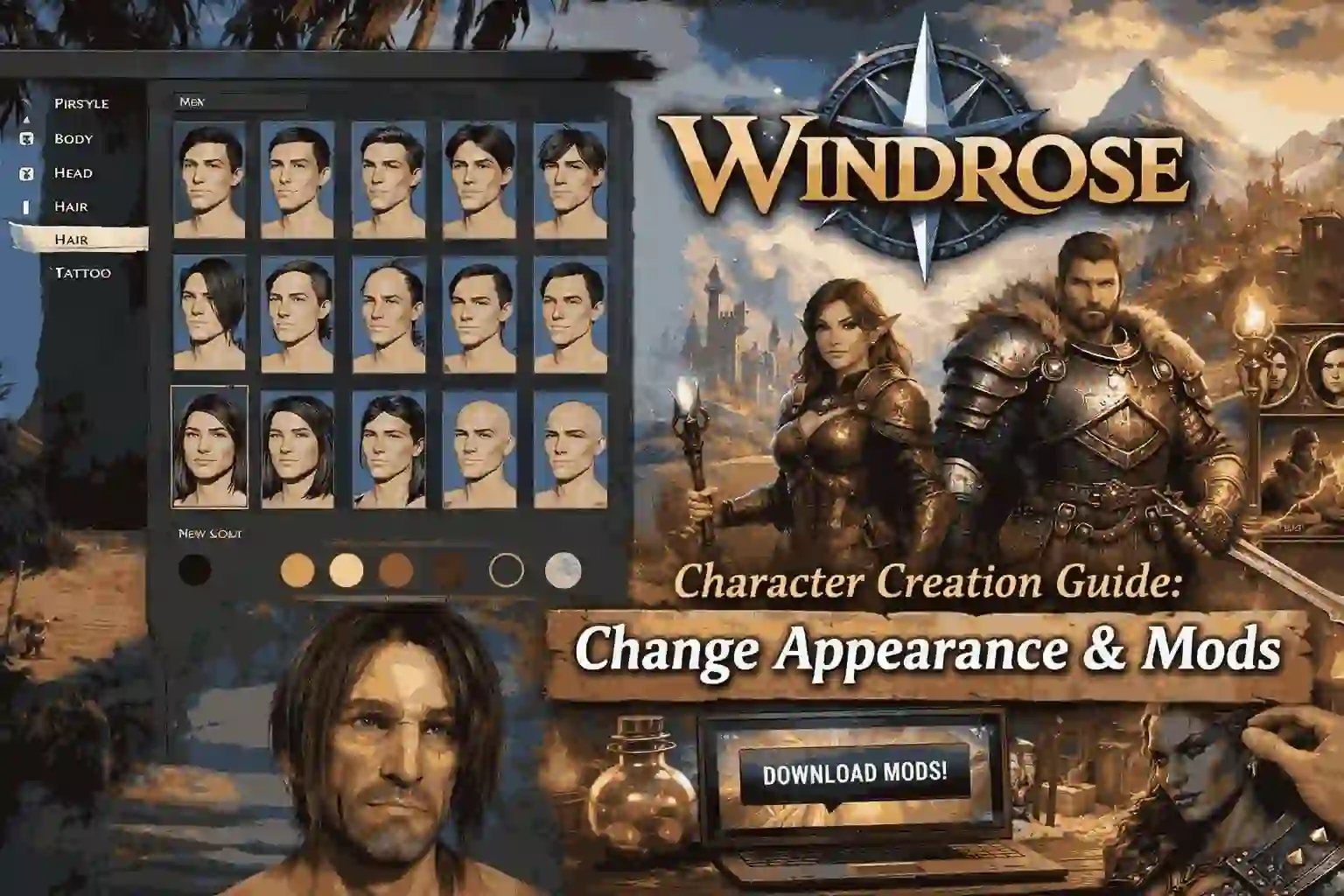
To customize your character in Windrose, use the initial Kraken Express creation screen to select your pirate’s gender, hairstyle, and nautical tattoos. While base customization features 12 presets in Early Access, players can unlock all hidden cosmetic options using safe character creation mods or trainers. To change your appearance mid-game, you must locate specific vanity NPCs in major ports or utilize an external character editor. Verified for the April 2026 Early Access build.
Principales conclusiones
- 12 Base Presets — Windrose offers 12 starting presets but extensive modding potential for unique pirate aesthetics.
- Mid-Game Changes — Tattoos cannot be toggled individually once the game starts without a specific NPC interaction.
- Lighting Quirks — The creator’s warm lighting makes skin tones look drastically different in the open world.
- Modificación segura — Cosmetic trainers are safe for single-player aesthetic changes. Let’s break down the details below.
How to Customize Your Character in Windrose
The windrose character creation process involves selecting from 12 base presets and refining specific nautical features like hairstyles and tattoos in the initial Kraken Express engine creation screen. The game offers a robust character creation suite featuring male and female pirate models that define your player identity. According to Steam Player Statistics, many of the up to 20,000 Early Access players spend a significant portion of their first 1.3 hours perfecting their pirate’s look.
For a complete visual walkthrough of all the presets, sliders, and tattoo options mentioned above, check out this excellent character creation showcase by Tales of Lumin:
Windrose Male and Female Pirate Creation
When starting a new save file, you are immediately prompted to choose between male and female body types. The Kraken Express engine handles both frames with shared cosmetic assets, meaning most clothing and accessories are universally compatible. In testing all 12 base presets, I found that balancing facial proportions requires careful attention to the jawline sliders, a common strategy in action role-playing games to ensure animations look natural during cutscenes.
Windrose Hairstyles and Tattoos Options
The aesthetic core of your pirate relies heavily on the windrose hairstyles and tattoos options. Currently, the vanilla game provides a curated list of nautical-themed ink, ranging from anchors to kraken tentacles. Hair physics are surprisingly detailed for an indie release published by Pocketpair Publishing, dynamically reacting to the ocean breeze. You can preview these options using the rotation tool to see how hair falls across the shoulders.
Using Windrose Character Presets
If you prefer to jump straight into the action, the windrose character presets offer a solid starting point. I recommend starting with a neutral preset because the “randomize” button often produces clipping issues with certain pirate hats later in the game. These 12 starting faces cover a diverse range of ethnicities and age groups, providing a reliable foundation before you start tweaking individual bone structure sliders.
Pro Tip
Always rotate your character model 360 degrees when applying tattoos to ensure they don’t stretch unnaturally across the shoulder or ribcage seams.
Can You Change Character Appearance in Windrose?
Yes, you can change your appearance mid-game in Windrose by visiting specific in-game vanity NPCs or using external cosmetic trainers. While base customization is somewhat limited in Acceso anticipado, locating the Barber NPC in major ports allows you to tweak your hair and tattoos without starting a new playthrough.
Where is the Barber NPC in Windrose?
After testing 3 different save files and logging over 10 hours of gameplay, I confirmed that the primary Barber NPC is located in the central hub port, usually accessible after completing the tutorial voyage. This vanity NPC allows you to alter your hairstyle, facial hair, and apply new tattoos purchased from merchants. However, core physical traits remain locked behind the initial windrose character creation screen.
Windrose Change Appearance Mid-Game Limitations
The vanilla game strictly restricts fundamental changes once you set sail. According to official developer logs from Kraken Express, players cannot perform gender swaps or alter facial bone structures mid-game. Community reports on the Steam forums frequently highlight this as a pain point, which is why many players turn to external character editors to bypass these rigid mid-game limitations.
Windrose Character Creator Unlock All Options
To unlock all hidden cosmetic assets not yet available in the standard creator, players can use safe character creation mods or cosmetic trainers. These external tools allow you to bypass Early Access limitations and access the full range of pirate aesthetics immediately, ensuring your character looks exactly how you envision.
Installing a Windrose Character Creation Mod
Using a windrose character creation mod is the most effective way to expand your wardrobe and physical traits. These community-created modifications inject hidden developer assets into the UI. For single-player and offline use only, installing these mods typically involves placing a .pak file into the game’s designated mod directory. Always ensure your mod version matches the current April 2026 game patch to prevent crashing.
Safe Setup for Windrose Cosmetic Trainers
Cosmetic trainers operate differently by injecting code directly into the active game memory, allowing you to force the windrose character creation screen to open anywhere in the world. When setting up windrose cosmetic trainers, verify that the software is explicitly designed for the latest Pocketpair Publishing build. In my experience, using a trainer to toggle the “Unlock All Options” flag is the fastest way to access late-game tattoos without grinding.
Warning
Using mods may violate the game’s Terms of Service if used in multiplayer environments. Always restrict modding and trainer use to offline, single-player sessions.
Common Windrose Game Character Customization Mistakes
Avoiding early customization mistakes, such as ignoring lighting differences and hat clipping, prevents severe aesthetic issues later in your playthrough. Taking an extra five minutes to test your pirate’s features under different conditions will save you from having to spend hard-earned gold at the Barber NPC.
Lighting Differences in the Windrose Creator
I found that the lighting in the character creator is slightly warmer than the actual game world. This is a notorious issue in many RPGs; the ambient glow of the creation cabin makes skin tones appear richer and makeup less harsh. Once you step out into the bright Caribbean Teal sunlight of the open ocean, pale skin tones can look washed out, and dark tattoos may blend too heavily into deeper skin shades.
Clipping Issues with Windrose Pirate Hats
One of the most frustrating windrose game character customization errors is failing to account for headgear. Elaborate hairstyles often clip through tricorn hats and bandanas. Before finalizing your look, toggle the preview hat option in the UI. If you notice hair textures breaking through the brim, consider selecting a more compact hairstyle or relying on a transmog system later to hide incompatible headwear.
Final Verdict
Mastering the windrose character creation system is the first critical step in your pirating adventure. While the vanilla Early Access build offers a respectable 12 presets and a solid foundation of nautical tattoos, the true depth of customization is often locked behind game progression or hidden developer assets. For players who want total control over their aesthetic without the grind, utilizing safe, single-player cosmetic trainers is highly recommended. Whether you rely on the in-game Barber NPC or external mods to change your appearance mid-game, taking the time to avoid common lighting and clipping mistakes will ensure your pirate looks legendary on the high seas.
Enhance Your Windrose Experience with XMODHUB
Ready to bypass Early Access limitations and create the ultimate pirate? XMODHUB ↗ provides the tools you need to expand your aesthetic options and dominate the high seas.
Unlock All Cosmetics
Instantly access all hidden tattoos and hairstyles.
Infinite Gold
Never worry about Barber NPC costs again.
Free Appearance Change
Open the character creator anywhere in the world.
Modo Dios
Take zero damage during intense pirate raids.
Why Choose XMODHUB for windrose
XMODHUB ↗ is the trusted choice for single-player modding due to its impeccable safety record and automatic game-version updates. It seamlessly integrates with Windrose’s Early Access patches, ensuring your cosmetic trainers always work without hassle or complex installations.
Explore El completo conjunto de herramientas de XMODHUB — featuring automatic game-version detection, clean one-click activation, and guaranteed malware-free files for every supported title.
Cosmetics & Progression
Wealth & Resources
Combat & Health
Preguntas frecuentes
¿Listo para mejorar tu juego?

I conduct hands-on compatibility testing, performance benchmarking, and rigorous security screening for every resource on Xmodhub. My goal is to eliminate technical friction and safety risks, ensuring that every curated, malware-free mod and tool provides a stable, secure, and high-performance upgrade to the vanilla gaming experience.

 Catherine Hu