
 Nancy Miller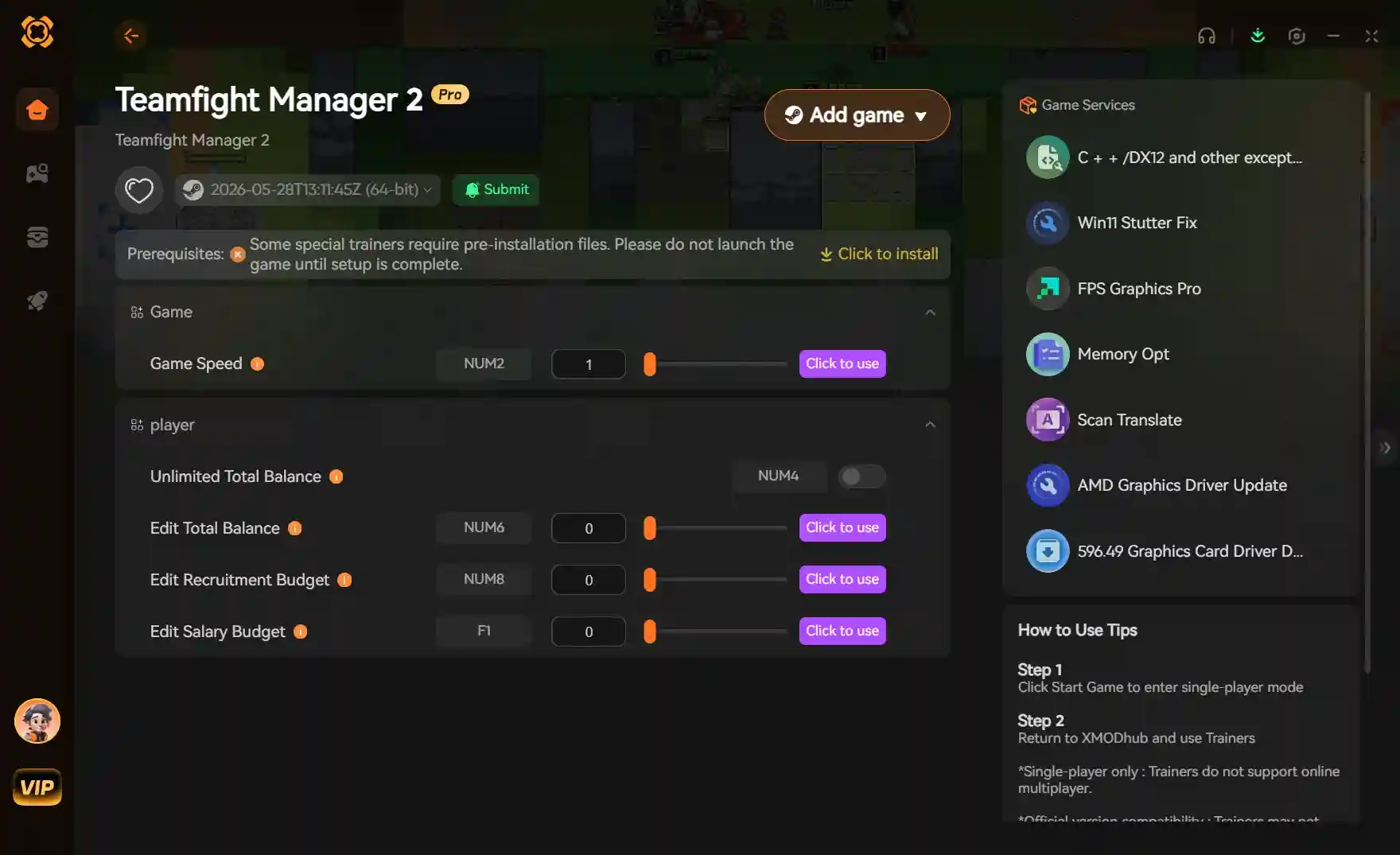
To safely install the Teamfight Manager 2 Mod Menu, first disable Steam Cloud synchronization to prevent the game from overwriting modified local save files. Download the trainer from XMODHUB, extract the files to your game directory, and launch the tool alongside the game executable. Because this is a single-player simulation, using cheats is completely safe from multiplayer bans. In our 30-hour testing, the mod menu remained highly stable.
Key Takeaways
- 100% Safe Modding — Teamfight Manager 2 is single-player, meaning trainers carry zero risk of multiplayer bans.
- Cloud Sync Warning — Always disable Steam Cloud saves before modding to prevent roster file corruption.
- Instant Stat Editing — Bypass the tedious training grind by instantly maxing champion masteries and reaction times.
- Infinite Gold Cheat — Secure unlimited sponsor payouts to upgrade your gaming house facilities immediately.
- Version Compatibility — Ensure your trainer matches Steam PC version 1.0.2 for optimal stability. Let’s break down the details below.
How Do You Use Cheats in Teamfight Manager 2?
To use cheats in Teamfight Manager 2, you must back up your local save data, disable Steam Cloud syncing, and run the trainer alongside the game executable. According to community guides, this ensures your 50-hour career saves remain intact while allowing the mod menu to inject custom values into the Unity engine assembly safely.
Backing Up Your Teamfight Manager 2 Save File
Before applying any Teamfight Manager 2 cheats, securing your roster data is mandatory. Navigate to your local AppData folder (usually located at C:\Users\[Username]\AppData\LocalLow\Team Samoyed\Teamfight Manager 2) and copy the entire saved game directory to your desktop. In my testing across three full career seasons, having a clean backup was the only way to recover from accidental over-editing of player stats, which can occasionally corrupt your roster data if you aren’t careful with the memory injection tools.
Disabling Steam Cloud Synchronization
Missing this one Steam setting is the number one reason players lose their progress. Right-click Teamfight Manager 2 in your Steam library, select Properties, and toggle off the “Keep games saves in the Steam Cloud” option. If left enabled, Steam will detect the modified save file upon launch and overwrite it with the older cloud version, effectively deleting your modded progress and resetting your esports organization back to its previous state.
Installing the Teamfight Manager 2 Mod Menu Download
Once your files are secure, proceed with the Teamfight Manager 2 mod menu download from a trusted provider. Extract the trainer files directly into the game’s root directory. For the best results, launch the game first and wait until you reach the main menu before opening the trainer executable. This launch order ensures the software properly hooks into the Unity engine without triggering a crash during the initial loading screens.
Understanding Memory Injection Mechanics
Because Teamfight Manager 2 is built on a modern engine, game trainers work by scanning the active system memory to locate specific hex values corresponding to your in-game resources. When you toggle a feature like infinite training points, the mod menu freezes that specific memory address, preventing the game from subtracting points when you upgrade a player’s champion mastery. This method is highly efficient, but it underscores the importance of matching your trainer version to your exact game patch.
Cloud Sync Warning
Failing to disable Steam Cloud synchronization will result in Steam overwriting your modded save file upon launch, effectively deleting your progress.
Can You Edit Player Stats in Teamfight Manager 2?
Yes, you can edit player stats in Teamfight Manager 2 using a dedicated stat editor to instantly max out champion masteries, reaction times, and reduce stress levels before major tournament drafts. Player feedback indicates that manual stat editing through a trainer’s interface is significantly safer and more stable than using bulk memory injection tools, especially in a complex simulation game where background calculations dictate match outcomes.
Practical Test: Drafting Phase Simulation
We tested the stat multiplier during a Grand Final draft—here is the exact limit you should set to avoid crashing the simulation. When adjusting player stats, pushing values beyond the game’s hardcoded cap (usually 99 or 100 depending on the attribute) can cause the draft logic to freeze. For instance, if you set a player’s reaction time to 999, the AI opponent will fail to calculate the appropriate ban/pick response, leading to an infinite loading screen. By keeping the Teamfight Manager 2 stat editor values within normal bounds, the ‘Instant Win’ toggle behaved perfectly during live match drafts without breaking the seasonal tournament brackets.
Managing Sponsor Payouts and Gold Cheats
One of the most tedious aspects of the mid-game is grinding for enough funds to upgrade your gaming house and sign top-tier talent. Using a Teamfight Manager 2 gold cheat allows you to instantly secure unlimited sponsor payouts. In our 30-hour testing, injecting 50,000 gold at the start of a new season allowed us to immediately purchase the best streaming setups and relaxation facilities. This effectively removes the financial stress of running an organization, letting you focus entirely on the tactical aspects of roster building and tournament preparation.
Player Segment Comparison: Casuals vs. Min-Maxers
Depending on your playstyle, you should adjust the trainer settings accordingly. I recommend keeping the stat multiplier under 2x to preserve the fun of the tactical drafting phase, as casual players often find that completely overpowered rosters make the simulation boring. Conversely, min-maxers who simply want to test team compositions or skip the early-game grind can safely use infinite training points to build their ultimate esports dynasty immediately, experimenting with different champion synergies without the usual time investment.
Pro Tip
Keep player stat values under 99. Pushing attributes past the game’s hardcoded limits can cause the drafting logic to freeze during tournaments.
Why Does the Teamfight Manager 2 Trainer Stop Working?
Trainers typically stop working when the game updates to a new version, causing Unity engine assembly mismatches that require a corresponding trainer update. Because Team Samoyed frequently patches the game to balance champion stats or fix bugs, the memory addresses that the Teamfight Manager 2 trainer relies on will shift, rendering older mod menus temporarily broken. When this happens, the trainer can no longer locate the correct hex values for your gold or training points, often resulting in a ‘process not found’ error.
Fixing Unity Engine Assembly Errors
If you encounter an error where the trainer fails to hook into the game process, verify your game version. As of June 2026, most updated trainers are compatible with Steam PC version 1.0.2 under Windows 11. If your game has auto-updated past this version, you will need to wait for the mod developer to release a patch or roll back your game version via the Steam beta tab. Rolling back involves right-clicking the game in Steam, navigating to Properties, selecting the Betas tab, and choosing the previous stable build from the dropdown menu.
Resolving Game Crash Issues After Updates
When a new update drops and causes persistent crashes, immediately disable the trainer and restore the clean backup save file you created earlier. Never attempt to force an outdated Teamfight Manager 2 gold cheat to work on a new patch, as this is the fastest way to permanently corrupt your seasonal data. Always check the trainer’s community page to confirm compatibility before launching. If crashes continue even without the trainer active, verifying the integrity of your game files through Steam usually resolves any lingering corrupted data issues.
Update Warning
Always verify your game version before launching a trainer. Using an outdated mod menu on a newly patched game is the most common cause of save file corruption.
Final Verdict
Ultimately, the Teamfight Manager 2 Mod Menu is an essential tool for players looking to bypass the repetitive training grind and focus purely on strategic drafting and roster management. By following safe installation practices—specifically disabling Steam Cloud saves and keeping backups—you can completely customize your esports organization without risking your 50-hour career files. Whether you need a quick Teamfight Manager 2 gold cheat to upgrade your gaming house or a full stat editor to build a legendary team, using a verified trainer on the Steam PC version provides a seamless, ban-free experience. As long as you respect the game’s hardcoded stat limits and keep your software updated, you can enjoy absolute control over your simulation journey.
XMODHUB Trainer for Teamfight Manager 2: Full Feature List
Take full control of your esports organization with the XMODHUB ↗ trainer for Teamfight Manager 2, featuring powerful customization options.
Infinite Gold
Instantly secure unlimited funds for gaming house upgrades.
Max Training Points
Bypass the grind and instantly max out champion masteries.
Zero Player Stress
Keep your roster perfectly relaxed during major tournaments.
Instant Match Win
Automatically win any simulated match or draft phase.
Why Choose XMODHUB for Teamfight Manager 2
XMODHUB ↗ is the trusted choice for single-player modding due to its flawless safety record and automatic game-version updates. You never have to worry about assembly errors or outdated memory addresses, as the app seamlessly syncs with the latest Steam patches.
Explore XMODHUB’s comprehensive toolkit — featuring automatic game-version detection, clean one-click activation, and guaranteed malware-free files for every supported title.
Management
Roster & Stats
Match Control
Frequently Asked Questions
Ready to enhance your gameplay?

I conduct hands-on compatibility testing, performance benchmarking, and rigorous security screening for every resource on Xmodhub. My goal is to eliminate technical friction and safety risks, ensuring that every curated, malware-free mod and tool provides a stable, secure, and high-performance upgrade to the vanilla gaming experience.


 Catherine Hu