
 Catherine Hu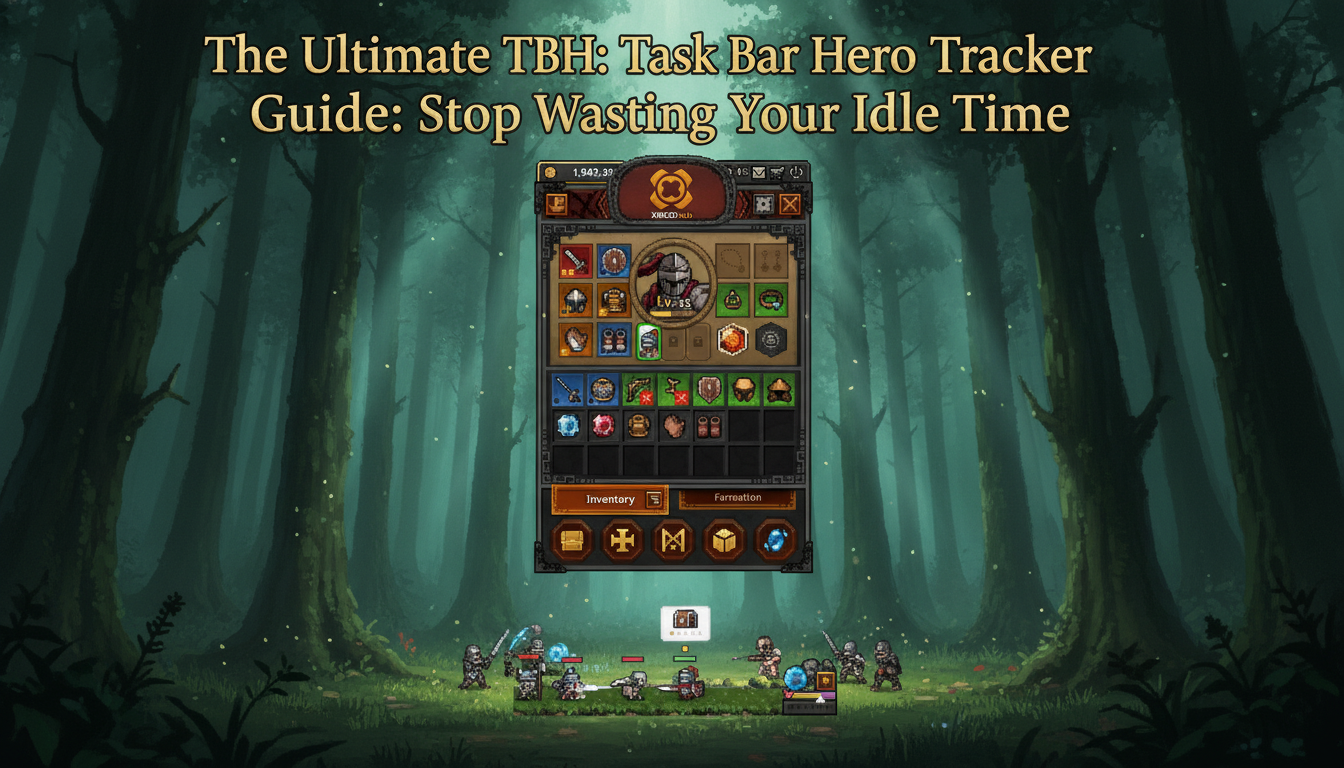
Picture this: You boot up your PC for a long workday, launch TBH: Task Bar Hero, and let those adorable pixel heroes nestle discreetly into your taskbar. You have equipped your best gear, set your region to what you assume is the most profitable zone, and you are ready to passively rake in tons of treasure, loot, and unique items over the next eight hours. But when you finally maximize the window at the end of your shift, your heart sinks. Your inventory is clogged with low-tier trash, your experience bar has barely moved a fraction of an inch, and your heroes have been endlessly wiping on a boss wave they were severely under-equipped to handle. You just wasted an entire day of idle progression because you were flying blind.
This is the exact agonizing scenario that drives players to search for a reliable TBH: Task Bar Hero tracker. In a tiny idle RPG where the core gameplay loop runs discreetly from your desktop, knowing exactly what is happening behind the scenes is the difference between skyrocketing past the Level 65 progression wall and being permanently stuck in the mid-game grind.
You may also like: Ultimate TBH: Task Bar Hero Sorcerer Build for Infinite Idle Progression
Editor’s Note
“When TBH: Task Bar Hero first launched, I thought I could just brute-force the idle mechanics. I was wrong. Once you hit Level 65, the experience curve steepens dramatically, and the loot pool becomes incredibly diluted with class-specific items for the Hunter and Slayer. Without a dedicated TBH: Task Bar Hero tracker to calculate my actual EXP-per-hour and wave-clear consistency, I was essentially halting my own progression. Tracking your metrics is not optional; it is mandatory for end-game supremacy.”
Quick Answer: TL;DR: The Short Answer
A proper TBH: Task Bar Hero tracker allows you to monitor your true EXP-per-hour, loot drop probabilities, and wave-clear rates while the game runs in the background.
Mechanics Deep Dive: Understanding the Problem
To truly understand why you need a TBH: Task Bar Hero tracker, we have to peel back the layers of how this co-developed tiny idle RPG actually functions when it is minimized on your screen. The developers at Nugem Studio and Tesseract Studio designed the game to be unobtrusive, but that design philosophy inherently hides vital statistical information from the player.
The Hidden Math Behind Taskbar Idling
When TBH: Task Bar Hero is running discreetly from your desktop, it relies on a “background tick rate” to simulate combat, calculate damage, and distribute loot. Because the game is rendering pixel heroes in a highly compressed UI space, it does not display a comprehensive combat log. Every time your heroes take down waves of monsters, the game rolls a complex set of RNG (Random Number Generation) dice. There is a roll for the monster’s spawn rarity, a roll for the item drop chance, a roll for the item’s tier, and a roll for the specific class requirement (such as Slayer or Hunter).
Without a TBH: Task Bar Hero tracker, you have absolutely no visibility into these background calculations. You might think your current build is clearing waves efficiently because you occasionally see a boss die when you glance at your taskbar, but your actual “Wave-to-Kill” ratio might be abysmal. If your heroes take 45 seconds to clear a wave in Region 4, but only 12 seconds to clear a wave in Region 3, the lower-level region might actually yield 20% more overall EXP and loot over an eight-hour idle session. A tracker exposes this hidden math, allowing you to optimize your region selection based on hard data rather than guesswork.
Mistake #1: Ignoring Loot Pool Dilution and Inventory Bloat
One of the most common and devastating mistakes players make in TBH: Task Bar Hero is failing to manage their inventory during long idle sessions. Even if you have purchased the TBH: Task Bar Hero – Three Stash Pack, your inventory space is finite. As you unlock higher-tier regions, the loot table expands significantly. The game starts dropping a wider variety of diverse classes’ skills, items, and crafting materials.
If you are not using a TBH: Task Bar Hero tracker to monitor your drop rates, you will likely fall victim to inventory bloat. This happens when your heroes continuously farm a region that drops high volumes of low-value, common items. Because the game auto-loots, your limited stash fills up completely within the first two hours of your workday. For the remaining six hours, any high-tier, unique items that drop are automatically discarded by the system because there is no room left. A tracker helps you identify the exact drop distribution of a region, allowing you to set up proper filtering (if available) or adjust your farming location to a zone that drops fewer, but higher-quality, items.
Mistake #2: Miscalculating the Level 65 Progression Wall
As noted by the community and reflected in the game’s mixed Steam reviews, TBH: Task Bar Hero boasts excellent early-game progression. However, right around Level 65, players slam into a massive progression wall. The experience required to reach Level 66 and beyond scales exponentially, while the base EXP granted by standard monsters plateaus.
This is where playing without a TBH: Task Bar Hero tracker becomes a fatal error. Players often assume they just need to “wait longer,” leaving the game running for days on end with minimal progress. In reality, breaking through the Level 65 wall requires pinpoint optimization. You need to know exactly how much EXP per minute you are generating. Are you losing efficiency because your heroes are dying and waiting for the respawn timer? Are you lacking the necessary DPS to burst down elite monsters before they heal? A tracker provides the granular EXP data necessary to tweak your gear, swap your skills, and fine-tune your strategy until you find the exact build capable of shattering the Level 65 barrier.
Mistake #3: Class-Specific Drop Blindness
With the introduction of DLC classes like the TBH: Task Bar Hero – Hunter and the TBH: Task Bar Hero – Slayer, the game’s ecosystem became much more complex. Each class requires highly specific gear to function optimally. If you are maining a Hunter, you need items that boost ranged attack speed and critical hit chance.
A major pitfall is “Class-Specific Drop Blindness.” Players will park their heroes in a region without realizing that the specific monster types in that zone have a heavily weighted drop table favoring Slayer gear over Hunter gear. You could idle for an entire week and never see a single upgrade for your main character. A comprehensive TBH: Task Bar Hero tracker logs the specific metadata of every item dropped over a given period, quickly revealing regional biases in the loot table. If your tracker shows a 70% bias toward heavy armor in the Volcanic Region, you instantly know to move your Hunter to a different zone.
Best Alternative Methods and Advanced Tips
If you do not have access to an automated third-party tracking application, you are not entirely out of luck. Hardcore players have developed rigorous manual methods to simulate the functions of a TBH: Task Bar Hero tracker. These advanced techniques require a bit more effort, but they are absolutely essential for optimizing your daily grind and ensuring your pixel heroes are always operating at peak efficiency.
Before diving into tracking methodologies, you must ensure your baseline combat efficiency is as high as possible. If you are struggling to clear waves fast enough to even generate meaningful data for your tracker, you should focus on optimizing your magical DPS output with the best setup. Once your build is perfected, you can begin implementing these advanced tracking strategies.
Advanced Tip #1: The 15-Minute Benchmark Test
Instead of leaving TBH: Task Bar Hero running blindly for eight hours, you should conduct controlled “15-Minute Benchmark Tests” to build your own manual tracker using a spreadsheet. Here is how it works:
By repeating this benchmark test across three or four different regions, your spreadsheet becomes a highly accurate, personalized TBH: Task Bar Hero tracker. You will mathematically prove which region offers the best returns for your specific gear level.
Advanced Tip #2: Utilizing Gold-to-Time Ratios as a Health Metric
If tracking individual EXP numbers feels too tedious, you can use your Gold accumulation as a proxy metric for your overall efficiency. In TBH: Task Bar Hero, Gold drops are generally consistent across monster types within a specific tier. By tracking your Gold-per-hour, you can easily identify if your heroes are struggling.
If your manual TBH: Task Bar Hero tracker shows that you normally earn 50,000 Gold per hour in Region 5, but during a recent session you only earned 30,000 Gold, you instantly know something is wrong. Usually, this indicates that your heroes are dying frequently and triggering the penalty respawn timer, or that your inventory filled up, causing the game to stop looting valuable items that you would normally sell. Monitoring this single metric is a fantastic, low-effort way to keep tabs on your idle progression.
The Ultimate QoL Solution: Bypassing the Grind with XMODhub
Let us be completely honest: building spreadsheets, running 15-minute benchmark tests, and constantly stressing over inventory bloat defeats the entire purpose of a “tiny idle RPG.” You downloaded TBH: Task Bar Hero to enjoy a fun, discreet gaming experience, not to become a data analyst. When the Level 65 progression wall turns the game into an agonizing slog, and manual tracking becomes too tedious, it is time to take control of your time.
This is where XMODhub steps in as the ultimate quality-of-life upgrade. Instead of relying on a TBH: Task Bar Hero tracker to tell you how slowly you are progressing, XMODhub allows you to manipulate the game’s background variables directly. Need to bypass the EXP wall? Use the Custom EXP Multiplier. Sick of your inventory filling with trash? Toggle the 100% Rare Drop Rate Override to ensure every single item that drops is a top-tier upgrade for your specific class. You can even use the Game Tick Speed Hack to accelerate the idle combat, compressing eight hours of grinding into just a few minutes.
Follow these 3 simple steps to fix this instantly:

Download TBH: Task Bar Hero Trainer Now
Essential Tracker Metrics & Regional Data Mapping
For players who insist on maximizing their organic progression, knowing what to track is just as important as knowing how to track it. A high-quality TBH: Task Bar Hero tracker will typically scrape data to highlight three core metrics: TTK (Time-To-Kill) per wave, Rare Item Drop Frequency, and Raw EXP Yield.
Because of the Level 65 difficulty spike, certain regions become notorious “trap zones.” These are areas that look visually appealing or feature high-level bosses, but actually yield terrible EXP-per-hour due to inflated monster health pools and heavy loot dilution. Below is a data matrix outlining the optimal mid-to-late game regions. If your personal tracker is not hitting these baseline numbers, your build is underperforming and needs immediate adjustment.
| Region Zone | Target Class Synergy | Ideal Tracker EXP/Hr | Dominant Loot Pool Bias |
|---|---|---|---|
| Crimson Caldera | Slayer / Melee | 45,000 | Heavy Armor & Two-Handed Weapons |
| Verdant Canopy | Hunter / Ranged | 42,000 | Bows, Daggers & Evasion Gear |
| Forgotten Spire | Sorcerer / Magic | 55,000 | Staves, Tomes & Mana Runes |
| Abyssal Rift | All Classes (Endgame) | 70,000+ | Universal Legendary Shards & Boss Keys |
By mapping your tracker’s output against this matrix, you can instantly determine if you are farming in the correct zone for your specific class. If you are a Hunter pulling only 20,000 EXP/Hr in the Crimson Caldera, your tracker is warning you to relocate to the Verdant Canopy immediately.
Frequently Asked Questions
A: Yes, it can. Because TBH: Task Bar Hero is designed to run discreetly from your desktop, Windows may allocate fewer CPU resources to the background process, slightly lowering the game’s internal tick rate. A good TBH: Task Bar Hero tracker will account for this background throttling when calculating your true EXP-per-hour, whereas a manual 15-minute test done while the window is active might give you inflated projections.
A: Currently, TBH: Task Bar Hero does not output a clean, user-friendly plain text combat log. The game saves its state in encrypted local AppData files to prevent basic save-scumming. To build an automated tracker, developers typically have to read the game’s memory directly (similar to how XMODhub operates) or use screen-reading OCR technology on the taskbar UI, which is why manual spreadsheet tracking remains the most accessible method for standard players.
A: The Supporter Pack often includes subtle quality-of-life boosts or starting advantages that can skew your early-game data. If you are sharing your TBH: Task Bar Hero tracker data with the community, you must specify whether you have the Supporter Pack installed, as your baseline Gold and item accumulation rates will be inherently different from a strictly Free-to-Play user.
A: This is a hardcoded mechanic within TBH: Task Bar Hero. The developers designed the core gameplay to be stable and smooth up to Level 65. After this threshold, the experience formula shifts from a linear progression to an exponential one. Your tracker isn’t broken; the game is actively requiring you to farm exponentially more monsters to achieve a single level up, which is why optimizing your gear or using XMODhub becomes critical at this stage.
Final Verdict
Mastering TBH: Task Bar Hero requires more than just letting the game run idly on your desktop; it requires a deep understanding of the hidden mechanics governing your progress. Whether you choose to build a meticulous manual TBH: Task Bar Hero tracker in a spreadsheet, or run calculated benchmark tests to optimize your region farming, taking control of your data is the only legitimate way to break through the grueling Level 65 progression wall.
However, if you value your time and simply want to enjoy the thrill of outfitting your pixel heroes in the best gear possible without the mathematical headache, external tools are the answer. Just as players use XMODhub to bypass the tedious grinds in massive titles like Cookie Clicker, you can leverage its powerful features to dominate this tiny idle RPG. Stop letting the game dictate your progress, and start playing on your own terms.

I am a passionate gamer and writer at XMODhub, dedicated to bringing you the latest gaming news, tips, and insights.
Connect with me:
LinkedIn Profile ↗

 Nancy Miller


