
 Catherine Hu
You set up your pixel heroes, arrange your desktop so you can discreetly monitor your idle progression while you work, and suddenly, your grind comes to a screeching halt. Instead of gathering diverse classes, skills, and sweet loot drops, you are staring at a massive, frustrating prompt: task bar hero error 401. Your characters stop attacking, your progress halts, and your connection to the game’s servers is severed.
Because TBH: Task Bar Hero is a free-to-play idle RPG that runs directly from your desktop taskbar, it relies heavily on a constant, stable background connection to Steam’s authentication servers to verify your account, save your loot, and track your stage progression across its 3 acts. When that connection breaks, the 401 Unauthorized error rears its ugly head.
Editor’s Note
When I first encountered the task bar hero error 401, I was in the middle of pushing a high-difficulty stage in Act 2. My initial thought was that I had been banned or that my save file was corrupted. After hours of testing network configurations, I realized that because the game runs as a discreet background process, aggressive Windows Defender updates and stale Steam login tokens are the primary culprits. Below is the exact methodology I used to permanently eradicate this error.
TL;DR: The Short Answer
If you are in a rush to get your heroes back to farming, here is the immediate checklist to fix the task bar hero error 401. Perform these steps in order:
Understanding Why Error 401 Happens in TBH: Task Bar Hero
In web and software development, an HTTP 401 status code universally translates to “Unauthorized.” When you see the task bar hero error 401, the game client on your PC is essentially shouting that it no longer has the proper security credentials to speak to the master server.
TBH: Task Bar Hero features a robust loot drop system and cloud-based progression tracking. To prevent cheating and ensure that your hard-earned items are securely saved, the game constantly pings the server using an authentication token provided by Steam. If this token expires, becomes corrupted, or is intercepted by your local network security, the server rejects the connection.
Because the game is designed by Nugem Studio and Tesseract Studio to be the “ultimate tiny idle RPG running discreetly from your desktop,” it operates slightly differently than a traditional full-screen game. Background processes that constantly ping external servers are often treated with suspicion by operating systems, making this specific game highly susceptible to 401 errors if your PC’s security settings are too strict.
Step 1: Forcing a Steam API Token Refresh
The most common reason for the task bar hero error 401 is a stale session token. Steam periodically refreshes your login credentials in the background. If your PC went to sleep while TBH: Task Bar Hero was running on the taskbar, the game might be trying to use an old, expired token upon waking up.
How to execute the fix:
Running Steam as an administrator forces the client to request a brand-new, elevated authentication token from the Steam servers, which is then passed directly to the game, instantly resolving the 401 unauthorized status.
Step 2: The Taskbar App Firewall Dilemma
Because TBH: Task Bar Hero is meant to run discreetly, it doesn’t always trigger the standard “Windows Defender Firewall has blocked some features of this app” pop-up that full-screen games do. It simply fails silently in the background, resulting in the 401 error.
You must manually ensure that the game’s executable has unrestricted inbound and outbound access.
How to whitelist the game:
This guarantees that your local security software isn’t stripping the authentication headers from the game’s network packets.
Step 3: Fixing Corrupted Local Cache Data
Sometimes, the issue isn’t your network, but rather corrupted files within the game’s installation directory. If the file responsible for handling the Steam API handshake is damaged, the server will reject your client, throwing the task bar hero error 401.
To verify your game files:
Once you have your connection stabilized and the error is banished, you’ll want to make up for lost time and push through the stages as efficiently as possible. To ensure your offline and active gains are maximized, I highly recommend reading our Ultimate TBH: Task Bar Hero Sorcerer Build for Infinite Idle Progression. It breaks down exactly which skills and loot to prioritize to melt waves of monsters without lifting a finger.
Step 4: Network Restrictions and VPN Edge Cases
Many players enjoy TBH: Task Bar Hero specifically because it runs discreetly on the desktop, making it the perfect “work game.” However, corporate networks and VPNs are notorious for causing the task bar hero error 401.
The Corporate Network Issue: Corporate IT departments often use strict NAT types and block non-essential ports. If the specific port that TBH: Task Bar Hero uses to communicate with its database is blocked by your office router, the authentication will fail.
The VPN Issue: If you are using a VPN (Virtual Private Network) to hide your gaming activity, your IP address might be flagged by the game’s anti-DDoS protection. Server providers often block IP ranges associated with commercial VPNs to prevent botting.
The Fix:
ipconfig /flushdns, then hit Enter. This clears out any stale IP routing that might be sending your game to a dead server node.Step 5: Checking for Server Outages
If you have tried all the local fixes and you are still getting the task bar hero error 401, the problem might not be on your end at all.
Because the game is a co-developed indie title by Nugem Studio and Tesseract Studio, their server infrastructure might occasionally go down for maintenance or get overwhelmed by a sudden influx of new players. When the login server crashes, it cannot authorize any incoming connections, resulting in a blanket 401 error for everyone.
To verify if this is a global issue:
The Ultimate Shortcut: Using XMODhub
Let’s be brutally honest: troubleshooting network protocols, digging through firewall settings, and dealing with constant server disconnects is the exact opposite of what an “idle” game should be. You installed TBH: Task Bar Hero to relax and watch adorable pixel heroes gather treasure while you do other things, not to become a part-time IT technician.
If you are tired of the task bar hero error 401 ruining your progression, or if you simply want to bypass the grueling grind of the early stages, it is time to leverage XMODhub.
XMODhub is the premier PC game modification ecosystem that injects seamlessly into your games, allowing you to bypass server-side restrictions and take absolute control of your single-player and idle experiences. For TBH: Task Bar Hero, XMODhub offers dedicated offline-mode enablers, infinite gold generation, instant level-ups, and forced drop-rate multipliers.
How to dominate the game in 3 simple steps:

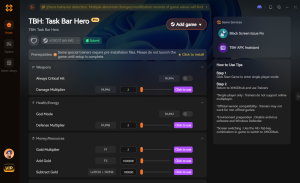
Download TBH: Task Bar Hero Trainer Now
With XMODhub, you no longer have to worry about authentication servers going down. You own your progression, permanently.
Diagnosing TBH: Task Bar Hero Network Errors
While the task bar hero error 401 is the most notorious roadblock, it is not the only network anomaly you might encounter during your idle progression. Understanding the difference between these HTTP status codes can save you hours of unnecessary router resets.
Below is a diagnostic matrix comparing the 401 error to other common connection failures in the game, outlining the root causes and your immediate action plan.
| Error Code Classification | Primary Cause | Immediate Action Required | Risk to Save Data |
|---|---|---|---|
| Error 401 (Unauthorized) | Stale Steam API token or restrictive firewall block. | Restart Steam as Admin and whitelist the .exe. | Low (Cached locally) |
| Error 403 (Forbidden) | IP flagged by server anti-DDoS or commercial VPN usage. | Disable VPN or switch away from a corporate network. | Low |
| Error 500 (Server Error) | Nugem Studio database crash or extreme server overload. | Wait for developer hotfix on Discord. | Medium (Rollback possible) |
| Error 502 (Bad Gateway) | Regional Steam routing failure or ISP packet loss. | Flush DNS (ipconfig /flushdns) or use mobile hotspot. | Low |
How to Backup Your Local Save Before Troubleshooting
Whenever you are dealing with authentication failures like the task bar hero error 401, there is a minor but terrifying risk that forcing a cloud sync might overwrite your local progress with an older, inferior cloud save. As a veteran idle gamer, I highly recommend creating a manual backup of your local cache before executing the fixes mentioned above.
To secure your offline progression:
%USERPROFILE%\AppData\LocalLow\NugemStudio\ and hit Enter.Frequently Asked Questions
A: No. A 401 error is strictly an authentication and connection issue. It means the server cannot verify your identity at this exact moment, usually due to a network timeout or stale Steam token. It has nothing to do with disciplinary actions or bans.
A: TBH: Task Bar Hero caches your progress locally during short disconnects. However, if the 401 error persists for a long time and you force-close the game without a successful server sync, you may lose the progress made during that specific session. Always try to resolve the connection issue before closing the app.
A: By default, the game requires an internet connection to verify your Steam identity and sync your cloud saves. Native offline play is highly restricted unless you use third-party modification tools like XMODhub to force offline progression caching.
A: This points directly to a local network or software issue on the laptop. Laptops often have aggressive battery-saving modes that put background network adapters to sleep. Ensure your laptop’s Wi-Fi adapter is set to “Maximum Performance” in the Windows Power Plan settings.
Final Verdict
Encountering the task bar hero error 401 is a massive annoyance, but it is rarely a terminal issue for your save file. By understanding that this is simply a failure in the digital handshake between Steam, your local network, and the game’s servers, you can easily rectify it. Whether you need to run Steam as an administrator, punch a hole in your Windows Defender firewall for the taskbar executable, or flush your DNS, the steps outlined above will get your pixel heroes back on the battlefield.
For players who want to transcend these technical limitations entirely and focus purely on the joy of building overpowered classes, XMODhub remains the undisputed champion. Supporting over 5,000 single-player titles—including other legendary idle and background games like Fantasy Idle Dungeon Get 57 cheats for Fantasy Idle Dungeon with XMODhub, the Ultimate PC Game Modding App and Rusty’s Retirement—XMODhub ensures that your gaming experience is always on your terms. Stop letting server errors dictate your fun; take control of your desktop dungeon crawling today.

I am a passionate gamer and writer at XMODhub, dedicated to bringing you the latest gaming news, tips, and insights.
Connect with me:
LinkedIn Profile ↗

 Nancy Miller





