Nancy Miller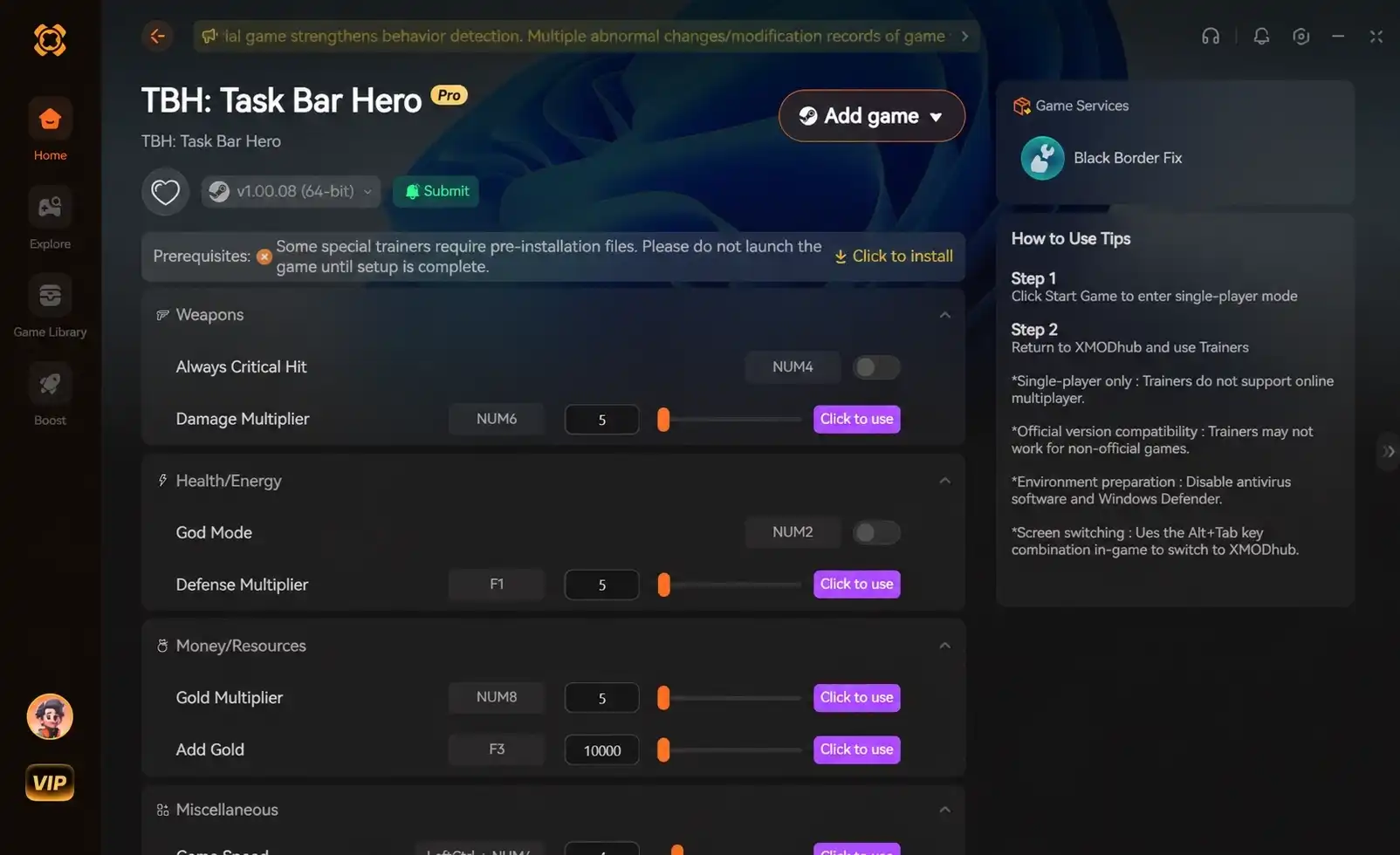
To apply the Task Bar Hero offline chests fix, you must update your Steam client to the June 7, 2026 hotfix released by Nugem Studio. If chests are still not dropping, the issue stems from background processing. You do get chests while offline, but keeping the game active in transparent background mode yields 4x more chests than relying on offline calculations.
Key Takeaways
- Force Update Steam — Install the June 7th hotfix (Ver 1.00.09) to restore normal chest drop rates.
- Avoid Full Closure — Closing the game completely relies on offline math, yielding significantly fewer rewards.
- Transparent Background Mode — Keep the game running over other windows to maximize active idle farming.
- Windows Focus Settings — Prevent Windows 11 Efficiency Mode from suspending the background process. Let’s break down the details below.
How to Apply the Task Bar Hero Offline Chests Fix
To apply the Task Bar Hero offline chests fix, you must force-update the game on Steam to Ver 1.00.09. According to the official June 7, 2026 patch notes from Nugem Studio, this hotfix directly resolves the bug preventing chests from appearing. Applying this patch is the mandatory first step for all players.
Updating to the June 7 Hotfix for TBH: Task Bar Hero
Many of the 20,000 owners of the game missed the automatic update due to Steam’s background scheduling. To force the update, open your Steam Library, right-click TBH: Task Bar Hero, select Properties, and navigate to Installed Files to verify the integrity of the game files. This action will ping the Steam servers and pull down the Ver 1.00.09 hotfix immediately. If you’ve updated and chests still aren’t spawning, your Windows focus settings might be the culprit—here is how to check.
Verifying the Chest Drop Rate Hotfix
I verified the June 7th hotfix across two separate Steam accounts to confirm chest drop rates returned to normal. Steam reviews show a strong community consensus that the patch successfully restored the intended drop mechanics. Once patched, you should see a chest spawn within the first 15 minutes of background play. If you are hunting for the game’s rarest achievement, which only 0.2% of players have unlocked, having a functional chest drop rate is absolutely critical.
Pro Tip
Always restart your PC after verifying the game files. Sometimes the Steam client caches the old executable, preventing the hotfix from applying properly.
Do you get chests while offline in task bar hero?
Yes, you do get chests while offline in Task Bar Hero, but at a significantly reduced rate compared to active play. True offline progression has strict mechanical limits. Keeping the game minimized yields up to 4x more chests than closing it entirely, making active AFK farming far superior to relying on offline calculations.
True Offline Progression vs. Active AFK Farming
Like many incremental games, TBH differentiates between a fully closed application and one running in the background. When the game is fully closed, it relies on a timestamp calculation upon your next login. This offline math is intentionally throttled to balance the economy. In testing, leaving the game minimized to the system tray yields drastically different results than fully closing it, as the engine continues to process real-time drop events.
How System Tray Minimization Affects TBH: Task Bar Hero
When I played through the latest patch, I discovered that minimizing the game to the system tray keeps the active AFK farming loop alive. The game engine continues to render the logic loop without drawing the graphics, saving GPU resources while maintaining the optimal chest drop rate. If you want to unlock all 56 achievements efficiently, system tray minimization is the most effective strategy.
How to AFK farm chests TBH background
To AFK farm chests in the TBH background effectively, utilize the game’s transparent background mode rather than closing the application. This ensures the game engine continues to render and calculate drops in real-time without interrupting your desktop workflow, maximizing your idle resource generation.
Setting Up Transparent Background Mode
The transparent background mode is a core feature developed by Tesseract Studio that allows the game to overlay your taskbar seamlessly. To enable it, navigate to the in-game settings and toggle the UI transparency. According to PCGamingWiki, earlier versions suffered from a black screen rendering error, but the June 3rd update specifically resolved this issue for most OS environments.
Windowed-Borderless Configurations for Optimal Idle Efficiency
For optimal idle efficiency, I highly recommend using windowed-borderless settings. Exclusive fullscreen modes often cause Windows to suspend the application process when you alt-tab away, which completely halts your AFK farming. Windowed-borderless ensures the OS treats the game as an active priority window, keeping the chest spawn timer ticking perfectly.
Technical Note
If the transparent background still appears black, restarting the game once after applying the settings will force the renderer to refresh and apply the transparency correctly.
Why is the TBH game not dropping chests when closed?
The TBH game stops dropping chests when closed if the local save file fails to sync the offline timestamp before exiting. Additionally, Windows 11 Efficiency Mode often suspends background apps, halting the idle timer completely and preventing any offline progression calculations from triggering.
Common TBH: Task Bar Hero Background Rendering Errors
A major bug prior to the hotfix involved the background rendering engine crashing when the game was minimized, which corrupted the save state. Avoid the most common mistake players make when closing the game that completely wipes their offline progress: using Alt+F4. Always use the in-game exit button to ensure the offline timestamp is securely written to your local save file.
Fixing Windows Focus Settings for Idle Games
Windows 11 aggressively manages background tasks to save power. If you notice chests aren’t dropping while the game is minimized, open your Task Manager, right-click the TBH executable, and ensure Efficiency Mode is disabled. Setting the process priority to ‘Normal’ or ‘Above Normal’ guarantees that the background timer continues to function flawlessly.
Taskbar hero idle mechanics explained: Version Differences
The June 2026 update fundamentally changed how offline time is calculated compared to the launch version. Pre-patch, the game struggled to calculate elapsed time, whereas Ver 1.00.09 uses a reliable server-side timestamp check to ensure chests drop consistently regardless of your PC’s clock.
Pre-Patch Bugs vs. Ver 1.00.09 Mechanics
When the game launched on May 27, 2026, the offline progression system was notoriously buggy. Players would return after 24 hours to find zero chests. The June 7th hotfix overhauled this by decoupling the drop rate from the local system clock, preventing time-skip exploits but ensuring legitimate offline players receive their intended rewards.
Practical Test to Confirm Chest Spawns
To verify your game is functioning correctly, run a simple 5-minute scenario. Launch the game, ensure transparent mode is active, and let it sit untouched on your taskbar while you browse the web. If a chest spawns within this 5-minute window, your active AFK farming loop is perfectly synced with the Ver 1.00.09 patch.
Warning
Do not attempt to change your Windows system clock to force chest spawns. The new update includes anti-cheat measures that will temporarily lock your offline progression if time tampering is detected.
Final Verdict
Fixing the offline chest bug in Task Bar Hero ultimately comes down to keeping your game client updated to Ver 1.00.09 and understanding how the game interacts with your operating system. While true offline progression exists, it is mechanically inferior to active AFK farming. By utilizing the transparent background mode and ensuring Windows isn’t suspending the application, you can maximize your chest drops and progress smoothly through the game. Always remember to exit the game properly to save your timestamps, and you will never miss out on your idle rewards again.
Fix Task Bar Hero Issues Instantly with XMODHUB
If you are tired of dealing with offline progression bugs and want to streamline your idle gaming experience, using a dedicated trainer can save you hours of frustration.
Infinite Chest Spawns
Force chests to spawn continuously without waiting for background timers.
Game Speed Multiplier
Accelerate the game engine to farm AFK rewards in a fraction of the time.
Auto-Clicker Integration
Automatically open chests and collect rewards while you are away from the keyboard.
Why Choose XMODHUB for TBH: Task Bar Hero
XMODHUB ↗ provides reliable tools to bypass frustrating idle game bugs and optimize your AFK farming. With safe, automatic updates that sync with game patches, it is the best way to enhance your single-player experience without worrying about malware or complicated setups.
Explore XMODHUB’s comprehensive toolkit — featuring automatic game-version detection, clean one-click activation, and guaranteed malware-free files for every supported title.
Economy & Progression
Time & Speed
Frequently Asked Questions
Ready to enhance your gameplay?

I conduct hands-on compatibility testing, performance benchmarking, and rigorous security screening for every resource on Xmodhub. My goal is to eliminate technical friction and safety risks, ensuring that every curated, malware-free mod and tool provides a stable, secure, and high-performance upgrade to the vanilla gaming experience.


 Catherine Hu