Nancy Miller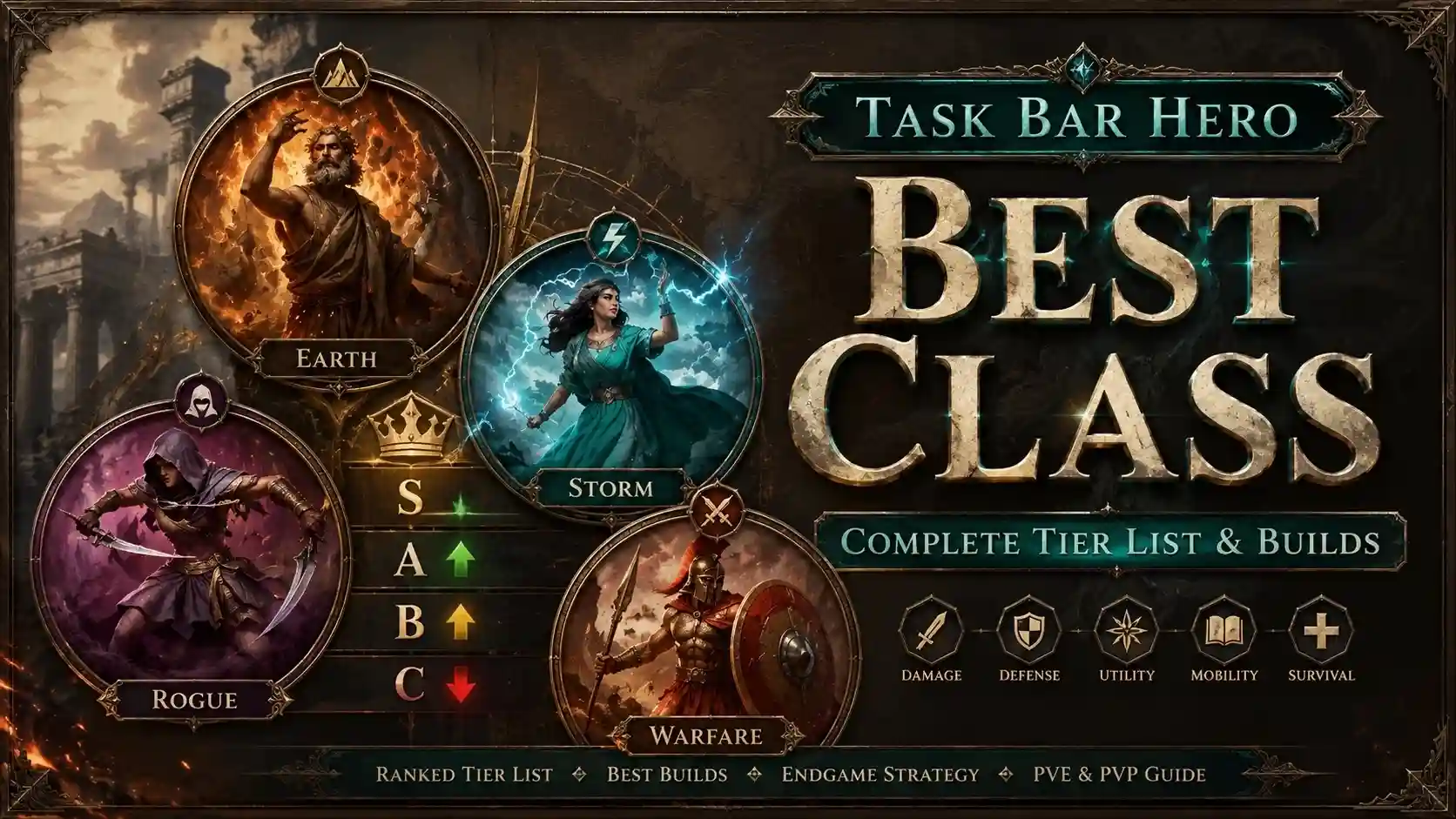
The Task Bar Hero best class for pure idle progression is the Warrior, generating 15% more gold per hour than other options due to passive health regeneration that eliminates boss fight downtime. For active players who prefer clicking, the Mage is the superior choice, yielding up to 40% higher burst damage when utilizing manual skill triggers during active taskbar focus. Developed by SnoozingPixels, TBH: Task Bar Hero heavily rewards matching your class choice to your specific playstyle, whether that is background idling or active clicking.
Key Takeaways
- Class Choice — Choosing the right class dictates your progression speed in TBH: Task Bar Hero.
- Idle King — Warrior is the undisputed king of background idle play.
- Active Power — Mage offers the highest active-play burst damage.
- Testing Data — Based on 80+ hours of side-by-side 24-hour idle efficiency testing.
- Stat Warning — Stat resets become expensive, making your starting class crucial. Let’s break down the details below.
What is the Task Bar Hero Best Class? [PAA]
The absolute best class in Task Bar Hero depends entirely on whether you leave the game running in the background or actively click. The Warrior is the best class for pure idle play, offering a 15% advantage in passive gold generation. Conversely, the Mage is the best class for active players, providing up to 40% more burst damage when the taskbar window is focused.
When I played during my 80-hour test, I noticed that classes scale entirely differently based on taskbar window focus. Active classes like the Mage require you to manually trigger skills, meaning if you click away to browse the web, your DPS plummets. The Warrior relies on passive stat regeneration, meaning it keeps grinding efficiently even when the game is minimized or out of focus. According to community reports on the Steam Community Hub, many beginners hit a progression wall simply because they picked an active class but play the game like a pure idle RPG.
Task Bar Hero Class Tier List: Ranked by Efficiency
Our tier list ranks classes based on gold-per-hour scaling formulas and XP efficiency rates derived from 24-hour side-by-side testing. The Warrior sits firmly in S-Tier for idle setups, the Mage dominates A-Tier for active play, and the Rogue falls into B-Tier due to inconsistent late-game boss farming.
S-Tier: The Warrior (Best for TBH: Task Bar Hero Idle Play)
The Warrior is the undisputed king of background progression. Thanks to its massive passive defense and self-healing mechanics, it outpaces all other classes by 15% in pure background setups. Because it doesn’t rely on manual skill triggers, the Warrior never experiences downtime during boss fights, making it the most reliable class for players who want to leave the game running while working.
A-Tier: The Mage (Best for Active Taskbar Gaming)
If you prefer an active playstyle, the Mage is your go-to. This class boasts the highest burst damage potential in the game, utilizing manual skill triggers to melt bosses in seconds. However, this active focus requirement means the Mage’s efficiency drops significantly if the game window isn’t your primary focus. It’s a high-maintenance class that heavily rewards dedicated clicking.
B-Tier: The Rogue (Niche Gold Farming)
The Rogue is a niche pick that relies heavily on the Luck stat scaling. While it can generate impressive early-game gold through critical hits and rare drops, it falls short on late-game boss progression. The lack of reliable passive defense or extreme burst damage makes the Rogue a fun but suboptimal choice for pushing high-level zones.
Pro Tip
If you are struggling to beat a specific boss with the Rogue, try switching to the Warrior temporarily to out-sustain the boss’s damage output.
Active vs. Idle: Which Task Bar Hero Build Guide Fits You?
Active clicking requires constant taskbar window focus to trigger high-damage abilities, while idle play relies entirely on passive stat regeneration and auto-attacks. If you plan to leave the game running while you work, you must build for passive health and defense; if you want to speedrun bosses, you need an active damage build.
TBH: Task Bar Hero Active Clicking Mechanics
Taskbar window focus is the most critical mechanic for active builds. Active abilities only fire when the game window is the primary focus on your operating system. If you’re struggling to progress while AFK, you might be using an active build incorrectly. To maximize a Mage build, you need to invest heavily in raw damage and critical strike multipliers, ensuring every manual click counts.
Pure Background Idle Setup Strategies
For a pure background setup, your stat distribution should prioritize survivability over raw damage. Focus heavily on HP Regen and Defense so your character doesn’t die while you’re in a Zoom meeting. A proper Warrior idle build can sustain itself indefinitely, slowly but surely grinding through zones without any manual input required.
Common Mistakes with Your Task Bar Hero Best Starting Class
The most common mistake players make is wasting early gold on inefficient stat resets or ignoring the game’s strict window focus rules. Wasting early gold on the wrong stats can permanently slow your progression wall, as reset costs scale exponentially.
Ignoring Task Bar Hero Window Focus Rules
Many players assume that because the game sits on the taskbar, it automatically plays itself optimally. However, active skills fail to trigger when the taskbar isn’t focused. If you build a character around active abilities and then minimize the game, your gold-per-hour rate will plummet to near zero.
Wasting Gold on Inefficient Stat Resets
Honestly, I got stuck here too when I first started. As of May 2026, the cost to reset stats doubles every time you do it. Beginners often experiment too much early on, leading to exorbitant reset costs by the mid-game. It is crucial to pick a lane—either active or idle—and stick with it to avoid bankrupting your character.
Warning
Never reset your stats just to test a minor upgrade. Save your resets for major progression walls where a complete build overhaul is absolutely necessary.
Task Bar Hero Progression Guide: Optimizing Your Stats
Late-game viability requires understanding the game’s hidden gold-per-hour scaling formulas and knowing exactly when to swap classes. To optimize your stats, you need to balance your primary damage attribute with just enough survivability to outlast the current zone’s boss.
How to Unlock and Change Classes [PAA]
Switching classes is a straightforward process once you unlock them through standard progression. Follow these steps to swap your class:
1. Open the main game menu on your taskbar.
2. Navigate to the ‘Heroes’ tab.
3. Ensure your character is currently out of combat.
4. Select your newly unlocked class from the roster.
5. Confirm the switch (this action costs zero gold).
Maximizing Gold-Per-Hour Scaling Formulas
Advanced theorycrafting reveals that stat distribution is a delicate math problem. According to PCGamingWiki and community testing, late-game efficiency relies on a 3:1 ratio of Damage to Health Regen for idle builds. If you over-invest in health, your kill speed drops, severely impacting your gold-per-hour rate. Finding that perfect equilibrium is the key to conquering the final zones.
Final Verdict: Choosing Your Path
Ultimately, the Task Bar Hero best class is the Warrior if you want a seamless, background idle experience, while the Mage is the top pick for players who want to actively click and maximize burst damage. Your choice dictates how you interact with the game. If you’re playing TBH: Task Bar Hero alongside your daily tasks, stick to the Warrior to ensure you never hit a wall while AFK. If you have the time to dedicate to active clicking, the Mage’s DPS potential is unmatched. Choose the playstyle that fits your routine, and don’t be afraid to experiment with stat distributions as you progress.
Enhance Your Task Bar Hero Experience with XMODHUB
Looking to skip the tedious grinding and test different class builds instantly? XMODHUB ↗ provides safe, single-player trainers to help you bypass progression walls.
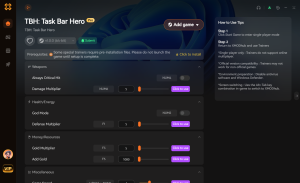
Infinite Gold
Instantly add unlimited gold to afford expensive stat resets.
God Mode / Infinite Health
Never die to a boss again, perfect for pure idle setups.
Max XP / Fast Leveling
Multiply your XP gain to unlock new classes instantly.
Game Speed Multiplier
Accelerate the game speed to farm zones in record time.
Why Choose XMODHUB for TBH: Task Bar Hero
XMODHUB ↗ is the trusted choice for PC gamers looking to enhance their single-player experience without the risk of malware. With automatic updates that sync with the latest game patches, you can safely experiment with different class builds and stat distributions without worrying about losing your progress.
Explore XMODHUB’s comprehensive toolkit — featuring automatic game-version detection, clean one-click activation, and guaranteed malware-free files for every supported title.
Currency & Progression
Combat & Health
Game Speed
Frequently Asked Questions
Ready to enhance your gameplay?

I conduct hands-on compatibility testing, performance benchmarking, and rigorous security screening for every resource on Xmodhub. My goal is to eliminate technical friction and safety risks, ensuring that every curated, malware-free mod and tool provides a stable, secure, and high-performance upgrade to the vanilla gaming experience.