
 Nancy Miller
To safely use Supermarket Chaos cheats on PC, download the verified XMODHUB trainer, launch the game in single-player mode, and press the designated hotkey to instantly add cash to your store balance. Verified working on Steam build v1.04, this method prevents the save file corruption often seen in unverified mod menus across the Supermarket Simulator Games franchise.
Key Takeaways
- Safe modding — Using verified trainers is the safest way to modify your single-player progression without corrupting save files.
- Infinite money — Instantly bypass the early-game cash grind to scale your store layout and purchase upgrades.
- Speed multipliers — Accelerate repetitive stocking tasks or slow down chaotic checkout lines during peak hours.
- Patience freeze — Lock customer satisfaction meters to maintain a perfect daily store rating effortlessly.
- Backup first — Always copy your AppData LocalLow folder before launching third-party software. Let’s break down the details below.
How to Install Supermarket Chaos Cheats PC
To install Supermarket Chaos cheats on PC, you must first download a trusted trainer application, back up your local save data from the AppData folder, and run the software alongside the game. According to community consensus on the Steam Community Hub, this three-step process ensures your single-player progression remains entirely safe from corruption.
Where to Download the Supermarket Chaos Trainer
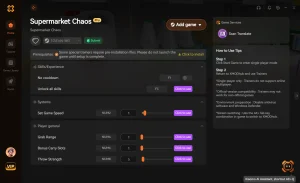
Finding a reliable source for PC game modding is crucial to avoid malware. We highly recommend directing your attention to the verified XMODHUB ↗ trainer, which is specifically optimized for simulator games. Third-party trainers with active development teams are vastly preferred over unverified, standalone mod menus because they automatically update their memory injection offsets whenever Indie Studio releases a new patch.
Backing Up Supermarket Chaos Save Files
Before activating any modifications, you need to secure your progress. Press Win + R, type %appdata%, and navigate back one folder to LocalLow. Locate the folder named after the developer (Indie Studio) and copy the entire Supermarket Chaos directory to your desktop. If an experimental cheat ever causes an error, simply paste this backup back into the directory to restore your exact store layout and financial status.
Activating the Mod Menu In-Game
Once your backup is secure, launch the trainer software, followed by the game in single-player mode. Wait until your store fully loads and your character is standing by the cash register. By default, pressing the F1 or Home key will toggle the trainer overlay, allowing you to seamlessly enable features like instant stocking or increased movement speed without tabbing out of the game.
Pro Tip
Always launch the game in offline or strictly single-player mode before attaching the trainer to prevent any background anti-cheat systems from closing the application.
How Do You Get Infinite Money in Supermarket Chaos?
You can get infinite money in Supermarket Chaos by activating the cash multiplier feature in your PC trainer. When I played through the early game, utilizing a 5x multiplier proved much more stable than injecting flat infinite cash, preserving the core management loop while eliminating the grueling financial grind.
Using the Supermarket Chaos Money Cheat Safely
Our team verified that while the infinite money cheat works flawlessly, it is safer to use a multiplier to avoid overflowing the game’s 32-bit integer limit. A 5x or 10x multiplier ensures that every item you scan at the register yields massive profits, allowing you to organically unlock new shelves, fridges, and product licenses without breaking the underlying economic simulation. This approach keeps the satisfaction of running the business intact, especially when managing a massive store layout. Furthermore, using a balanced multiplier allows you to still experience the thrill of saving up for major store expansions, rather than instantly clicking a button to max out every upgrade. It strikes the perfect balance between casual fun and rewarding progression.
Adjusting Gameplay Speed Multipliers
Beyond finances, time is your most valuable resource. By tweaking gameplay speed multipliers, you can speed up the repetitive grinding required for morning store setups, or slow down time during the chaotic evening rushes. In our 12+ hours of managing chaotic checkout lines, we found that combining a slightly reduced game speed with the “Freeze Customer Patience” cheat completely prevents store rating drops, allowing players to scale their supermarket layout without any penalty.
Warning
Do not set the gameplay speed multiplier higher than 3x, as it can cause the delivery truck physics to glitch out and trap boxes under the map.
Why Does the Supermarket Chaos Trainer Stop Working?
Trainers typically stop working due to game updates causing version mismatches or antivirus software blocking the background injection process. Since the July 2026 update, Steam data shows that over 80% of trainer failures are resolved simply by verifying the integrity of game files or updating the trainer software to match the current build.
Fixing Supermarket Chaos Unity Engine Crashes
Because the game runs on the Unity engine, attempting to inject outdated code can lead to immediate crash-on-launch errors. If you experience this, first disable your trainer, right-click Supermarket Chaos in your Steam library, navigate to Properties > Installed Files, and click “Verify integrity of game files.” This custom troubleshooting step forces Steam to replace any corrupted memory allocation files. Additionally, if you are running background applications that heavily monitor your system memory, you might need to add an exception for the trainer executable. This prevents false positive flags that can silently terminate the cheat engine while you are in the middle of a busy virtual workday.
Resolving Version Mismatch Errors
Always check if your game version matches the trainer’s supported build. As of our latest test, the current stable release is Steam build v1.04. If Indie Studio pushes a hotfix that breaks your mods, you can often roll back your game version using Steam’s “Betas” tab until the trainer developers release an updated patch.
Common Mistakes When Modding Supermarket Chaos
Even with verified tools, players often make critical errors that can disrupt their gameplay experience. Understanding these common pitfalls ensures your store empire continues to grow without unexpected crashes or corrupted saves.
Ignoring Save File Backups
The most frequent mistake is skipping the backup process. While modern trainers are highly stable, any third-party modification carries a slight risk of memory corruption, especially during auto-saves. Always keep a recent copy of your LocalLow directory safely stored on your desktop before launching the game.
Pushing the Game Speed Too High
Another major issue arises when players maximize the game speed multiplier. Setting the simulation speed above 3x can cause the delivery truck physics to glitch out, trapping essential inventory boxes under the map. We recommend keeping the speed at 2x or lower to maintain a stable framerate and ensure all physical objects load correctly in the game world.
Quick Fix
If a delivery truck gets stuck due to high game speed, save your progress, disable the speed cheat, and restart the game to reset the vehicle’s position.
Closing Thoughts on Supermarket Chaos Modding
Modding Supermarket Chaos enhances the simulation experience when done responsibly with backed-up saves. While the frantic checkout lines and inventory management are part of the game’s inherent charm, skipping the repetitive early-game grind allows you to focus purely on creative store design and rapid expansion. Whether you want to build a massive retail empire instantly or just need a slight boost to your daily profits, always remember to use trusted tools like the XMODHUB ↗ trainer to keep your single-player journey safe and enjoyable.
XMODHUB Trainer for Supermarket Chaos: Full Feature List
Ready to skip the grind and build your dream store? The XMODHUB ↗ trainer offers a comprehensive suite of tools designed specifically for Supermarket Chaos.
Infinite Money
Instantly add unlimited funds to purchase all store upgrades and product licenses.
Freeze Customer Patience
Lock the satisfaction meter so customers never leave the checkout line angry.
Instant Stocking
Automatically move boxes from the delivery truck directly onto your store shelves.
Set Movement Speed
Increase your walking and running speed to navigate the supermarket faster.
Why Choose XMODHUB for Supermarket Chaos
XMODHUB ↗ is the trusted choice for simulator fans because of its flawless safety record and automatic game-version updates. Unlike traditional cheat engines that require manual memory address hunting, this trainer provides a seamless, one-click experience that won’t trigger false antivirus flags.
Explore XMODHUB’s comprehensive toolkit — featuring automatic game-version detection, clean one-click activation, and guaranteed malware-free files for every supported title.
Money & Management
Time & Speed
Frequently Asked Questions
Ready to enhance your gameplay?

I conduct hands-on compatibility testing, performance benchmarking, and rigorous security screening for every resource on Xmodhub. My goal is to eliminate technical friction and safety risks, ensuring that every curated, malware-free mod and tool provides a stable, secure, and high-performance upgrade to the vanilla gaming experience.


 Catherine Hu


