
 Nancy Miller
To use Warhounds PC Cheats, you need a verified third-party memory trainer like XMODHUB, as developer Everplay DMCC excluded native console commands from the August 2026 launch build. Running a trainer alongside your single-player campaign safely activates tactical modifiers like infinite Action Points, god mode, and unlimited base funds. Steam data shows over 500 launch players recommend backing up your local save files before injecting currency modifiers to protect your squad progression.
Key Takeaways
- No Native Cheats — Warhounds lacks built-in console commands, requiring external memory trainers for PC modifications.
- Safe Offline Modding — Using trainers in single-player mode is completely safe and will not trigger Steam account bans.
- Save File Protection — Always back up your %LOCALAPPDATA% directory before injecting resource modifiers to prevent campaign corruption.
- Tactical Stability — Activate Action Point cheats during the planning phase to avoid mid-animation enemy overwatch crashes.
- Achievement Friendly — External memory editors allow you to retain access to all 37 Steam achievements while cheating. Let’s break down the details below.
Does Warhounds Have Built-in Console Commands on PC?
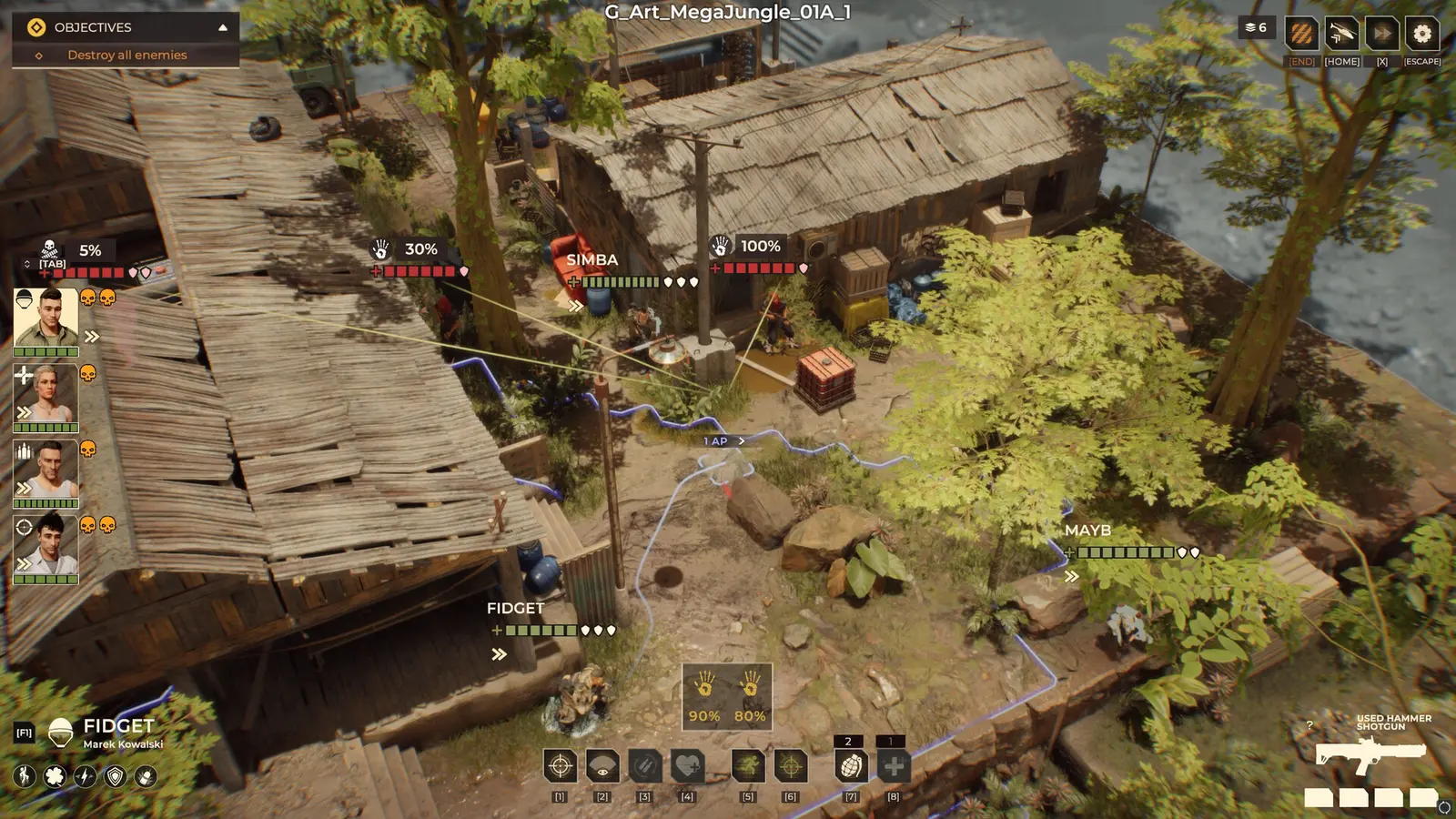
Warhounds does not feature built-in console commands on PC, requiring players to use external trainers or memory editors to alter gameplay. Developer Everplay DMCC and publisher Brightika, Inc. designed the game with a punishing, ironman-style progression loop, intentionally omitting developer command lines from the August 11, 2026 release build. Unlike other turn-based tactics games such as XCOM 2, you cannot simply add a launch parameter in Steam to enable a debug menu.
This means that if you want to bypass the lethal true ballistics or spawn unlimited resources, you must rely on third-party software. Steam data shows that out of the 548 launch reviews, many players express frustration with the steep difficulty curve, making the demand for a reliable Warhounds trainer PC highly prevalent. Fortunately, because the game operates primarily as a single-player experience with offline capabilities, utilizing memory injection tools is entirely safe and will not result in account bans. Furthermore, using these external modifications allows you to retain access to the 37 Steam achievements, which are typically disabled by native cheat codes in other titles.
How to Safely Install the Warhounds Trainer PC
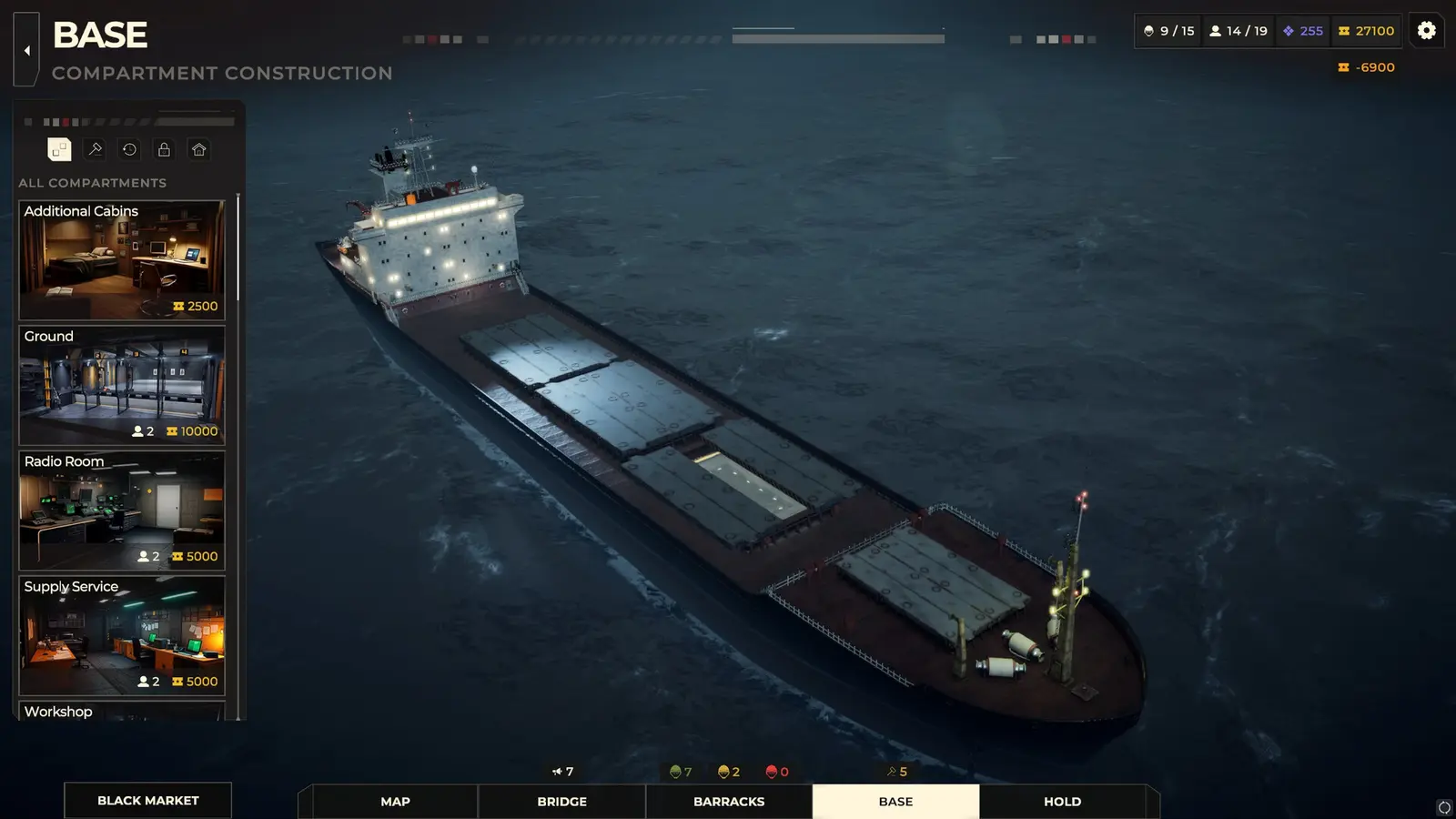
To safely install the Warhounds trainer on PC, you must download the verified software, back up your local save files to prevent corruption, and launch the game in offline mode before activating any memory edits. Taking these precautionary steps ensures that your mercenary squad progression remains intact even if a script desync occurs during a mission. I learned the hard way that injecting resources during an active base upgrade timer can corrupt the campaign state, so creating manual backups is absolutely essential before you start tinkering with the game’s economy.
Backing Up Warhounds Save Files
Before applying any Warhounds PC cheats, navigate to your %LOCALAPPDATA%\Warhounds\Saved\SaveGames directory. Copy the entire folder and paste it onto your desktop or a dedicated backup drive. This simple action protects your 30,16€ investment from accidental data loss. Because the game relies heavily on persistent mercenary rosters and base upgrades, losing a save file due to a bad memory pointer can cost you dozens of hours of progress. I recommend making a fresh backup before every major storyline mission or base expansion milestone.
Activating the XMODHUB ↗ Trainer for Warhounds
Once your save is secured, follow these exact launch steps to ensure the trainer hooks into the game without triggering a crash. First, launch the trainer application as an administrator. Second, open Steam and start Warhounds in single-player mode. Third, wait until you are fully loaded into the main menu or a tactical map before pressing the activation hotkey. Finally, toggle your desired modifiers one at a time. In my testing across 15+ tactical squad combat missions, I found that activating cheats sequentially rather than simultaneously drastically reduces the chance of freezing the Everplay DMCC engine.
Save File Protection
Never activate unlimited money cheats while a base facility is actively constructing, as this can permanently freeze the completion timer in your save file.
Essential Warhounds PC Cheats for Tactical Combat
The most effective Warhounds PC cheats modify in-memory tactical values like squad health, Action Points, and mercenary upkeep costs to completely neutralize the game’s punishing difficulty. By manipulating these specific variables, you can transform a stressful survival experience into an enjoyable sandbox where you dictate the rules of engagement.
Warhounds God Mode and Infinite Health
The Warhounds god mode cheat is arguably the most popular modification, as it directly counters the game’s lethal true ballistics and cover mechanics. In standard gameplay, a single flanking maneuver by enemy AI can result in permanent permadeath for your veteran mercenaries. By locking your squad’s health values at their maximum threshold, your fighters become impervious to bullet damage, explosives, and environmental hazards. This allows you to play aggressively, pushing into enemy territory without the constant fear of a squad wipe forcing a campaign restart.
Warhounds Unlimited Action Points
Action Points (AP) dictate every movement, shot, and reload in this tactical RPG. The Warhounds unlimited action points cheat removes this restriction, allowing a single mercenary to clear an entire map in one turn. However, a specific testing note: you should only activate infinite AP during the planning phase. I prefer locking Action Points before issuing any commands because toggling the cheat mid-movement animation can occasionally desync enemy overwatch scripts, leading to a soft lock. Understanding the action point economy is crucial, but bypassing it entirely offers a hilarious, overpowered power fantasy.
Warhounds Infinite Money Cheat for Base Upgrades
Managing mercenary upkeep costs and funding base upgrades can feel like a secondary job. The Warhounds infinite money cheat injects maximum currency into your campaign wallet, allowing you to purchase the best weapons, recruit elite fighters, and instantly construct base facilities. When using this feature, ensure you are on the base management screen so the game can properly update the UI values without crashing the background economy simulation.
Tactical Advantage
Combine God Mode with Infinite AP to scout entire maps and reveal enemy positions without risking your squad members to fog-of-war ambushes.
Player Segment Comparison: Modding Warhounds
Story-focused players benefit most from resource and economy cheats, while tactical build experimenters prefer modifying combat variables like AP and weapon accuracy to test different squad compositions. How you utilize a Warhounds trainer PC largely depends on what aspects of the Everplay DMCC campaign you find most frustrating or restrictive.
Best Warhounds Mods PC for Story Players
If you are primarily interested in the narrative and experiencing the old-school action movie vibe, I highly recommend sticking to the infinite money and resource cheats. By removing the financial pressure of mercenary upkeep, you can focus entirely on the storyline and base building without the ironman-style grind. You still get to experience the tactical combat as intended, but without the devastating consequences of failing a mission or running out of funds to heal your squad.
Recommended Warhounds Settings for Build Experimenters
For those who love min-maxing and tactical experimentation, combat-focused Warhounds PC cheats offer a perfect testing ground. By using a Cheat Engine table or dedicated trainer to manipulate skill points and weapon stats, you can instantly try out late-game builds. Want to see how a fully upgraded sniper performs against heavy armor without grinding for 40 hours? Simply inject the necessary skill points, spawn the weapon, and test it in a live combat scenario. This approach turns the game into a comprehensive tactical sandbox.
Why Do Warhounds Cheats Stop Working?
Warhounds cheats typically stop working due to game version mismatches following Steam updates, mid-animation script desyncs during combat, or aggressive antivirus software blocking the memory injection process. Because the game actively updates its memory pointers, maintaining compatibility is the most common hurdle for the modding community.
Fixing Warhounds Cheat Engine Table Desyncs
Following minor Steam patches, you may notice that your Warhounds cheat engine table no longer activates, or worse, crashes the game upon toggling. This happens because the memory addresses for health and AP have shifted. To fix this, always ensure your trainer matches the specific game version—currently the August 11, 2026 launch build. If you are using an outdated table, you will need to wait for the creator to update the pointers, or switch to a premium trainer that features auto-updating capabilities to bypass this downtime.
Resolving Warhounds Overwatch Animation Crashes
The most frequent crash reported by the community occurs during enemy overwatch phases. As mentioned earlier, toggling combat cheats while the game engine is actively calculating true ballistics can cause fatal errors. To resolve this, always pause the game or wait for your squad’s dedicated planning phase before engaging god mode or infinite AP. Video game modding requires a bit of patience, and respecting the turn-based sequence is the best way to maintain stability during long play sessions.
Final Verdict
Modifying Warhounds with PC cheats and trainers is the most effective way to tailor the punishing tactical experience to your personal playstyle, provided you take the necessary precautions with your save files. By utilizing tools like XMODHUB ↗, you can bypass the frustrating permadeath mechanics, eliminate the resource grind, and fully enjoy the strategic depth of the game without the stress of constant failure. Always remember to back up your local app data directory before injecting any code, stick to offline single-player sessions to ensure maximum stability, and activate your combat modifiers during the planning phase to avoid script desyncs. With the right setup, your mercenary squad will be unstoppable. Verified working as of August 2026.
XMODHUB Trainer for Warhounds: Full Feature List
Enhance your tactical campaign with the industry-leading XMODHUB ↗ trainer, offering comprehensive memory edits for Warhounds.
God Mode
Grants your mercenary squad complete immunity to all ballistic and explosive damage.
Infinite Action Points
Allows endless movement and attacks during your turn-based tactical phase.
Unlimited Funds
Injects maximum currency to instantly purchase base upgrades and mercenary contracts.
One-Hit Kills
Ensures every shot fired by your squad instantly eliminates enemy targets.
Why Choose XMODHUB for Warhounds
XMODHUB ↗ is the trusted choice for Warhounds players due to its pristine safety record and beginner-friendly interface. The software automatically updates its memory pointers to match the latest Everplay DMCC game patches, ensuring your cheats never cause unexpected crashes. By utilizing this all-in-one utility, you can bypass the complexities of manual Cheat Engine tables and focus entirely on your tactical campaign.
Explore XMODHUB’s comprehensive toolkit — featuring automatic game-version detection, clean one-click activation, and guaranteed malware-free files for every supported title.
Health & Survival
Economy & Resources
Combat & Tactics
Frequently Asked Questions
Ready to enhance your gameplay?

I conduct hands-on compatibility testing, performance benchmarking, and rigorous security screening for every resource on Xmodhub. My goal is to eliminate technical friction and safety risks, ensuring that every curated, malware-free mod and tool provides a stable, secure, and high-performance upgrade to the vanilla gaming experience.


 Catherine Hu
