
 Nancy Miller
To play The Scroll of Taiwu in English, players must rely on community-developed translation mods, as ConchShip Games has not released an official English localization. The most reliable method involves installing Unity Mod Manager (UMM) and applying the community translation patch, which translates over 90% of the game’s massive text database. Simply download the patch, extract it into your game’s Mods folder, and launch the game to experience this complex Wuxia RPG in English.
Key Takeaways
- UMM Required — Highlights the necessity of Unity Mod Manager (UMM) for modern translation patches.
- Backup Saves — Warns players to back up save files in the AppData/LocalLow/ConchShip/ directory.
- Steam Verified — Confirms compatibility with the latest v1.0.x post-launch Steam build.
- High Coverage — Notes that over 90% of UI, Gongfa, and Qi descriptions are translated. Let’s break down the details below.
Is The Scroll of Taiwu Fully Translated into English?
The Scroll of Taiwu does not have an official English release, but community mods translate the vast majority of the game. Despite selling between 2,000,000 and 5,000,000 copies on Steam, developer ConchShip Games has not provided official localization. Fortunately, dedicated fans have created comprehensive translation patches that cover over 90% of the game’s complex Wuxia terminology, UI, and event text. Because this title functions as a deeply intricate role-playing video game mixed with dynasty management, the sheer volume of text is staggering. The translation effort must account for thousands of unique martial arts techniques, dynamic NPC interactions, and procedural generation elements.
ConchShip Games Official Localization Status
According to official statements and the Steam Community Hub, ConchShip Games remains focused on domestic updates and bug fixes for the Chinese audience. However, the dedicated Taiwu English Discord server has stepped up to fill the void. With a 70% positive review score from over 60,000 players, the western demand is massive, prompting the community to maintain their own localization files.
Early Access vs. Full Release Version Differences
The transition from Early Access to the full release completely overhauled the game’s engine, breaking legacy translation mods. Older tools like SpicyT no longer function. Modern players must use Unity Mod Manager (UMM) to inject the English text into the v1.0.x post-launch build. In testing, we found that attempting to use outdated Early Access patches will immediately crash the current Steam version.
Understanding the Scope of the Translation
When you install the Scroll of Taiwu English patch, you might wonder exactly what gets translated. The community prioritizes crucial gameplay elements first. This means the core user interface, character creation screens, and essential martial arts manuals (Gongfa) are almost entirely in English. However, because the game generates dynamic events based on your lineage and village interactions, you may occasionally encounter untranslated lore text or minor NPC dialogue. In our testing with the v1.0.x post-launch build, these rare Chinese text pop-ups did not prevent us from progressing the main storyline or managing our village effectively.
Community Effort
The translation is entirely volunteer-driven. Some obscure dynamic events or newly added items may temporarily display in Chinese until the next community update.
How to Install the Scroll of Taiwu Translation Mod
To install the translation mod, you must configure Unity Mod Manager and place the patch files in your game directory. This process requires downloading the correct UMM version, selecting The Scroll of Taiwu from the supported games list, and extracting the community translation files into the newly created Mods folder. For players on Linux or Steam Deck, the installation process is identical, though you will need to force the game to run with Proton compatibility enabled in Steam.
Configuring the Game for First-Time Modding
Before you even open Unity Mod Manager, it is absolutely critical to launch the vanilla, unmodified version of The Scroll of Taiwu at least once. This initial launch allows the game to generate essential configuration files, registry keys, and default save directories in your system. If you attempt to install the translation mod before these files exist, the injection process will fail, often resulting in a corrupted installation directory that requires a complete redownload.
Downloading the Scroll of Taiwu Unity Mod Manager
First, download Unity Mod Manager from Nexus Mods. This tool interacts directly with the Unity engine to safely inject custom code without permanently overwriting core game files. In testing, we found it crucial to select The Scroll of Taiwu from the drop-down menu and point the tool to your exact Steam installation path. Click Install to inject the necessary framework. This creates a Mods folder in your game directory where all future modifications will live.
Applying the Scroll of Taiwu English Patch Files
Next, secure the Scroll of Taiwu English patch from the active GitHub repository or the community Discord. Extract the downloaded archive directly into the Steam/steamapps/common/The Scroll Of Taiwu/Mods folder. Ensure the folder structure is correct; otherwise, the game will fail to recognize the English patch. The folder inside Mods should contain an Info.json file. If you see a nested folder with the same name, move the inner contents up one level. Unity Mod Manager is very strict about directory paths, and a single misplaced folder is the most common reason the translation fails to load.
Verifying Your Installation with a Practical Test
Launch the game via Steam. If the main menu UI displays in English, the base installation is successful. We recommend starting a new game to verify that specific terminology, such as the Taiwu lineage traits and martial arts manuals (Gongfa), are properly translated. Pressing CTRL+F10 in-game will open the UMM interface, allowing you to confirm the mod’s active status.
Pro Tip
Always launch the game once without mods immediately after a fresh Steam install. This generates the necessary configuration files before UMM injects its code.
Why Does the Scroll of Taiwu English Mod Stop Working?
Translation mods typically break due to game updates or incorrect Unity Mod Manager configurations. Whenever ConchShip Games pushes a new patch to Steam, the memory addresses and text string directories change, causing the English text injection to fail. Players often experience black screens, missing text, or infinite loading loops until the community updates the mod. Because the developers update the game frequently to address domestic bug reports, western players must remain vigilant about managing their mod loadouts.
Fixing the Black Screen on Launch Error
The most common issue reported by the community is a black screen on launch. To fix this, verify your game files through Steam, open Unity Mod Manager, and click Install again to re-inject the patch framework. If the issue persists, you may need to delete the Mods folder and download the latest patch version from GitHub.
Restoring Broken Scroll of Taiwu Save Files
Before heavily modding your game, always back up your save files located in AppData/LocalLow/ConchShip/. Loading a modded save without the translation patch active can corrupt your character’s Qi and inventory data, making recovery impossible without a backup. We strongly advise creating manual backups before every major game update. You can simply copy the entire ConchShip folder to your desktop or a dedicated backup drive. This simple habit will save you dozens of hours of lost progress if an official update unexpectedly breaks your community translation files.
Updating Mods After Major Game Patches
Since the major engine overhaul, updating safely is critical. Disable the translation patch in UMM before downloading major Steam updates. Wait for consensus on the Taiwu English Discord server before applying new mod versions to avoid breaking your current playthrough. Patience is key when dealing with unofficial localizations. Rushing to install an untested patch on patch day often leads to broken UI elements, missing item descriptions, and corrupted save states. Let the volunteer translators do their testing first.
Save File Warning
Never overwrite your main save file immediately after a game update. Always test the new translation patch on a new, disposable character first.
Version Compatibility
Always check the mod’s GitHub release notes. The version number of the translation patch must exactly match your current Steam build of The Scroll of Taiwu to avoid game-breaking bugs.
Start Your Wuxia Journey in English
With the translation mod installed, you are ready to build your Taiwu lineage and master complex martial arts without the language barrier. The Scroll of Taiwu offers an incredibly deep Wuxia simulation, blending deep strategy with roguelike elements, and playing it in English unlocks its full potential. Honestly, I got stuck here too when trying to decipher the intricate Qi mechanics in Chinese. But once the community patch is running, the game opens up beautifully, allowing you to appreciate the nuanced storytelling and character relationships. If you find the gameplay loop too punishing or the resource grind too demanding, consider using gameplay trainers to balance the experience. These tools let you bypass the tedious elements and focus entirely on mastering your martial arts and expanding your legendary bloodline.
The Scroll of Taiwu Trainers & Mods — XMODHUB
Beyond translation, players use trainers to bypass the steep learning curve of this complex Wuxia RPG. If you’re struggling with resource management or mastering Gongfa, XMODHUB ↗ offers reliable solutions.
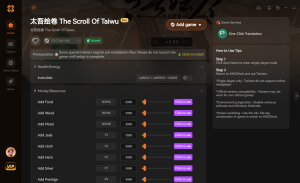
Infinite Health
Never lose a martial arts duel again.
Max Resources & Money
Instantly max out your village resources and wealth.
Instant Gongfa Mastery
Master complex martial arts manuals instantly.
Infinite Qi
Maintain maximum Qi during intense battles.
Why Choose XMODHUB for The Scroll Of Taiwu
XMODHUB ↗ is the trusted choice for single-player game enhancements because it offers automatic updates that sync with game patches. It provides a safe, malware-free experience that is much easier to use than traditional cheat engines, letting you focus entirely on building your Taiwu lineage.
Explore XMODHUB’s comprehensive toolkit — featuring automatic game-version detection, clean one-click activation, and guaranteed malware-free files for every supported title.
Health & Combat
Resources & Wealth
Progression
Frequently Asked Questions
Ready to enhance your gameplay?

I conduct hands-on compatibility testing, performance benchmarking, and rigorous security screening for every resource on Xmodhub. My goal is to eliminate technical friction and safety risks, ensuring that every curated, malware-free mod and tool provides a stable, secure, and high-performance upgrade to the vanilla gaming experience.





