Catherine Hu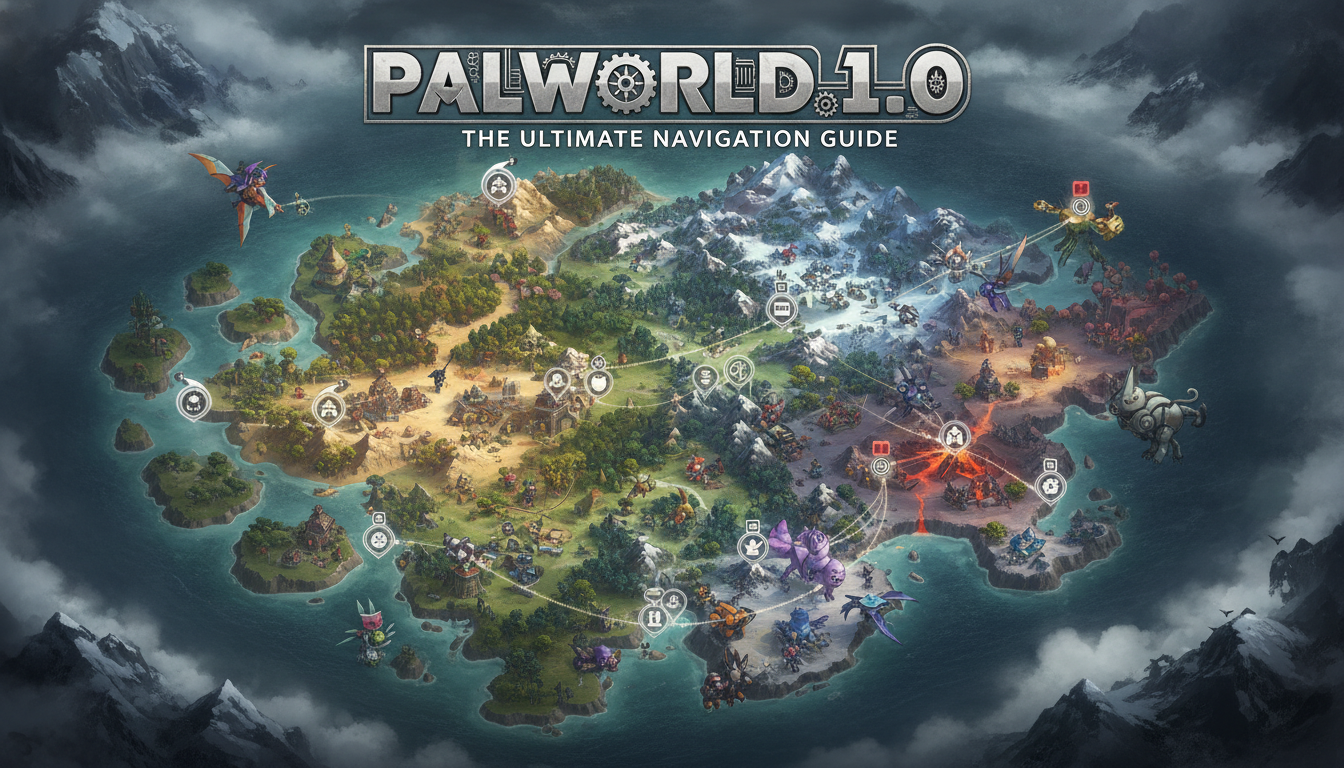
We have all been there during our first few dozen hours in the game. You spend three agonizing hours scaling a sheer cliff face in the freezing mountains, desperately searching for a specific Skill Fruit tree you swore was nearby, only to run out of stamina, fall to your death, and lose all your legendary gear in an unrecoverable crevice. It is the ultimate survival crafting nightmare, and in the massive, vertically demanding world of the full release, wandering blindly is a guaranteed death sentence. If you want to conquer the new Sakurajima island, farm Crude Oil efficiently, and capture every single Alpha Boss without wasting your real-life weekend, mastering a reliable Palworld 1.0 interactive map is no longer optional—it is mandatory.
Editor’s Note: With over 100 hours logged since the very first day of Early Access, and hundreds more poured directly into the massive 1.0 update, I have memorized almost every inch of the archipelago. I have tested every major community and premium map tool available. In this guide, I am going to break down exactly how to leverage a Palworld 1.0 interactive map to optimize your exploration, avoid the most frustrating beginner traps, and streamline your endgame grind.
TL;DR: The Short Answer
If you are just looking for the quick facts on how to utilize a Palworld 1.0 interactive map effectively, here is what you need to know right now:
- Filter Wisely: Never turn on all map markers at once. A proper Palworld 1.0 interactive map will allow you to isolate specific categories like Lifmunk Effigies, Alpha Bosses, or Fast Travel points to prevent visual overload.
- Verify 1.0 Updates: Ensure the tool you are using explicitly states it is updated for Palworld 1.0. Outdated maps will lack the Sakurajima island, the Oil Rig stronghold, and have incorrect spawn points for reorganized base game areas.
- Track Your Progress: The best interactive maps allow you to create an account and “mark as found” for one-time collectibles like Memos, Diaries, and Effigies, saving you hours of backtracking.
- Coordinate Sync: Always cross-reference the X and Y coordinates on your third-party map with your in-game cursor to pinpoint exact locations, especially for hidden dungeon entrances.
Table of Contents
- TL;DR: The Short Answer
- The Evolution of Exploration in Palworld 1.0
- Common Mistakes When Using Map Tools
- Deep Dive: Core Mechanics of the Palworld 1.0 Interactive Map
- Alternative Methods to Third-Party Mapping
- Advanced Route Planning and Exploration Tips
- Top Palworld 1.0 Interactive Map Tools Compared
- Pinpointing 1.0 Exclusive Resources
- The QoL Solution: Bypassing the Grind with XMODhub
- Frequently Asked Questions
- Final Verdict
The Evolution of Exploration in Palworld 1.0
When the game first launched in Early Access, the map was large, but manageable. Players could largely get by with a decent flying mount and a keen eye. However, the full release fundamentally changed the geographical landscape. The addition of the massive Sakurajima island, the highly dangerous offshore Oil Rig, and the subtle repositioning of various resource nodes and Alpha Bosses means that old navigation strategies are entirely obsolete.
A modern Palworld 1.0 interactive map is essentially a digital cartographer’s masterpiece. It takes the game’s massive topographical data and overlays it with precise, toggleable metadata. Because the terrain in Palworld 1.0 features extreme verticality—towering volcanic pillars, deep subterranean ravines, and multi-layered dungeon networks—a simple 2D image is no longer sufficient. You need a tool that provides exact coordinates, elevation hints, and respawn timers.
Common Mistakes When Using Map Tools
Before we dive into the optimal strategies, we must address the critical errors players make when trying to use a Palworld 1.0 interactive map. Over-relying on a tool without understanding its nuances will lead to immense frustration.
Mistake 1: Relying on Outdated Early Access Maps
This is the most frequent fatal error. Many top-ranking map sites on Google have not been properly updated since January 2024. If you use one of these, you will find yourself flying to a location for a specific Alpha Boss, only to find an empty field because the 1.0 update moved their spawn location to accommodate a new biome transition. Always verify that the map explicitly includes the Sakurajima update.
Mistake 2: The “All On” Filter Overload
When players first open a Palworld 1.0 interactive map, the temptation is to leave all icons active. This results in a screen plastered with thousands of overlapping icons for every single berry bush, stone node, and low-level creature. This visual clutter makes it impossible to find high-value targets. You must treat the map like a surgical instrument, toggling on only what you need at that exact moment.
Mistake 3: Ignoring the Vertical Axis (Z-Axis)
A 2D map shows a dungeon entrance right where you are standing, but you see nothing but solid rock. Players often assume the map is wrong and leave. The mistake is failing to realize that Palworld 1.0 features massive underground caverns and overhanging cliffs. If you are at the exact X and Y coordinates but see nothing, the target is either hundreds of meters above you on a floating rock or deep in a cave system accessible from a beach half a mile away.
For a comprehensive breakdown of how these map locations tie into base building and optimal resource management, check out our Ultimate Palworld 1.0 Guide to ensure your settlements are placed in the most strategic locations possible.
Deep Dive: Core Mechanics of the Palworld 1.0 Interactive Map
To truly master the world, you must break down your exploration into distinct, manageable objectives. Here is how to utilize a Palworld 1.0 interactive map for the game’s core progression pillars.
Locating and Tracking Lifmunk Effigies
Lifmunk Effigies are the glowing green statues scattered across the world, essential for upgrading your capture power at the Statue of Power. In Palworld 1.0, there are hundreds of them, and many new ones have been added to the late-game islands.
The optimal way to use your map here is the “Sweep and Mark” method. Turn off all other icons except Fast Travel points and Effigies. Pick a single biome—for example, the Bamboo Groves. Zoom in on your Palworld 1.0 interactive map, find a cluster of 5-10 effigies, and chart a circular route. As soon as you collect one in-game, immediately click the icon on your interactive map and mark it as “Found.” If you do not track them meticulously, you will spend dozens of hours in the endgame revisiting empty pedestals trying to find the last three you need for max capture power.
Alpha Boss and Dungeon Rotations
Alpha Bosses drop crucial ancient civilization parts and legendary schematics. While overworld Alphas have static spawns, dungeon locations are heavily dependent on rotation timers. A high-quality Palworld 1.0 interactive map will not only show you where a dungeon entrance is, but it will often categorize them by level bracket (e.g., Level 13-15 Hillside Caverns vs. Level 45+ Volcanic Caverns).
When hunting for specific legendary schematics (like the Legendary Assault Rifle or Pump-Action Shotgun), use the map’s search function to locate the specific Alpha Boss that drops it, note their exact coordinates, and place a custom marker in your game map before you set out.
Resource Node Mapping for Late-Game Bases
In the transition to the endgame, your demand for Coal, Quartz, Sulfur, and the newly introduced Crude Oil will skyrocket. You cannot manually mine these efficiently; you need automated mining bases.
Use the Palworld 1.0 interactive map to filter exclusively for “Ore Nodes” and “Coal Nodes”. You are looking for very specific geographical overlaps—places where 5+ Ore nodes and 5+ Coal nodes exist within a tight enough radius to be encompassed by a single Palbox boundary. The interactive map allows you to scout these highly contested, prime real estate locations without having to physically fly across the entire continent.
Alternative Methods to Third-Party Mapping
While a dedicated Palworld 1.0 interactive map is the most efficient tool, some hardcore players prefer to stay entirely immersed within the game client. If you want to avoid third-party browser tools, here are the alternative methods you must employ to survive.
Alternative 1: The In-Game Cartography Approach
Palworld 1.0 does feature an in-game map that clears the “fog of war” as you travel. To maximize this without outside help, you must systematically clear the map using a grid pattern. Equip a fast flying mount, start at the southernmost point of a new island, and fly in horizontal lines back and forth, moving slightly north with each pass. Every time you spot a point of interest (a dungeon, a skill fruit tree, a syndicate camp), you must immediately open your in-game map and use the custom stamp markers (the star, the pickaxe, the sword) to physically log it yourself. This requires immense discipline.
Alternative 2: Community Coordinate Sharing
Instead of using a visual map, you can rely on raw data. Many hardcore Discord communities and Reddit threads maintain massive spreadsheets of X and Y coordinates for every major POI in Palworld 1.0. You can copy these coordinates and manually track them by watching the coordinate numbers change at the bottom left of your in-game screen. It is highly tedious, but it ensures you are getting community-verified, up-to-date locations for the 1.0 patch without looking at a map layout that might spoil the visual surprise of a new biome.
Alternative 3: Radar Pals and Organic Scouting
Certain creatures in Palworld 1.0 have partner skills that act as organic radar systems. For example, Leezpunk can scan the immediate area for dungeons. By breeding a highly condensed, max-level Leezpunk, you can fly to an uncharted area, trigger its active skill, and let the game temporarily highlight dungeon entrances on your compass. This is the most immersive alternative to using a Palworld 1.0 interactive map, though it is drastically slower and limited by cooldown timers.
Advanced Route Planning and Exploration Tips
Once you understand the basics of the map, it is time to elevate your gameplay. High-level players do not just look at a map; they use it to plan hyper-efficient farming routes.
Optimizing Fast Travel Unlocks:
When entering a new region like Sakurajima in Palworld 1.0, your primary objective should not be catching creatures; it should be establishing a fast travel network. Look at your Palworld 1.0 interactive map and identify the “spine” of the region—the central path that connects the most fast travel eagle statues. Equip cold or heat resistant armor, mount your fastest ground runner (like Direhowl or Rayhound), and completely ignore combat. Sprint from statue to statue. Once the network is unlocked, you can safely teleport back to any zone fully prepared for combat and capture.
The Skill Fruit Circuit:
Skill Fruit trees restock after a set amount of in-game time. To farm powerful active skills (like Dragon Meteor or Hydro Laser), use your interactive map to locate all the trees in the highest-level biomes (the Astral Mountains and the Obsidian Volcano). Chart a continuous loop that starts at one fast travel point, hits 4-5 trees, and ends at another fast travel point. Run this “circuit” every few in-game days to stockpile legendary skills for your breeding projects.
Stamina Management on Extreme Verticality:
When the map shows an objective at the peak of a massive mountain, do not attempt to climb it straight up. Use the map’s topographical shading to find the shallowest incline. Furthermore, always carry a Grappling Gun and a flying mount. When your mount runs out of stamina mid-air, dismount, grapple to the cliff face to reset your physics, and wait for the mount’s stamina to regenerate before throwing its sphere again.
Top Palworld 1.0 Interactive Map Tools Compared
Not all maps are created equal. The community has developed several robust platforms, but choosing the right one depends heavily on your specific gameplay style. After rigorous testing through the 1.0 launch window, here is a breakdown of the most reliable Palworld 1.0 interactive map platforms available to players today:
| Map Platform | Best Core Feature | 1.0 Sakurajima Update Status | Mobile Friendly |
|---|---|---|---|
| MapGenie | Advanced custom progress tracking & checklists | Fully Updated | Yes (Dedicated App Available) |
| Palworld.gg | Real-time breeding calculator & database integration | Fully Updated | Moderate (Browser Only) |
| IGN Interactive Map | Embedded video walkthroughs for complex dungeons | Partially Updated | Yes (Browser Only) |
| ZillionGamer | Minimalist UI with ultra-fast load times | Fully Updated | Excellent |
If you are a completionist aiming to collect every single Lifmunk Effigy and diary entry, MapGenie is the undisputed champion due to its account-bound tracking. However, if you are actively taming and need to cross-reference spawn locations with passive skill data, Palworld.gg provides the best all-in-one ecosystem.
Pinpointing 1.0 Exclusive Resources
The 1.0 update introduced several mechanics that dynamically alter the map, making static screenshots useless. A live interactive map is crucial for tracking these new additions:
- Crude Oil Extractors: The new Crude Oil resource is vital for Plasteel production. Using a 1.0 updated map, you can filter specifically for Oil Nodes on Sakurajima. The map will help you locate clusters of two or three nodes close together, allowing you to power multiple extractors within a single base radius.
- Meteorite Drop Zones: While Meteorite Fragments are tied to dynamic world events, interactive maps now highlight the exact geographical zones where these events are programmed to trigger. By lingering in these specific highlighted zones, you drastically increase your chances of spawning a meteorite, securing the fragments, and capturing the exclusive alien Pals that spawn alongside them.
- Dog Coin Drops: You can now filter maps to show the exact spawn locations of Mimog, the elusive chest-mimic Pal that drops Dog Coins. Planning a farming route through these spawn points is the fastest way to afford the new stat-boosting accessories from the Medal Merchant.
The QoL Solution: Bypassing the Grind with XMODhub
Let us be completely honest: even with the absolute best Palworld 1.0 interactive map open on your second monitor, traversing this colossal world is an absolute grind. The map is staggeringly huge, and the stamina system is notoriously punishing. You will spend hours just holding down the ‘W’ key, waiting for your flying mount to slowly regenerate stamina while hovering over an ocean, or painstakingly mining a single quartz node to build your next assembly line. If you are a player who loves the base building, the breeding, and the boss fights, but hates the artificial time-gating of traversal and stamina limits, you need a Quality of Life upgrade.
This is where XMODhub completely changes the dynamic of your playthrough. Instead of fighting the game’s sluggish traversal mechanics, XMODhub allows you to tailor the experience to respect your real-life time. Imagine looking at your Palworld 1.0 interactive map, spotting an Alpha Boss 3,000 meters away, and simply toggling on infinite stamina and a player speed multiplier to cross the continent in seconds. Need to build a massive fortress but do not want to spend 10 hours hitting rocks? Toggle infinite items and focus purely on your architectural creativity.
Getting started with this game-changing tool is incredibly simple:

- Download XMODhub: Navigate to the official XMODhub website and install the secure, lightweight client on your PC.
- Auto-Detect Palworld 1.0: Launch the XMODhub application. Its intelligent scanning system will instantly detect your active installation of Palworld 1.0, regardless of whether you are playing on Steam or the Xbox PC app.
- Toggle Cheats: Boot up your save file, open the in-game XMODhub overlay, and activate exactly the QoL features you want—be it Infinite Stamina, God Mode for exploring high-level zones early, or Instant Crafting.

With XMODhub, you transform the interactive map from a tedious checklist into a playground of instant action, allowing you to experience the absolute best parts of Palworld 1.0 without the unnecessary friction.
Frequently Asked Questions
Do old Early Access interactive maps still work for Palworld 1.0?
Absolutely not. While some of the central starter islands remain largely similar, the 1.0 update completely overhauled enemy spawn levels, moved several Alpha Bosses, added massive new landmasses like Sakurajima, and introduced the offshore Oil Rig. Using an old map will result in you navigating to empty coordinates and missing out on the game’s newest, most vital resources.
How do I track my collected Lifmunk Effigies so I do not get confused?
You must use a Palworld 1.0 interactive map that supports user accounts and progress tracking (such as Map Genie or similar robust platforms). As soon as you collect an effigy in-game, immediately alt-tab or look at your second monitor and mark that specific node as “Found”. Never wait until the end of your play session to update your map, or you will forget which ones you grabbed.
Why are some dungeon locations on the Palworld 1.0 interactive map empty when I go there?
Dungeon entrances in Palworld 1.0 operate on a timer-based rotation system. A cave entrance exists at the location marked on the map, but the actual dungeon portal may be temporarily closed. If you arrive and see a dark, blocked-off cave, you simply have to wait for the server’s internal timer to rotate that specific dungeon back into an active state.
Are the new Sakurajima island locations fully mapped out yet?
Yes, the top-tier interactive mapping communities worked tirelessly during the launch week of the 1.0 update. The best Palworld 1.0 interactive map tools now feature comprehensive data for Sakurajima, including exact locations for the new Pal variants, the new resource nodes (like Crude Oil), and the new tower boss coordinates.
Final Verdict
Navigating the sprawling, multi-layered biomes of this game is an adventure in itself, but doing so without a reliable Palworld 1.0 interactive map is a recipe for endless frustration. By understanding how to properly filter your map markers, accounting for the game’s extreme verticality, and meticulously tracking your one-time collectibles, you can turn a daunting survival grind into a highly optimized, satisfying campaign of conquest. Whether you are hunting for the perfect breeding stock or setting up a massive industrial oil operation on Sakurajima, knowledge of the terrain is your most powerful weapon.
However, if you want to completely remove the friction of exploration and focus purely on the fun, integrating XMODhub is the ultimate strategy. By eliminating stamina limitations and travel fatigue, you can clear your map objectives at lightning speed. And because XMODhub supports over 5,000+ games, the same platform that turbocharges your Palworld 1.0 experience can also seamlessly enhance your gameplay in other massive survival crafting titans like Enshrouded or Ark: Survival Ascended. Equip your map, optimize your route, and take absolute control of your gaming time.
Stop Grinding, Start Enjoying.
Bypass the tedious resource gathering and unlock your full potential instantly.

I am a passionate gamer and writer at XMODhub, dedicated to bringing you the latest gaming news, tips, and insights.
Connect with me:
LinkedIn Profile ↗


 Nancy Miller