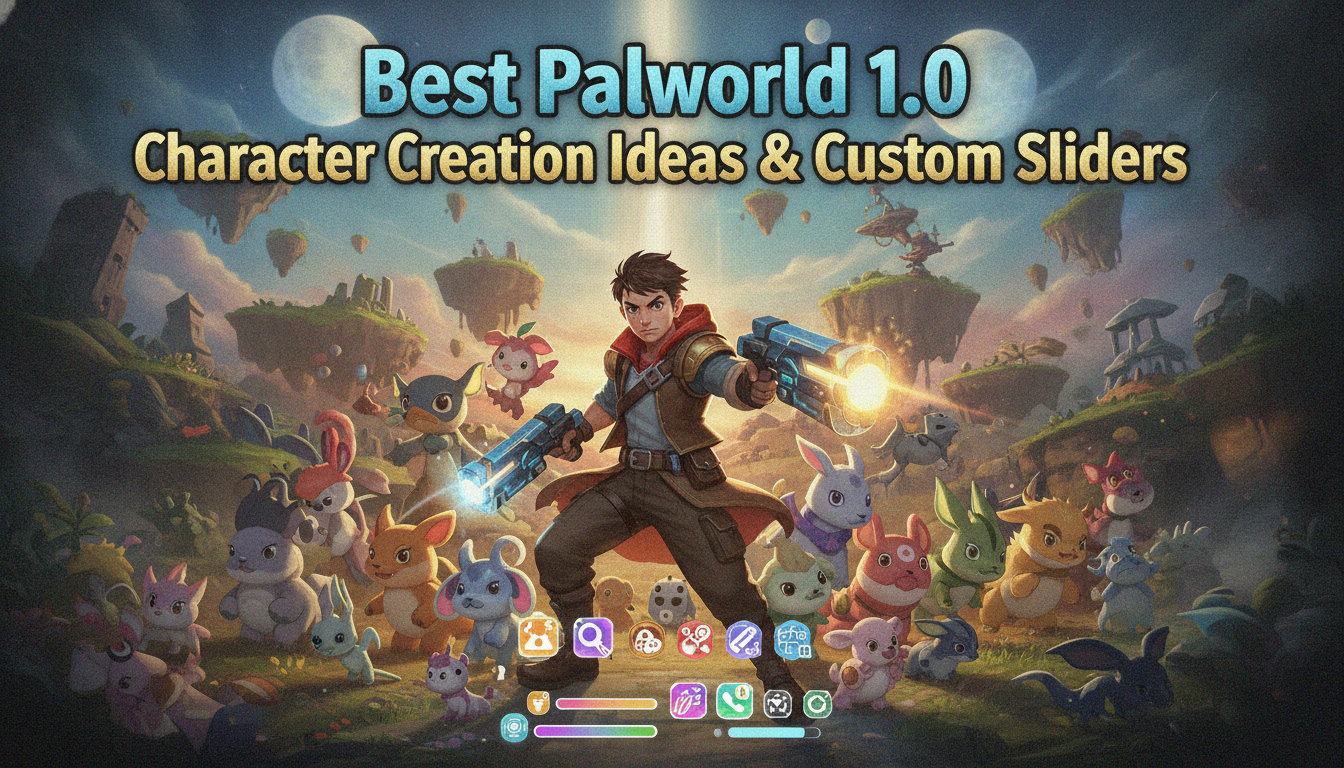
Best Palworld 1.0 Character Creation Ideas & Custom Sliders

We have all been there: you spend three agonizing hours in the character creator, meticulously adjusting jawlines, eye spacing, and hair highlights, only to step out onto the starting beach and realize your avatar looks like a melting wax figure. The transition from the creation screen’s neutral, sterile lighting to the dynamic, gorgeous day-night cycle of the open world can be incredibly unforgiving. If you are tired of restarting your dedicated server just to fix a botched nose job, you need a solid game plan and some inspired Palworld 1.0 character creation ideas before you even touch those customization sliders.

Editor’s Note: After logging over 100 hours since the early access days and pushing deep into the endgame of Palworld 1.0, I have rolled dozens of characters. I have tested how every single slider interacts with high-tier armor sets, various lighting conditions across different biomes, and mount animations. This guide strips away the guesswork, providing you with tested, visually striking aesthetics that actually look incredible during actual gameplay.

TL;DR: The Short Answer

If you are looking for quick Palworld 1.0 character creation ideas to get started immediately, here are the most popular archetypes you should aim for:

  • The Anime Protagonist: Spiky, vibrant hair (red, blue, or yellow), large expressive eyes, and a youthful face preset. Perfect for the monster-catching vibe.
  • The Gritty Survivalist: Rugged facial features, muted natural hair colors (browns, grays), prominent scars, and a deeper voice pitch to match the harsh survival mechanics.
  • The Ethereal Tamer: Pale skin, glowing white or silver hair, heterochromia (two different eye colors), and a slender build. Ideal for riding magical, late-game mounts.
  • The Proportional Abomination: Maximized arm length, minimized torso, massive head, and neon green skin. The ultimate meme build for multiplayer chaos.

Table of Contents

  • Common Mistakes in Palworld 1.0 Character Creation
  • Top Palworld 1.0 Character Creation Ideas & Themes
  • Idea 1: The Classic Shonen Anime Protagonist
  • Idea 2: The Gritty Post-Apocalyptic Veteran
  • Idea 3: The Ethereal Beast Tamer
  • Idea 4: The Maximum Slider Abomination (Meme Build)
  • Alternative Methods for Character Customization
  • Advanced Customization Tips for Hardcore Players
  • Synergy and Roleplay: Matching Aesthetics to Pal Elements
  • Skip the Grind: Enhance Your Palworld 1.0 Experience with XMODhub
  • Frequently Asked Questions
  • Final Verdict

Common Mistakes in Palworld 1.0 Character Creation

Before diving into specific Palworld 1.0 character creation ideas, we must address the fatal errors that lead to instant regret. The character editor in Palworld 1.0 is robust, but it contains several traps that can ruin your immersion once you enter the actual game world.

The Lighting Deception

The most prominent mistake players make is trusting the lighting in the character creator menu. The menu uses a soft, diffused studio light that flatters every facial structure and smooths out harsh angles. However, the actual game features intense directional sunlight, harsh shadows in dungeons, and eerie glows at night. A jawline that looks sharp in the menu might cast a bizarre, jagged shadow across your character’s neck during a sunset in the volcanic region. Always opt for slightly softer facial contours than you think you need.

Armor Clipping Nightmares

Palworld 1.0 features a wide array of armor, from primitive pelt tunics to high-tech Pal Metal Armor. If you push the body sliders—specifically the chest, shoulders, and waist—to their absolute maximums, you are going to experience severe clipping issues. Your character’s shoulders might poke through the metal plating of late-game gear, ruining the aesthetic. Keeping body proportions within the 40% to 60% range on the sliders ensures that 99% of the armor in the game fits your avatar perfectly.

If you accidentally made a character you absolutely hate, you might be tempted to just delete your world, start over completely, or look for Palworld 1.0 cheats and console commands to quickly regain your lost levels and bypass the early game grind you already completed. To avoid this frustration, take your time with the body proportions.

The Proportional Uncanny Valley

Because the game allows you to adjust the size of individual limbs, it is easy to accidentally create a character with arms that are slightly too long for their torso, or a head that is just a fraction too small. This creates an “uncanny valley” effect where your character looks almost human, but something is deeply, unsettlingly wrong. When in doubt, leave the limb length sliders near their default centers unless you are intentionally going for a comedic build.

Top Palworld 1.0 Character Creation Ideas & Themes

Now that we know what to avoid, let us dive into the best Palworld 1.0 character creation ideas. These archetypes are designed to look fantastic in all lighting conditions and fit perfectly into the game’s unique blend of survival crafting and monster taming.

Idea 1: The Classic Shonen Anime Protagonist

Palworld 1.0 inherently carries a strong anime aesthetic, making the “Shonen Protagonist” one of the most fitting and popular character creation ideas. This build is all about youthful energy, vibrant colors, and an undeniable main-character aura.

  • Face & Eyes: Select one of the younger, softer face presets (Preset 1 or 3). Choose large, rounded eyes to convey expressiveness. For eye color, you want something striking—emerald green, sapphire blue, or a fiery amber.
  • Hair: This is where the anime vibe comes to life. Choose a highly textured, spiky hairstyle. The “Wild” or “Spiky” hair options are perfect. For the color, do not shy away from the boldest options on the color wheel. A bright crimson red, electric yellow, or vivid cyan works best.
  • Body: Keep the body type relatively slim and athletic. You want your character to look agile, ready to dodge roll away from a charging boss at a moment’s notice.
  • Voice: Pick a higher-pitched, energetic voice option so your character sounds enthusiastic when throwing Pal Spheres or issuing commands.

Idea 2: The Gritty Post-Apocalyptic Veteran

If you lean more heavily into the survival crafting aspects of Palworld 1.0—building massive fortresses, crafting firearms, and fighting off Syndicate raids—the “Gritty Veteran” is the perfect aesthetic. This character looks like they have survived a hundred harsh winters on the islands.

  • Face & Eyes: Choose a mature face preset with sharper cheekbones and a stronger jawline. Add prominent scars across the eyes or cheeks using the facial detail options. For eyes, opt for a narrower, squinting eye shape with muted colors like steel gray or dark brown.
  • Hair: Practicality is key here. Choose a short buzzcut, a messy tied-back ponytail, or a rugged, unkempt style. Stick to natural, darker colors—black, dark brown, or a weathered, ashy gray.
  • Body: Increase the muscle mass and shoulder width sliders. This character needs to look like they can chop down a forest of trees and carry hundreds of pounds of ore without breaking a sweat.
  • Voice: Select the deepest, most gravelly voice available. You want your character to sound exhausted but determined when swinging a pickaxe.

Idea 3: The Ethereal Beast Tamer

For players who want to focus entirely on breeding the rarest, most magical creatures in Palworld 1.0, the Ethereal Beast Tamer is a breathtaking concept. This build relies on high fantasy tropes, making your character look almost alien or magical.

  • Face & Eyes: Select the most delicate facial preset available. The defining feature of this build is heterochromia. Set the left eye to a piercing ice blue and the right eye to a glowing amethyst purple.
  • Hair: Choose the longest, most flowing hairstyle available. The color should be completely desaturated—pure snow white, platinum blonde, or a very pale, ghostly silver.
  • Body: Keep the build exceptionally slender and tall. Maximize the height slider while minimizing the muscle mass, giving your character an elegant, elven silhouette that looks majestic when riding a flying mount like a Frostallion or Jetragon.
  • Voice: Choose a soft, calm, and melodic voice option.

Idea 4: The Maximum Slider Abomination (Meme Build)

Sometimes, you just want to watch the world burn. If you are playing on a dedicated server with friends and want to ensure they burst into laughter every time you enter their base, the Meme Build is the only way to go.

  • Face & Eyes: Push all facial feature sliders to their absolute extremes. Make the eyes as far apart as the game allows, maximize the nose size, and minimize the mouth.
  • Hair: Give them a bright pink, giant afro, or make them completely bald with a neon green beard.
  • Body: This is where the magic happens. Minimize the torso and head sliders to 0%, and maximize the arm and leg length to 100%. Your character will look like a terrifying, lanky stick insect running across the landscape.
  • Voice: Pick the most obnoxious, high-pitched, or cartoonish voice you can find.

Alternative Methods for Character Customization

If the in-game sliders are not giving you exactly what you want, there are alternative approaches to realizing your perfect Palworld 1.0 character creation ideas.

Leveraging Third-Party Preset References

While Palworld 1.0 does not currently support simple “copy-paste” string codes for character presets like some other RPGs, the community has created massive databases of slider screenshots. Websites like Reddit (specifically the Palworld subreddits) and community Discord servers have dedicated channels where players post pictures of their characters alongside screenshots of the exact slider coordinates. If you want to cosplay as Link from Zelda or a Cyberpunk 2077 character, someone has likely already mapped out the exact slider percentages you need.

The Controlled Randomization Technique

If you are suffering from creative block, do not ignore the “Randomize” button. However, do not just click it and accept the first result. Use the controlled randomization technique: click the randomize button until you find a facial structure or color palette that catches your eye, and then manually refine the sliders from there. This often produces unique combinations of eye shapes and jawlines that you would never have thought to put together manually, serving as an excellent baseline for your custom avatar.

Advanced Customization Tips for Hardcore Players

For the truly dedicated, character creation goes beyond mere aesthetics. There are subtle gameplay implications and immersion factors to consider in Palworld 1.0.

Hitboxes and Character Size in Palworld 1.0

A common question among hardcore PvP and min-maxing PvE players is whether character size affects hitboxes in Palworld 1.0. The answer is yes, but the impact is nuanced. A character with maximum height and width will have a slightly larger hurtbox, making it marginally easier for enemy projectiles to hit you. Conversely, a minimum-size character can occasionally duck under high-sweeping attacks. However, making your character incredibly tiny can alter your camera perspective slightly, making it harder to see over tall grass or certain cover objects. For the best competitive balance, aim for a medium-to-small build.

Voice Selection and Gameplay Immersion

Do not underestimate the importance of voice selection. In Palworld 1.0, your character makes noise constantly—grunting when swinging tools, shouting when taking damage, and calling out when deploying creatures. If you pick a voice that annoys you in the character creator, it will drive you absolutely insane by hour 50. Take the time to preview every single voice line in the creator before finalizing your choice.

Synergy and Roleplay: Matching Aesthetics to Pal Elements

When brainstorming Palworld 1.0 character creation ideas, veteran players often look beyond the initial beach spawn and design their avatars around specific Pal elements. Building a cohesive visual theme between your character, your base architecture, and your primary party of Pals drastically enhances immersion.

Here is a breakdown of the best color palettes and aesthetic choices based on the elemental team you plan to build, ensuring your character visually synergizes with late-game gear:

Tamer Archetype Dominant Color Palette Recommended Early Pals Ideal Late-Game Armor
Pyromaniac (Fire) Crimson, Ash Black, Amber Foxparks, Rooby Heat Resistant Pal Metal Armor
Abyssal Cultist (Dark) Deep Purple, Midnight Blue, Silver Daedream, Hoocrates Cold Resistant Pal Metal Armor
Verdant Ranger (Grass) Emerald Green, Earth Brown, Gold Lifmunk, Tanzee Pelt Armor, Tropical Outfit
Volt Speedster (Electric) Electric Yellow, Cyan, Crisp White Sparkit, Jolthog Plasteel Armor

By aligning your hair, eye color, and skin tone with these archetypes from the start, you ensure that your character looks like a natural extension of your Paldeck rather than a random tourist wandering the islands.

Skip the Grind: Enhance Your Palworld 1.0 Experience with XMODhub

Let us be honest: once you have spent hours perfecting your character using these Palworld 1.0 character creation ideas, the last thing you want to do is spend another 40 hours mindlessly punching trees and mining rocks just to build a decent looking base to match your aesthetic. The mid-game grind in Palworld 1.0 can be notoriously brutal, requiring thousands of ingots and endless resource farming.

When the grind starts to detract from the fun of exploring and monster-catching, it is time to bring in XMODhub. As the premier PC game modification tool, XMODhub allows you to instantly bypass the tedious elements of the game so you can focus on the fun. Want to instantly give your beautifully crafted character unlimited stamina, infinite carrying capacity, or free crafting materials? XMODhub makes it effortless.

Here is how to elevate your gameplay in three simple steps:

xmodhub app

  1. Download and Install XMODhub: Head over to the official website and grab the lightweight, secure client.
  2. Auto-Detect Palworld 1.0: Launch the app, and XMODhub will automatically detect your Palworld 1.0 installation, bringing up a dedicated dashboard of safe, tested mods.
  3. Toggle Cheats & Enjoy: With a single click, activate features like Infinite Health, One-Hit Kills, or Free Crafting. Step back into the game and rule the islands like a true boss.

Palworld Trainers & Mods — XMODHUB

Frequently Asked Questions

Can I change my character’s appearance later in Palworld 1.0?

Yes. In Palworld 1.0, you can build an Antique Dresser at your base. Interacting with this furniture piece allows you to completely edit your character’s appearance, including body sliders, hair, face, and voice, without having to start a new game.

Do specific hairstyles cause performance lag in Palworld 1.0?

No. While Palworld 1.0 has highly detailed physics for character hair, the optimization in the 1.0 release ensures that even the most complex, long hairstyles do not cause noticeable frame drops, even during chaotic boss fights.

Can I save my character presets to use on different servers?

Currently, Palworld 1.0 does not feature a native cross-server preset saving system. You will need to take screenshots of your slider positions if you want to recreate your exact character on a friend’s dedicated server.

Does character weight affect stamina consumption?

No. Your character’s physical proportions (height, muscle mass, weight) are purely cosmetic in Palworld 1.0. Stamina consumption is dictated entirely by your in-game stats, which you level up using stat points, regardless of how large or small your avatar is.

Final Verdict

Mastering the character creator is the first true challenge of the game. By utilizing these Palworld 1.0 character creation ideas—whether you choose the vibrant Shonen Protagonist, the battle-hardened Survivalist, or a completely unhinged meme build—you ensure that your avatar looks spectacular in every cutscene, boss fight, and base-building session. Remember to account for the game’s dynamic lighting, avoid extreme body sliders that cause armor clipping, and take advantage of the Antique Dresser if you ever feel like changing your aesthetic mid-playthrough.

xmod games

Once your character looks perfect, do not let the brutal resource grind slow your momentum. With XMODhub, you can instantly tailor the game’s difficulty to your exact preferences, skipping the tedious farming and getting straight to the action. Supporting over 5,000 PC titles—including massive survival crafting hits like Enshrouded and Ark: Survival Ascended—XMODhub is the ultimate companion for PC gamers who value their time. Build your perfect character, fire up XMODhub, and conquer the islands of Palworld 1.0 on your own terms.

Stop Grinding, Start Enjoying.

Bypass the tedious resource gathering and unlock your full potential instantly.

Download XMODhub Trainer

  • Catherine Hu

    I am a passionate gamer and writer at XMODhub, dedicated to bringing you the latest gaming news, tips, and insights. Connect with me: LinkedIn Profile ↗

    Related Posts

    Palworld 1.0 Flying Mount Speeds: The Ultimate Tier List and Optimization Guide

    We have all been there. You just crafted your first flying saddle, eagerly summoned your Nitewing, jumped on its back, and realized with creeping horror that walking on foot is arguably faster. When…

    Palworld 1.0 Gatherable Objects Respawn Interval: The Complete Guide to Infinite Resources

    You are standing in front of an empty ore deposit, your Pickaxe in hand, waiting for the rocks to magically reappear so you can finally craft those Pal Spheres. You have fast-traveled away,…

    Leave a Reply

    Your email address will not be published. Required fields are marked *

    Primary Color

    Secondary Color

    Layout Mode