
 Catherine Hu
You set up your perfect idle farming loop, minimize the game to your taskbar to let it run discreetly while you work, and expect to come back to a mountain of pixelated loot. Instead, you maximize the window hours later only to be greeted by the soul-crushing “Error 500” message. Your progression is halted, your adorable pixel heroes are stuck in digital limbo, and your entire AFK session is completely ruined. For a game designed around background progression, network dropouts are the ultimate run-killers.
Editor’s Note
I encountered this exact server timeout loop while pushing my Slayer class through Act 3 on the highest difficulty. After losing hours of potential high-tier equipment drops, I dug into the network logs and Steam configuration files. The fixes detailed below are tested and confirmed to bypass the server handshake failures causing this highly annoying crash, getting your heroes back to the grind immediately.
Quick Answer: TL;DR: The Short Answer
If you are experiencing error 500 task bar hero and need to fix it right now to save your idle run, follow these immediate triage steps to restore your connection to the game’s servers:
ipconfig /flushdns, and press Enter.Understanding the Root Cause of Error 500
Before we start modifying system files, it is crucial to understand why you are seeing an HTTP 500 Internal Server Error in a game that seemingly runs locally on your desktop.
TBH: Task Bar Hero is a free-to-play idle RPG. Even though the pixel heroes are fighting monsters directly on your taskbar, the game relies heavily on backend server communication. The game is split into 3 distinct Acts, each featuring around 10 stages with multiple difficulty modifiers. Every time your characters clear a stage, find rare equipment, or when you purchase a DLC like the Hunter or Slayer class, the client sends a data packet to the Steam servers and the developer’s backend (Nugem Studio/Tesseract Studio) to validate your loot drop system and update your profile.
An Error 500 means the server received your game’s request but encountered an unexpected condition that prevented it from fulfilling it. This usually happens due to:
Step-by-Step Fixes for Network Handshake Failures
Phase 1: The Network Reset Protocol
Since the error is fundamentally a communication breakdown, your first line of defense is ensuring your local network route to the game’s servers is completely clear. Stale DNS entries are the number one culprit for background idle games losing their connection.
ipconfig /flushdns, ipconfig /release, ipconfig /renew, netsh winsock reset.Phase 2: Steam API and Cloud Save Desyncs
TBH: Task Bar Hero relies heavily on Steam Cloud to ensure your idle progress isn’t lost if you switch PCs. However, continuous micro-syncs during heavy loot drop phases can overwhelm the connection, resulting in an Error 500.
How to Disable Problematic Cloud Syncs:
Once you finally resolve this frustrating server error, you will want to ensure your idle farming is as efficient as humanly possible to make up for lost time. Check out our ultimate setup for dominating the late-game stages to maximize your loot per hour without taxing your system.
Phase 3: Deep System Whitelisting
Because TBH: Task Bar Hero operates as a “tiny idle RPG running discreetly from your desktop,” it hooks into the Windows Desktop Window Manager (DWM) in ways that overzealous antivirus software might flag as suspicious. When an antivirus blocks the game’s outgoing telemetry, the game client assumes the server is dead and throws an Error 500.
Windows Defender Whitelisting:
Edge Cases: Loot Loss and Stage Transitions
Warning: What happens if you get an Error 500 right after a massive boss kill in Act 3?
Due to the way the loot drop system is coded, items are held in a temporary local cache before being validated by the server. If the error occurs before validation, that loot is permanently lost.
How to prevent this edge case: Do not leave the game minimized for more than 12 hours at a time. Maximize the game periodically (every 4-6 hours) to force a manual UI refresh, which triggers a priority save state to the local disk, safeguarding your diverse classes, skills, and items from sudden server disconnects.
The Ultimate Shortcut: Bypass Server Grind with XMODhub
Let’s be honest. You downloaded an idle game to relax, not to become a part-time network engineer troubleshooting DNS caches and Steam API desyncs. If you are tired of losing hours of hard-earned loot to a random “error 500 task bar hero” crash, it is time to take absolute control of your game client.
Instead of relying on fragile server connections to dictate your drop rates, you can bypass the grind entirely with XMODhub.
XMODhub is the industry’s most powerful, undetectable modding engine for PC single-player and idle games. For TBH: Task Bar Hero, XMODhub offers a dedicated Offline Enabler & Loot Multiplier script. This forces the game to run 100% locally—bypassing the server checks that cause Error 500—while simultaneously allowing you to inject infinite gold, max out your Slayer class instantly, and guarantee legendary loot drops on every single kill.
How to dominate the game in 3 simple steps:

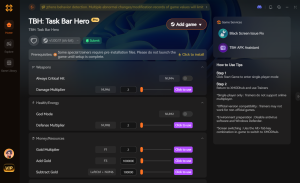
Download TBH: Task Bar Hero Trainer Now.
Stop letting server errors steal your time. Play on your own terms.
Advanced Diagnostic: Local Network vs. Developer Servers
When troubleshooting an error 500 task bar hero crash, players often waste time tweaking their local firewall when the issue is actually on the developer’s end. Because TBH relies on Steam’s backend infrastructure for authentication, any hiccup in Steam’s global network will immediately trigger a server timeout in your minimized game.
Before diving into complex command-line fixes, always check Steam’s unofficial status pages (like SteamDB) or the official TBH Discord server. If Steam is undergoing its routine Tuesday maintenance, your game will inevitably throw a 500 or 502 error until the API comes back online. Using a gaming VPN can sometimes bypass regional Steam gateway blockages, routing your game’s telemetry through a more stable node and preventing random idle disconnects.
Complete TBH Error Code Index
While Error 500 is the most notorious progression killer, TBH: Task Bar Hero can throw several other HTTP-based network errors during extended AFK sessions. Understanding exactly what each code means will help you deploy the correct fix instantly.
| Error Classification | Specific Trigger / Root Cause | Optimal Troubleshooting Step | Save File Risk |
|---|---|---|---|
| Error 500 (Internal) | Backend fails to validate stage transition or process a high-tier loot drop. | Flush DNS, disable Steam Cloud sync, or use XMODhub offline bypass. | High |
| Error 403 (Forbidden) | Steam Cloud authentication token expires while the game is minimized. | Force close via Task Manager and restart Steam Client as Administrator. | Low |
| Error 429 (Rate Limit) | Spamming UI refreshes or rapidly maximizing/minimizing the game window. | Wait 5-10 minutes without interacting with the client to reset API limits. | Medium |
| Error 502 (Gateway) | Steam Tuesday Maintenance or regional routing outage blocking telemetry. | Check SteamDB status and wait for the network to stabilize. | Low |
Frequently Asked Questions
A: Unfortunately, yes. If the game fails to communicate with the server to validate the loot drops you acquired while idle, the temporary cache will clear upon restarting the game. This is why fixing the connection issue or using an offline bypass is critical.
A: While the core gameplay happens locally on your desktop, the game requires a persistent connection to validate microtransactions (like the Supporter Pack or Three Stash Pack), update cloud saves, and verify stage progression.
A: Windows OS features a “Background App Power Management” system. When an app is minimized for extended periods, Windows may throttle its network usage. You can fix this by going to Windows Settings > Apps > Installed Apps > TBH: Task Bar Hero > Advanced Options, and setting “Background apps permissions” to “Always”.
A: It can be. If you buy the DLC while the game is running, the Steam overlay attempts to push the new license to the game. If the server is busy, it throws an Error 500. Always restart the game completely after purchasing DLC classes like the Hunter or Slayer.
Final Verdict
Conclusion
Encountering error 500 task bar hero is a massive headache, but it is rarely a permanent death sentence for your save file. By systematically addressing local network caches, managing Steam Cloud syncs, and ensuring your firewall isn’t strangling the game’s background processes, you can stabilize your idle farming sessions. Remember that the game’s transition between its 3 Acts and 10 stages is the most vulnerable time for server drops, so keep your connection clean.
However, if you value your time and want to skip the tedious troubleshooting, XMODhub remains the ultimate trump card. With support for over 5,000+ single-player PC games, it is an essential tool for any hardcore gamer. Once you’ve conquered TBH: Task Bar Hero, you can use XMODhub to enhance other legendary idle and desktop-integrated games like Fantasy Idle Dungeon or Rusty’s Retirement, ensuring your progression is always fast, fun, and completely under your control.

I am a passionate gamer and writer at XMODhub, dedicated to bringing you the latest gaming news, tips, and insights.
Connect with me:
LinkedIn Profile ↗

 Nancy Miller





