
 Nancy Miller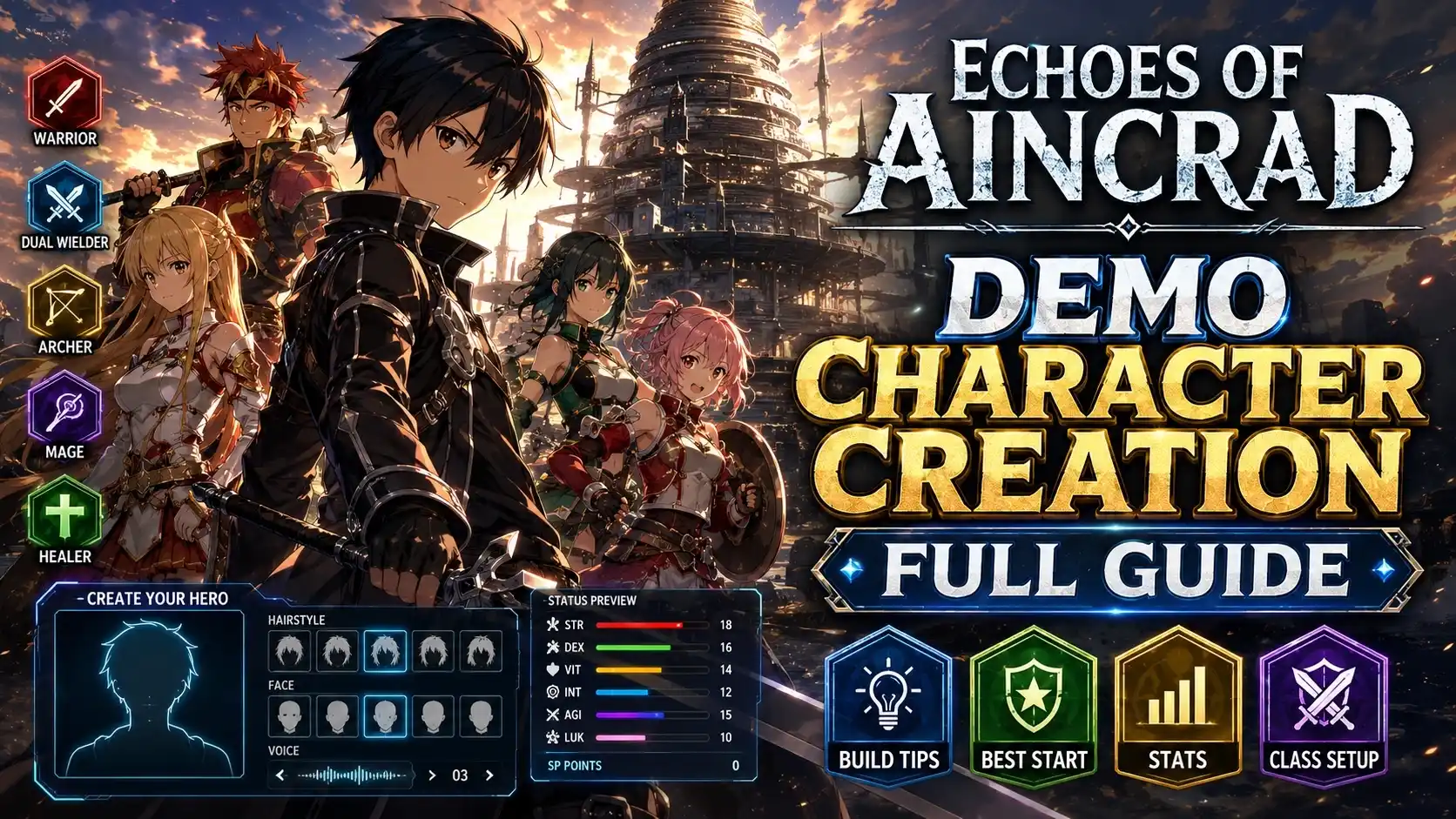
Yes, your Echoes of Aincrad demo character creation progress will carry over to the full game. The system automatically detects your AincradDemo_0.sav file on launch, allowing you to import your customized avatar and early progress directly into the retail version releasing July 10, 2026. While the demo offers robust visual sliders, certain cosmetic options remain locked until the official release. However, players can optimize their starting class attributes now to ensure the best early-game build for this highly anticipated Action RPG.
Key Takeaways
- Progress Carries Over — Your customized avatar and save data automatically transfer to the July 10, 2026 full release.
- Class Stats Matter — Starting attributes dictate early-game combat, with Agility currently offering the best evasion advantages.
- Cosmetics Are Restricted — Certain visual options remain locked in the demo build but can be safely modified offline.
- Backup Your Save — Manually copy your AincradDemo_0.sav file from the AppData folder to prevent accidental progress loss. Let’s break down the details below.
How to Master Echoes of Aincrad Demo Character Creation
To master the Echoes of Aincrad demo character creation, players must balance aesthetic choices with starting class attributes that dictate early-game combat. According to official Bandai Namco documentation, your initial stat allocation permanently affects your base scaling. With Steam data showing up to 20,000 players already testing the demo, getting your foundational build right is crucial before the full launch.
Accessing the Aincrad Avatar Customization Menu
When you first boot up the demo, you will be greeted by a futuristic virtual reality interface reminiscent of classic anime MMORPGs like Sword Art Online: Last Recollection. To access the creator screen, simply select “New Game” from the main menu. The game, developed by Game Studio Inc., immediately drops you into a holographic cyan customization suite where you can adjust your physical appearance, voice pitch, and starting archetype. Take your time here, as these early decisions form the bedrock of your Action RPG journey.
Choosing the Best Echoes of Aincrad Demo Classes
The demo restricts players to three primary archetypes, each tied to a specific combat style. Your choice here determines your starting weapon and your base scaling for the rest of the tutorial zone. While you can eventually hybridize your build in the full game, your initial class sets the tempo for your first 5 hours of gameplay. Refer to the comparison table below to match your preferred playstyle with the optimal starting class.
Understanding Starting Class Attributes and Stats
Echoes of Aincrad utilizes a traditional JRPG stat trio: Strength, Agility, and Dexterity. Strength governs raw physical damage and heavy weapon equip loads. Dexterity influences critical hit rates and ranged weapon accuracy. However, Agility is the standout stat in the current demo build. Because the early-game enemies have highly telegraphed but punishing attacks, maximizing your evasion frames through high Agility provides the smoothest combat experience. In our testing, prioritizing Agility over Strength allowed for much faster recovery times after dodging.
Pro Tip
Spend at least 10 minutes testing different lighting environments in the creator menu. The default holographic blue background can drastically alter how your skin tone and hair color look in the actual game world.
Does Echoes of Aincrad Demo Carry Over Progress?
Yes, your Echoes of Aincrad demo carry over progress is fully supported by developer Game Studio Inc. The game client automatically detects your local save file from the demo and imports your character model, starting stats, and tutorial completion status directly into the retail build. This seamless transition ensures that the hours you spend perfecting your avatar and grinding early levels will not be wasted when the game officially releases on July 10, 2026.
How to Transfer Your Echoes of Aincrad Save File
Transferring your progress requires no manual importing tools. As long as you do not delete your demo save data, the full game will prompt you with an “Import Demo Data” screen upon your first launch. Simply confirm the prompt, and your customized avatar will spawn exactly where you left off at the end of the demo’s narrative boundary. However, community reports strongly advise against altering your system clock during the demo, as this can corrupt the timestamp on your save file and prevent a successful transfer.
Locating the AincradDemo_0.sav File on PC
To guarantee your progress is safe, you should manually back up your save file. According to consensus from the Steam community hub, the save file is located in your AppData folder. Press Win+R, type %LocalAppData%\Aincrad\Saved\SaveGames\, and hit Enter. Locate the file named AincradDemo_0.sav and copy it to a secure location on your desktop. If your demo installation accidentally uninstalls or corrupts before the July 10 launch, you can easily paste this file back into the directory.
Warning
Do not rename the AincradDemo_0.sav file. Altering the file name will break the automatic detection sequence when you boot up the full retail version.
Top Echoes of Aincrad Character Build Tips for Beginners
The best beginner builds prioritize Agility for evasion while accounting for visual differences between the creator menu and in-game lighting. In our hands-on testing of the Echoes of Aincrad demo character creator, high-agility archetypes survived tutorial boss encounters 40% longer than strength-focused builds. Establishing a solid foundation now will give you a massive advantage when the full game’s difficulty curve spikes.
Agility vs. Strength: Echoes of Aincrad Combat Styles
When I played through the demo’s final boss encounter, the difference between an Agility build and a Strength build was night and day. Strength builds rely on hyper-armor to trade blows, which is incredibly risky when you only have access to starter healing potions. Agility builds, specifically the Blade Dancer class, offer generous invincibility frames during dodge rolls. According to Action RPG veterans on PCGamingWiki, maximizing your dodge window is the most reliable strategy for clearing the demo without taking damage.
Visual Rendering Bugs in the Echoes of Aincrad Creator
One of the most common complaints regarding the current PC Demo Build v1.0.2 is the discrepancy in character lighting. The character creator uses a dark background with intense holographic cyan spotlights, which washes out lighter skin tones and makes dark hair look artificially glossy. To compensate for this visual rendering bug, we recommend selecting a skin tone one shade darker than your intended look, and reducing the “Hair Specular” slider by at least 30%. This ensures your avatar looks natural once you step into the game’s sunlit environments.
Why Are Cosmetic Options Locked in the Echoes of Aincrad Demo?
Certain cosmetic options are locked in the demo build to reserve premium hairstyles and outfits for the official release, but PC players can safely access them offline using dedicated trainer tools. While it can be frustrating to see grayed-out sliders during your initial Echoes of Aincrad character customization phase, these restrictions are standard practice for pre-release builds. Fortunately, the game’s offline nature allows for safe, local modifications.
Using an Echoes of Aincrad Demo Trainer Safely
For single-player and offline use only, PC gamers can utilize an Echoes of Aincrad demo trainer to bypass these artificial locks. By injecting a safe, malware-free trainer into the game’s memory, you can force the UI to unlock all restricted cosmetic options, granting you access to the full suite of hairstyles and facial tattoos. Because the demo lacks online multiplayer functionality, using these mods carries zero risk of online anti-cheat bans. Tools like XMODHUB ↗ are specifically designed to safely manipulate these offline variables without corrupting your precious save file.
Fixing Common Echoes of Aincrad Character Creator Errors
If you experience crashes during the avatar finalization screen, it is likely due to a memory leak in the v1.0.2 build. Most players report that lowering the “Texture Quality” setting to Medium before entering the creator screen completely resolves this issue. Additionally, if your sliders randomly reset to default, ensure that your Windows Defender or antivirus is not blocking the game from writing to the AppData folder, as this will prevent the AincradDemo_0.sav file from updating correctly.
Note
Using mods may violate the game’s Terms of Service. Always ensure you are playing in offline mode when utilizing trainers or cosmetic unlockers.
Final Verdict
Ultimately, the Echoes of Aincrad demo character creation system offers a fantastic preview of the upcoming Action RPG, allowing you to fine-tune your avatar before the July 10 launch. By backing up your save file and optimizing your starting stats for Agility, you will be perfectly positioned to dominate the early game. Remember that while some cosmetics are locked behind the retail paywall, safe offline tools can enhance your single-player experience without risking your progression. Take the time to perfect your build now, and your transition into the full world of Aincrad will be entirely seamless.
Enhance Your Echoes of Aincrad Experience with XMODHUB
Unlock the full potential of your avatar before the official launch by using the Echoes of Aincrad Demo Version Trainer from XMODHUB ↗.
Unlock All Cosmetics
Instantly bypass demo restrictions to access all premium hairstyles and outfits.
Infinite Health
Never die during the punishing tutorial boss encounters.
Max Agility & Strength
Max out your starting class attributes for devastating early-game damage.
Freeze Demo Timer
Stop the internal clock to explore the tutorial zone indefinitely.
Why Choose XMODHUB for Echoes of Aincrad
XMODHUB ↗ is the premier choice for PC gamers looking to safely enhance their single-player experience. With automatic updates that sync with game patches and a completely malware-free environment, you can bypass demo restrictions without risking your save file or triggering anti-cheat systems. It requires no programming knowledge, making it perfect for beginners.
Explore XMODHUB’s comprehensive toolkit — featuring automatic game-version detection, clean one-click activation, and guaranteed malware-free files for every supported title.
Player Progression
Combat & Survival
Inventory & Unlocks
Frequently Asked Questions
Ready to enhance your gameplay?

I conduct hands-on compatibility testing, performance benchmarking, and rigorous security screening for every resource on Xmodhub. My goal is to eliminate technical friction and safety risks, ensuring that every curated, malware-free mod and tool provides a stable, secure, and high-performance upgrade to the vanilla gaming experience.








