
 Catherine Hu
Quick Answer: Does Destiny of Immortal Have Console Commands?
No, Destiny of Immortal does not have a built-in developer console or native text-based cheat codes. Because the game is currently in Early Access and heavily focuses on its complex branching plots and cultivation RPG mechanics, the developers have completely disabled internal debugging tools for the public build. Pressing the Tilde (~) key or modifying the game’s initialization files will not grant you access to a command line. However, you do not need a developer console to manipulate the game. The only reliable and safe way to cheat is by using a third-party trainer like XMODhub, which offers seamless 1-click alternatives like God Mode, Infinite G3 Skill Materials, and Max Charisma, completely bypassing the need for manual code entry.
Editor’s Note
This guide was last verified against the newest Destiny of Immortal patch. Whether you are using native engine tools or a dedicated trainer, please back up your save files before modifying game memory to prevent unexpected bugs.
We have all been there. You have just spent hours dying to the same boss in Destiny of Immortal, or maybe you simply do not have the time to grind for G3 Skill Materials after a long day. The Jagu boss fight on Chaos difficulty is notoriously brutal, leaving players with very few options for increasing their power prior to the encounter. Single-player games are meant to be enjoyed on your own terms, without the frustration of endless grinding. Let us get your character powered up.
You may also like: The Ultimate Destiny of Immortal Cheat Engine Guide (And A Much Easier Alternative)
1. How to Enable Cheats in Destiny of Immortal
Because Destiny of Immortal does not feature a native developer console, players cannot simply type in text-based codes to spawn items or activate God Mode. Many Early Access titles lock down their internal consoles to prevent players from accidentally triggering sequence breaks in branching storylines. In Destiny of Immortal, where your choices dictate which of the three major diverging storylines you experience, forcing quest states via a console could irreparably corrupt your progression.
Instead of relying on nonexistent text commands, you must use a memory injection tool. This process safely modifies the game’s dynamic memory allocation in real-time, giving you the exact same results as a console command but with a user-friendly interface.
Here is the straightforward 3-step process to download and attach XMODhub to Destiny of Immortal to enable cheats:
2. The Complete List of Destiny of Immortal Cheats
Because Destiny of Immortal does not feature a developer console, there are no text-based cheat codes to input. You cannot press a key to open a text box and type add_gold 999. However, you can achieve the exact same effects—and often much more powerful ones—using the XMODhub app.
The mechanics of Destiny of Immortal are incredibly diverse, spanning farming, combat, cooking, errands, friendship, and deep crafting systems. The trainer is specifically designed to address the most tedious aspects of these interconnected systems.
Here is the complete list of Trainer Features available in XMODhub for Destiny of Immortal:
3. Item IDs and Spawning Guide
In games that feature built-in developer consoles, players typically need to memorize complex hexadecimal Item IDs to spawn specific materials. You would normally type a command like player.additem 0x00A1F 50 to receive a specific crafting component.
Because Destiny of Immortal lacks native engine tools for the player, manually spawning items via text is completely impossible. The game’s memory addresses for items shift dynamically every time you load a save file, meaning static Item IDs do not exist in a way that a player can manually exploit without advanced programming knowledge.
XMODhub elegantly bypasses this entire problem. Instead of forcing you to hunt down community spreadsheets for complex hex codes, the trainer automatically identifies the memory addresses for your inventory slots. By simply clicking a button in the app, you can instantly maximize your inventory, add specific cultivation resources, or generate infinite currency. It eliminates the need to look up complex strings of text, allowing you to focus purely on the wish-fulfillment thrills of your cultivation journey.
4. Do Cheats Disable Achievements?
When playing an Early Access title on Steam, achievement hunting is often a major part of the experience. In games that do offer native console commands, developers almost always implement a script that actively monitors the console. The moment you press the Enter key to execute a cheat, the game flags your save file as “modified” and permanently disables your ability to earn Steam achievements on that specific character.
Destiny of Immortal handles memory modification differently. Because there is no internal console to flag, the game relies on standard memory checks. Using outdated cheat tables or manual hex editors can sometimes trigger these checks, resulting in broken achievement triggers.
However, XMODhub safely bypasses these achievement locks. The trainer operates by temporarily masking the altered values in the system’s RAM rather than permanently rewriting the game’s core files. The Steam API continues to read your progression as completely legitimate. Whether you are using God Mode to defeat the Jagu boss or instantly maximizing your friendship levels to unlock specific NPC storylines, you will continue to unlock all Steam achievements naturally and without penalty.
5. Why Native Cheats Can Break Your Save Files
Beyond the achievement lock, native developer tools and memory editors are notoriously unstable. These commands were originally built for developers to test bugs during production, not for everyday gameplay.
Forcing a quest to complete or bypassing intended story triggers can cause crucial NPCs to completely disappear from your map. Memory leaks, corrupted assets, and sudden crashes to the desktop are incredibly common when you spawn too many items at once.
This is especially dangerous in Destiny of Immortal. The developers have explicitly stated that the game is planned to have three major diverging storylines, with one fully available in the current Early Access version. The narrative architecture relies heavily on specific triggers, branching dialogue choices, and realm progression. If you were to use a raw memory editor to forcefully change your realm status or skip a plot flag, the game logic would shatter. You might find yourself locked out of the main storyline entirely, unable to progress because the game believes you are in two different narrative branches simultaneously.
Furthermore, farming and cooking mechanics operate on strict internal timers. Forcing these values to change through unstable engine commands often results in corrupted save states where crops never grow, or NPCs refuse to accept errands. Protecting the integrity of your dozens of hours of gameplay should be your top priority.
6. The Safer Alternative: 1-Click Cheats with XMODhub
If you want the benefits of cheats—like infinite health or skipping the heavy grind—without risking your save files or locking your achievements, you need a dedicated game modification tool.
Instead of typing risky code that might corrupt your game world, the XMODhub app hooks into Destiny of Immortal safely and cleanly. It is built specifically to understand the architecture of modern Early Access RPGs, ensuring that your cultivation journey remains entirely stable.
How to Use XMODhub for Destiny of Immortal

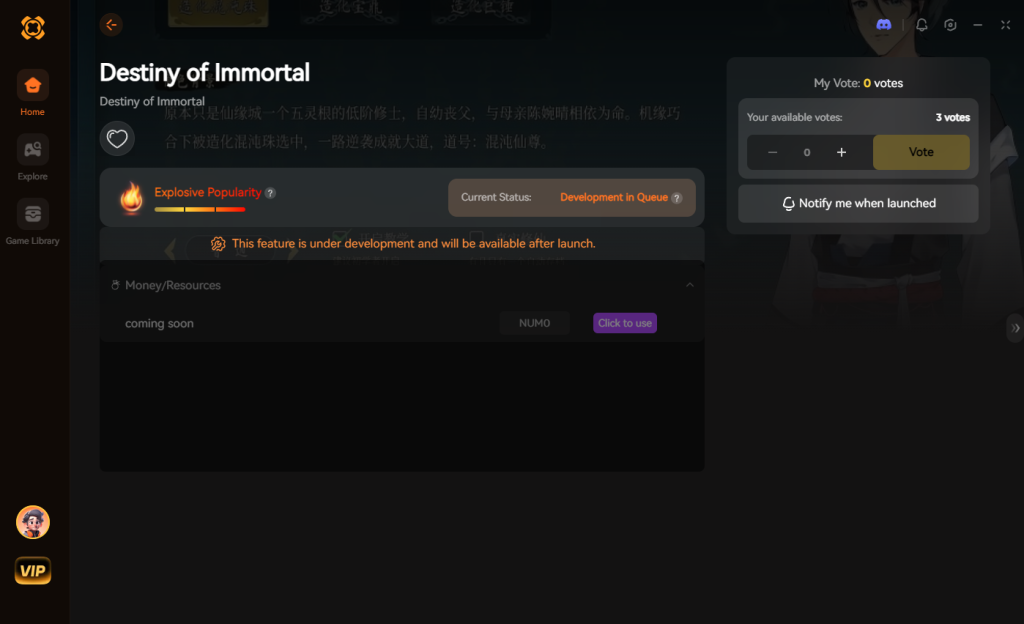
【Download Destiny of Immortal Trainer Now】
7. Troubleshooting: Cheats Not Working
Even with the most advanced tools, PC gaming can sometimes present technical hurdles. If you find that your trainer features for Destiny of Immortal are not activating properly, it is usually due to a minor system conflict. Here are the most common issues and how to resolve them immediately:
8. Understanding Cultivation Mechanics and Resource Grinding
Destiny of Immortal heavily leans into traditional cultivation tropes, requiring players to gather vast amounts of Qi, spiritual herbs, and rare monster drops to achieve “Realm Breakthroughs.” In a standard playthrough, advancing from the Foundation Establishment realm to the Core Formation realm requires dozens of hours of repetitive farming. You must perfectly time your crop cycles, manage your daily energy limits, and grind low-level dungeons for specific elemental shards.
Without access to standard console commands like set_qi 10000 or advance_realm, players are usually trapped in this loop. This is where strategic memory modification shines. By utilizing targeted cheats, you can compress a forty-hour grind into a single afternoon. You maintain the satisfaction of crafting your breakthrough pills and managing your estate, but you eliminate the artificial time-gating that plagues many modern RPGs.
Below is a breakdown of the most impactful trainer features to prioritize during your first twenty hours of gameplay to optimize your progression:
9. Overcoming the Chaos Difficulty Wall and Stat Penalties
Beyond the grueling resource grind, the combat scaling in Destiny of Immortal presents a massive hurdle for many players. The Chaos difficulty setting is designed for hardcore masochists, featuring enemies with dramatically inflated health pools, shortened parry windows, and devastating area-of-effect attacks. The Jagu boss encounter, located deep within the Whispering Peaks, is a prime example of this unbalanced design. The boss frequently utilizes a homing attack that can one-shot a player even if they have maximized their defensive artifacts for their current realm.
If the developers had left the debugging console active, theory-crafters could simply type god_mode 1 or give_buff invulnerability to bypass poorly tuned encounters or test build viability. Since those options are strictly locked away, the XMODhub trainer steps in as the ultimate equalizer for high-level progression.
Activating the One-Hit Kill function allows you to clear out the bloated trash mobs leading up to the boss arena, saving your precious restorative items for the main event. Alternatively, toggling God Mode ensures you can learn the boss’s complex attack patterns without being sent back to a loading screen every two minutes. By manipulating these values safely in the background, you reclaim your time and ensure that the game respects your real-world schedule.
10. Frequently Asked Questions (FAQ)
A: No. Modifying game memory or accessing developer consoles for Destiny of Immortal is strictly limited to the PC version. Console ecosystems are locked down and do not permit third-party memory injection tools.
A: There is no account ban or official penalty for cheating in a single-player environment. The only downsides are the potential for corrupted save files and disabled achievements, which can be avoided by using a secure trainer like XMODhub.
A: If you use unstable cheat engine tables to force quest progression, yes, it can break the game. However, using XMODhub to simply boost your stats, maximize your Charisma, or grant infinite G3 Skill Materials will not interfere with the game’s narrative logic. You will still experience the branching plots exactly as the developers intended, just without the tedious grind.
A: Yes. The game features a mechanic where your appearance choices have an actual mechanical effect on Charisma. If you made a suboptimal appearance choice and are suffering gameplay penalties, you can use the Max Charisma cheat in XMODhub to permanently override this penalty, allowing you to look exactly how you want without sacrificing stats.
A: Absolutely. The cheats function perfectly regardless of the difficulty setting. In fact, many players utilize God Mode specifically for the Chaos difficulty, as encounters like the Jagu boss are notoriously unbalanced in the current Early Access build.
A: Because the game utilizes dynamic memory allocation for its loot tables, directly spawning a specific weapon via a static text command is not possible without a native console. However, by combining the Infinite Currency cheat with Max Friendship, you can instantly buy out the highest-tier vendor inventories and unlock legendary quest rewards without the prerequisite grinding.
Conclusion
Whether Destiny of Immortal provides a built-in console or not, taking control of your single-player experience is easier than ever. While tweaking raw engine code can be a fun technical experiment, it comes with significant risks to your save files and achievements. For a flawless, risk-free experience, using a dedicated modification tool is always the smarter choice.
With secure support for over 5,000+ single-player PC games, you can easily customize your gameplay, skip the tedious grind, and play exactly the way you want.


I am a passionate gamer and writer at XMODhub, dedicated to bringing you the latest gaming news, tips, and insights.
Connect with me:
LinkedIn Profile ↗


 Nancy Miller

