
 Catherine Hu
The next day, you boot up the Echoes of Aincrad DEMO, eager to tackle the remaining two missions. You load in, and your heart sinks. Your character is standing back at the starting zone. Your Sword Skills are locked. Your Weapon Exp is gone. You have fallen victim to the most punishing, unspoken mechanic in this “Soulslike” action RPG: the manual save system. Because the save data from the Echoes of Aincrad DEMO seamlessly transfers to the full global release on July 10, losing your progress now means losing your head start. If you are frantically searching for Echoes of Aincrad demo how to save, you are not alone. The game deliberately obscures its save state mechanics to heighten the immersion of being trapped in a high-stakes virtual world, but we are here to break down exactly how to secure your hard-earned progress.
Editor’s Note
“During our initial 15-hour playthrough of the Echoes of Aincrad DEMO, we lost approximately four hours of Weapon Exp grinding simply because we relied on zone-transition autosaves. The game does not treat open-world exploration the same as mission completion. If you do not physically return to your room at the Inn to allocate your Growth Points, the game considers your open-world session as an ‘unsaved instance.’ Securing your data at the Inn is not just a roleplaying element; it is a mandatory mechanical requirement.”
Quick Answer: TL;DR: The Short Answer
Mechanics Deep Dive: Understanding the Problem
When tackling the query of Echoes of Aincrad demo how to save, we have to look at the underlying design philosophy of the game. Bandai Namco has clearly leaned into a heavier, more punishing “Soulslike” atmosphere for this entry. Unlike casual action RPGs that save every time you pick up a piece of loot, the Echoes of Aincrad DEMO demands intentionality. Here is a deep dive into the mechanics that govern your save files and why so many players are losing their data.
The Inn Room Hard Save Mechanic
The core loop of the Echoes of Aincrad DEMO revolves around venturing out into the beautiful environments of the floating castle, defeating enemies to earn Weapon Exp, and accumulating Growth Points. However, the game does not automatically tally these points into your permanent character sheet in real-time. To actually improve your base stats and increase the damage output of your up to 3 equipped Sword Skills, you must physically travel back to the central hub town.
Once in town, you must enter the Inn, navigate to your personal room, and select the “Rest” option. This action serves a dual purpose. First, it opens the character progression menu where you apply your Growth Points. Second, and most importantly, the moment you confirm your stat allocation and your character wakes up, the game executes a hard manual save. This is the definitive answer to Echoes of Aincrad demo how to save. If you spend two hours farming boars in the starting fields and then close the game without resting at the Inn, the game treats that entire session as a dream. Your Weapon Exp will revert to what it was the last time you slept in that bed.
The Illusion of the Autosave Icon
One of the most deceptive elements in the Echoes of Aincrad DEMO is the spinning crystal icon that occasionally appears in the bottom right corner of your screen. Many players assume this is a traditional autosave that secures all their inventory and experience data. This is a massive misconception.
In the beta phase build currently available on Steam Next Fest, the autosave icon primarily triggers during two specific events: when you accept one of the five full missions, and when you complete one of those missions. This autosave is a mission state checkpoint, not a character state hard save. If you die during a boss encounter within one of those five missions, the game will reload you at the start of the encounter using that checkpoint. However, if you decide to abandon the mission and quit the game, the temporary checkpoint is discarded. When you relaunch the Echoes of Aincrad DEMO, you will find yourself back at the Inn room with the exact stats and Weapon Exp you had when you last rested. The autosave protects your mission progress, but it does not protect your open-world grinding.
Fatal Player Mistakes That Erase Progress
Understanding the mechanics is only half the battle; recognizing where players go wrong is crucial. Here are the three most common mistakes players make when trying to figure out Echoes of Aincrad demo how to save:
Best Alternative Methods and Advanced Tips
If you are tired of constantly running back to the hub town just to ensure your data is secure, there are advanced strategies you can employ to manipulate the game’s backend systems. Furthermore, if you have already fallen victim to the brutal save mechanics and lost hours of your life, there are ways to recover.
Before we dive into manipulating the local files, it is worth noting that some players prefer to simply rewrite their lost progress using external tools. If you are frustrated by the loss of your hard-earned stats and want to reclaim your lost Weapon Exp instantly, you should explore our comprehensive Echoes of Aincrad DEMO Cheat Engine guide to learn how to bypass the tedious recovery grind and get your custom avatar back to where it belongs.
For those who want to manage their saves manually within the bounds of the PC ecosystem, here are the most effective alternative methods for securing your progress in the Echoes of Aincrad DEMO.
Locating and Backing Up Local Save Files on PC
Because the Echoes of Aincrad DEMO allows your save data to be transferable to the full release on July 10, your save file is the most valuable asset on your hard drive right now. Steam Cloud sync can sometimes fail, especially during high-traffic periods like Steam Next Fest. To guarantee you never lose your custom avatar or your unlocked Sword Skills, you should practice “Save Scumming” or manual file backups.
To find your local save data for the Echoes of Aincrad DEMO on PC, follow these steps:
%LOCALAPPDATA% and hit Enter.Forced Zone Transition Checkpoints
While we established earlier that standard fast travel does not trigger a hard character save, there is a specific type of zone transition that does force the game to write your data to the disk without resting at the Inn. This is known as a “Macro-Zone Transition.”
The floating castle environment in the Echoes of Aincrad DEMO is divided into distinct macro-zones (e.g., the starting plains, the deep forest, the first dungeon). When you physically walk across the threshold that separates these macro-zones—usually denoted by a brief screen fade and a change in the background music—the game performs a background data dump.
If you are deep in the forest grinding Weapon Exp and you desperately need to log off, but you are too far from the hub town Inn, you can run to the nearest macro-zone border. Cross the border into the plains, wait for the environment title card to appear on your screen, and then cross back into the forest. This forces the engine to update your player coordinates and your current Weapon Exp cache. While it is still slightly riskier than resting at the Inn, it is a highly reliable alternative for players who want to maximize their grinding uptime without constantly backtracking.
What Exactly Carries Over: Progression Save States Explained
When researching Echoes of Aincrad demo how to save, many players are confused about which specific elements of their progression are actually being written to the .sav file. The game engine treats different categories of player data with varying levels of strictness. Understanding this hierarchy is essential for maximizing your demo playtime and ensuring you are ready for the July 10 launch.
Below is a definitive breakdown of how the game handles different progression metrics, what triggers their save states, and whether they will transfer to the full release:
| Progression Category | Save Trigger Requirement | Transfer Status to Full Release | Risk Level on Alt-F4 |
|---|---|---|---|
| Weapon Exp / Growth Points | Inn Room Rest (Manual) | Fully Transfers | High |
| Mission Checkpoints | Mission Completion (Auto) | Does Not Transfer | Low |
| Avatar Customization | Character Creation Menu | Fully Transfers | None |
| Inventory Loot / Items | Macro-Zone Transition | Partial Transfer (Capped) | Medium |
| Unlocked Sword Skills | Inn Room Rest (Manual) | Fully Transfers | High |
As the matrix illustrates, anything directly related to your character’s combat power (Weapon Exp, Sword Skills, Growth Points) is highly volatile and entirely dependent on the Inn Room hard save mechanic. Mission checkpoints, conversely, are temporary states designed only to prevent frustration during boss encounters and will be wiped completely when the full game launches.
Troubleshooting Corrupted Save Files
If you failed to secure your data properly or experienced a sudden power outage while the game was writing to your disk, you might be greeted with a dreaded “Save Data Corrupted” message upon booting up the demo. Do not panic. Because the game utilizes a dual-layered local save structure, you may still be able to recover your progress.
If you encounter this error, navigate back to your %LOCALAPPDATA%\EchoesOfAincrad\Saved\SaveGames\ directory. You will likely see your main EOA_Demo_Slot01.sav file, and right beneath it, a file named EOA_Demo_Slot01_bak.sav. The engine automatically creates this backup file the previous time you successfully rested at the Inn.
To restore your progress:
The Ultimate QoL Solution: Bypassing the Grind with XMODhub
Let us be completely honest: losing your save file in a game that requires heavy grinding is a devastating blow. If you forgot to rest at the Inn, closed the Echoes of Aincrad DEMO, and woke up to find your character stripped of their 3 equipped Sword Skills and thousands of Weapon Exp, the thought of doing it all over again can make you want to uninstall the game.
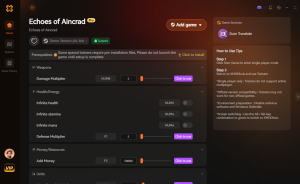
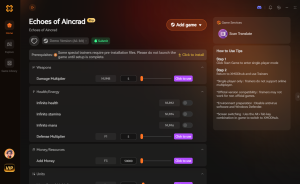
This is where XMODhub becomes your ultimate quality-of-life savior. Instead of spending another four hours killing the same low-level enemies just to get back to where you were before the save glitch, you can use XMODhub to instantly restore your progress and respect your real-world time. Tailored specifically for the mechanics of the Echoes of Aincrad DEMO, XMODhub offers features like Infinite Growth Points and Max Weapon Exp Multipliers. You can literally recreate your lost build in less than sixty seconds.
Follow these 3 simple steps to fix this instantly:
Download Echoes of Aincrad Demo Trainer Now
Frequently Asked Questions
A: The demo currently allows you to create one custom avatar per save slot. Your Weapon Exp, unlocked Sword Skills, and base stats are tied exclusively to that specific character slot. When the full game launches on July 10, the transfer process will migrate that specific slot over. You cannot pool Growth Points across different characters.
A: If your Sword Skills reset, it means you unlocked them during the mission but failed to rest at the Inn prior to starting the boss encounter. When you die, the game reloads the last hard save or mission checkpoint. Any Weapon Exp gained during the failed attempt is wiped from the temporary cache. Always grind your skills and rest at the Inn before initiating one of the five main missions.
A: No. Despite being a PC release on Steam, Bandai Namco has intentionally omitted a quicksave (F5) feature to maintain the hardcore, VRMMORPG immersion of the “Soulslike” mechanics. You must physically interact with the bed in your Inn room to execute a hard save.
A: If Steam Cloud fails to sync, the full game will attempt to read the local .sav file located in your %LOCALAPPDATA%\EchoesOfAincrad\Saved\SaveGames\ directory. This is exactly why we highly recommend manually backing up your save file to a separate desktop folder. As long as you have that local file, your transfer data is 100% safe.
Final Verdict
Mastering the Echoes of Aincrad demo how to save mechanics is the first true test of your survival skills in this virtual world. By understanding that the Inn room is your only true sanctuary, recognizing the limitations of the mission autosave system, and actively managing your local PC save files, you can guarantee that your custom avatar and hard-earned Sword Skills will be ready for the full global launch on July 10. Do not let a simple misunderstanding of the UI cost you hours of Weapon Exp grinding.
If you do happen to make a mistake, or if the game’s brutal systems simply disrespect your time, remember that you do not have to suffer through the grind twice. XMODhub empowers you to take control of your single-player experience. Supporting over 5,000 massive titles—including other hardcore Action RPGs like Elden Ring and Monster Hunter: World—XMODhub is the premier tool for PC gamers who want to play on their own terms. Secure your progress, restore your lost stats, and dominate the floating castle.

I am a passionate gamer and writer at XMODhub, dedicated to bringing you the latest gaming news, tips, and insights.
Connect with me:
LinkedIn Profile ↗

 Nancy Miller





