Catherine Hu
You just defeated the hardest boss in the abyssal dungeon, a literal mountain of legendary loot drops, and as you excitedly scoop it up, your character slows to an agonizing, stamina-drained crawl. Being overencumbered in Fatekeeper is the ultimate buzzkill, forcing you to play a frustrating game of inventory Tetris while hostile mobs are still lurking in the shadows. If you are completely sick of leaving valuable crafting materials, high-tier armor sets, and rare weapons behind in the dirt, you are in the exact right place.
Editor’s Note
After logging over 100 hours in Fatekeeper and testing every possible character build, I have mapped out exactly how the game’s brutal encumbrance system punishes you. This guide covers everything from legitimate stat scaling and hidden gear to borderline physics exploits that will let you carry the entire realm’s economy in your backpack.
Quick Answer: TL;DR: The Short Answer
If you want to know how to bypass inventory weight limit in Fatekeeper right now without reading the deep dive, here are the most effective methods:
The Encumbrance Mechanic Explained
Before you can effectively break the rules, you need to understand exactly how Fatekeeper calculates weight and applies penalties. The game uses a dynamic threshold system rather than a hard cap. Every single item in Fatekeeper—down to the smallest lockpick and healing herb—has an assigned weight value.
Your character’s base carry weight is determined by your starting class and your initial Strength stat. As you fill your inventory, you will hit specific thresholds that trigger negative status effects:
Light Load (0% – 49%)
You maintain 100% movement speed and your stamina regenerates at its maximum base rate. Your dodge roll covers the maximum distance.
Medium Load (50% – 74%)
Movement speed drops by 15%. Stamina regeneration is slightly nerfed, and your dodge roll becomes a standard tumble with fewer invincibility frames.
Heavy Load (75% – 99%)
Movement speed is reduced by 40%. You can no longer sprint at full speed, and dodging consumes significantly more stamina while offering a very clunky, short animation.
Overencumbered (100%+)
You are restricted to a slow walk. You cannot dodge, you cannot sprint, and fast travel is completely disabled.
Because the heavy load and overencumbered states severely impact your ability to fight, managing your weight is inherently tied to your combat effectiveness. In fact, if you are struggling with the stamina drain caused by carrying too much gear, you should definitely check out our comprehensive guide on How to Get Unlimited Stamina in Fatekeeper Combat to completely negate the combat penalties of a heavy inventory.
Common Mistakes Players Make With Inventory
When figuring out how to bypass inventory weight limit in Fatekeeper, players often shoot themselves in the foot early on. Here are the most common inventory management mistakes that lead to the dreaded overencumbered status.
Hoarding Trash Tier Loot
Fatekeeper throws a lot of loot at you, but not all of it is worth picking up. Rusted swords, broken armor pieces, and tier-1 monster parts have a terrible weight-to-value ratio. Many players pick up everything with the intention of selling it to merchants, only to realize that a sword weighing 15 units only sells for 5 gold coins.
Ignoring the Weight of Consumables
Potions, food, and crafting materials add up incredibly fast. A single major healing potion might only weigh 0.5 units, but carrying 50 of them eats up 25 units of your precious capacity. Players often forget to stash their excess alchemy ingredients in the safe zone dimensional chests, carrying hundreds of heavy ores and herbs into dungeons unnecessarily.
Misallocating Early Game Stats
Many players dump all their early level-up points into Dexterity or Intelligence for damage, completely ignoring Strength and Endurance. In Fatekeeper, Strength directly governs your base carry weight. Neglecting it entirely means you will be playing inventory manager rather than exploring the world.
Legitimate Ways to Increase Carry Capacity
If you want to play strictly by the rules, Fatekeeper offers several in-game mechanics designed to stretch your inventory limits. These require investment, but they pay off massively in the late game.
Stat Allocation and Skill Trees
The most permanent way to increase your capacity is through character progression. Every point invested in the Strength attribute increases your total weight limit by 2.5 units. However, the real game-changer is the Survival skill tree.
You need to unlock the Pack Mule passive skill.
Additionally, the Magic tree has a hidden gem called Void Pocket. This spell reserves a portion of your mana pool but passively reduces the weight of all crafting materials in your inventory to zero while active.
Essential Gear and Artifacts
Your equipment can drastically alter your carrying capabilities. You should actively hunt for gear with the “Lightened” or “Buoyant” enchantments. However, there are two specific unique items you must acquire:
1. The Goliath’s Harness: This legendary belt is the holy grail for loot hoarders in Fatekeeper. It doubles your base carry weight. To get it, you must clear the Obsidian Peaks dungeon and defeat the Magma Behemoth boss. The drop rate is around 15%, so you may need to farm the encounter, but it is entirely worth the effort.
2. The Courier’s Boots: Found in a hidden chest behind the waterfall in the Whispering Woods, these boots do not increase your weight limit, but they completely negate the movement speed penalty of the “Heavy Load” threshold, allowing you to sprint and dodge normally up to 99% capacity.
Alchemy and Consumables
For temporary relief during massive dungeon hauls, you need to rely on alchemy. The Featherweight Potion is your best friend. Crafting it requires 2x Aetherweed, 1x Harpy Feather, and 1x Crystalized Water.
When consumed, this potion grants you the “Weightless” buff for exactly 15 minutes. During this window, your inventory weight is artificially set to zero, allowing you to scoop up an entire dragon’s hoard and fast travel back to town before the timer expires. Always keep at least three of these in your quick-slot when tackling endgame raids.
Alternative Methods and Clever Exploits
Sometimes, the legitimate methods just aren’t enough. When you are deep in a raid and find three legendary heavy armor sets, you need to get creative. Here is how to bypass inventory weight limit in Fatekeeper using the game’s own physics and companion mechanics against it.
The Corpse Drag Exploit
This is currently the most famous exploit in the Fatekeeper community. The game’s physics engine allows you to grab and drag the ragdoll corpses of defeated enemies. Interestingly, enemy corpses have their own internal inventory slots that do not have a weight limit.
If you are overencumbered, simply find a medium-sized humanoid enemy corpse. Open the loot menu, and instead of taking items out, transfer all of your heaviest loot into the corpse. Then, exit the menu, use the grab button, and physically drag the corpse with you to the nearest fast travel point or merchant. Because the weight is on the dead NPC and not your character, you suffer zero movement penalties.
Companion Muling Abuse
If you play with AI companions, you know they have their own inventory limits. However, Fatekeeper has a slight oversight in how companions pick up items. While you cannot manually trade items to a companion if it puts them over their limit, you can command them to pick items up off the ground.
Simply drop your heaviest items on the floor, target the item, and use the “Command Companion” hotkey. The companion will pick up the item regardless of their current encumbrance status, and AI companions do not suffer from movement speed penalties when overloaded. You can essentially use them as an infinite black hole for loot.
The Drop-and-Kick Method
If you are only slightly over the limit and just need to move a few heavy items a short distance (like from a boss room to a fast travel obelisk), you can drop the item on the ground and physically walk into it to kick it across the floor. This is tedious, but it allows you to move an incredibly heavy item without it ever entering your inventory space.
Advanced Tips for Endgame Looting
To truly master Fatekeeper, you need to change how you perceive loot. High-level players don’t just figure out how to bypass inventory weight limit in Fatekeeper; they optimize their looting strategy so weight rarely becomes an issue in the first place.
Master the Weight-to-Value Ratio (WTV)
Stop looking at the raw gold value of an item and start looking at its WTV ratio. Divide the gold value by the weight.
A massive warhammer weighs 25 units and sells for 100 gold. (WTV = 4)
A rare gemstone weighs 0.1 units and sells for 50 gold. (WTV = 500)
In the endgame, you should strictly filter your loot. Never pick up anything with a WTV ratio of less than 20. Leave the heavy, cheap weapons on the ground and only extract rings, amulets, gems, and rare crafting materials.
Strategic Stash Placement
Fatekeeper allows you to purchase housing in different regions. Buy the cheapest shack in every major hub city and immediately build a Dimensional Chest inside. Because these chests share a universal inventory, you can use the Featherweight Potion to fast travel to the nearest shack, dump your entire inventory into the chest, and immediately return to the dungeon.
Best Backpack Upgrades and Storage Expansions
While manipulating stats and using potions is great, permanently expanding your physical inventory space is a mandatory step in mastering how to bypass inventory weight limit in Fatekeeper. Throughout the world, you can find or craft specific bags that passively increase your maximum carry threshold without requiring stat investments.
Here is a breakdown of the most critical inventory expansions you should prioritize:
| Upgrade Category | Specific Item / Upgrade | Exact Location / Source | Capacity Boost |
|---|---|---|---|
| Capacity Boost | Early Game Pouches Outcast’s Leather Satchel | Purchased from the traveling merchant in Oakhaven for 500 gold. | +15 Units |
| Mid Game Backpacks | Ranger’s Rucksack | Reward for completing “The Lost Hunter” side quest in the Whispering Woods. | +35 Units |
| Endgame Storage | Dimensional Bag | Dropped by the Void Weaver optional boss in the Abyssal Dungeon. | +75 Units |
| Mount Storage | Armored Saddlebags | Crafted via Level 4 Leatherworking (Requires 5x Basilisk Scales). | +100 Units (Mount) |
Mount Inventory: Your Mobile Safe Zone
Many players completely forget that their mounts serve as more than just a movement speed buff. Once you unlock the Armored Saddlebags (as detailed in the table above), your trusty steed becomes a mobile stash box.
Whenever you are exploring the overworld, you can summon your mount, transfer your heaviest ores and duplicate armor sets into its inventory, and immediately free up your personal weight limit. Just remember that mount inventories cannot be accessed while you are deep inside instanced dungeons, so always empty your mount’s stash into your main Dimensional Chest before starting a long raid.
The Ultimate QoL Solution: XMODhub
Let’s be brutally honest: managing inventory weight is an archaic game mechanic designed to pad out playtime. If you are a busy gamer with limited hours, you probably don’t want to spend 30% of your gaming session doing math, brewing potions, or dragging dead goblin corpses across a dungeon floor just to keep your loot.
If you want to permanently solve how to bypass inventory weight limit in Fatekeeper without the tedious grind, you need XMODhub.
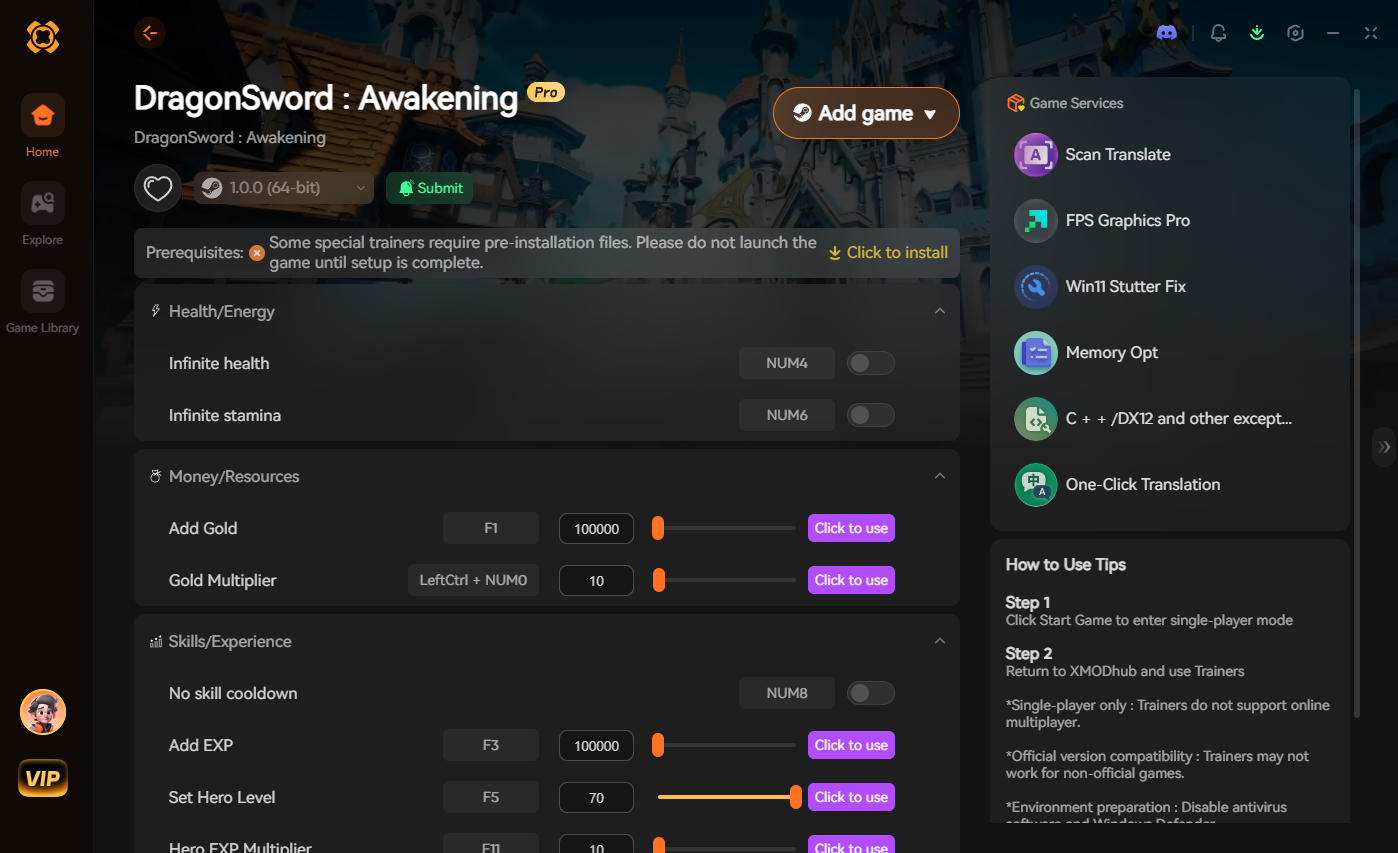
XMODhub is a premium, secure game modification platform designed to give players ultimate Quality of Life (QoL) control over their single-player experiences. Instead of fighting the game’s mechanics, you can simply turn them off.
With XMODhub, you get access to the Infinite Carry Weight toggle specifically coded for Fatekeeper. This freezes your encumbrance value at 0, allowing you to loot every single item in the game world without ever slowing down. Furthermore, you can utilize the Unlimited Item/Resource feature, meaning you only ever need to loot one rare crafting material to upgrade all your gear to the maximum level.
Getting started takes less than two minutes:

No more corpse dragging. No more leaving legendary swords behind. Just pure, uninterrupted gameplay.
Frequently Asked Questions
A: Yes, they stack multiplicatively, not additively. The Goliath’s Harness will double your base weight capacity first, and then the Void Pocket spell will reduce the weight of specific material categories to zero. Using both simultaneously is the most optimal legitimate looting build in the game.
A: Normally, no. Fast travel is hard-locked if you are at or above 100% encumbrance. However, if you unlock Tier 3 of the Pack Mule skill, the threshold for fast travel is pushed to 105%. Alternatively, drinking a Featherweight Potion temporarily bypasses this restriction entirely.
A: The heaviest equippable item is the ‘Anvil of the Forgotten King’, a colossal hammer weighing a massive 85 units. While it deals devastating stagger damage, its weight makes it completely unviable unless you have built your entire character around Strength and stamina cost reduction.
A: No. Fatekeeper categorizes critical quest items (like dungeon keys, royal seals, and puzzle pieces) in a separate “Key Items” tab. These items have a listed weight of 0.0 and will never contribute to your encumbrance level, so you never have to worry about dropping them.
Conclusion
Learning how to bypass inventory weight limit in Fatekeeper transforms the game from a tedious management simulator back into the thrilling action-RPG it was meant to be. Whether you choose to grind for the Goliath’s Harness, invest heavily into the Pack Mule survival skill tree, or abuse the hilarious corpse-dragging physics exploit, taking control of your carry capacity is mandatory for dominating the endgame. Stop leaving your hard-earned loot on the dungeon floor.
However, if you want to respect your own time and bypass the grind entirely, integrating a tool like XMODhub is the smartest play. Why suffer through arbitrary weight limits when you can toggle them off with a single click? With support for over 5,000 massive titles—including inventory-heavy masterpieces like Elden Ring, Spark in the Dark, and The Elder Scrolls V: Skyrim—XMODhub ensures that you spend your gaming hours actually playing the game, not playing inventory Tetris.

I am a passionate gamer and writer at XMODhub, dedicated to bringing you the latest gaming news, tips, and insights.
Connect with me:
LinkedIn Profile ↗

 Nancy Miller