胡凱琳
胡凱琳
Want to test out the endgame Mercenary Greatsword early? Are you tired of grinding for rare alchemy materials across the continent of Pywel, or perhaps you accidentally sold a critical quest item and now Macduff’s storyline is soft-locked?
Traditionally, using developer console commands to spawn items is a beloved staple of PC gaming freedom. However, because Pearl Abyss built Crimson Desert on their proprietary BlackSpace Engine, the native developer console is strictly locked in the retail version. You cannot simply press the tilde key to spawn loot.
But don’t worry—by using internal memory strings and an injector, you can still get whatever you need. Below is the most comprehensive, categorized, and up-to-date list of internal Item IDs, memory codes, and perk IDs for Crimson Desert, verified for the latest patch.
Quick Reference: Top 10 Most Wanted Crimson Desert IDs
If you don’t want to scroll through thousands of rows of data-mined strings, here are the exact internal memory codes for the most essential and frequently searched items in the game, including Pywel Coins, Max Health elixirs, and top-tier weapons.
| 項目名稱 | Exact Item ID / Code | Item Effect / Stats |
|---|---|---|
| Pywel Coins (Gold) | item_currency_pywel_01 | Adds standard Pywel currency |
| Macduff’s Ancestral Sword | wpn_sword_legend_macduff | Highest base slash damage in-game |
| Master Thief’s Lockpick | tool_lockpick_indestructible | Opens any locked chest in Hernand |
| Elixir of Full Recovery | potion_heal_max_tier5 | Restores 100% HP instantly |
| Mercenary Quiver | ammo_bundle_arrows_max | Grants max carrying capacity for all arrows |
| Flawless Black Crystal | resource_crystal_black_01 | Used for endgame weapon upgrades |
| Tome of Experience | consumable_exp_book_1000 | Grants immediate combat experience points |
| Pywel Teleportation Scroll | item_teleport_scroll_inf | Unlocks unlimited fast travel between regions |
| Bear Hide Heavy Cuirass | armor_chest_heavy_bear | Highest physical defense rating |
| Elixir of Oblivion | potion_reset_skills_all | Resets all combat skills and perks |
How to Enable the Console & Use Spawn Commands
Before you attempt to use the ID codes listed below, you must understand how the BlackSpace Engine handles commands in Crimson Desert.
The Reality Check: Pearl Abyss completely disabled the native Tilde (~) developer console in the final release. Typing standard commands like spawn gold 100 into the game UI is impossible without third-party tools.
To use these Item IDs, you must route them through a memory injector or a third-party script hook compatible with the BlackSpace Engine.
- Format via standard injectors:
inject_item [Item ID] [Quantity] - Example: To inject 500 Pywel Coins into your save, the backend script reads
inject_item item_currency_pywel_01 500.
“Manually pasting internal string codes like
item_resource_iron_ore_01into a hex editor or basic injector is fine if you only need to do it once. But if you are building a massive crafting inventory or experimenting with different combat styles for Macduff, manually handling case-sensitive codes becomes incredibly repetitive.”
“One wrong character results in a corrupted save file. While the lists below are meticulously verified, I personally switched to a visual UI injector months ago. Seeing the item icon and just clicking ‘Add to Inventory’ is how modern PC modding should feel.”
The Easy Way: XMODhub Visual Spawner (No Typing Required)
Stop Alt-Tabbing to check massive spreadsheets. Pasting long, case-sensitive ID codes into basic injectors breaks your immersion and risks crashing the BlackSpace Engine.
的 XMODhub PC Client includes a dedicated “Visual Item Spawner” feature specifically built to bypass Crimson Desert’s locked console natively.
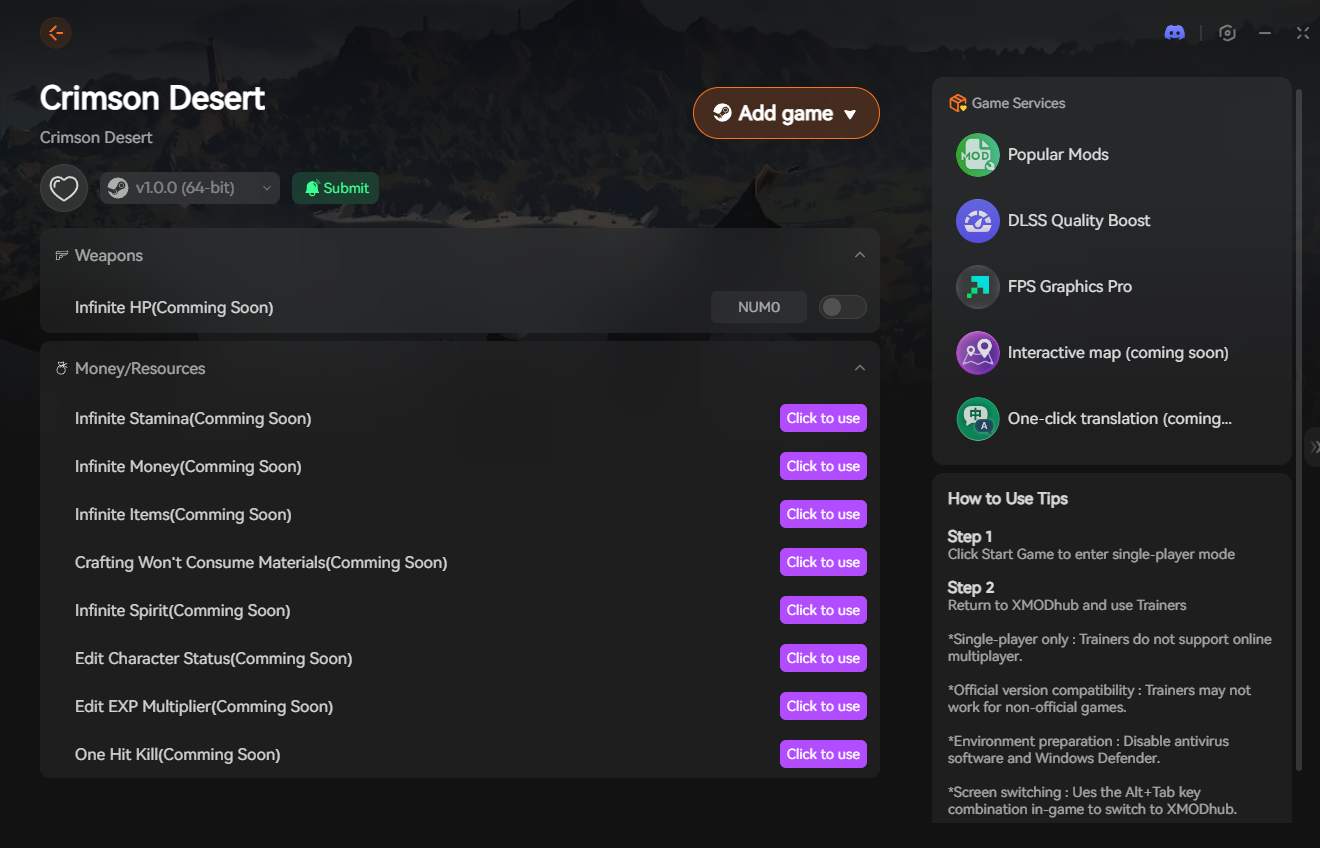
- Icon-Based UI: See exactly what the sword, armor, or crafting material looks like before you spawn it into Macduff’s inventory.
- Instant Search: Just type “Broadsword” in the overlay search bar and click the one you want.
- Batch Spawning: Get 999x of every single alchemy and crafting material with one button press.
- Auto-Updated Lists: When Pearl Abyss adds new DLC items or weapons, XMODhub updates its database automatically via the cloud. You never have to hunt for new ID codes again.
🚀 Get the XMODhub Visual Spawner for Free
Weapon IDs List (Melee & Ranged)
Use these internal codes with your injector to instantly equip Macduff with the best arsenal Pywel has to offer.
(Command Format via XMODhub UI: Search & Click [Weapon ID])
| Weapon Name | Item ID | Rarity / Tier |
|---|---|---|
| Rusty Mercenary Sword | wpn_sword_start_01 | 常見問題 |
| Hernand Steel Broadsword | wpn_sword_mid_steel | 罕見 |
| Dragonbone Greatsword | wpn_greatsword_legend_99 | 傳奇 |
| Assassin’s Recurve Bow | wpn_bow_stealth_02 | 史詩 |
Armor & Clothing IDs List
(Command Format via XMODhub UI: Search & Click [Armor ID])
| Armor Name | Item ID | Equip Slot |
|---|---|---|
| Worn Traveler’s Hood | armor_head_cloth_01 | Head |
| Hernand Guard Chestplate | armor_chest_plate_02 | Torso |
| Lightweight Assassin Boots | armor_boots_leather_03 | Feet |
Ammo & Consumables IDs List
Never run out of supplies during a massive mercenary siege again. We recommend spawning these in batches of 500+.
(Command Format via XMODhub UI: Batch Spawn -> [Item ID])
| 項目名稱 | Item ID | Recommended Quantity |
|---|---|---|
| Broadhead Arrows | ammo_arrow_broadhead | 999 |
| Explosive Black Powder | ammo_bomb_powder_01 | 50 |
| Standard Health Bandage | consumable_bandage_mid | 100 |
Skills, Perks & Traits IDs
You don’t just have to spawn physical items. You can use memory injection to instantly learn new combat stances for Macduff or add permanent character traits.
(Command Format via XMODhub UI: Inject Perk -> [Perk ID])
| Perk / Skill Name | Perk ID | In-Game Effect |
|---|---|---|
| Iron Lungs | perk_stamina_max_tier3 | Unlimited running and climbing |
| Charismatic Leader | perk_mercenary_morale_max | Keeps your mercenary crew morale at 100% |
| Beast of Burden | perk_carry_weight_max | Adds +500 to Macduff’s inventory capacity |
Troubleshooting: Why Are My Commands Failing?
If you are using a basic memory injector and the game is throwing errors, check these common issues:
- “Command not found” / Console Won’t Open: As mentioned, Pearl Abyss locked the native developer console. You cannot just press Tilde (~). You must use an external injector like XMODhub to interface with the game’s memory directly.
- “Item ID invalid”: Check if you are trying to spawn an item from a community Mod. Modded items often have dynamic IDs (e.g.,
xx001234where thexxdepends on your specific mod load order). - Game Crashes on Injection: The BlackSpace Engine heavily utilizes dynamic memory. If your basic injector is outdated, injecting an item will hard-crash the game. Ensure your injection tool is updated to the latest Crimson Desert patch.
Frequently Asked Questions (FAQ)
Q: Are these Item IDs case-sensitive in Crimson Desert?
A: Yes. Because you are injecting directly into the engine’s memory strings rather than typing into a forgiving native console, exact casing (e.g., item_currency_pywel_01) is strictly enforced to prevent memory leaks.
Q: Can I spawn items while playing in Multiplayer or Co-Op?
A: No. Crimson Desert’s online features are strictly monitored. These memory codes are designed for Single-Player use only. Attempting to force spawn items while connected to Pearl Abyss servers will result in a permanent anti-cheat ban.
Q: How do I find the Item IDs for custom modded weapons?
A: Finding dynamic load-order IDs manually is extremely difficult. We highly recommend using the XMODhub Item Browser, which automatically scans your active mods, detects the custom items, and lets you spawn them with a single click without knowing the hex ID.
Conclusion: The Ultimate Sandbox Experience
Having access to the complete Crimson Desert Item IDs list is the fastest way to experiment with different mercenary builds, test weapon damages, or simply recover from a frustrating inventory bug. Bookmark this page so you can quickly reference the codes whenever you need a resupply in Pywel.
However, if you want a significantly smoother, crash-free experience where you don’t need to memorize strings of code like wpn_sword_legend_macduff, the XMODhub Visual Spawner is the superior modern choice. Browse items visually. Spawn them instantly. Keep your save files safe from corruption.
🚀 Get XMODhub Visual Spawner Now
XMODhub is your ultimate all-in-one toolkit for PC single-player gaming. Whether you need powerful Trainers, real-time Translation Tools, or Interactive Maps, our engine supports over 5,000+ games—including Crimson Desert and similar hits like Dragon’s Dogma 2 和 The Witcher 3.


我是一名熱情的遊戲玩家,也是 XMODhub 的作家,致力於為您帶來最新的遊戲新聞、秘訣和見解。.
與我聯繫:
LinkedIn 個人資料

 南希-米勒
南希-米勒