
 胡凱琳
胡凱琳 Want to test out the endgame High-Caliber Hunting Rifle early? Are you tired of grinding the frozen wasteland for basic Scrap Metal, or perhaps you accidentally dropped a critical Medical Kit in a blizzard and now your survival playthrough is soft-locked?
Using developer console commands to spawn items is a beloved staple of PC gaming freedom. However, because Above The Snow runs on Unreal Engine 5, spawning items is not as simple as typing a generic word. Below is the most comprehensive, categorized, and up-to-date list of UE5 Blueprint Item IDs and spawn codes for Above The Snow, completely verified for the latest patch.
Quick Reference: Top 10 Survival Essentials
If you do not want to scroll through thousands of rows of engine data, here are the exact Unreal Engine Blueprint paths for the most essential and frequently searched survival items in the game.
指令格式: Summon [Blueprint Path]
| 項目名稱 | Item Description | Exact Blueprint ID Path |
|---|---|---|
| Firewood | Core heating resource | BP_Resource_Firewood_C |
| Canned Rations | Non-perishable high-calorie food | BP_Consumable_CannedRations_C |
| Medical Kit | Heals severe injuries and frostbite | BP_Consumable_Medkit_C |
| Hunting Rifle | High damage ranged weapon | BP_Weapon_HuntingRifle_C |
| Rifle Ammo Box | Grants 20 Rifle Rounds | BP_Ammo_RifleBox_C |
| Scrap Metal | Essential base crafting material | BP_Resource_ScrapMetal_C |
| Heavy Winter Coat | Maximum frost resistance gear | BP_Gear_HeavyCoat_C |
| Flare Gun | Scares away wolf packs | BP_Tool_FlareGun_C |
| Flares | Ammo for the Flare Gun | BP_Ammo_Flare_C |
| Clean Water | Hydration without dysentery risk | BP_Consumable_CleanWater_C |
How to Enable the Locked UE5 Console & Syntax
Before you can use the Blueprint IDs listed above, you must understand the correct syntax for the developer console in Above The Snow.
- ✦Official Retail Lock: The developers permanently locked the native console in the retail build. You cannot simply press the Tilde key. You must first inject a third-party Universal Unreal Unlocker (UUU) into the game client.
- ✦The Command Syntax: Unreal Engine 5 does not use a simple “additem” command for players. You must command the engine to physically summon the 3D actor into the world.
- ✦Example: To spawn a medkit at your feet, you would type
Summon BP_Consumable_Medkit_Cand press Enter.
The Easy Way: XMODhub (No Typing Required)
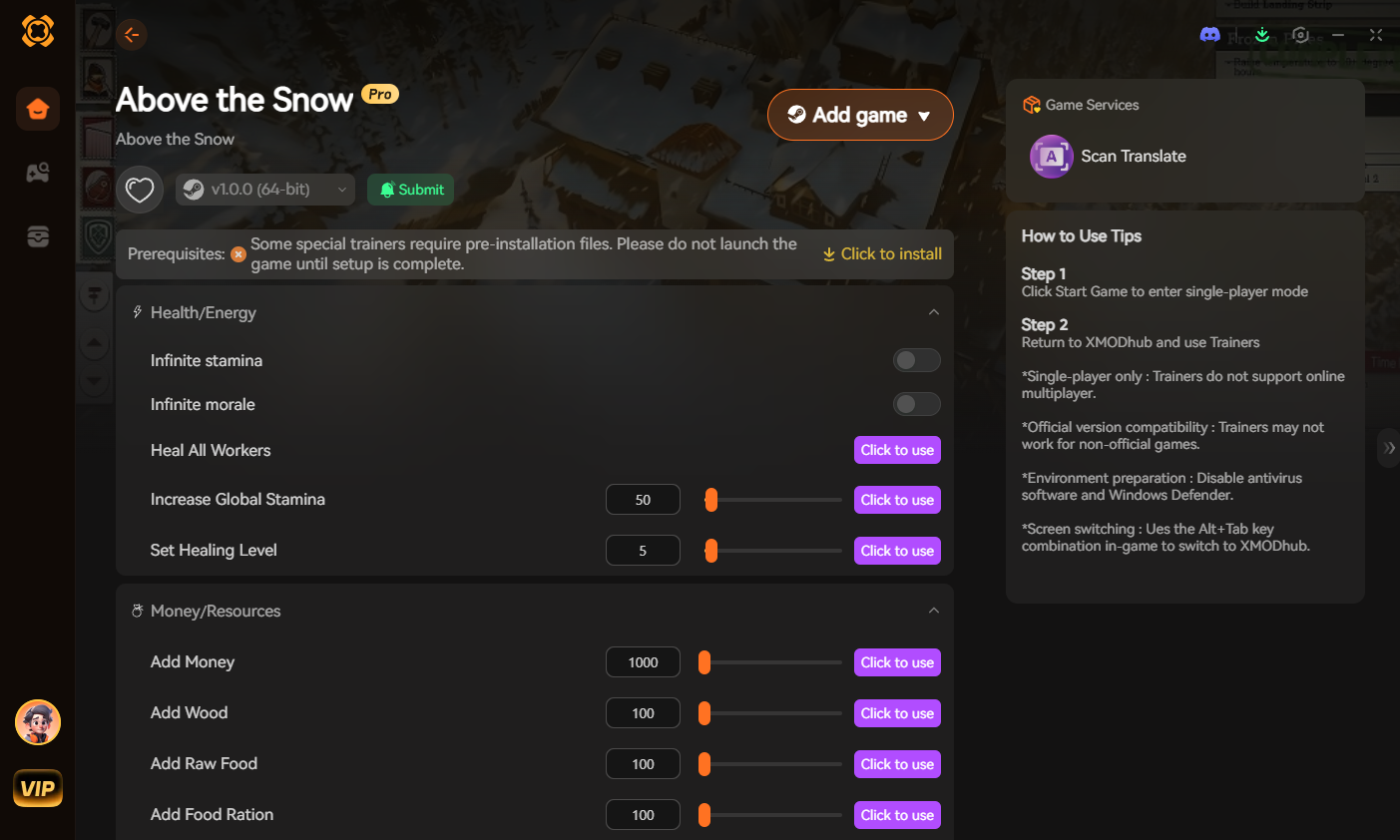
Stop Alt-Tabbing to check massive spreadsheets. Typing long, case-sensitive Blueprint paths breaks your immersion, risks physics crashes, and wastes your premium gaming time. The XMODhub PC Client includes a dedicated Visual Item Spawner feature specifically engineered to bypass the unstable UE5 Summon commands for Above The Snow.
- ✓Icon-Based UI: See exactly what the weapon, armor, or material looks like before you inject it directly into your backpack inventory.
- ✓Instant Search: Just type “Rifle” in the overlay search bar and click the one you want.
- ✓Batch Spawning: Get 999x of every single crafting material (Wood, Metal, Cloth) with one button press.
- ✓Auto-Updated Lists: When the developers add new DLC gear, XMODhub updates its database automatically via the cloud.
Survival Tools & Firearms Blueprint List
| 項目名稱 | Blueprint ID Path |
|---|---|
| Survival Axe | BP_Tool_SurvivalAxe_C |
| Combat Knife | BP_Tool_CombatKnife_C |
| Reinforced Pickaxe | BP_Tool_SteelPickaxe_C |
| Pump Shotgun | BP_Weapon_PumpShotgun_C |
| Compound Bow | BP_Weapon_CompoundBow_C |
Winter Gear & Clothing IDs List
| 項目名稱 | Blueprint ID Path |
|---|---|
| Thermal Underwear | BP_Gear_ThermalBase_C |
| Insulated Snow Boots | BP_Gear_SnowBoots_C |
| Mountaineer Backpack | BP_Gear_LargeBackpack_C |
| Snow Goggles | BP_Gear_SnowGoggles_C |
| Thick Wool Gloves | BP_Gear_WoolGloves_C |
Resources, Ammo & Consumables IDs
| 項目名稱 | Blueprint ID Path |
|---|---|
| Raw Animal Meat | BP_Consumable_RawMeat_C |
| Antibiotics | BP_Consumable_Antibiotics_C |
| Shotgun Shells (Box) | BP_Ammo_ShotgunBox_C |
| Steel Arrows (Bundle) | BP_Ammo_SteelArrow_C |
| Cloth Scraps | BP_Resource_Cloth_C |
Survival Traits & Perks Manipulation
You do not just have to spawn physical items. You want to use the console to instantly learn survival skills or add permanent character traits like Frost Resistance.
Unfortunately, Unreal Engine 5 handles player perks via complex internal functions, not simple console strings. There is no native AddPerk command available to the player client in Above The Snow. If you want to instantly max out your Survival Tracking, Crafting Speed, or Frost Resistance, you must use a dedicated memory trainer like XMODhub, which maps these complex logic gates to simple toggle buttons.
Troubleshooting: Why Are My Spawns Crashing?
- ✦“Command not found”: The developers permanently locked the console. If you see this, your Universal Unreal Unlocker injection failed or is outdated for the current game patch.
- ✦Physics Engine Crash (Fatal Error): When you use the Summon command, the game drops a physical 3D object at your coordinates. If you are standing too close to a wall, a tree, or deep snow, the item will clip into the environment. The UE5 physics engine cannot resolve the collision, resulting in an instant crash to the desktop. Always look at a flat, clear piece of ground before spawning.
- ✦Item ID invalid: Unreal Engine Blueprint paths are brutally exact. If you miss the “_C” at the end of the path (which denotes it as a compiled class), the engine will not recognize the object.
Frequently Asked Questions (FAQ)
Q: Are these Blueprint Item IDs case-sensitive in Above The Snow?
A: Yes, absolutely. Unreal Engine 5 asset directories are highly case-sensitive. Typing bp_resource_firewood_c will result in an error. You must capitalize the exact path strings as shown in the tables above.
Q: Can I spawn items while playing in Multiplayer or Co-Op?
A: No. These console commands are executed client-side and only function in Single-Player. Attempting to force spawn items or inject unlockers into a multiplayer server will cause an immediate desynchronization and likely result in a permanent anti-cheat ban.
Q: How do I find the Item IDs for custom modded weapons?
A: Finding dynamic load-order Blueprint paths for community mods manually is a nightmare. We highly recommend using the XMODhub Item Browser, which automatically scans your active mod load order, detects the custom items, and lets you inject them directly into your inventory with a single click.
Conclusion: The Ultimate Sandbox Experience
Having access to the complete Above The Snow Blueprint IDs list is the fastest way to experiment with different survival loadouts, test weapon ballistics against wildlife, or simply recover from a frustrating inventory bug. Bookmark this page so you can quickly reference the exact paths whenever you need an emergency resupply during a blizzard.
XMODhub is your ultimate all-in-one toolkit for PC single-player gaming. Whether you need powerful Trainers, real-time inventory management, or Interactive Maps, our engine supports over 5,000+ games—including Above The Snow and similar survival hits like The Long Dark 和 Frostpunk 2.

我是一名熱情的遊戲玩家,也是 XMODhub 的作家,致力於為您帶來最新的遊戲新聞、秘訣和見解。.
與我聯繫:
LinkedIn 個人資料