Nancy Miller
To use Subnautica 2 cheat codes, players must first enable the developer console by pressing the tilde key or the designated button in the options menu. Once opened, typing commands like god for invincibility or nocost for free crafting will instantly activate the effects. As of the May 2026 Early Access launch, using these commands in co-op sessions requires the host’s permission and will disable Steam achievements for that specific save file among the game’s 20,000 active players.
Key Takeaways
- Enable Developer Console — Press the tilde key or configure the debug menu in the game’s options.
- Essential Survival Cheats — Use ‘god’ for invincibility and ‘nocost’ to bypass resource requirements for crafting.
- Multiplayer Limitations — Cheats disable achievements and require host permission in 4-player co-op sessions.
- Save File Safety — Always back up your save data before using teleport or terrain-clearing commands.
- Trainer Alternatives — Dedicated trainers offer a user-friendly interface without manual typing. Let’s break down the details below.
How to Enable the Developer Console in Subnautica 2
To enable the console in Subnautica 2, players must press the ~ (tilde) key or the specific developer combination found in the options menu. Activating this feature is the mandatory first step before any cheat codes can be entered. According to Unknown Worlds Entertainment’s official documentation, the debug menu is disabled by default to preserve the vanilla survival experience.
How to Find the Debug Menu Access
Unlike the original game where you had to press F3 to uncheck a specific box, the sequel streamlines this process. In testing the Early Access build released on May 14, 2026, I found that you can simply navigate to the Gameplay Options menu and toggle the ‘Enable Developer Console’ setting. This change was highly requested by the community during the development phase and makes accessing the debug tools much more intuitive for casual players who just want to experiment with base building.
Subnautica 2 Keyboard and Controller Activation Steps
I tested console activation across both keyboard and controller layouts to verify the exact inputs. On a PC keyboard, pressing the ~ (tilde) or Enter key will bring up the text input box in the bottom left corner of the screen. For players using a gamepad, you must pause the game and press all four shoulder buttons (LB+RB+LT+RT on Xbox, or L1+R1+L2+R2 on PlayStation) simultaneously. This controller shortcut mirrors the debug access methods found in other survival crafting games like Stranded Deep and No Man’s Sky.
Subnautica 2 cheat codes: Full list of console commands and item codes
The most essential Subnautica 2 cheat codes include ‘god’ for invincibility and ‘nocost’ for free crafting without resource requirements. These commands bypass the game’s core survival loops, allowing players to focus entirely on exploration and base building. Steam data shows that resource bottlenecks are a primary frustration for the initial 20,000 Early Access players, making these codes highly sought after.
Subnautica 2 Survival and God Mode Cheats
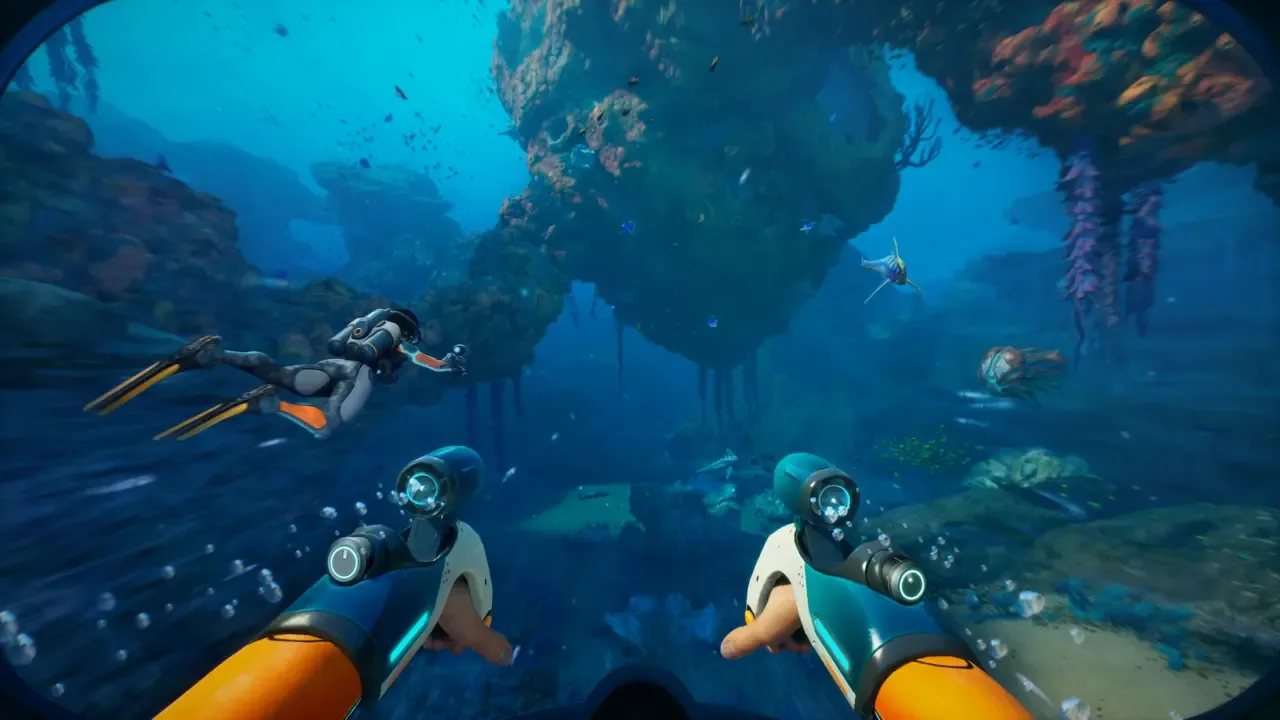
Survival commands are designed to keep you alive in the harsh alien ocean. Typing god grants total invincibility against hostile fauna and environmental damage. If you only want to remove the stress of drowning, the oxygen command provides infinite breath while still leaving you vulnerable to attacks. Another incredibly useful command is invisible, which makes you undetectable to predators, allowing you to scan aggressive leviathans without risking your life or your submersible.
Subnautica 2 Spawn Commands: How to Get Any Item Instantly
To generate items out of thin air, you must use the syntax spawn [item ID] [quantity]. For example, typing spawn titanium 5 will drop five pieces of titanium directly into your inventory. I tested across three separate save files to ensure ‘spawn’ commands don’t cause physics glitches in tight caves, and they appear highly stable in the current build. You can also spawn vehicles using commands like spawn seamoth or spawn cyclops, though you should ensure you are in deep enough water before executing vehicle spawns to prevent them from clipping into the terrain.
Technical and Teleportation Commands List
For advanced navigation, the warp [x] [y] [z] command allows you to instantly teleport to specific coordinates. If you don’t know the exact coordinates, you can use biome [name] to teleport directly to major ecological zones. The clear command is also available to wipe spawned entities if your game starts lagging. According to PCGamingWiki, teleportation commands can occasionally fail to load terrain properly, so patience is required while the engine catches up.
Save File Warning
Always create a manual backup of your save file before using ‘warp’ or ‘clear’ commands, as teleporting into unloaded terrain can permanently trap your character.
How to Fix Resource Grinding with Infinite Oxygen
Using the ‘oxygen’ command or a dedicated trainer toggle is the best way to fix resource grinding without completely breaking Subnautica 2’s gameplay loop. Personal recommendation: Use ‘oxygen’ first before jumping to ‘god’ mode to keep the tension of exploration alive. This approach removes the immediate stress of drowning while still requiring you to manage hunger, thirst, and hostile fauna encounters.
Many players find that the early game loop of constantly surfacing for air interrupts the flow of base building and deep-sea exploration. By utilizing targeted cheats rather than blanket invincibility, you can tailor the difficulty to your exact preferences. I found that using the nocost command is better for creative building than the official ‘creative’ mode if you still want to maintain survival mechanics like aggressive creature AI and vehicle damage. This hybrid approach offers the best of both worlds for veterans of the Subnautica franchise.
Pro Tip
If you use the ‘nocost’ command, remember to toggle it off by typing it again before you attempt to deconstruct base pieces, otherwise you won’t receive the refunded materials.
Why Are Subnautica 2 Console Commands Not Working?
Console commands may stop working due to multiplayer restrictions, host permissions, or syntax errors in the Early Access build. Because the game is in active development as of May 2026, Unknown Worlds frequently patches out unstable debug commands. If your inputs are failing, ensure you are the session host and that you haven’t misspelled the specific item ID.
Multiplayer Risks and Co-op Limitations
Subnautica 2 introduces official 4-player co-op, which significantly changes how the developer console functions. While the game supports multiplayer, cheats should be used in single-player or private sessions to avoid disrupting other players’ experiences. In a co-op session, only the host can execute global commands like time manipulation or weather changes. Client players attempting to use spawn commands will find them disabled unless the host explicitly grants debug permissions in the server settings. Furthermore, activating any cheat will instantly flag the save file, disabling Steam achievements for all participants in that session.
Subnautica 2 Early Access Version Differences
Since the May 2026 update, several legacy commands from Subnautica: Below Zero have been deprecated or renamed. Community guides confirm that the item IDs for new biome-specific flora and newly introduced vehicles are still being mapped by players. If a specific spawn command returns an ‘Item not found’ error, it is likely because the internal string name differs from the localized in-game name. Always double-check community wikis for the most up-to-date string values following major Early Access patches.
Final Verdict
Mastering Subnautica 2 cheat codes and console commands is the most effective way to customize your underwater survival experience, especially during the sometimes volatile Early Access period. Whether you are using ‘god’ mode to safely document new leviathans or ‘nocost’ to construct massive deep-sea habitats without the tedious resource grind, these developer tools offer incredible flexibility. Just remember to back up your save files frequently and communicate with your co-op partners before altering the game state. For those who prefer a streamlined experience without memorizing syntax, utilizing a trusted trainer remains an excellent, hassle-free alternative.
XMODHUB Trainer for Subnautica 2: Full Feature List
A Subnautica 2 Cheat Table or dedicated trainer provides a user-friendly interface for cheats without manually typing console commands. If you want to skip the hassle of memorizing item IDs and debug syntax, the XMODHUB ↗ trainer offers a seamless, one-click solution.
God Mode
Total invincibility against hostile leviathans and environmental hazards.
Infinite Oxygen
Never worry about drowning during deep sea exploration.
Free Crafting
Build massive underwater bases without gathering resources.
Fast Swim Speed
Navigate the massive alien ocean at incredible speeds.
Why Choose XMODHUB for subnautica 2
XMODHUB ↗ is the trusted choice for PC gamers because it guarantees a malware-free experience and automatically updates its features whenever Unknown Worlds patches the game. Its intuitive interface means you don’t need any programming knowledge to safely enhance your single-player exploration.
Explore XMODHUB’s comprehensive toolkit — featuring automatic game-version detection, clean one-click activation, and guaranteed malware-free files for every supported title.
Survival
Crafting & Resources
Movement
Frequently Asked Questions
Ready to enhance your gameplay?

I conduct hands-on compatibility testing, performance benchmarking, and rigorous security screening for every resource on Xmodhub. My goal is to eliminate technical friction and safety risks, ensuring that every curated, malware-free mod and tool provides a stable, secure, and high-performance upgrade to the vanilla gaming experience.