
 Catherine Hu
Whether you are starting a second playthrough to explore a different character build or you’ve been forced to restart due to a corrupted save file, nothing kills the momentum of Crimson Desert faster than being forced to sit through twenty minutes of cinematic dialogue you’ve already seen. While Pearl Abyss has crafted a visual masterpiece, the pacing can feel glacial when you just want to get back to the brutal combat and open-world exploration of Pywel.
Most standard cinematics in the game can be bypassed by simply holding a specific key, but the game’s “unskippable” prologue and tutorial sequences are a different story. Because the developers use these scenes to mask background asset loading within the proprietary BlackSpace Engine, native skip options are often hard-coded to stay locked.
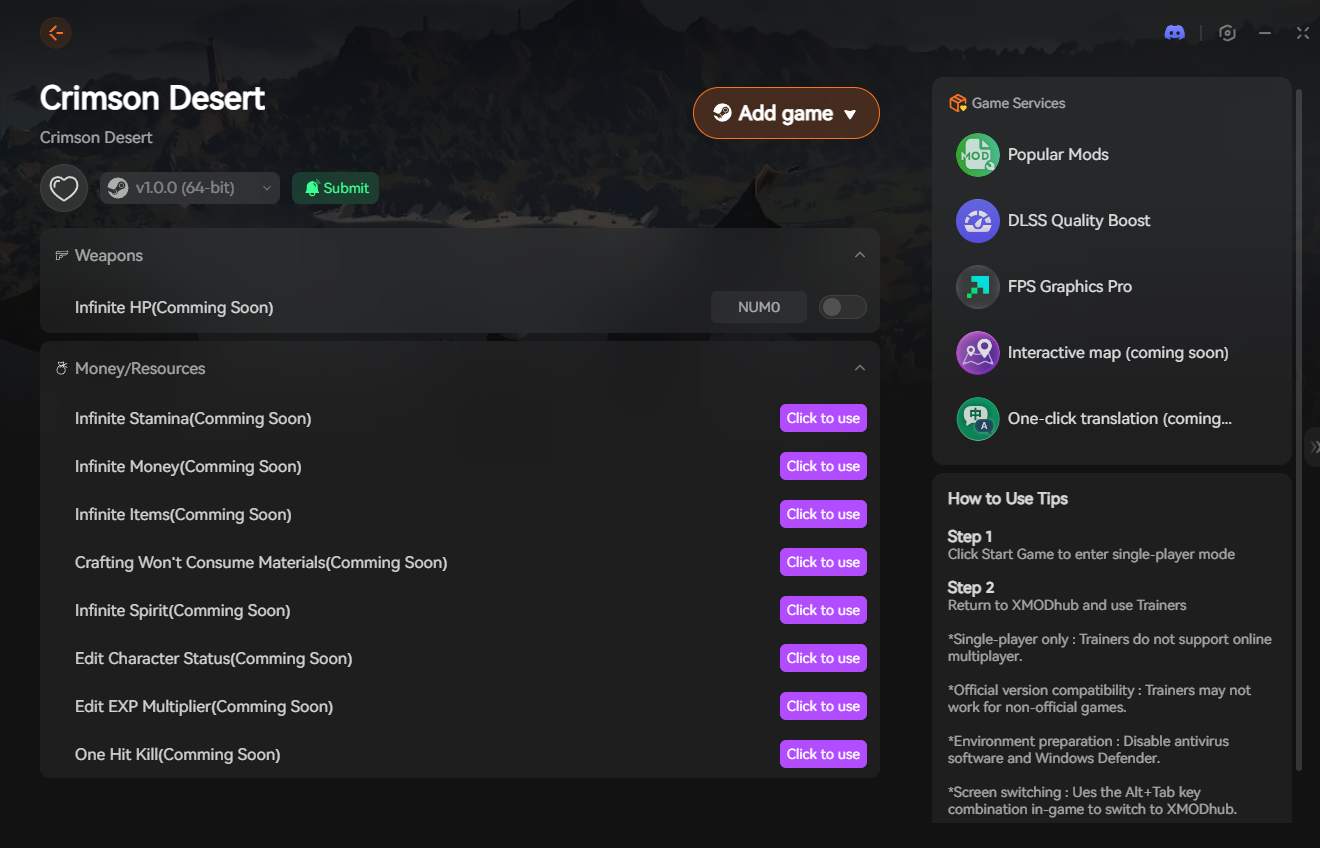
If you are a PC player tired of the wait, the most reliable way to blast through these narrative bottlenecks is by using the Game Speed and Dialogue Skip features within the XMODhub PC Trainer.
You may also like: Crimson Desert Cheat Engine Table vs. XMODhub: Best Free Trainer
Answer First: Quick Guide to Skipping Cutscenes
To regain control of Kliff and skip the dialogue immediately, use these verified methods:
- The “Hold” Mechanic: For most standard story scenes, press and hold the Spacebar or ESC (PC), or the B/Circle button (Controller). A circular progress bar will appear in the bottom right corner. Once it fills, the scene will end.
- Dialogue Fast-Forward: During in-engine conversations where there is no “Skip” prompt, you can rapidly tap Left-Click or A/Cross to skip individual lines of dialogue.
- The BlackSpace Engine Lock: If the skip prompt does not appear, the engine is likely using that cinematic to load the next massive area of the map in the background. You cannot force-skip these natively without causing a crash or falling through the world geometry.
Editor’s Note: Reclaiming Your Time
“There is a unique kind of heartbreak that happens when your game crashes right after a 15-minute unskippable boss intro, and you realize you have to watch the whole thing again. Because Crimson Desert is built on the locked BlackSpace Engine, there is no native console command to type ‘SkipScene’ or ‘JumpToQuest’.”
“We know how precious your gaming time is, especially during launch week. That is exactly why our team integrated the 2x/5x Speed Hack into the XMODhub PC Trainer. You shouldn’t be forced to watch a movie when you signed up to play an RPG.”
The BlackSpace Engine: Why Some Scenes Are Locked
If you are coming from Unreal Engine 5 games, you might be looking for a simple .ini file tweak to disable intro movies. However, Crimson Desert runs exclusively on Pearl Abyss’s proprietary BlackSpace Engine.
In this engine, cutscenes aren’t just for story—they are functional. While Kliff is talking to a mercenary captain, the engine is aggressively “culling” the previous area and “streaming” the next 400 square kilometers of Pywel into your RAM. This is why many scenes lack a skip prompt. Because native developer tools are completely disabled for the retail launch, standard text commands to force a scene skip are ignored by the game’s security protocols.
The Ultimate Time-Saver: Bypassing Tutorial Slumps (XMODhub)
Because the game’s prologue is notoriously slow and native skips are restricted, the XMODhub PC Trainer is your best defense against replay fatigue.
Game Speed Multiplier (Speed Hack)
When you hit a scene that the engine refuses to skip, simply use the XMODhub overlay to toggle the “Game Speed” to 5x. The cinematic will play out in a matter of seconds, the engine will finish its background loading at an accelerated rate, and you will be back in control of Kliff before the first line of dialogue is even finished.
Instant Dialogue Skip
Tired of clicking through hundreds of lines of merchant and side-quest dialogue? The trainer can automate the dialogue skip process, instantly jumping to the next choice or quest objective without you having to mash your mouse button.
Step-by-Step: Equipping Your Progression Tools
Taking control of your game’s pacing takes less than a minute. Here is how to use the trainer safely:

- Download the Client: Grab the verified, digitally signed XMODhub desktop software from our official website. It is lightweight and operates silently in the background.
- Launch & Hook: Boot up Crimson Desert first. Once you are at the main menu, open the XMODhub client and click “Play” on the game’s module.
- Inject the Overlay: Press the designated hotkey to bring up the XMODhub in-game menu. It hooks seamlessly into the BlackSpace Engine’s time-scale values.
- Fast-Forward the Story: Use the speed multiplier to breeze through intros and tutorials, manually save your game once you reach the open world, and reset the speed to 1x to enjoy the combat.
PC Save File Location for Manual Backups
If you are skipping through scenes and accidentally miss an important story choice, you will want a backup save to fall back on.
- •Local Game Saves:
%USERPROFILE%\Documents\Crimson Desert\SaveGames\ - •User Config & UI Settings:
%USERPROFILE%\Documents\Crimson Desert\UserCache\
Frequently Asked Questions (FAQ)
Q: Can I skip the initial launch logos in Crimson Desert?
A: Not natively through the menu. However, you can often navigate to the game’s installation folder, find the Movies or Video directory, and rename the legal splash screen files (e.g., adding .old to the end). This forces the BlackSpace Engine to skip directly to the main menu.
Q: Will skipping cutscenes bug out my quests?
A: Using the native “Hold to Skip” mechanic is 100% safe. If you use a high-speed hack (10x or higher) during a scene where an NPC needs to move to a specific trigger point, the physics can occasionally glitch. We recommend using a 2x or 5x speed for the best balance of speed and stability.
Q: Is there a way to rewatch skipped cutscenes in Crimson Desert?
A: Currently, there is no “Cinematic Gallery” in the main menu. If you skip a scene, the only way to see it again is to reload an earlier save or watch it on the official Pearl Abyss YouTube channel.
Conclusion: Get Back to the Action
The world of Crimson Desert is too large and the combat too satisfying to spend your evening stuck in an unskippable dialogue loop. While the BlackSpace Engine uses these scenes for technical stability, you shouldn’t be a prisoner to the loading screen.
By utilizing the native skip mechanics for story beats and equipping the XMODhub PC Trainer to fast-forward through the mandatory tutorial slog, you can reclaim your time and focus on what really matters: conquering Pywel and leading your mercenaries to victory.

I am a passionate gamer and writer at XMODhub, dedicated to bringing you the latest gaming news, tips, and insights.
Connect with me:
LinkedIn Profile ↗
 Nancy Miller