Catherine Hu
Editor’s View: The “Tiny Text” Struggle
“I tried playing Resident Evil Requiem on the subway. The performance was okay, but trying to use traditional mod menus or install REFramework to spawn ammo was a nightmare. The virtual keyboard covered half the screen, and I died while trying to type out a script.
That’s why this guide isn’t just about FPS—it’s about usability. Because RE games don’t have native developer consoles, I’ll show you how to set up XMODhub so you can toggle God Mode with just Start + Select, no typing required.”
Resident Evil Requiem is finally out, and taking Capcom’s latest survival horror masterpiece on the go feels like magic. However, the RE Engine’s default “Medium” preset often drains the battery in 90 minutes or causes fan noise that sounds like a jet engine.
Whether you are rocking a Steam Deck OLED or an ROG Ally X, you need to tweak the engine to find the sweet spot.
Below are our tested “Golden 40” settings, a battery life guide, and a tutorial on how to use cheats without a physical keyboard.
You may also like:
Resident Evil Requiem Cheat Engine Table vs. XMODhub Trainer: Best Free Alternative (2026)
Quick Look: The “Golden” Settings (Summary)
| Setting | Steam Deck (LCD/OLED) | ROG Ally (Z1 Extreme) |
|---|---|---|
| Resolution | 1280×800 | 1920×1080 (or 900p) |
| Frame Limit | 40 FPS / 40Hz | 60 FPS (VRR On) |
| Upscaling | FSR 3 (Quality) | RSR / FSR 3 (Balanced) |
| Volumetric Lighting | Low (Huge FPS gain) | Medium |
| Hair Strands | OFF | OFF |
| TDP Limit | 12W – 14W | 25W (Turbo) |
Is Resident Evil Requiem Playable? Proton & Compatibility
- Valve Verification: Playable
- Recommended Proton: Proton Experimental
- Fix: If you experience cutscene crashes or endless “Compiling Shaders” screens, try switching to Proton GE. Do not force close the game during the initial shader compilation.
Steam Deck Deep Dive: Graphics & TDP Settings
To lock a solid 40FPS on the Steam Deck, we need to sacrifice specific RE Engine settings that cost too much GPU power.
- Hair Strands: Set to Off. Rendering physical hair for characters is the biggest performance killer in Resident Evil Requiem.
- Volumetric Lighting: Set to Low. Flashlight beams intersecting with fog are incredibly heavy on the APU.
- Texture Quality: High (1GB or 2GB). The Deck has enough VRAM (set UMA Buffer to 4GB in BIOS if possible) to handle high textures without FPS loss.
- Motion Blur: Off. On a small screen, blur just looks messy during rapid aiming.
ROG Ally / Windows Handheld Settings
Resolution Scaling: Set your Windows resolution to 900p and enable RSR (Radeon Super Resolution) via the Armoury Crate overlay. This looks nearly identical to 1080p but saves massive GPU overhead.
VRR (Variable Refresh Rate): Leave your screen at 120Hz. The Ally’s VRR display will perfectly smooth out any frame drops when wandering into dense, zombie-filled areas.
Operating Mode: Use the 15W Performance mode for exploration, but you will need the 25W Turbo mode plugged into the wall for a solid 60 FPS during intense boss fights.
Battery Life Guide: How to Get 3+ Hours
Playing at full unlocked TDP will kill your Deck in 1.5 hours. Here is how to extend it:
1. TDP Limit: Open the Quick Access Menu (…) > Battery > enable TDP Limit and set it to 10W – 12W.
2. Result: You might lose 2-3 FPS during heavy combat, but you will gain ~45 minutes of playtime.
3. GPU Clock: Pin GPU Clock to 1300 MHz manually if frame pacing is unstable.
How to Run XMODhub on Steam Deck (Linux)
Resident Evil games do not have text-based console commands. XMODhub is a Windows app (.exe), but you can run it easily on SteamOS to cheat in Resident Evil Requiem.

01
Desktop Mode
Switch to Desktop Mode via the Power menu and download the portable version of XMODhub from our official site.
02
Add to Steam
Open Steam > Games > “Add a Non-Steam Game” > Select XMODhub.exe.
03
Compatibility
Right-click XMODhub in library > Properties > Compatibility > Check “Force the use of a specific Steam Play compatibility tool” (Select Proton Experimental).
04
Launch & Play
Run XMODhub, then run Resident Evil Requiem. They will talk to each other automatically.
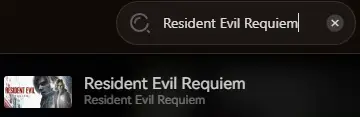
The “No-Keyboard” Cheat Experience
Once installed, forget about the virtual keyboard. XMODhub’s Handheld Mode overlays large, touch-friendly buttons on your screen.
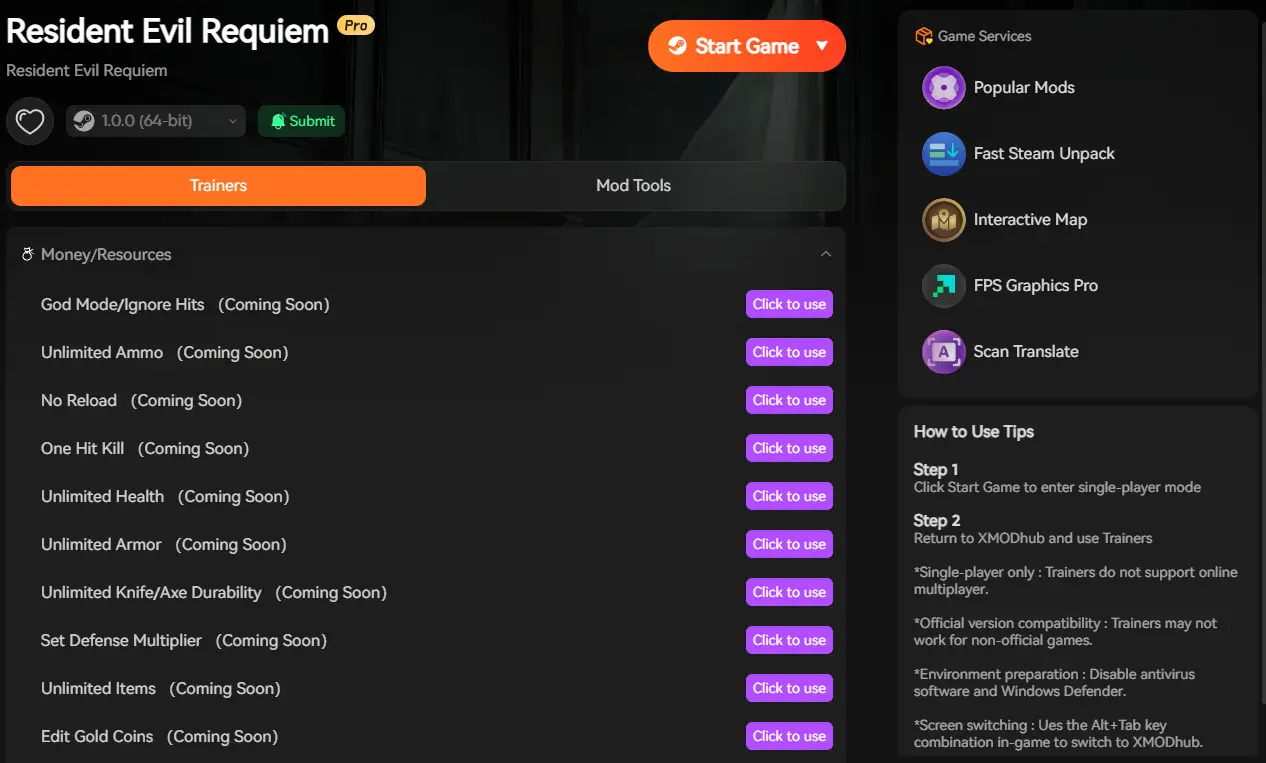
Toggle Cheats: Map L4 or R4 back buttons to activate Infinite Health or Infinite Ammo.
Speedhack: Hold R5 to fast-forward through slow walking sequences or boring dialogue.
FAQ
Q: Where is the Resident Evil Requiem save file location on Steam Deck?
It is hidden deep in the compatdata folder:
/home/deck/.local/share/Steam/steamapps/compatdata/3764200/pfx/drive_c/users/steamuser/... (3764200 is the official Steam AppID).
Q: My game crashes on startup on Steam Deck?
Try verifying game files or force specific Proton compatibility. Disabling the Steam Overlay can also prevent RE Engine crashes on Linux.
Q: Does using XMODhub in Gaming Mode work?
Yes! As long as you launch XMODhub before or simultaneously with the game (using a nested launch script or just switching windows), it works perfectly.

I am a passionate gamer and writer at XMODhub, dedicated to bringing you the latest gaming news, tips, and insights.
Connect with me:
LinkedIn Profile ↗

 Nancy Miller