Catherine Hu
Want to test out the endgame Power Drill early? Are you tired of grinding for Deep Dish Pizza, or perhaps you accidentally dropped a critical stack of Magic Beans into a lava pit and now your cave descent is completely soft-locked?
Using developer console commands to spawn items is a beloved staple of PC gaming freedom. Below is the most comprehensive, categorized, and up-to-date list of Godot Scene IDs, spawn codes, and item paths for Pratfall, verified for the latest 2026 patch.
🔦 Quick Reference: Top 10 Most Wanted Pratfall IDs
If you don’t want to scroll through thousands of rows of Godot engine data, here are the exact spawn codes for the most essential and frequently searched items in the game (including Flares, Max Health food, and top-tier traversal gear).
Command Format: spawn_node [Scene Path] [Amount] (Requires Godot Debug Injector)
| Item Name | Item Description / Value | Exact Item ID (Godot Path) |
|---|---|---|
| Basic Flare | Illuminates the dark abyss | res://items/consumables/flare_basic.tscn |
| Cave Bomb | Destroys procedural terrain | res://items/weapons/bomb_standard.tscn |
| Deep Dish Pizza | Instantly restores Max Health | res://items/food/pizza_deep_dish.tscn |
| Magic Bean | Grows an instant organic platform | res://items/consumables/magic_bean_green.tscn |
| Zipline Gun | Crosses massive vertical gaps | res://items/gear/zipline_gun.tscn |
| Power Drill | Digs through hard rock instantly | res://items/gear/power_drill.tscn |
| Spiked Cleats | Reduces slipping on ice biomes | res://items/armor/spiked_cleats.tscn |
| Heavy Pickaxe | Standard high-damage mining tool | res://items/gear/pickaxe_heavy.tscn |
| Gold Nugget | High-value currency for the shop | res://items/loot/gold_nugget.tscn |
| Dog Treat | Used to tame and rescue your lost dog | res://items/quest/dog_treat_premium.tscn |
💻 How to Enable the Console & Use Spawn Commands
Before you can use the ID codes listed below, you must understand the harsh reality of the developer console in Pratfall.
- ✖Open the Console: Officially, Pratfall is built on the Godot 4.6 Engine with heavy SteamNetworkingSockets integration for its co-op mode. Because of this, the developers have permanently locked the native developer console in the retail build. You cannot simply press the Tilde key (~). To input these text commands, you must first inject a third-party Godot Debug Enabler into the game client.
- ✓The Command Syntax: Once the debugger is injected, Godot requires you to spawn the item as a physical Scene Node.
- 💬Format & Example:
spawn_node [Scene Path] [Quantity]— To drop 10 flares at your feet, you would typespawn_node res://items/consumables/flare_basic.tscn 10and press Enter.
⚠️ Expert Warning:
“Let’s be brutally honest: typing out exact .tscn file paths while plummeting down a dark cave is a miserable experience. Spawning items via text commands in Godot is incredibly tedious. One wrong character results in a ‘Node Not Found’ error or, worse, a physics collision crash if the item spawns inside procedural terrain. While the lists below are meticulously verified, I personally switched to a visual UI injector months ago. Seeing the item icon and just clicking ‘Add to Backpack’ is how modern PC gaming should feel.”
🚀 The Easy Way: XMODhub Visual Spawner (No Typing Required)
Stop Alt-Tabbing to check massive spreadsheets. Typing long, case-sensitive Godot resource paths breaks your chaotic immersion and wastes time while your friends are waiting for you in the lobby.
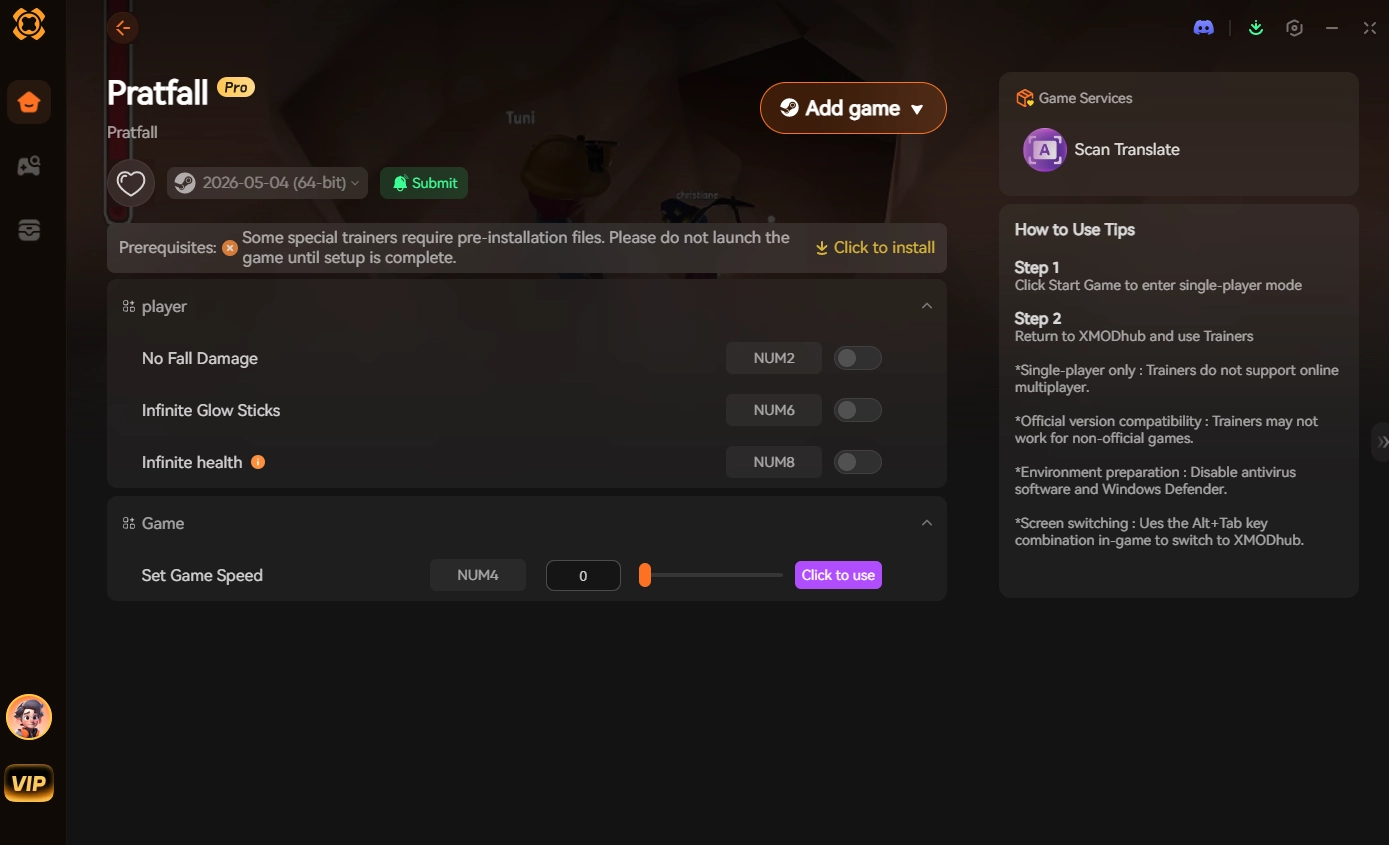
The XMODhub PC Client includes a dedicated “Visual Item Spawner” feature specifically built for Pratfall to completely bypass the locked and unstable Godot text console.
- ★Icon-Based UI: Operating from a sleek, dark midnight-blue interface with high-contrast neon accents, you can see exactly what the drill, bomb, or pizza looks like before you spawn it.
- ★Instant Search: Just type “Zipline” or “Flare” in the overlay search bar and click the one you want.
- ★Batch Spawning: Get 99x of every single consumable and crafting material with one button press.
- ★Auto-Updated Lists: When the developers add new biomes and items, XMODhub updates its database automatically via the cloud. You never have to hunt for new .tscn paths again.
⛏️ Gear & Tool IDs List
Use these codes to instantly equip yourself with the best spelunking arsenal. Note: Spawning these drops the physical item node into the game world.
Command Format: spawn_node [Scene Path] 1
| Tool Name | Exact Item ID (Godot Path) |
|---|---|
| Standard Compass | res://items/gear/compass_basic.tscn |
| Headlamp Helmet | res://items/armor/headlamp_helmet.tscn |
| Grappling Hook | res://items/gear/grapple_hook.tscn |
| Titanium Drill Bit | res://items/upgrades/drill_bit_titanium.tscn |
| Parachute Bag | res://items/gear/parachute_pack.tscn |
🎒 Ammo & Consumables IDs List
Never run out of supplies during a massive cave-in again. We recommend spawning these in batches of 50+.
Command Format: spawn_node [Scene Path] 50
| Consumable Name | Exact Item ID (Godot Path) |
|---|---|
| Sticky Bomb | res://items/weapons/bomb_sticky.tscn |
| Glowstick (Blue) | res://items/consumables/glowstick_blue.tscn |
| Bandage Kit | res://items/medical/bandage_standard.tscn |
| Energy Drink | res://items/food/energy_drink_can.tscn |
| Rope Spool | res://items/crafting/rope_spool_50m.tscn |
🏅 Skills, Perks & Traits IDs
In the Godot Engine, player perks (like increased jump height or fall damage resistance) are not physical items you can spawn. They are variables tied to your character’s physics script.
There is no native text command to instantly “learn” a perk in Pratfall. If you want to enable No Fall Damage or Infinite Stamina, you must use a dedicated memory trainer like XMODhub, which maps these complex physics variables to simple on/off toggle switches.
⚠️ Troubleshooting: Why Are My Commands Failing?
If you are typing the IDs correctly but the game is throwing errors, check these common issues:
- ✖“Command not found”: The developers permanently locked the console in the retail patch. Pressing Tilde (~) does nothing without a third-party Godot Debug Injector.
- ✖Physics Engine Crash (Fatal Error): When you use the
spawn_nodecommand, the game drops a physical 3D object at your coordinates. If you are standing too close to a cave wall, the item will clip into the procedural voxel terrain. The engine cannot resolve the collision, resulting in an instant crash to the desktop. - ✖“Node ID invalid”: Godot paths are brutally exact. If you miss the
res://prefix or the.tscnextension, the engine will not recognize the object.
💬 Frequently Asked Questions (FAQ)
Q: Are these Item IDs case-sensitive in Pratfall?
A: Yes, absolutely. Godot Engine resource paths are strictly case-sensitive. Typing res://items/Food/Pizza_Deep_Dish.tscn will result in an error if the actual folder is lowercase. You must type the exact path strings as shown in the tables above.
Q: Can I spawn items while playing in Public Multiplayer or Co-Op?
A: No. Memory injectors and debug commands are executed client-side. Attempting to force spawn items into a public SteamNetworkingSockets lobby will cause an immediate client-server desynchronization (desync), crashing the lobby and potentially resulting in an anti-cheat ban. Keep cheats in private, offline sessions.
Q: How do I find the Item IDs for custom modded gear?
A: Finding dynamic .pck load-order paths for community mods manually is extremely difficult. We highly recommend using the XMODhub Item Browser, which automatically scans your active mod list, detects the custom scene nodes, and lets you inject them directly into your backpack with a single click.
⛏️ Conclusion: The Ultimate Sandbox Experience
Having access to the complete Pratfall Scene IDs list is the fastest way to experiment with different gear loadouts, test bomb explosion radiuses, or simply recover from a frustrating physics bug where your items clip through the floor. Bookmark this page so you can quickly reference the exact paths whenever you need an emergency resupply of Deep Dish Pizza.
However, if you want a significantly smoother, crash-free experience where you do not need to memorize strings of code like res://items/gear/power_drill.tscn or risk physics collisions destroying your cave seed, the XMODhub Visual Spawner is the superior modern choice. Browse items visually. Inject them instantly. Keep your achievements active.
XMODhub is your ultimate all-in-one toolkit for PC single-player gaming. Whether you need powerful Trainers, real-time visual spawners, or Interactive Maps, our engine supports over 5,000+ games—including Pratfall and similar chaotic co-op hits like Spelunky 2, Lethal Company, and Deep Rock Galactic.

I am a passionate gamer and writer at XMODhub, dedicated to bringing you the latest gaming news, tips, and insights.
Connect with me:
LinkedIn Profile ↗

 Nancy Miller