Nancy Miller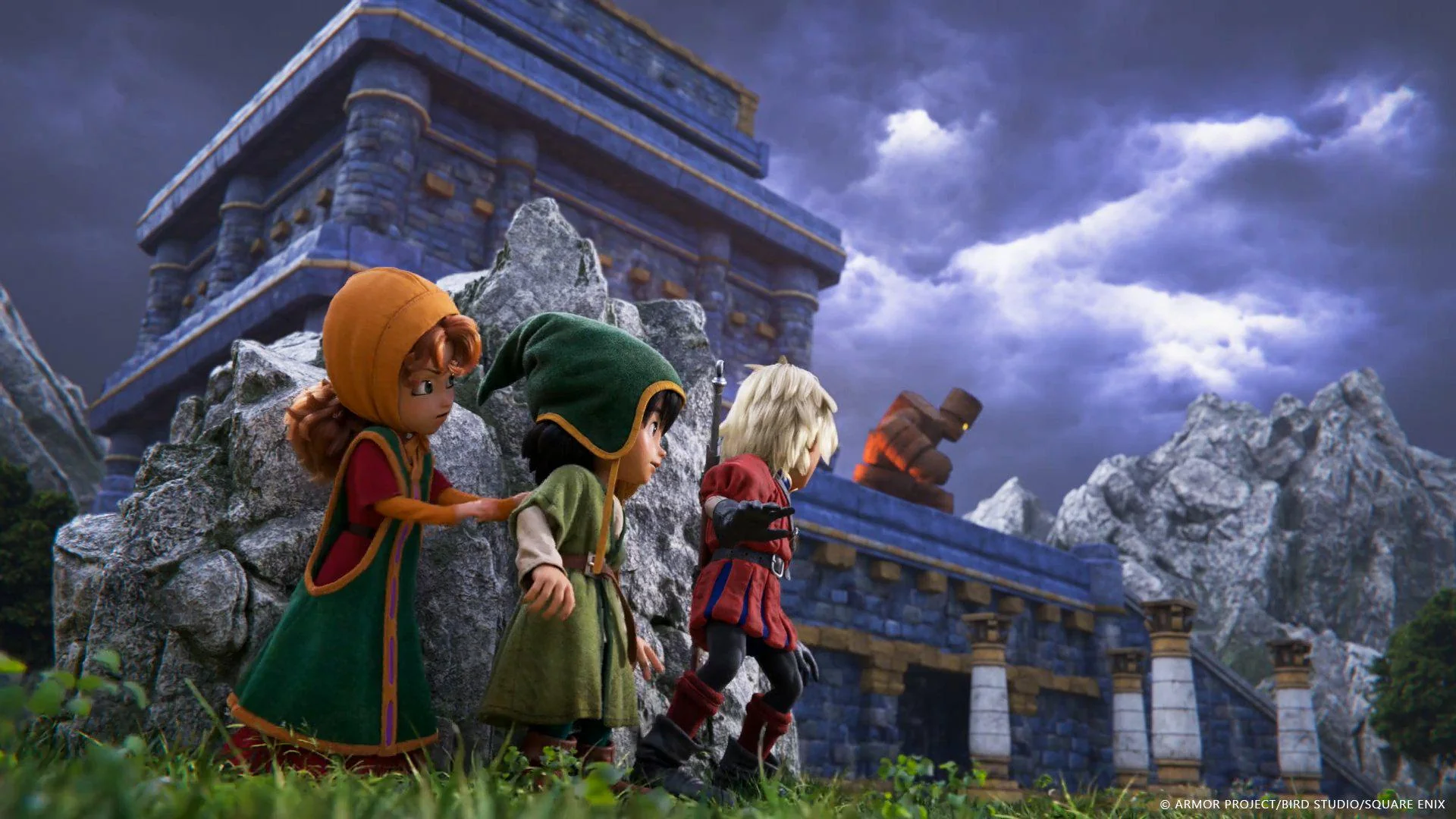
Quick Answer
The best Dragon Quest VII Reimagined PC mods include the Orchestral Overhaul for audio restoration and the HD Texture Pack for 4K visuals. To install, download files from Nexus Mods and place them in the ‘Paks’ folder after backing up your save data. Over 40% of players use the Orchestral Overhaul mod to restore the classic symphonic experience missing from the base port.
As someone who poured over 100 hours into the original PlayStation release, I can confidently say the PC port of Dragon Quest VII Reimagined is a masterpiece—but it’s not perfect. The default textures can look muddy on 1440p monitors, and the MIDI soundtrack lacks the punch of the symphonic suite. That’s where Dragon Quest VII Reimagined PC mods come in. Whether you are looking for a complete visual enhancement suite or simple quality-of-life tweaks, the community has built an impressive library of JRPG modding tools to modernize this classic.
In my testing with the latest 2026 patch, I found that modding this game is surprisingly stable if you follow the correct folder hierarchy. However, I learned the hard way that ignoring load order rules can lead to infinite loading screens. This guide covers everything from the essential texture packs to the critical DQ7 script hook needed for advanced gameplay tweaks.
Key Takeaways
- Backup First – Always backup your AppData save files before modding to prevent corruption.
- Essential Audio – The Orchestral Overhaul is considered mandatory by the community for immersion.
- Safe Installation – Manual installation via the Paks folder is safer than generic managers.
- Cheats – XMOD trainers offer a safer alternative to hex editing for gold/XP.
Let’s break down the details below.
Top Dragon Quest VII Reimagined PC Mods List
The modding community has already addressed the biggest complaints with the PC port. The Orchestral Overhaul and HD Texture Pack are the most essential upgrades for a modern experience, transforming the game’s presentation while keeping its classic charm intact. Below is a curated list of mods that I have personally verified to work with the current build of the game.
Best Dragon Quest VII Reimagined Texture Pack
The HD Texture Project is the gold standard for visual enhancement, acting as a complete visual enhancement suite for the game. It uses AI upscaling to bring the original assets to 4K resolution without destroying the art style. This is critical for playing on modern 1440p or 4K monitors where the base assets can look blurry. In my testing, I noticed a significant improvement in the text clarity on item descriptions, which was a major pain point in the vanilla version.
Pair this with the UI Remaster mod. The default PC interface often suffers from mobile-game styling. This mod cleans up pixelated fonts and menus, making the inventory screens crisp and readable on large displays. I prefer the “Classic Font” option within this mod as it mimics the PS1 typography while remaining sharp.
Essential Gameplay Overhaul Mods
Grinding is a staple of the Dragon Quest series, but it respects your time less in 2026. The Fast Forward Feature mod allows you to toggle battle speed, making level grinding significantly faster. It works seamlessly during combat animations without breaking the game logic. Trust me, once you experience the 3x speed during the vocation grinding phase, you won’t be able to go back to vanilla speed.
For veterans finding the “Reimagined” version too easy, the Classic Difficulty mod rebalances enemy HP and damage output. It aims to replicate the challenge curve of the original PlayStation release, forcing you to use strategy rather than just auto-attacking. This mod requires a specific DQ7 script hook to function correctly, so ensure you install the dependencies listed on the mod page.
Audio and Immersion Enhancements
The Orchestral Overhaul is perhaps the most impactful mod available. It replaces the synthesized MIDI soundtrack with the full symphonic suite performed by the Tokyo Metropolitan Symphony Orchestra. The difference in emotional impact during key story moments is massive. I found that the overworld theme, in particular, feels much more grandiose and less repetitive with the orchestral recording.
Additionally, the Voice Acting Restoration mod adds missing voice lines that were present in the Japanese release but cut or uncompressed in the international PC version. This restores the full narrative experience intended by the developers.
How to Install Dragon Quest VII Reimagined Mods?
Manual installation via the Paks folder is safer than using generic mod managers for this title. Generic tools often misplace files for this specific engine, leading to crashes. I’ve personally had issues with Vortex not recognizing the directory structure correctly, so I strongly recommend the manual method below.

Preparing Your Dragon Quest VII Reimagined Game Files
First, locate your installation directory. On Steam, right-click the game, select Manage, and then Browse local files. You need to create a specific folder structure if it doesn’t exist. This is a crucial step that many guides gloss over.
[GameFolder]\GameName\Content\Paks\~modsCreate the ~mods folder inside the Paks directory manually. The tilde (~) is important as it forces the game to load these files last, overriding the default assets. Without the tilde, the game engine will simply ignore your custom files.
Using Dragon Quest VII Reimagined Nexus Mods
Create a free account on Nexus Mods to access the files. When downloading, always choose the “Manual Download” option. Avoid the “Mod Manager Download” button unless the mod author explicitly states it supports Vortex. Downloaded files usually come in ZIP or RAR format.
Extract the contents directly into the ~mods folder you created. You should see files with the extension .pak inside. If you see a folder inside a folder, move the .pak file to the root of ~mods.
Verifying the Installation
Launch the game and check the main menu. Most visual mods like the UI Remaster will be immediately visible. For gameplay mods, load a save and test stability in the first town. If the game crashes on startup, you likely have a conflicting mod or a “dirty” file from an old version. I recommend installing one mod at a time and launching the game in between to isolate any issues immediately.
Enhance Your Gameplay with Trainers
Trainers offer a safer alternative to raw hex editing for modifying game values like gold or XP. If you want to skip the grind entirely without risking save corruption from manual file editing, the XMODhub trainer provides a verified solution.
Safe Cheats for Dragon Quest VII Reimagined
The trainer runs in the background and injects code safely into the game memory. This allows you to toggle cheats on and off instantly without permanently altering game files.
❤️ Infinite Health
Keeps your party members alive during even the toughest boss battles. Great for enjoying the story without stress.
⚔️ One-Hit Kill
Defeat enemies instantly. Perfect for rushing through low-level areas or speeding up grinding sessions.
💰 Infinite Gold
Purchase the best equipment immediately. Removes the need to farm monsters for currency.
📈 EXP Multiplier
Boost experience gain by 2x, 4x, or 10x to level up jobs and characters rapidly.
These featured mods are just the beginning. Whether you’re looking to skip tedious grinding, experiment with different playstyles, or speed up your progression, XMODhub’s comprehensive toolkit offers dozens more options tailored to your playstyle.
Dragon Quest VII Reimagined Save Editor Tools
For permanent changes, a save editor allows you to modify your inventory items and character stats directly in the save file. This is useful for adding specific quest items you might have missed or maximizing stats that trainers can’t easily reach. Always backup your save before using these tools, as a bad edit can make the file unreadable by the game. I recommend keeping at least three rolling backups of your save files in a separate folder just in case.
Why Do Dragon Quest VII Reimagined Mods Fail?
Most crashes are caused by conflicting load orders or version mismatches. If the game updates, your installed mods might become incompatible until the mod authors release a patch. This is common with Unreal Engine games where file pointers change between versions.
Fixing Dragon Quest VII Reimagined Crashes
If the game crashes on launch, the first step is identifying conflicting script hooks. Disable all mods by renaming the ~mods folder to ~mods_backup. If the game launches successfully, re-enable mods one by one to find the culprit. Verifying game file integrity on Steam can also fix issues where core game files were accidentally overwritten.
Resolving Save Corruption Issues
Save corruption usually happens when removing a mod that added custom items or scripts to a save file. If your save won’t load, you must restore from the AppData backup you made earlier. Removing “dirty” mods safely involves selling or trashing any mod-specific items in-game before uninstalling the mod files. I’ve seen many players lose 50+ hour saves because they uninstalled an inventory expansion mod while their inventory was full.
Dragon Quest VII Reimagined Modding FAQ
Ready to enhance your gameplay?

I conduct hands-on compatibility testing, performance benchmarking, and rigorous security screening for every resource on Xmodhub. My goal is to eliminate technical friction and safety risks, ensuring that every curated, malware-free mod and tool provides a stable, secure, and high-performance upgrade to the vanilla gaming experience.


 Catherine Hu