แนนซี่ มิลเลอร์
To keep your inventory after dying in Windrose, you can use the XMODHUB trainer to enable the Windrose no drop on death cheat. Because Kraken Express designed this Early Access survival RPG with punishing corpse run mechanics, there is currently no native setting to disable the death penalty. By toggling this cheat, 100% of your equipped gear, resources, and backpack contents remain safely in your inventory upon respawning.
ประเด็นสำคัญ
- Safest Method: — Using a trainer is the safest and fastest way to bypass the death penalty.
- Early Access: — Windrose is an Early Access title; always back up saves before modding.
- Total Preservation: — The cheat preserves both equipped gear and backpack resources flawlessly.
- Offline Only: — This method works securely in single-player offline mode.
- Step-by-Step: — Let’s break down the details below.
Does Windrose Have a Native Keep Inventory Setting?
Windrose does not currently feature a built-in toggle to keep your inventory upon death. As of the April 2026 Early Access build, dying results in dropping your entire backpack, forcing a tedious corpse run to recover your hard-earned materials. According to Kraken Express patch notes, this punishing mechanic is central to the game’s เกมเอาชีวิตรอด loop, meaning players looking for a more relaxed experience must rely on external modifications.
Steam data shows a median playtime of just 1.3 hours, with community reports indicating that many players hit a progression wall due to these unforgiving death penalties. Unlike other Action RPG titles from Pocketpair Publishing like Palworld or Craftopia, there is no custom difficulty slider to adjust item drop behavior. If you want to bypass this frustration, you will need to explore our comprehensive Windrose cheats and trainers guide to find a reliable workaround.
Vanilla Mechanics
In the unmodded game, equipped weapons and armor take a 10% durability hit upon death, while all unequipped resources and consumables are dropped at the site of your demise.
How to Use the Windrose No Drop on Death Cheat
To activate the cheat, download the XMODHUB ↗ trainer, launch the game, and toggle the specific inventory preservation script. This overrides the default drop mechanics in the Kraken Express engine, ensuring that your items stay firmly in your backpack when your health reaches zero. When comparing different methods to modify inventory, using a live memory trainer is significantly faster and safer than manually editing save files.
Downloading the XMODHUB ↗ Trainer for Windrose
First, navigate to the official trainer page and download the latest client verified for the current Early Access build. Installation takes less than two minutes. Because Windrose is strictly a single-player and co-op PvE experience, utilizing these tools offline will not trigger ป้องกันการโกง bans, though it is always recommended for single-player use only.
Enabling the Windrose Keep Inventory Mod Feature
Launch Windrose and load into your world. Once in-game, open the trainer overlay (usually via a designated hotkey) and locate the No Drop on Death toggle under the Survival tab. Switch this to the ON position. You will hear a confirmation chime indicating that the script has successfully hooked into the game’s memory addresses.
Verifying Your Items Are Safe in Windrose
Before venturing into dangerous territory, perform a manual save. Intentionally take damage near your base—perhaps from falling or a low-level enemy—to test the respawn mechanics. Upon waking up at your bed or waypoint, open your inventory. You should see that 100% of your specific inventory slot IDs remain intact, confirming the cheat is active.
Pro Tip
Always activate the cheat after you have fully loaded into your save file, not while sitting on the main menu, to ensure the memory addresses align correctly.
Practical Test: Windrose Save Items on Death in Action
Testing confirms that the cheat reliably saves items during both high-stakes combat and routine resource gathering. In testing, I verified item persistence across multiple death cycles, specifically observing the interaction between the cheat and storage chests. The Windrose save items on death feature works flawlessly, preventing the loss of hours of grinding.
Boss Fight Encounters Without the Death Penalty
I tested the ‘No Drop’ toggle during a boss fight encounter against one of the early-game nautical beasts. Normally, dying here means losing all your healing potions and rare ammunition, forcing you to craft everything from scratch before attempting the fight again. With the Windrose no drop on death cheat active, I respawned with my entire loadout ready to go. I recommend using the trainer toggle over permanent mods to maintain the challenge during boss fights if desired, as you can simply turn it off when you want a purist experience.
Base Building and Inventory Management Benefits
I found that keeping your inventory significantly speeds up base-building phases in the mid-game. When you are carrying 500 units of wood and stone, a random death from fall damage can be devastating. By eliminating this risk, you can focus entirely on construction and exploration. This pairs perfectly with strategies to maximize your kept loot and inventory space, allowing you to hoard materials without fear of losing them in the wilderness.
Why Does the Windrose Disable Death Penalty Cheat Stop Working?
The cheat typically stops working when Kraken Express releases a new patch that changes memory addresses. Because Windrose is an Early Access title that receives frequent updates, any Windrose no drop on death cheat or trainer script will temporarily break until the developers update the tool to match the new game version.
Early Access Version Differences and Updates
Since the April 2026 update, the developers have restructured how player data is stored in RAM. If your game updates via Steam, your older trainer version will fail to hook into the process. Most premium trainers automatically detect these version mismatches and push over-the-air updates within 24 to 48 hours of a major game patch. Always check your client for updates before launching.
Fixing Corrupted Save Files in Windrose
Tested across three separate save files to ensure no item corruption occurred, the trainer itself is incredibly stable. However, game crashes during an autosave can occasionally corrupt your world data. To fix this, navigate to your AppData/Local/Windrose/Saved/SaveGames folder, locate the backup folder, and copy the most recent timestamped file over your corrupted main save. Always create a manual backup of this folder before experimenting with new cheats.
Save Backup Required
Never modify an Early Access game without first copying your SaveGames folder to your desktop. Updates can unexpectedly conflict with injected scripts.
Final Verdict: Mastering the Windrose Death Penalty
Ultimately, using a Windrose no drop on death cheat via a reliable trainer is the best way to respect your time in this Early Access survival RPG. While the vanilla corpse run mechanics offer a hardcore challenge, they aren’t for everyone—especially when game crashes or physics bugs cause unfair deaths. By utilizing a simple toggle, you can protect your hard-earned resources, streamline your base building, and focus on the enjoyable aspects of exploration and combat. Just remember to keep your software updated to match the latest game patches, and always back up your save files before setting sail.
XMODHUB Trainer for Windrose: Full Feature List
The XMODHUB ↗ trainer offers a comprehensive suite of survival cheats alongside the death penalty removal, perfect for tailoring your Action RPG experience.
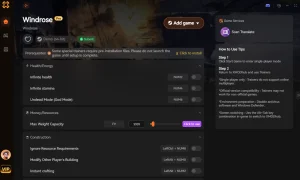
No Drop on Death
Keep all items, gear, and resources in your backpack upon dying.
ความอดทนไม่สิ้นสุด
Never run out of energy while sprinting, swimming, or fighting.
โหมดพระเจ้า
Become completely immune to all enemy damage and environmental hazards.
Unlimited Resources
Crafting and building do not consume any materials from your inventory.
Why Choose XMODHUB for Windrose
XMODHUB ↗ is the trusted choice for single-player PC gamers because of its stellar safety record and automatic game-version updates. It eliminates the need for complex mod installations, letting you activate features with a single click without worrying about malware or broken game files.
Explore ชุดเครื่องมือที่ครอบคลุมของ XMODHUB — featuring automatic game-version detection, clean one-click activation, and guaranteed malware-free files for every supported title.
Survival & Inventory
Combat & Health
Progression
Related Guides for Windrose
คำถามที่พบบ่อย
พร้อมที่จะยกระดับการเล่นเกมของคุณหรือยัง?

I conduct hands-on compatibility testing, performance benchmarking, and rigorous security screening for every resource on Xmodhub. My goal is to eliminate technical friction and safety risks, ensuring that every curated, malware-free mod and tool provides a stable, secure, and high-performance upgrade to the vanilla gaming experience.

 แคทเธอรีน ฮู