แคทเธอรีน ฮู
The stunning continent of Pywel is massive, unforgiving, and packed with emergent gameplay. While Pearl Abyss delivered an incredible vanilla experience with Crimson Desert, veteran PC gamers know that the true potential of any open-world RPG is only unlocked through modding.
Whether you want to push the Black Space Engine’s graphics to photorealistic levels, bypass the grueling mercenary camp resource grind, or simply tweak Macduff’s camera angle, the modding community has exactly what you need.
คุณอาจสนใจ: Crimson Desert Cheat Engine Alternative Guide
Editor’s Take: The Modding Reality
“Modding a Pearl Abyss game is traditionally tricky because of their proprietary engine. But after spending 60 hours in Pywel, I realized some quality-of-life tweaks were absolutely mandatory.”
“I tested dozens of community uploads this week. Many crashed my game, but the 10 mods listed below are stable, safe, and essential for a smooth playthrough. If you hate messing with hidden game folders, I’ve put the easiest ‘1-click’ utility solution right at the top.”
TL;DR: The Top 10 Best Mods List
Don’t want to read the deep dives? Here is our definitive ranking of the most essential Crimson Desert mods to download today.
| Rank | Mod Name | หมวดหมู่ | Why You Need It |
|---|---|---|---|
| #1 | XMODhub PC Trainer | Utility / Cheat | 1-click God Mode, Infinite Money, and Max Carry Weight. |
| #2 | Cinematic True HDR | Visuals | Removes the default gray filter; makes magic effects pop. |
| #3 | Unlocked FOV Fix | Quality of Life | Fixes motion sickness; essential for Ultrawide monitors. |
| #4 | Better Resource Yields | Gameplay | Doubles wood/iron drops to reduce the base-building grind. |
| #5 | Classic Macduff Outfit | Cosmetic | Restores the high-res fur armor from the 2020 trailer. |
| #6 | Skip Intro Logos | Quality of Life | Boots directly to the main menu instantly. |
| #7 | Enhanced Mercenary AI | Gameplay | Makes your recruited companions actually fight aggressively. |
| #8 | Minimalist HUD | UI | Hides the compass dynamically for cinematic exploration. |
| #9 | Infinite Durability | Gameplay | Stops your weapons from shattering mid-boss fight. |
| #10 | 4K Texture Upscale | Visuals | Upscales distant terrain textures for RTX 4090 owners. |
Where to Find Safe Mods
Downloading files from random forums is a great way to infect your PC. For Crimson Desert, you should only source your .pak files from trusted repositories:
- Nexus Mods: The largest and safest database for cosmetic and UI tweaks.
- XMODhub Official Site: The only verified, digitally signed source for memory-level utility mods and trainers.
How to Install Mods in Crimson Desert
Because the Black Space Engine does not currently feature Steam Workshop support, you must install community mods manually. Follow these exact steps:
- Locate your game folder: Right-click Crimson Desert in your Steam Library, select Manage, and click Browse Local Files.
- Navigate to the Paks folder: เปิด
เนื้อหาfolder, then openPaks. - Create the mod directory: Inside the
Paksfolder, create a new folder and name it exactly~mods. - Extract and place: Download your mod, extract the
.zipfile, and place the.pakfile directly into the~modsโฟลเดอร์. - Launch the game: The engine will automatically detect and load any files placed in this directory.
1. The Ultimate Utility: XMODhub PC Trainer
Let’s be real: while changing textures is fun, the biggest pain points in Crimson Desert are the brutal resource grind, the strict inventory weight limits, and getting two-shot by Mythical Bosses. Modifying the game’s actual memory to fix these issues using traditional files is notoriously unstable.
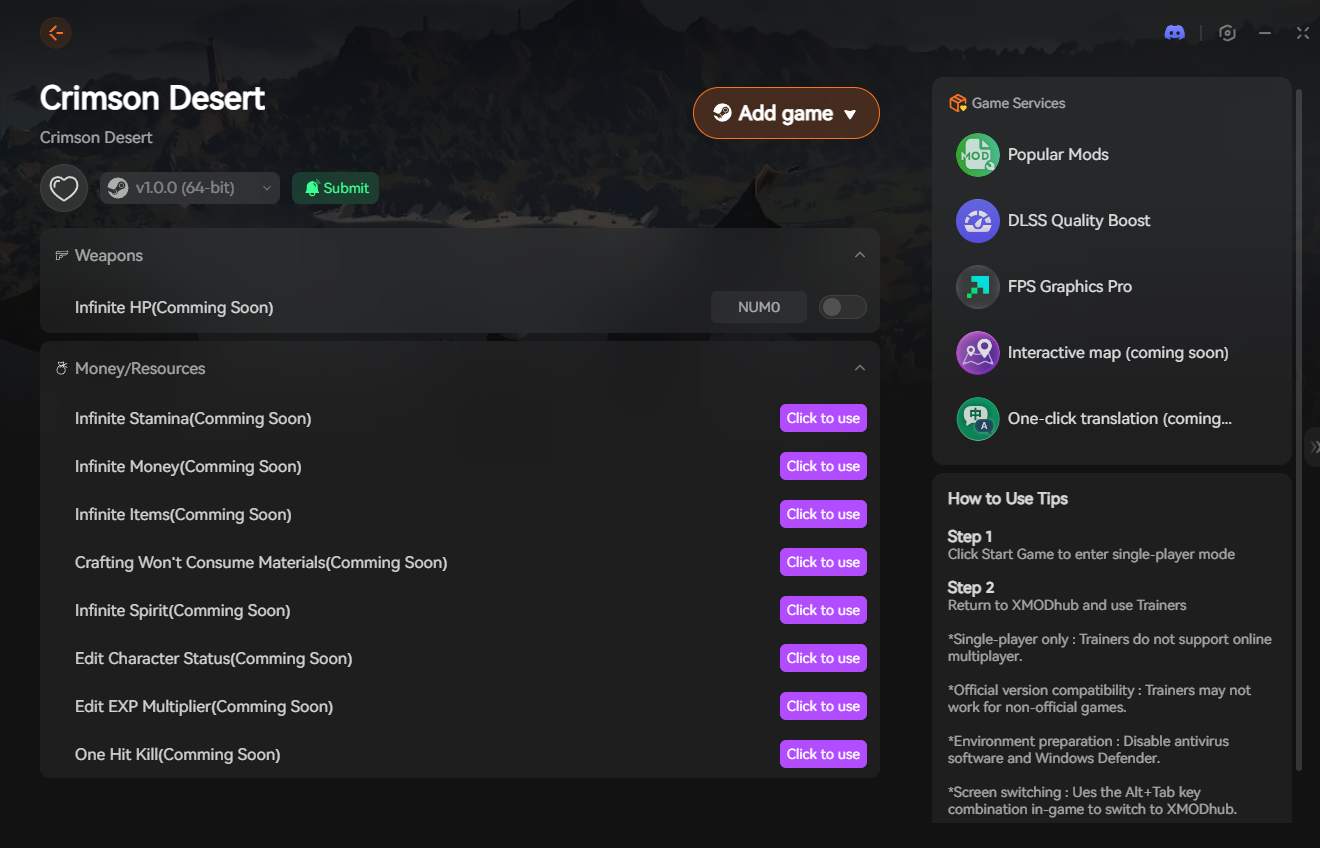
This is why the XMODhub PC Trainer takes the #1 spot. It is widely considered the best WeMod alternative for Crimson Desert, offering an all-in-one, auto-updating desktop overlay that doesn’t require you to mess with hidden game folders.
- •Zero Installation Hassle: No creating
~modsfolders or praying your game boots up. - •100% Safe: Digitally signed, bloatware-free, and verified daily by VirusTotal.
- •Live Toggles: I turn on God Mode when a boss is being unfair, and toggle it right back off when I want a challenge.
How to Use XMODhub (3 Simple Steps)

- ดาวน์โหลด: Get the free, lightweight XMODhub client from the official website.
- Launch & Detect: Open the app. It will automatically detect your Steam or Epic Games installation of Crimson Desert.
- Play & Dominate: Click “Play” inside the app. Once in-game, use the sleek overlay or your keyboard numpad to instantly activate Unlimited Gold, Infinite Stamina, or Super Speed.
🚀 Download the Crimson Desert XMODhub Trainer Free Here
2. Cinematic True HDR Reshade
The desert regions in Pywel are vast, but I noticed the vanilla lighting has a slight “washed out” tint on my monitor. This Reshade preset injects deeper blacks, vibrant color saturation, and a sharper contrast curve without eating up your frame rate. It makes the magical alchemy effects and blood splatters look incredibly cinematic.
3. Unlocked FOV & Camera Fix
Nothing breaks immersion faster than motion sickness. By default, the camera is locked quite close to Macduff’s shoulder. When I was fighting my first Mountain Troll, the camera kept clipping into the terrain. This utility mod unlocks the Field of View (FOV) slider, allowing you to pull the camera back. It is a lifesaver, especially if you play on an Ultrawide display.
4. Better Camp Resource Yields
Upgrading your mercenary camp requires chopping down hundreds of trees and mining endless iron veins. If you don’t want to use XMODhub’s “Infinite Resources” cheat, this .pak mod is the perfect middle-ground. It multiplies gathering yields by 2x, cutting the grind in half while still rewarding exploration.
5. Classic Macduff Outfit
Cosmetic modding is huge in RPGs. This mod replaces the game’s basic starter rags with the highly detailed, fur-lined armor set seen in the original 2020 Crimson Desert reveal trailer. The cape physics are fully intact, making you look like a seasoned mercenary captain from minute one.
6. Skip Intro Logos & Fast Boot
Sitting through 45 seconds of unskippable developer logos every time you boot the game is exhausting. This simple script bypasses the Pearl Abyss splash screens and drops you directly into the main menu. It saves you valuable gaming time.
7. Enhanced Mercenary AI Logic
During my first major stronghold siege, my recruited companions just stood behind a wall while I did all the work. This brilliant gameplay tweak modifies the AI behavior tree, making your mercenaries much more aggressive and better at flanking high-threat targets.
8. Immersive Minimalist HUD
If you want to experience Pywel like a movie, this mod is for you. It dynamically hides the minimap, quest tracker, and health bars while you are exploring, but smoothly fades them back onto the screen the moment you draw your sword.
9. Infinite Weapon Durability Patch
I broke three swords trying to clear my first bandit camp. Weapon degradation is a highly controversial mechanic. This mod freezes the durability value of all your equipped weapons and shields at 100%, saving you a massive amount of repair gold. (Note: This feature is also included as a simple 1-click hotkey within the XMODhub Trainer).
10. The 4K Texture Upscale Pack
For players with high-end GPUs (like an RTX 4080 or 4090), the vanilla textures might still look slightly blurry up close. This massive 15GB community pack upscales the distant mountain terrain, cobblestones, and armor engravings to true 4K resolution.
Troubleshooting: Mod Conflicts & Crashes
If your game is crashing to the desktop after installing mods, check these common culprits:
- Game Updates: Pearl Abyss updates the game frequently. A new patch will almost always break older
.pakmods. You must remove them until the author updates the file. - Conflicting Edits: If you install two mods that alter the same file (e.g., two different outfit replacers for Macduff), the game will crash.
- ทางแก้ไข: If you are tired of your game breaking after every patch, switch to external memory injectors like XMODhub, which auto-update via the cloud and bypass file conflict issues entirely.
Conclusion: Mod Smarter, Not Harder
The Crimson Desert community is already transforming Pywel into a masterpiece. Visual upgrades like the True HDR Reshade and QoL tweaks like the Unlocked FOV are absolute must-haves for PC purists.
However, when it comes to fixing the game’s brutal economy, bypassing inventory limits, or surviving unfair boss fights, traditional file modding is messy and unstable. Protect your save files and reclaim your free time with the XMODhub PC Trainer. It provides the ultimate modding flexibility—infinite weight, unlimited gold, and God Mode—without the headaches of hidden folders or crash loops.
🚀 Download XMODhub Trainer Now
Supported for 5,000+ games including related open-world hits like Dragon’s Dogma 2, เดอะ วิทเชอร์ 3, และ ไซเบอร์พังก์ 2077.


ฉันเป็นเกมเมอร์และนักเขียนที่มีความหลงใหลที่ XMODhub มุ่งมั่นที่จะนำเสนอข่าวสารเกมล่าสุด เคล็ดลับ และข้อมูลเชิงลึกให้กับคุณ.
ติดต่อฉัน:
โปรไฟล์ LinkedIn ↗
 แนนซี่ มิลเลอร์