แนนซี่ มิลเลอร์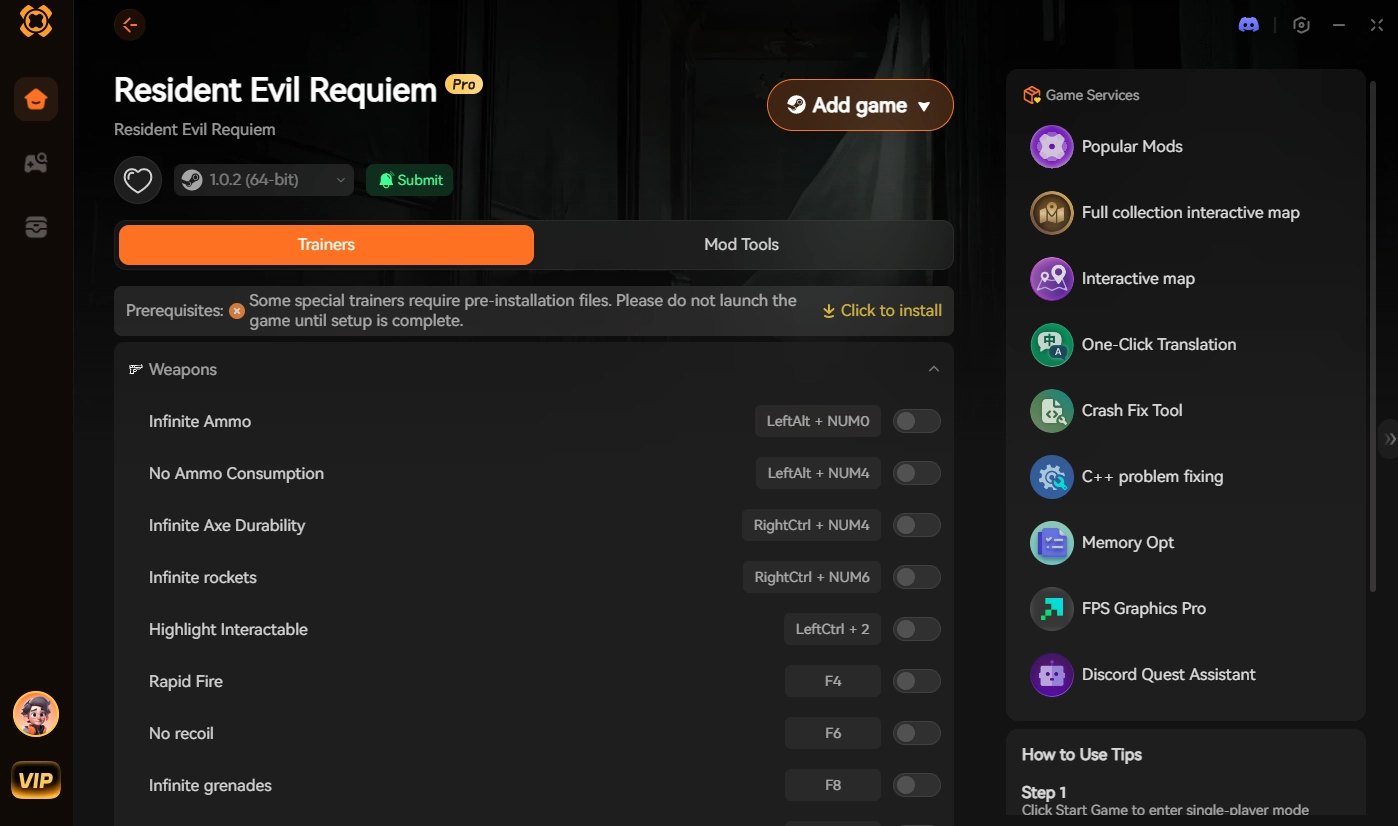
Quick Answer
Resident Evil Requiem PC Mods are community-created files that alter gameplay, visuals, or mechanics in the latest survival horror title. To install them safely, download Fluffy Mod Manager, select the game from the menu, and drag your downloaded pak or rar mod files directly into the manager window. Always back up your save files before modifying the game, especially given the current 0 to 20,000 active player base testing these new modifications.
ประเด็นสำคัญ
- Essential Tools – Modding requires Fluffy Mod Manager and REFramework to function correctly on the latest patch.
- Safe Installation – Never manually drop pak files into your game directory to avoid catastrophic crashes.
- Game Updates – Official Capcom patches will temporarily break your installed mods until creators update them.
- Top Categories – Costume swaps and weapon unlockers are the most popular downloads on Nexus Mods.
- Save Backups – Always back up your save files before altering the RE Engine. Let’s break down the details below.
How to Install Resident Evil Requiem Mods Safely
To install Resident Evil Requiem PC mods safely, you must use dedicated mod managers rather than manually dropping files into your game directory. Relying on tools like Fluffy Mod Manager ensures your base game files remain untouched, preventing catastrophic crashes. As of March 2026, this is the only verified method to keep your installation stable while experimenting with custom content in this terrifying survival horror experience. Modding has become a staple for the personal computer gaming community, and Capcom’s latest title is no exception.
Setting Up Resident Evil Requiem Fluffy Manager
First, download the latest version of Fluffy Mod Manager from Nexus Mods. Extract the archive into an empty folder on your desktop, run the executable, and select Resident Evil Requiem from the list of supported RE Engine games. The manager will automatically locate your game executable and create the necessary folder structures. This tool is essential because it safely injects modifications without permanently altering the core files provided by the developer.
Installing Resident Evil Requiem REFramework
For advanced scripting and camera tweaks, you need REFramework. Download the zip file and extract the dinput8.dll file directly into your main Resident Evil Requiem installation folder (where the game’s .exe is located). When I played the release build, placing this single file instantly enabled the in-game overlay without any extra configuration. It is a seamless process that opens up a world of possibilities for tweaking the game’s mechanics.
Practical Test: Adding Your First Resident Evil Requiem Mod
To verify everything works, download a simple visual swap. Drag the downloaded .rar file directly into the Fluffy Mod Manager window. Click the toggle switch to enable it, then launch the game. If you are looking for recommendations, check out our guide on the Resident Evil Requiem costume mods to get started with some of the most popular community creations.
Pro Tip
Always verify your game files through Steam before installing Fluffy Mod Manager for the first time to ensure a clean slate.
Best Resident Evil Requiem PC Mods to Try
The best mods for Resident Evil Requiem range from cosmetic character changes to complete gameplay overhauls that significantly extend the game’s 18.3-hour average playtime. Whether you want to tweak the camera angles or unlock every weapon from the start, the การปรับแต่ง community has already created hundreds of options for the PC release version. These enhancements allow you to tailor the survival horror experience exactly to your preferences.
Top Resident Evil Requiem Costume Mods
Costume mods are purely cosmetic .pak files that replace the default character models. When installing multiple outfits, pay close attention to your load order in Fluffy Mod Manager. Only one costume mod can occupy a specific character slot at a time. Trust me, I learned the hard way that ignoring load orders will turn your terrifying zombies into floating, textureless blobs during crucial cutscenes. Always ensure your visual swaps do not conflict with one another.
How Does the Resident Evil Requiem Mod Menu Work?
The REFramework overlay acts as the ultimate Resident Evil Requiem mod menu. By pressing the ‘Insert’ key, you can open a UI that allows you to adjust the field of view, disable the vignette effect, and even manipulate the game speed. It is a powerful tool that runs seamlessly alongside the RE Engine, giving you unprecedented control over the game’s visual and mechanical parameters.
Resident Evil Requiem Unlock All Weapons Mod
For players who want to skip the grind, the Resident Evil Requiem unlock all weapons mod is a massive time-saver. However, because this alters your inventory flags, it is highly recommended to start a fresh save file. In testing, loading an existing mid-game save with this mod active occasionally corrupted the inventory screen, so always proceed with caution when altering core progression mechanics.
Resident Evil Requiem Version Differences: Capcom Updates
Official แคปคอม updates frequently alter the RE Engine, which temporarily breaks compatibility with existing PC mods. Because patches overwrite executable files and shift memory addresses, tools that rely on script hooking will fail to load until their creators release an updated version. Staying aware of these version differences is critical for a stable modding experience, especially during the first few months after launch.
Why Do Capcom Updates Break Resident Evil Requiem Mods?
Every time the developers push a performance patch or bug fix, the core ResidentEvilRequiem.exe file changes. REFramework relies on specific memory hooks tied to the previous version. When the game updates, those hooks point to the wrong data, causing immediate crashes on startup until a new .dll file is compiled by the community developers.
Managing Resident Evil Requiem Patch Rollbacks
If an update breaks your game, you can often roll back to a previous version using the beta branch feature on ไอน้ำ. Right-click the game in your library, navigate to Properties, select Betas, and look for a ‘previousversion’ branch. This allows you to keep playing with your mods while waiting for the community to catch up with the latest official patch.
Common Mistakes When Modding Resident Evil Requiem
Even with tools like Fluffy Mod Manager, players often make critical errors that can ruin their game installation. Understanding these common mistakes will save you hours of troubleshooting and ensure your survival horror experience remains uninterrupted.
Overwriting Base Game Files
The most severe mistake is manually dragging .pak files directly into the game’s root directory. This permanently overwrites the original assets. If a mod breaks or becomes outdated, you will be forced to verify your entire game installation through Steam, which can take a significant amount of time depending on your internet connection.
Ignoring Mod Load Orders
When installing multiple modifications that affect the same character or environment, the load order dictates which file takes priority. Failing to organize your load order in Fluffy Mod Manager will result in conflicting textures, invisible models, or immediate crashes when the game attempts to load the affected assets.
Failing to Back Up Saves
Always back up your save files before altering the RE Engine. With an active player base of 0 to 20,000 users testing these new modifications, unforeseen bugs are common. Keep a copy of your userdata folder in a safe location so you never lose your hard-earned progress.
Why Is Resident Evil Requiem Crashing After Installing Mods?
Most mod-related crashes in Resident Evil Requiem are caused by outdated REFramework files or conflicting .pak modifications trying to alter the same game assets. If your game crashes on startup after a recent Capcom update, the most likely culprit is a lingering dinput8.dll file in your game folder that needs to be replaced immediately.
Resolving Resident Evil Requiem Black Screens
A black screen immediately after launching the game usually indicates a severe script failure. To implement a proper Resident Evil Requiem crash fix, navigate to your game directory and delete dinput8.dll. Launch the game normally to confirm it works, then download the newest REFramework release that matches the current game patch.
Fixing Conflicting Resident Evil Requiem .pak Files
If the game crashes during gameplay, you likely have two mods trying to overwrite the same file. Open Fluffy Mod Manager and disable all mods. Re-enable them one by one, launching the game after each, to isolate the problematic file. Always ensure your mods are designed for the specific March 2026 build to avoid these frustrating conflicts.
Warning
Never verify your Steam game files while mods are actively toggled ON in Fluffy Mod Manager, as this can permanently corrupt your installation.
Alternative: XMODHUB Trainers for Resident Evil Requiem
XMODHUB trainers provide instant gameplay cheats without the need to manage load orders, update .pak files, or worry about REFramework compatibility. For players who simply want infinite ammo or god mode without the hassle of troubleshooting crashes, using a dedicated trainer is a vastly superior option.
Unlike traditional mods that require manual updates every time Capcom patches the game, premium trainers auto-update their memory addresses. This means your cheats will continue to work seamlessly. If you are tired of dealing with black screens, exploring Resident Evil Requiem Cheats & Trainers for PC can save you hours of frustration and let you focus entirely on enjoying the game.
Conclusion: Enjoying Resident Evil Requiem PC Mods
Modifying your game extends replayability significantly, whether you are using cosmetic mods to change character outfits or trainers to bypass difficult encounters. By following safe installation practices and keeping your mod managers updated, you can safely explore everything the community has to offer. Always remember to back up your save files before making any changes to the RE Engine. With the right tools like Fluffy Mod Manager and REFramework, customizing your survival horror experience is easier than ever. Dive into the Nexus Mods repository and start transforming your game today.
Related Guides for Resident Evil Requiem
คำถามที่พบบ่อย
พร้อมที่จะยกระดับการเล่นเกมของคุณหรือยัง?

ฉันสร้างเนื้อหาสำหรับ Xmodhub ซึ่งฉันคัดสรรและแบ่งปันม็อดเกม เครื่องมือ และทรัพยากรอื่นๆ เป้าหมายของฉันคือช่วยให้ผู้เล่นค้นพบส่วนเสริมที่ยอดเยี่ยม สนุกกับประสบการณ์ที่ราบรื่นยิ่งขึ้น และมีความสนุกสนานมากขึ้น.

 แคทเธอรีน ฮู