แคทเธอรีน ฮู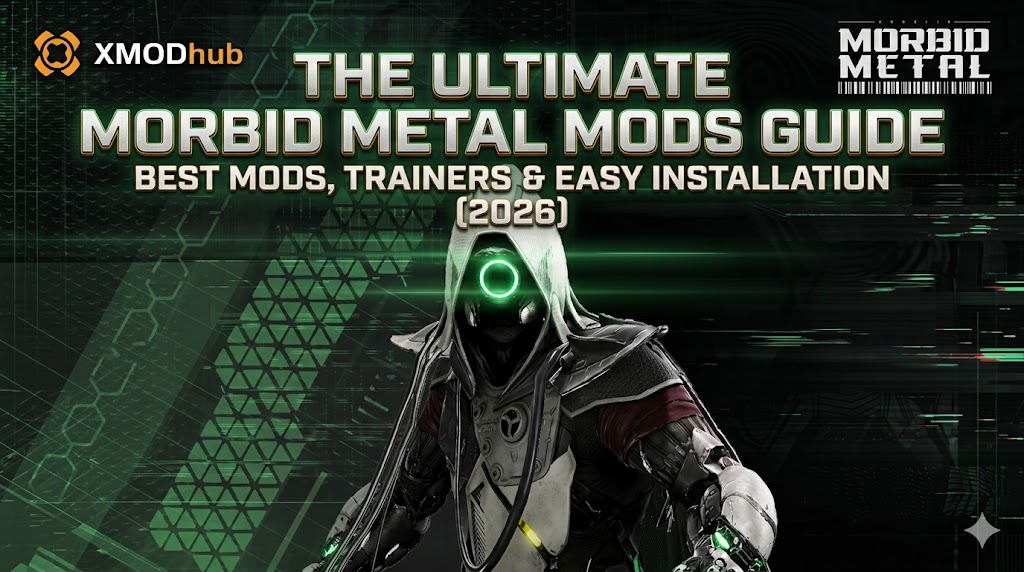
[Quick Answer]
What is the easiest way to mod Morbid Metal on PC?
The safest and fastest method to mod Morbid Metal is by using an automated mod manager and memory trainer like XMODhub. Because the game runs on the Unity engine, manual modding requires complex script hooks like BepInEx. The most essential mods you need right now include Unity stuttering fixes, FOV unlockers, and quality-of-life trainers. Always copy and back up your AppData LocalLow save folder before injecting any new scripts!
01. How to Install Mods for Morbid Metal Safely
We’ve all been there: dragging and dropping sketchy .dll files into the \steamapps\common\Morbid Metal\ folder, praying it works, and getting hit with a black screen on startup. If you want a zero-stress experience, here is the exact step-by-step method I personally use:
- >Backup Your Saves (Do not skip this!): First, navigate to
C:\Users\YOUR-USERNAME\AppData\LocalLow\Screen Play\Morbid Metal\and copy your save files to a safe spot on your desktop. - >Get the Right Tool: Download the XMODhub PC App (it handles all the messy memory injection and Unity file paths for you).
- >Auto-Detect: Open the app. It will scan your PC and lock onto your Morbid Metal directory within seconds.
- >Click and Play: Browse the built-in library, toggle the cheats or tweaks you want, and hit “Launch Game”. That’s it. No BepInEx file digging required.
02. Are Morbid Metal Mods Safe? (Avoiding Malware)
Let’s address the elephant in the room. Googling “free Morbid Metal cheats” is a fantastic way to accidentally download a crypto-miner or a trojan virus. The modding community is great, but shady third-party sites are not.
03. Manual Modding (Nexus) vs. XMODhub
If you are a hardcore modder building a massive load order with 50+ conflicting .dll files via Nexus Mods, you will have to manually install BepInEx to force the Unity engine to read your custom scripts.
However, if you fall into one of these categories:
- ✦You just want to activate simple cheats (Infinite Health, Max Energy Cores, Instant Cooldowns) and get on with your run.
- ✦You hate spending three hours watching YouTube tutorials just to resolve Unity plugin conflicts.
- ✦You are tired of your mods breaking every single time the developer drops a 50MB hotfix patch.
Then XMODhub is your best bet. It runs parallel to your game, meaning it doesn’t permanently overwrite your vanilla files. Turn it off, and your rogue-lite runs are back to normal.
04. Top-Rated Morbid Metal Mods You Need to Try First
Based on my latest playthrough, skip the bloated lists. Here is what actually works in 2026:
A. Essential Performance & Bug Fixes
- ▹Unity Stutter Fix Pro: Let’s face it, the optimization in certain procedural biomes is incredibly rough when too many enemies spawn at once. This mod stabilizes frametimes drastically so your PC doesn’t sound like a jet engine during 4-character shapeshifting combos.
B. Morbid Metal Trainers and Cheats (Powered by XMODhub)
Sometimes, you just want to feel like an absolute cybernetic god. The XMODhub integrated trainer for Morbid Metal is currently undetected and offers some wild features:
- ✓God Mode / Infinite Health: Face-tank any mechanical boss fight without sweating.
- ✓Unlimited Energy Cores: Buy all the permanent meta-upgrades in the hub without the agonizing 10-hour grind.
- ✓Instant Shapeshift Cooldowns: Swap between your characters instantly, allowing for endless, uninterrupted attack chains.
- ✓One-Hit Kills: Perfect if you just want to speedrun the rogue-lite cycle and see the ending.
How to Use XMODhub for Morbid Metal?
- 1.Download and Launch the free XMODhub desktop app.
- 2.ค้นหา for “Morbid Metal”.
- 3.Click “Play”.
- 4.สลับ your desired cheats (God Mode, Infinite Cores, Fast XP) directly from the clean UI or via hotkeys.

05. Modding on Game Pass vs. Steam
A question I get spammed with on Discord all the time: “Can Game Pass users join the fun?”
- ✦Steam / Epic Games: 100% moddable. The open folder structure makes it a breeze to manually install Unity script hooks.
- ✦Xbox PC Game Pass: Historically, Windows Store games encrypt their folders (UWP protection), making manual Unity modding a nightmare. Thankfully, memory-injection tools like XMODhub bypass this completely. You can run cheats on the Game Pass version (if the title becomes available there) without ever having to mess with locked Microsoft file permissions.
06. Troubleshooting: Why is my game crashing?
Nothing kills the weekend gaming vibe faster than a crash to desktop (CTD) right before a boss fight. If your Morbid Metal refuses to load:
- ✕Check the Game Version: Did the game just update today? Manual Unity mods will instantly break. You’ll have to wait for the mod author to update their .dll files.
- ✕Verify Integrity: Go to Steam > Properties > Installed Files > Verify. This wipes out corrupted mods and restores fresh vanilla files.
- ✓The XMODhub Advantage: If you use our app, just click “Disable All”. Because we use a cloud-based system, we usually push an updated trainer patch within 24 hours of a major game update.
Frequently Asked Questions (FAQ)
Q: Do mods disable Steam achievements in Morbid Metal?
A: Usually, yes. If you modify the core Unity files via BepInEx, the game will flag your save. But because XMODhub uses memory injection rather than file modification, the game rarely realizes it’s been tampered with, meaning you can often keep unlocking achievements while cheating.
Q: Can I use these cheats in Multiplayer?
A: Absolutely not. Morbid Metal is a single-player game, but as a general rule, don’t be that person. These trainers are strictly built for offline, single-player environments. Trying to bring god mode into a multiplayer server on other games will get your account permanently banned.
Q: Will installing mods drop my FPS or cause lag?
A: Massive visual mods (like 4K texture packs) will definitely impact your framerate. However, script mods and trainers like XMODhub use almost zero CPU power. You get all the cheats without sacrificing a single frame of those lightning-fast combat animations.
Q: If I turn off the trainer, do I keep the items I spawned?
A: Yes! If you use XMODhub to give yourself 100,000 Energy Cores, force a manual save in the hub, and then close the trainer, that currency stays in your inventory forever in your vanilla save file.
Conclusion: Keep Your Game Fresh
Modding shouldn’t require a computer science degree. Whether you are fixing annoying Unity stuttering bugs, making the sci-fi lighting pop, or just giving yourself a million Energy Cores so you can finally max out your characters, the right tools change everything.
With XMODhub, you can skip the frustration of broken folders and get straight to the good stuff. And the best part? Once you download the app, you aren’t just getting tools for this one game. XMODhub supports over 5,000+ PC games.
So, if you had a blast modding your way through Morbid Metal, you can seamlessly use the exact same app to load up cheats for your next adventure—whether you are surviving the nightmare in Resident Evil Requiem, exploring the depths in Hades, or trying out the wildest combos in Devil May Cry 5.

ฉันเป็นเกมเมอร์และนักเขียนที่มีความหลงใหลที่ XMODhub มุ่งมั่นที่จะนำเสนอข่าวสารเกมล่าสุด เคล็ดลับ และข้อมูลเชิงลึกให้กับคุณ.
ติดต่อฉัน:
โปรไฟล์ LinkedIn ↗

 แนนซี่ มิลเลอร์