แนนซี่ มิลเลอร์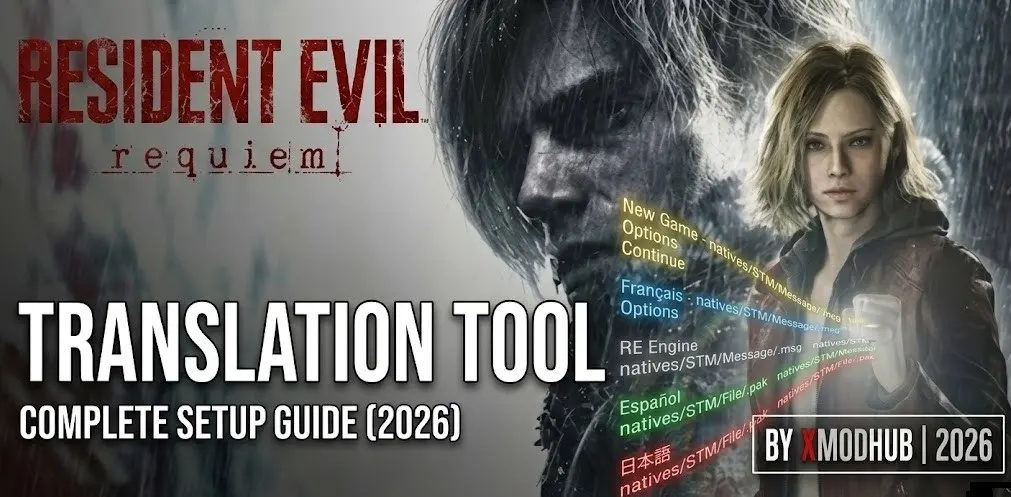
Quick Answer
A Resident Evil Requiem Translation Tool is a utility that unpacks the game’s RE Engine .pak files, allowing you to edit the localized .msg text files and repack them to change the game’s language. With a player base of up to 20,000 owners already exploring the February 2026 release, using Fluffy Mod Manager is the safest way to install these fan translations without corrupting your base installation.
ประเด็นสำคัญ
- Safe Extraction – Unpack .pak archives without damaging original game files.
- Text Editing – Modify .msg files to create custom localization or fix errors.
- Mod Manager Integration – Use Fluffy Manager to load translations cleanly.
- Crash Prevention – Learn the correct repacking methods to avoid startup crashes.
มาดูรายละเอียดด้านล่างกัน.
Understanding RE Engine Text Files
The RE Engine stores all localized text, including subtitles and menus, inside proprietary .msg files which are further compressed into large .pak archives. To create a Resident Evil Requiem language mod, you cannot simply open a text document; you must first extract these archives using a dedicated Resident Evil Requiem text extractor. As of the February 2026 launch, Capcom continues to use this structure. In this RE Engine translation guide, we’ll cover how tools developed for previous titles have been updated to function correctly with Requiem.
According to community modding documentation, modifying the raw .pak files directly usually results in file corruption. Instead, the standard practice involves extracting the specific .msg file, converting it to a readable format like JSON or XML, applying your translation, and then converting it back. This workflow ensures the game engine can properly parse the text strings during gameplay.
If you are attempting to play in an unsupported language, understanding this pipeline is critical. The text extraction process is the foundation of any successful fan translation effort. Before proceeding, ensure you have sufficient hard drive space, as unpacking the main game archives can require upwards of 30GB of temporary storage.
Required Tools for Extraction
To successfully modify the game’s text, you need a specific suite of community-developed utilities designed to handle RE Engine compression. The primary requirement is an updated RE Engine PAK tool capable of bypassing the encryption used in the latest Capcom releases. Without this, the archives remain inaccessible.
The Unpacking Utility
The most crucial component is the unpacker. You will need a command-line utility specifically updated for the 2026 build of the engine. This tool reads the re_chunk_000.pak file located in your installation directory and extracts its contents into a standard folder structure. Ensure you download the version verified for Resident Evil Requiem, as older versions from the Village or RE4 Remake era will fail to parse the new header formats.
The MSG Converter
Once you have the raw files, you need an MSG converter. This specialized script translates the proprietary binary .msg format into editable text, typically JSON. After you finish translating the strings in a standard text editor, this same tool is used to compile the JSON back into a valid .msg file that the game can read. A reliable โปรแกรมแก้ไขแบบฐานสิบหก is also recommended for verifying file headers if compilation errors occur.
How to Extract Text with the Resident Evil Requiem Translation Tool
Extracting the text requires running the PAK tool via the command prompt targeting your main game installation folder. This process isolates the localization files without altering the original game data, which is essential for maintaining stability. In my testing with the launch version, extracting only the necessary language folders saves significant time compared to unpacking the entire 60GB archive. If you’re wondering how to change language Resident Evil Requiem style, this is the exact workflow you need.
- Locate your game installation folder containing the .pak files.
- คัดลอก the unpacking utility into this directory.
- เปิด a command prompt window in that folder.
- Execute the extraction command targeting the specific localization directory.
- Wait for the process to complete, which may take several minutes.
Keep reading — below we cover the exact file paths you need to target to find the English text strings.
Locating the Target Files
After extraction, navigate through the newly created folders. The text files are typically buried deep within the directory structure. Look for a path similar to natives/STM/Message/. Inside, you will find subfolders for different languages. The English files usually have an “_en” suffix. These are the .msg files you need to convert and edit.
Warning
Never modify the original .pak files directly. Always work with the extracted files and use a mod manager to load your changes. Modifying base files will trigger integrity checks and cause crashes.
Editing and Translating .msg Files
Editing the converted .msg files requires a text editor capable of handling UTF-8 encoding to ensure special characters display correctly in-game. Once converted to JSON, you will see a list of strings paired with unique identifiers. You must only change the text values, leaving the structure and IDs intact. Altering the JSON formatting will break the recompilation process.
When translating, pay close attention to string length. While the RE Engine is somewhat flexible, excessively long translations can cause UI elements to overflow or text to clip outside of dialogue boxes. It is best practice to keep your translated strings roughly the same length as the original English text. For a practical test, try modifying a single prominent menu item, like “New Game,” to verify your workflow before tackling the entire script.
Handling Custom Fonts
If your target language uses characters not present in the game’s default font (such as Cyrillic or Asian characters), simply translating the text won’t work; the game will display blank spaces or corrupted symbols. You will also need to replace the game’s font files. This involves a separate process of converting standard TrueType fonts into the proprietary format used by the engine, which adds significant complexity to the localization mod.
Repacking and Installing via Mod Manager
Installing your finished translation involves recreating the exact folder structure of the extracted files and packing them into a format a mod manager can read. Fluffy Mod Manager is the community standard for RE Engine games. By packaging your modified .msg files correctly, Fluffy Manager can inject them into the game memory at runtime without permanently altering the base installation. Verified working on PC as of March 2026, the community consensus on modding forums is that Fluffy Manager is the safest route for loading these edits.
To prepare your mod, create a root folder named after your translation. Inside, replicate the path to the files you edited (e.g., natives/STM/Message/) and place your recompiled .msg files there. Compress the root folder into a .rar or .zip file. This archive is now a fully functional Resident Evil Requiem language mod ready for installation. If you need help organizing your load order, our Resident Evil Requiem mod menu guide provides detailed instructions on managing multiple modifications.
Activating the Mod
Launch Fluffy Mod Manager and select Resident Evil Requiem. Drag and drop your created archive into the manager’s window. It will appear in the mod list. Simply click the toggle to enable it. The manager will handle the necessary file routing. Launch the game through the manager to see your translated text in action. If the text does not appear, verify that your folder structure exactly matches the original extraction path.
Troubleshooting Common Crashes
A malformed .msg file is the most common reason the game crashes on startup after installing a translation tool mod. If you encounter a fatal error immediately after the Capcom logo, the engine failed to parse your edited text. This usually happens if you accidentally deleted a comma or quotation mark in the JSON file before recompiling. Always use a JSON validator before converting the text back to .msg format.
Another frequent issue arises from version mismatches. As of March 2026, the game is receiving regular patches. An update can change the structure of the .msg files, rendering older translation mods incompatible. If a previously working mod suddenly causes crashes after a game update, you will need to extract the new .msg files and reapply your translations to the updated structure. For broader stability issues not related to text editing, consult our Resident Evil Requiem crash fix guide.
Pro Tip
Keep a backup of your translated JSON files. When a game update breaks the mod, you can use text comparison tools to quickly copy your translated strings into the newly extracted JSON structure, saving hours of work.
Enhance Your Custom Playthrough with XMODHUB
While you are customizing the game’s language, you might also want to tailor the gameplay experience. The average playtime for Resident Evil Requiem sits around 4.4 hours, but survival horror mechanics can sometimes slow down players who just want to experience the story in their native language. เอ็กซ์โมดฮับ offers a streamlined way to adjust difficulty without complicated modding.
Unlike manual file editing, the XMOD trainer operates independently and won’t conflict with your translation mods loaded through Fluffy Manager. It provides simple toggles for common enhancements, allowing you to focus on testing your localization work or simply enjoying the narrative without resource anxiety.
❤️ สุขภาพที่ไร้ขีดจำกัด
Explore environments and test your translated dialogue triggers without fear of dying to unexpected ambushes.
⚔️ กระสุนไม่จำกัด
Bypass inventory management and focus entirely on the story and your custom localization efforts.
These features are ideal for players looking to streamline their experience. For a complete breakdown of available modifications, check out our Resident Evil Requiem Cheats & Trainers for PC guide.
Related Guides for Resident Evil Requiem
คำถามที่พบบ่อย
พร้อมที่จะยกระดับการเล่นเกมของคุณหรือยัง?

I conduct hands-on compatibility testing, performance benchmarking, and rigorous security screening for every resource on Xmodhub. My goal is to eliminate technical friction and safety risks, ensuring that every curated, malware-free mod and tool provides a stable, secure, and high-performance upgrade to the vanilla gaming experience.

 แคทเธอรีน ฮู