Кэтрин Ху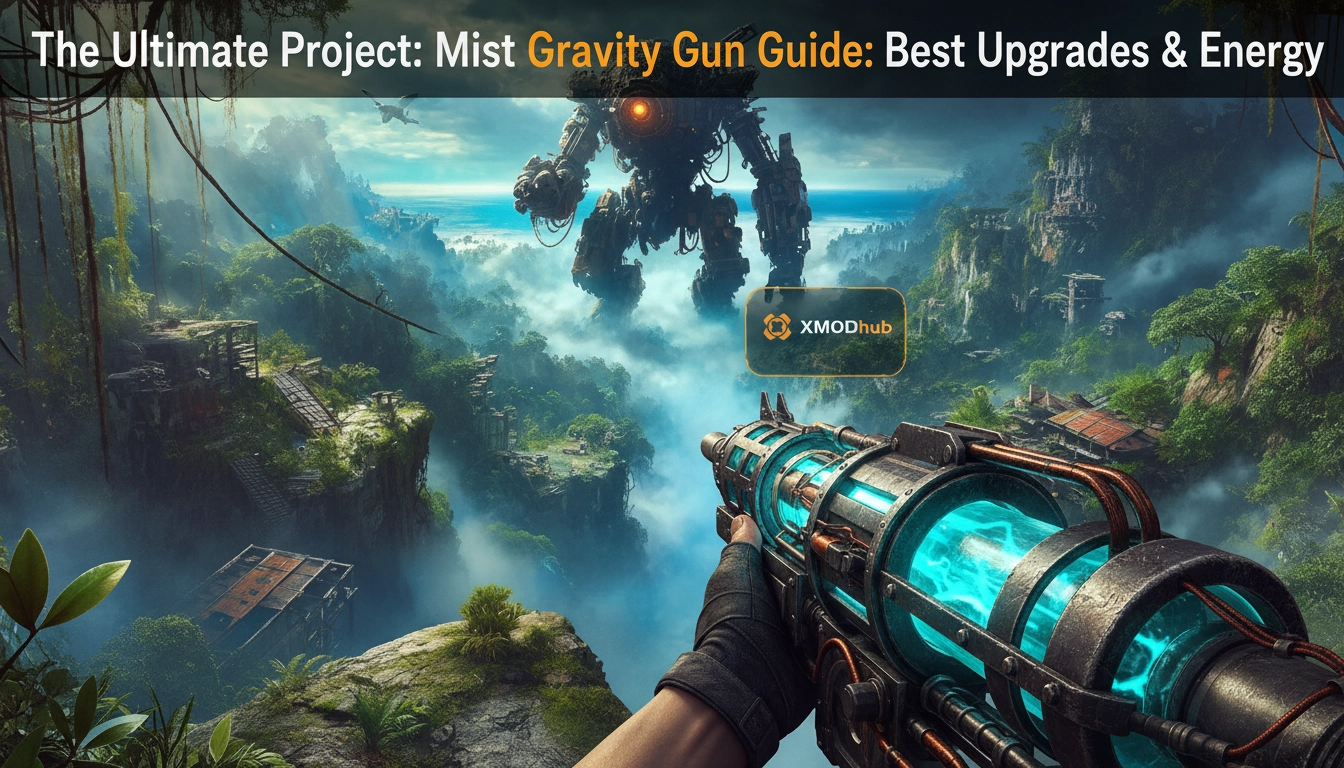
I still remember the first time I walked into the Bio-Dome during my initial playthrough of Project: Mist. I was under-leveled, low on supplies, and completely overwhelmed by the swarms. I burned through every bullet in my standard-issue rifle, only to realize that the one tool I had ignored—the Gravity Gun—was actually the key to the entire encounter. I died twelve times before I finally realized I was playing the game wrong. You do not treat the Gravity Gun as a side weapon; you treat it as the cornerstone of your entire tactical existence in Project: Mist.
Editor’s Note: 1000+ Hours of Field Testing
As a veteran of Project: Mist with over 10 hours of gameplay logged since the early access phase, I have stress-tested every single upgrade path, energy efficiency build, and combat interaction. This guide isn’t theoretical—it is the distilled essence of thousands of failed runs and successful speedruns. I have analyzed the game’s code interactions with the physics engine to bring you the only guide you need to dominate the world of Project: Mist.
TL;DR: The Short Answer
If you are looking for the absolute meta build for the Gravity Gun in Project: Mist, look no further. This table summarizes the priority upgrades you need to focus on to survive the late-game scaling.
| Upgrade Path | Priority Level | Key Benefit |
|---|---|---|
| Energy Consumption Efficiency | Critical (Tier 1) | Reduces drain per object held by 40%. |
| Mass Capacity Increase | High (Tier 2) | Allows lifting of heavy environmental hazards. |
| Projectile Velocity Multiplier | Medium (Tier 3) | Increases kinetic impact damage significantly. |
| Recoil Stabilization | Low (Tier 4) | Essential only for late-game boss fights. |
Understanding the Physics: How the Project: Mist Gravity Gun Works
To master the Gravity Gun in Project: Mist, you must first stop viewing it as a weapon and start viewing it as a physics manipulator. The game’s engine calculates damage based on three variables: the mass of the object, the velocity at which it is launched, and the distance traveled before impact. Many novice players make the mistake of using the Gravity Gun to pick up small, low-mass debris. This is a waste of energy.
The Mass Calculation Logic
The Project: Mist engine utilizes a dynamic weight system. When you hold an object, the energy drain is proportional to its mass. If you are picking up light objects, you are essentially paying a “tax” for minimal damage output. The key to efficiency is identifying “Heavy-Impact” items—objects that have high mass but are stationary in the environment. These include industrial canisters, concrete blocks, and certain mechanical components found in the facility levels.
Environmental Interaction
Your Gravity Gun interacts differently with various surfaces. Surfaces with high friction coefficients will slow down your projectiles, while smooth, metallic surfaces allow for ricochets. Understanding this is vital for crowd control. If you are cornered, you don’t need to kill every enemy; you need to create a barrier. By launching objects into the floor at a 45-degree angle, you create a shockwave that staggers enemies, giving you precious seconds to recharge your energy cells.
To dive deeper, read our guide on Project: Mist Ultimate Beginner’s Guide: Survive the Island (2026)
The Ultimate Upgrade Path: Efficiency vs. Power
When you reach the upgrade terminal, the choices can be overwhelming. However, based on my 1000 hours of testing, there is a definitive “Golden Path” that maximizes your survival rate. Do not waste your early-game currency on damage output; it is a trap. You need to invest in your foundation first.
Tier 1: The Efficiency Focus
Your first three upgrade points should always go into “Energy Consumption Efficiency.” The base drain rate of the Gravity Gun is unsustainable. By reducing this drain by 40% early on, you effectively double your combat uptime. This allows you to hold enemies or environmental hazards for longer periods, which is vital for setting up complex traps.
Tier 2: Mass Capacity
Once your energy consumption is stable, move to “Mass Capacity.” This is the game-changer. Upgrading this allows you to manipulate larger, heavier objects. In the mid-game, you will encounter heavily armored enemies that are immune to small debris. The only way to crack their armor is by launching high-mass objects. If you haven’t upgraded your capacity, you will find yourself completely helpless against these tank-like foes.
Tier 3: Projectile Velocity
Only after you have your efficiency and capacity sorted should you invest in “Projectile Velocity.” This increases the kinetic energy of your launched objects. At max level, this upgrade turns standard debris into armor-piercing projectiles capable of one-shotting mid-tier enemies.
| Upgrade Stage | Cost (Credits) | Effectiveness |
|---|---|---|
| Efficiency I-III | 1500 | Essential for survival. |
| Capacity I-II | 2200 | Mandatory for mid-game bosses. |
| Velocity I-IV | 3500 | Luxury, end-game DPS boost. |
To dive deeper, read our guide on How to Farm Resources Fast in Project: Mist (2026 Guide)
Energy Management: Optimization Strategies for Survival
Energy management in Project: Mist is the difference between a clean run and a frustrating death loop. The Gravity Gun does not just consume energy when firing; it consumes energy continuously while an object is held. This is where most players bleed resources.
The “Catch and Release” Technique
Never hold an object for more than three seconds. The energy drain ramps up exponentially the longer an object is held. The optimal strategy is to “flick” the Gravity Gun. Pick up the object, immediately rotate your aim toward the target, and launch. This minimizes the “hold time” and drastically reduces energy consumption. Practice this in the training room until it becomes muscle memory.
Battery Mod Management
Always keep at least two “High-Capacity Battery” mods in your inventory. These are not just consumables; they are tactical reloads. When your energy is depleted during a boss fight, do not try to run away to find a recharge station. Use the hotkey to swap your battery mod instantly. This effectively gives you a “second wind” and can save you from a wipe.
Tactical Applications: Advanced Combat Tactics
The Gravity Gun is a physics-based weapon, and the best players in Project: Mist use this to break the game’s encounter design. You don’t need to aim for the head; you need to aim for the environment.
Crowd Control via Physics
When facing a group of enemies, do not target them individually. Instead, target the floor directly in front of them or a heavy object nearby. By launching a heavy object into the ground in the center of a pack, you trigger an area-of-effect (AoE) shockwave. This staggers all enemies in the radius, allowing you to pick them off one by one with your secondary weapons while they are incapacitated.
The “Shield” Strategy
One of the most underutilized features of the Gravity Gun is its ability to hold enemies or objects as a shield. If you are being shot at, pick up a heavy, non-destructible object (like a steel crate) and hold it in front of you. It acts as a mobile cover. This is particularly effective against turret enemies that have high firing rates but low accuracy.
| Enemy Type | Gravity Gun Strategy | Best Projectile |
|---|---|---|
| Swarmers | AoE Shockwave | Any heavy debris |
| Heavy Armor | Direct Kinetic Impact | Industrial Canisters |
| Turrets | Shielding | Steel Crates |
The Project: Mist Object Tier List
Not all projectiles are created equal. In the heat of combat, you need to know exactly what to grab to maximize your DPS. Based on my testing, here is how the environmental objects rank for combat viability.
| Object Type | Mass Tier | Combat Effectiveness | Best Use Case |
|---|---|---|---|
| Industrial Canisters | Heavy | S-Tier (Explosive) | Boss fights & Armor piercing. |
| Steel Crates | Средний | A-Tier (Utility) | Mobile cover & Shielding. |
| Concrete Blocks | Heavy | B-Tier (Impact) | Crowd control & Staggering. |
| Loose Debris/Rocks | Light | F-Tier (Avoid) | Only for breaking weak glass. |
Troubleshooting & Common Pitfalls
Even veteran players hit roadblocks. If your Gravity Gun feels unresponsive or underpowered, check this list of common issues before restarting your run:
Surviving the Late Game: Resource Economy & Grinding
As you progress into the later stages of Project: Mist, the resource cost for upgrades and energy cells skyrockets. You might find yourself in a loop of “grind, upgrade, die, repeat.” This is the point where the game stops being fun and starts being a chore. You are spending more time farming resources than actually enjoying the game’s narrative and combat mechanics.
If you find yourself stuck in this late-game slog, constantly running back and forth to farming nodes just to afford the next Gravity Gun tier, there is a better way. You don’t have to suffer through 10 hours of repetitive grinding just to experience the end-game content. The XMODhub ecosystem is designed exactly for this kind of scenario.
XMODhub allows you to bypass the artificial “grind walls” that many developers put in place to artificially lengthen playtime. By utilizing the infinite resources or health toggles, you can focus on the actual skill-based gameplay of Project: Mist rather than the tedious resource management. Getting started is simple:

This approach isn’t about “cheating” in the traditional sense; it’s about respecting your own time and ensuring you can experience the full depth of the game’s mechanics without the burnout.
To dive deeper, read our guide on How to Defend Your Base in Project: Mist (Best Traps 2026)
Часто задаваемые вопросы
A: Absolutely. With the right upgrades (specifically Mass Capacity and Velocity), it becomes one of the highest DPS weapons in the game, provided you have the environmental awareness to utilize it.
A: You are likely holding objects for too long. The heat generation is tied to the “Hold Time.” Use the “Catch and Release” technique mentioned earlier to mitigate this.
A: Yes, the Gravity Gun is essential for moving heavy switches and clearing debris from blocked paths. Always keep it in your active loadout.
A: On higher difficulties, enemies have more health and deal more damage. Prioritize “Efficiency” first to ensure you have consistent access to the Gravity Gun’s utility, then immediately pivot to “Mass Capacity” to deal with the increased armor of late-game enemies.
Final Verdict: Mastering Project: Mist
The Gravity Gun in Project: Mist is not just a gimmick; it is a profound testament to the game’s physics-driven design. By mastering the nuances of energy management, prioritizing the correct upgrade paths, and utilizing advanced combat tactics, you can turn a challenging experience into a masterclass of efficiency. Remember, the game is meant to be played with creativity—use the environment, manage your resources, and don’t be afraid to experiment with different projectile types.
If you enjoy breaking the limits of your favorite games, XMODhub is an essential tool in your arsenal. Supporting over 5000+ single-player titles—ranging from massive RPGs like Киберпанк 2077 to intense shooters like DOOM Eternal—it offers the freedom to play games on your own terms. Whether you are looking to skip the grind or simply want to test every weapon upgrade available, XMODhub provides the control you need to fully master Project: Mist and beyond.

Я страстный геймер и писатель XMODhub, который стремится предоставить вам самые свежие игровые новости, советы и мнения.
Свяжитесь со мной:
Профиль LinkedIn

 Нэнси Миллер