
 Кэтрин Ху
You are exploring the dense, dangerous forests of Pywel, tracking a high-value bounty. Suddenly, a group of rival mercenaries ambushes you. You draw your sword, but you realize something is terribly wrong: your health bar, stamina gauge, mini-map, and crosshair have completely vanished. You are fighting blind.
Not knowing how close Kliff is to dying or when your stamina is depleted turns a standard combat encounter into a frustrating guessing game. This missing UI bug is a common launch-week issue tied to how Pearl Abyss’s complex BlackSpace Engine handles cinematic camera transitions.
Because the game does not feature a traditional developer console, you cannot simply open a text box and type a standard “ShowHUD” command to force the interface back onto your screen. If you are stuck in a hostile zone without a health bar and cannot afford to die and lose your unsaved progress, running the XMODhub PC Trainer in the background is the most reliable way to grant yourself invincibility and survive the blind encounter while you troubleshoot.
Вам также может понравиться: Crimson Desert Cheat Engine Table vs. XMODhub: Best Free Trainer
Answer First: Quick Fixes for the Crimson Desert Missing HUD
Before you panic and force-quit the game, try these three verified methods to force the BlackSpace Engine to refresh your interface:
- Toggle the Cinematic Camera / Photo Mode: The engine frequently hides the HUD during cinematic takedowns or when entering Photo Mode. Manually opening and closing Photo Mode, or entering the main map screen and exiting back to gameplay, will often force the UI to refresh and reappear.
- Check the Immersive HUD Settings: Navigate to your Settings -> Gameplay -> UI Options. Ensure you haven’t accidentally toggled “Immersive Mode” or dynamic HUD scaling, which intentionally hides your health and compass when you are out of combat.
- Clear the UserCache Folder: If your UI is permanently gone even after a restart, your configuration file is corrupted. Navigate to your Documents folder, locate the Crimson Desert UserCache directory, and delete the UI configuration files to force a clean reset.
Editor’s Note: The Stress of Fighting Blind
“There is a unique kind of panic that sets in when you are fighting a massive Desert Worm boss and your entire HUD disappears. You have no idea if your healing potions are actually working, or if your next dodge will fail because your invisible stamina bar is empty.”
“Because Crimson Desert is built on the locked BlackSpace Engine, you cannot pause the action to type a UI reset command. We know that losing a 30-minute boss fight to a visual glitch is unacceptable. That is exactly why our team integrated God Mode and Infinite Stamina into the XMODhub PC Trainer. You should be able to rely on your tools to survive the fight, even if the game’s interface abandons you.”
The BlackSpace Engine: Why the UI Disappears
When searching for a UI fix, many PC gamers look up Unreal Engine 5 solutions. However, Crimson Desert runs on Pearl Abyss’s proprietary BlackSpace Engine.
To make combat feel as cinematic as possible, the engine is programmed to dynamically hide your HUD during brutal grappling animations, special executions, or when entering dialogue with NPCs. The missing HUD bug occurs when the script that says “Hide UI” executes perfectly, but the follow-up script that says “Show UI” fails to trigger when gameplay resumes. Because native developer commands are structurally blocked, you cannot manually override this script failure using standard text inputs.
Surviving the Glitch: The XMODhub Fail-Safe
If your HUD vanishes while you are deep inside an elite dungeon, you cannot simply fast travel away or open a menu to fix it without getting killed by surrounding enemies. Because native troubleshooting commands are disabled, the XMODhub PC Trainer is your best defense against losing your hard-earned progression.
God Mode (Invincibility)
You do not need to see your health bar if you cannot take damage. If your UI glitches out during a massive fortress assault, simply toggle on God Mode. You can finish the entire fight completely blind to your stats, safely secure your loot, and then restart the game to fix the UI without losing any progress.
Бесконечная выносливость
Combat in Crimson Desert heavily relies on stamina management. If your stamina gauge disappears, you will inevitably overextend and leave Kliff vulnerable to a fatal counterattack. Toggling Infinite Stamina ensures you can endlessly dodge and attack, bypassing the need to visually monitor your fatigue.
Step-by-Step: Equipping Your Progression Tools
Securing your playthrough against visual bugs takes less than a minute. Here is how to use the trainer safely in single-player:

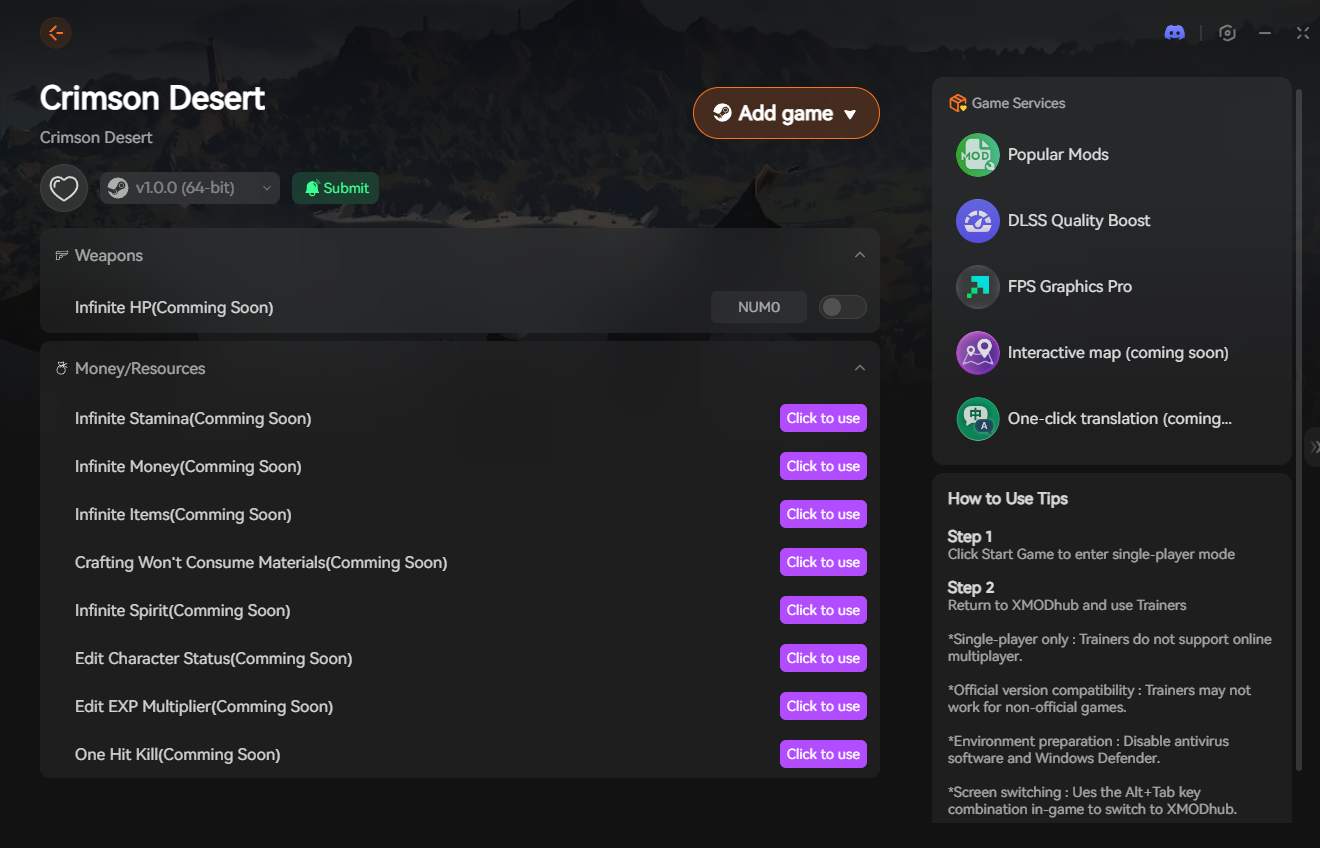
- Download the Client: Grab the verified, digitally signed XMODhub desktop software from our official website. It operates silently in the background without causing rendering lag.
- Launch & Hook: Boot up Crimson Desert first. Once you are loaded into your save file, open the XMODhub client and click “Play” on the game’s module.
- Inject the Overlay: Press your designated hotkey to bring up the XMODhub in-game menu. It hooks seamlessly into the BlackSpace Engine’s memory values.
- Survive and Save: Toggle your defensive mods to survive the blind encounter, find a safe spot, trigger an auto-save, and then safely restart your game to recover your interface.
PC Save File Location for UI Resets
If toggling the menus does not bring your HUD back, you will need to delete your local UI cache. Always back up your main save files before clearing cache folders.
- •User Config & UI Settings (Delete to Reset HUD):
%USERPROFILE%\Documents\Crimson Desert\UserCache\ - •Local Game Saves (Do Not Delete):
%USERPROFILE%\Documents\Crimson Desert\SaveGames\
Frequently Asked Questions (FAQ)
Q: Can I customize which HUD elements are visible in Crimson Desert?
A: Yes. The game features a highly customizable UI menu. You can selectively hide the mini-map, floating damage numbers, quest trackers, or stamina bars to create a more immersive experience. If elements are missing, check to ensure you didn’t accidentally toggle them off here first.
Q: Why did my crosshair disappear specifically?
A: The crosshair typically only appears when you have a ranged weapon (like a bow) equipped or when you are actively manually aiming a throwable item. If you have your sword drawn, the BlackSpace Engine naturally hides the crosshair to clear up screen space.
Q: Will changing my resolution fix the missing UI?
A: Sometimes. Swapping from Fullscreen to Windowed mode, or briefly lowering your resolution, forces the graphics renderer to completely redraw the screen layout. This can occasionally shock a stuck HUD back into existence.
Conclusion: Restore Your Vision
A missing HUD completely strips away your ability to make tactical decisions in a game that punishes careless mistakes. While entering the map or clearing your configuration cache can fix the visual glitch, dealing with this bug mid-combat is a nightmare scenario.
You shouldn’t be penalized with a game-over screen just because the BlackSpace Engine forgot to render your health bar. By equipping the XMODhub PC Trainer, you can bypass the locked engine mechanics, guarantee your survival during a blind fight, and get back to enjoying the beautifully brutal world of Pywel on your own terms.

Я страстный геймер и писатель XMODhub, который стремится предоставить вам самые свежие игровые новости, советы и мнения.
Свяжитесь со мной:
Профиль LinkedIn
 Нэнси Миллер