Кэтрин Ху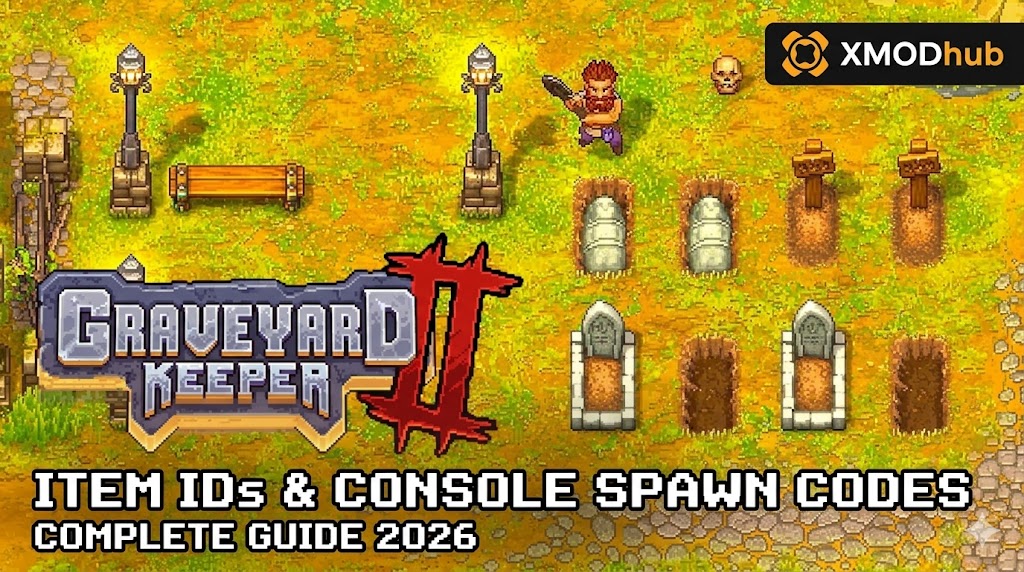
Want to test out the endgame Damascus Sword early? Are you tired of grinding for Blue Tech Points, or perhaps you accidentally destroyed a critical quest item like the Aristocrat Papers and now your playthrough is soft-locked?
Using developer console commands to spawn items is a beloved staple of PC gaming freedom. Below is the most comprehensive, categorized, and up-to-date list of Item IDs, spawn codes, and tech point IDs for Graveyard Keeper, verified for the latest Unity engine patch.
Quick Reference: Top 10 Most Wanted Graveyard Keeper IDs
If you don’t want to scroll through thousands of rows of data strings, here are the exact internal IDs for the most essential and frequently searched items in the game (including Faith, Blue Tech Points, and crafting materials).
| Название предмета | Item ID String | Категория |
|---|---|---|
| Blue Tech Points | b_points | Прогрессия |
| Red Tech Points | r_points | Прогрессия |
| Green Tech Points | g_points | Прогрессия |
| Money (Coins) | money | Currency |
| Faith | faith | Quest / Church |
| Complex Iron Parts | complex_iron_parts | Crafting |
| Gold-Star Wine | wine_3 | Consumable / Quest |
| Wooden Plank | wood_plank | Crafting |
| Piece of Stone | stone | Crafting |
| Zombie Juice | zombie_juice | Alchemy / DLC |
How to Enable the Console & Use Spawn Commands
Before you can use the ID codes listed below, you must understand a critical truth about Graveyard Keeper: the vanilla game does not have a native developer console. Because the game runs on the Unity engine, Lazy Bear Games compiled out the debug menu before release.
To use text-based spawn commands, you must first install a third-party framework like QModManager or BepInEx, alongside a “Chat Commands” mod. Once installed, follow these steps:
- Open the Console: While in-game, press the
Tilde key (~)or Enter to open the modded chat box. - The Command Syntax: The standard format requires the command action, the ID string, and the quantity.
- Format:
/give [Item ID] [Quantity] - Пример: To spawn 500 Blue Tech Points, you would type
/give b_points 500and press Enter.
The Easy Way: XMODhub Visual Spawner (No Typing Required)
Stop Alt-Tabbing to check massive spreadsheets. Typing long, exact ID strings breaks your immersion and wastes your limited real-world time.
The XMODhub PC Client includes a dedicated “Visual Item Spawner” feature specifically built for Graveyard Keeper.
- ✓ Icon-Based UI: See exactly what the sword, potion, or crafting material looks like before you spawn it.
- ✓ Instant Search: Just type “Blue Points” or “Faith” in the overlay search bar and click the exact resource you need.
- ✓ Batch Spawning: Get 999x of every single crafting material with one button press so you never have to chop wood again.
- ✓ Auto-Updated Lists: When the developers add new DLCs (like Game of Crone or Stranger Sins), XMODhub updates its database automatically via the cloud. You never have to hunt for new ID codes again.
Weapon IDs List (Melee & Ranged)
Use these internal codes to instantly equip yourself with the best tools and weapons for the dungeon.
(Command Format: /give [Weapon ID] 1)
| Weapon/Tool Name | Item ID |
|---|---|
| Rusty Sword | sword_1 |
| Iron Sword | sword_2 |
| Damascus Sword | sword_3 |
| Rusty Axe | axe_1 |
| Iron Axe | axe_2 |
| Steel Axe | axe_3 |
| Rusty Pickaxe | pickaxe_1 |
| Iron Pickaxe | pickaxe_2 |
| Steel Pickaxe | pickaxe_3 |
Armor & Clothing IDs List
Graveyard Keeper has a limited armor system compared to traditional RPGs, mostly focusing on dungeon combat upgrades. Use these codes to survive deeper dungeon floors.
(Command Format: /give [Armor ID] 1)
| Armor Name | Item ID |
|---|---|
| Rusty Armor | armor_1 |
| Iron Armor | armor_2 |
| Steel Armor | armor_3 |
| Speed Potion (Buff) | speed_potion |
| Protection Potion (Buff) | protection_potion |
Ammo & Consumables IDs List
Never run out of energy or health during a dungeon run or a massive farming session. We recommend spawning these in batches.
(Command Format: /give [Item ID] 50)
| Consumable Name | Item ID |
|---|---|
| Health Potion | health_potion |
| Energy Potion | energy_potion |
| Baked Apple | baked_apple |
| Carrot | carrot |
| Gold-Star Beer | beer_3 |
| Gold-Star Burger | burger_3 |
| Cake | cake |
| Grape Pie | grape_pie |
Skills, Perks & Traits IDs
Instead of spawning physical books to study, you can use console commands (if your specific mod supports it) to directly grant yourself Tech Points, which act as the gateway to all perks and skills in the game.
(Command Format: /give [Point ID] 1000)
| Skill/Tech Point Type | Item ID |
|---|---|
| Red Tech Points (Manual Labor) | r_points |
| Green Tech Points (Nature/Farming) | g_points |
| Blue Tech Points (Spiritual/Science) | b_points |
| Science Points (Paper) | science |
Troubleshooting: Why Are My Commands Failing?
If you are typing the IDs correctly but the game is throwing errors, check these common issues:
“Command not found”
Because the vanilla game has no console, your third-party Chat Command mod is likely outdated. Unity game updates frequently break .dll mods. You might need to update your BepInEx script hook or use an external injector like XMODhub to bypass the issue entirely.
Item ID invalid / Nothing Spawns
Check your underscores. Graveyard Keeper’s internal IDs rely heavily on underscores (e.g., complex_iron_parts, not complex iron parts). Also, ensure you are not trying to spawn DLC items (like Zombie Juice) if you do not own the Breaking Dead DLC.
Game Freezes After Spawning
Spawning too many items at once (e.g., /give wood 99999) can cause the physics engine to lag out as it tries to drop them on the ground if your inventory is full. Always clear inventory space first.
Frequently Asked Questions (FAQ)
Q: Are these Item IDs case-sensitive in Graveyard Keeper?
A: Yes. Because they are internal data strings within the Unity engine, they must be typed exactly as shown, usually in all lowercase. Typing Faith instead of faith will result in an error.
Q: Can I spawn items while playing in Multiplayer or Co-Op?
A: Graveyard Keeper is officially a single-player game. If you are using an unstable community multiplayer mod, do not attempt to use spawn commands. Forcing items into existence will cause severe server desyncs and crash the session for the guest player.
Q: How do I find the Item IDs for custom modded objects?
A: Finding dynamic load-order IDs manually in Unity logs is extremely difficult. We highly recommend using the XMODhub Item Browser, which automatically scans your active BepInEx mods, detects the custom items, and lets you spawn them with a single click without knowing the exact string ID.
Conclusion: The Ultimate Sandbox Experience
Having access to the complete Graveyard Keeper Item IDs list is the fastest way to skip the grueling grind, test new graveyard layouts, or simply recover from a frustrating game bug that lost your items. Bookmark this page so you can quickly reference the codes whenever you need a quick resupply of Blue Tech Points.
However, if you want a significantly smoother, crash-free experience where you don’t need to install finicky chat mods or memorize strings of code like complex_iron_parts, the XMODhub Visual Spawner is the superior modern choice. Browse items visually. Spawn them instantly. Keep your Steam achievements active.
XMODhub is your ultimate all-in-one toolkit for PC single-player gaming. Whether you need powerful Trainers, real-time Translation Tools, or Interactive Maps, our engine supports over 5,000+ games—including Graveyard Keeper and similar survival-crafting hits like Stardew Valley и Travellers Rest.

Я страстный геймер и писатель XMODhub, который стремится предоставить вам самые свежие игровые новости, советы и мнения.
Свяжитесь со мной:
Профиль LinkedIn
 Нэнси Миллер