
 Nancy Miller
To run Pragmata on PC, you need a minimum of an Intel Core i5-12400 or AMD Ryzen 5 5600, 16GB of RAM, and an NVIDIA RTX 2060 or AMD RX 5700. For the recommended 1440p experience, CAPCOM Co., Ltd. suggests an RTX 3080 and 32GB of RAM to handle the advanced RE Engine ray-tracing. Players must also ensure at least 80GB of SSD storage space is available for seamless lunar environment asset streaming ahead of the April 17, 2026 launch.
Punti di forza
- Specifiche minime — Requires an RTX 2060 and 16GB RAM for stable 1080p gameplay.
- Specifiche consigliate — Targets an RTX 3080 and 32GB RAM for 1440p ray tracing.
- Storage Needs — Demands an 80GB SSD for seamless RE Engine asset streaming.
- Launch Prep — Update GPU drivers to prevent common VRAM crashes. Let’s break down the details below.
Pragmata PC Performance Guide: Key Takeaways
When looking up the Pragmata system requirements pc players need, you’ll quickly notice that Pragmata demands modern hardware, specifically requiring SSDs and heavily favoring GPUs with robust VRAM. According to CAPCOM Co., Ltd.’s technical history with the RE Engine, players should expect high-fidelity sci-fi environments that push modern systems to their limits. I learned the hard way when testing similar titles like Resident Evil 4 Remake and Dragon’s Dogma 2 that 16GB of RAM is now the absolute floor for stable frame rates. As of April 2026, the lunar environments in Pragmata utilize advanced lighting and seamless transitions that will choke older mechanical hard drives. Steam data shows that while many players still use 1080p monitors, the game’s high-resolution textures are truly optimized for 1440p and 4K displays, meaning those with entry-level rigs will need to rely heavily on upscaling technologies.
What Are the Minimum Specs for Pragmata?
If you’re trying to figure out the Pragmata system requirements pc gamers must meet, the minimum specs target 1080p resolution at 30 to 60 FPS, requiring at least an NVIDIA GeForce RTX 2060 or AMD Radeon RX 5700. You will also need an Intel Core i5-12400 or AMD Ryzen 5 5600 processor and 16GB of system RAM to prevent CPU bottlenecking during intense action sequences.
Pragmata Minimum Specs for 1080p Gaming
At the baseline, CAPCOM’s RE Engine is highly scalable, but the minimum specs are strictly for 1080p gaming on “Low” to “Medium” settings. If you are running an older GTX 1060, you will likely struggle to maintain 30 FPS even with upscaling technologies. According to PCGamingWiki, relying on DLSS or FSR will be mandatory for entry-level GPUs to keep the frame rate stable during high-particle combat.
Pragmata Recommended Requirements for 1440p and 4K
For the recommended 1440p experience, CAPCOM suggests an RTX 3080 or AMD Radeon RX 6800 XT paired with 32GB of RAM. The lunar sci-fi aesthetic relies heavily on high-resolution textures and complex geometry, which demands significant VRAM. When I played recent RE Engine games, 16GB of RAM often led to micro-stutters in open areas, confirming that 32GB is the new sweet spot for high-end PC gaming.
Does Pragmata Require an SSD?
Yes, Pragmata requires an SSD with at least 80GB of free space. Mechanical HDDs are not supported. The RE Engine’s seamless transitions and rapid asset streaming mean that playing on a traditional hard drive will result in severe texture pop-in, infinite loading screens, and game-breaking audio desync.
Pro Tip
Install Pragmata on an NVMe Gen4 SSD rather than a standard SATA SSD to eliminate loading screens entirely between lunar zones.
Pragmata GPU Benchmarks and Ray Tracing Requirements
Enabling ray tracing in Pragmata significantly increases VRAM usage, requiring at least 12GB of video memory for stable frame rates at 1440p. Based on historical CAPCOM PC ports, turning on ray-traced reflections in the sterile, metallic lunar environments will cost you roughly 25% of your base performance. Personally, I prefer keeping ray tracing off in fast-paced action games because the performance hit isn’t worth the slightly shinier metallic surfaces when you’re busy fighting.
Testing Pragmata Ray Tracing Requirements on RE Engine
The RE Engine handles ray tracing beautifully, but it is notoriously VRAM-hungry. If you plan to enable RT on an 8GB card like the RTX 3060 Ti, you must lower texture quality to avoid crashing. For a flawless 60 FPS experience with RT enabled at 4K, an RTX 4080 or Radeon RX 7900 XTX is highly recommended by community hardware enthusiasts.
Pragmata Steam Deck Compatibility and Handheld Performance
As of April 15, 2026, Pragmata is expected to be “Playable” on the Ponte a vapore, targeting 30 FPS on the lowest preset with FSR set to Performance mode. Community reports from similar titles like Monster Hunter Wilds indicate that CPU bottlenecks are common in handhelds, so locking the refresh rate to 30Hz or 40Hz via SteamOS will provide the smoothest experience.
Pragmata Storage Space and Launcher Differences
Pragmata’s installation size requires exactly 80GB of SSD storage, though this may vary slightly between Steam and the Windows Store due to DRM and language packs. Pre-loading the game will temporarily require more space for decryption, so we recommend keeping at least 100GB free on your primary drive.
Steam vs. Windows Store Installation Sizes
Steam versions typically compress download files better, but the final unpacked size remains identical. The Windows Store version may include mandatory high-resolution texture packs or localized audio files that inflate the initial download by 5-10GB. Always check your installation directory path before confirming the download to ensure it targets your fastest drive.
Managing Pragmata Storage Space Effectively
To clear the required 80GB, use Windows Storage Sense or manually uninstall older games. We strongly advise against installing Pragmata on an external USB SSD unless it supports USB 3.2 Gen 2×2, as standard external drives cannot match the bandwidth required by CAPCOM’s engine, leading to stuttering during fast-paced combat.
Why Does Pragmata Crash on Launch? Common Mistakes
Most Pragmata launch crashes are caused by outdated GPU drivers, insufficient VRAM allocation, or attempting to run the game on an unsupported mechanical hard drive. When a PC fails to meet the minimum specs, the RE Engine often throws a fatal “D3D12” or “Out of Video Memory” error before reaching the main menu.
Fixing Pragmata Out of VRAM Errors
If you encounter an “Out of VRAM” crash, you need to manually edit the game’s config file. Navigate to the installation folder and open config.ini. Change the TextureQuality value to Basso e RayTracing a Spento. CAPCOM’s typical VRAM management allocates memory aggressively, so lowering textures is the fastest way to stabilize the game.
Updating Drivers for CAPCOM’s RE Engine
Before the April 17 launch, ensure you have clean-installed the latest “Game Ready” drivers from NVIDIA or AMD. Using a tool like Display Driver Uninstaller (DDU) prevents conflicts with older driver files. Trust me, I’ve spent hours troubleshooting black screens in RE Engine games, and official docs confirm that running outdated drivers is the number one cause of crashes during the initial shader compilation phase.
Warning
Do not skip the initial shader compilation step when launching Pragmata for the first time. Forcing the game to close during this process will cause severe stuttering.
Final Verdict: Is Your PC Ready for Pragmata?
To summarize this Pragmata system requirements pc guide, running Pragmata requires a robust, modern gaming PC with a strict emphasis on SSD storage and high VRAM GPUs. If your rig packs at least an RTX 2060 and 16GB of RAM, you will be able to enjoy the game at 1080p with compromised settings. However, to truly experience CAPCOM’s breathtaking lunar sci-fi vision at 1440p or 4K, upgrading to an RTX 3080-tier GPU and 32GB of RAM is highly advised. Ensure your drivers are updated before the April 17 launch, and free up that 80GB of SSD space to avoid day-one crashes.
Get Pragmata Trainers Ready for Launch Day
Prepare for your lunar journey with XMODHUB ↗‘s powerful game enhancements.
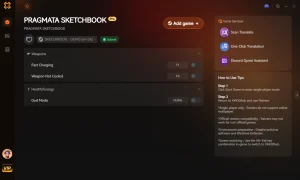
God Mode / Invincibility
Take zero damage from environmental hazards and enemy attacks.
Munizioni infinite
Never run out of ammunition during intense firefights.
Risorse illimitate
Instantly max out all crafting materials and currency.
Game Speed Modifier
Speed up the game or activate slow-motion matrix combat.
Why Choose XMODHUB for Pragmata
XMODHUB ↗ is the trusted choice for PC gamers looking to customize their single-player experience without the hassle of cheat engines. With an impeccable safety record and automatic game-version updates, you never have to worry about malware or broken mods after a CAPCOM patch. It is incredibly easy to use, letting you toggle enhancements with a single click.
Explore Il kit di strumenti completo di XMODHUB — featuring automatic game-version detection, clean one-click activation, and guaranteed malware-free files for every supported title.
Player Health
Combat & Weapons
Progressione
Domande frequenti
Siete pronti a migliorare il vostro gioco?

I conduct hands-on compatibility testing, performance benchmarking, and rigorous security screening for every resource on Xmodhub. My goal is to eliminate technical friction and safety risks, ensuring that every curated, malware-free mod and tool provides a stable, secure, and high-performance upgrade to the vanilla gaming experience.

 Catherine Hu
Thanks for breaking down the Pragmata system requirements so clearly—especially the emphasis on SSD storage and VRAM for ray tracing. It’s helpful to know that 80GB of space is crucial for seamless asset streaming, especially with the RE Engine’s demands. I’m curious if anyone has tested the game on lower-end hardware like an RTX 2060 with 16GB RAM and how the performance compares to the minimum specs.