
 Catherine Hu
⚡ Quick Answer: How do you start making a custom map?
To build a custom campaign in the Heroes of Might and Magic: Olden Era map editor, follow these core steps:
- ▸Generate the Base Terrain: Select your map size and use the random generator to lay down the initial grass, dirt, and water tiles.
- ▸Place Starting Towns: Drop faction-specific towns onto the grid and assign them to Player 1, Player 2, or the AI.
- ▸Configure the Flow: Carve pathways through mountains and place essential resource nodes (Sawmills and Ore Pits) near the starting zones.
- ▸Set Scenario Properties: Define your victory conditions (e.g., “Defeat all enemies” or “Capture a specific town”) and hero level caps.
You have finished the main story. You have conquered the Impossible difficulty AI. Now, you want to craft your very own fantasy continent.
Building a custom scenario in Heroes of Might and Magic: Olden Era is the ultimate endgame experience. You can design intricate map puzzles, orchestrate massive siege battles, and script custom narrative events for the community to play.
However, opening the map creation tool for the first time is incredibly intimidating. The sandbox is massive, but staring at a blank hex grid with hundreds of drop-down menus can paralyze even the most creative players.
If you are still trying to grasp the fundamental mechanics of the game’s economy and unit scaling before attempting to balance a map, you must review our HoMM Olden Era Ultimate Beginner’s Guide: 15 Tips You Must Know.
If you are ready to build, we have you covered. We will break down how to set up logic triggers, balance your hero starting stats, and drastically speed up your map testing phase without crashing your game.
Step 1: Terrain Generation and Strategic Flow
The biggest mistake novice map makers make is using a completely flat, open landscape. A great map in Heroes of Might and Magic: Olden Era requires strategic geographical chokepoints.
- ✦Generate the Base: Start with a medium-sized map template. Use the random terrain generation tool to lay down a mix of terrain to act as your canvas.
- ✦Carve the Pathways: Manually carve narrow pathways through impassable mountain ranges or dense forests. This creates designated expansion routes and forces players into tactical engagements.
- ✦Zone the Resources: Ensure that each player’s starting zone has safe access to a Sawmill and an Ore Pit within a one-day walking distance. Starving the player of basic resources on Turn 1 ruins the pacing.
Step 2: Configuring Custom Hero Stats
If you want to create a compelling, narrative-driven campaign, you cannot rely on randomized Tavern heroes. You must heavily customize your protagonist.
Open the “Hero Properties” tab by right-clicking your placed starting hero on the hex grid.
- ▸Set the Starting Army: Give them a thematic army. If the hero is a Necromancer, lock their starting units entirely to Skeletons and Ghosts to fit the lore.
- ▸Pre-assign Skills: Give them specific starting skills that fit your map’s narrative. For example, grant them advanced Logistics if you designed a massive, sprawling desert map.
- ▸Lock Key Artifacts: Place story-critical artifacts directly into their starting backpack. This prevents random loot generation algorithms from ruining your scenario’s balance.
Step 3: Scripting Events and Map Triggers
Triggers are the beating heart of custom campaigns in Heroes of Might and Magic: Olden Era. They are what makes the static world feel alive and reactive.
- ✦Time-Based Events: You can set a trigger to spawn a massive stack of enemy Dragons precisely on Day 14 of Month 2. This forces the player to build up their castle defenses quickly.
- ✦Location-Based Ambushes: Place an invisible trigger box in a narrow mountain pass. When the player’s hero steps on it, spawn a sudden ambush of neutral bandits and display a custom text dialogue box.
- ✦Quest Huts: Configure Seer Huts to demand specific rare artifacts. When the player delivers the artifact, use the trigger system to instantly unlock a blocked mountain pass elsewhere on the map, opening a new zone.
The Nightmare of Map Testing (And Fake Console Commands)
Building the map is a highly creative process, but testing it is a grueling, mind-numbing chore.
To ensure your custom ambush triggers actually work, you have to load the map in the game client, play through the first two weeks organically, gather a massive army, and physically walk your hero to the trigger location.
If the trigger fails, you have to close the game, open the editor, fix the script, and play the entire two weeks all over again.
Many frustrated map creators search online for developer console commands. They look for a native text box where they can type “skip_turn 14” or “reveal_map” to test their scripts at warp speed.
We must be completely candid: this is a dangerous trap.
Heroes of Might and Magic: Olden Era does not feature an accessible native developer console. The backend testing tools are permanently locked in the retail version to prevent online multiplayer cheating.
Attempting to force open the developer backend using unstable third-party script injectors will severely backfire. It will instantly desynchronize the turn-based logic engine, crashing the game directly to your desktop and potentially corrupting your newly created map file forever.
Speed-Test Your Campaigns Instantly with XMODhub
You bought Heroes of Might and Magic: Olden Era to unleash your creativity, design epic sieges, and share brilliant tactical puzzles with the gaming community.
You did not buy it to spend your entire weekend painstakingly playing through your own unfinished map fifty times just to see if a single trigger box functions properly. When the tedious map testing phase drains your creative energy, you need a professional, secure testing environment.
You need XMODhub.
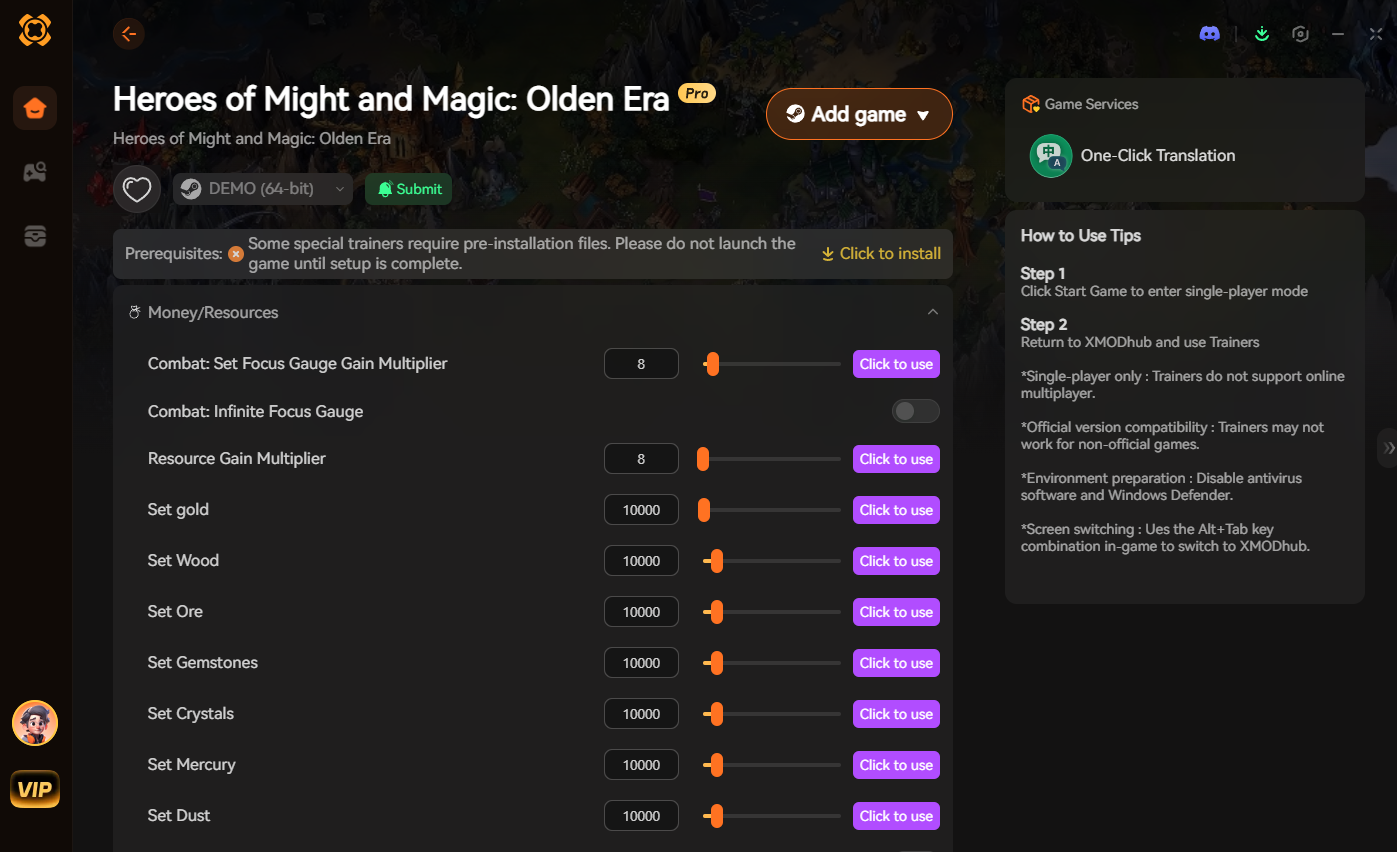
XMODhub is the premier memory-based trainer designed exclusively for PC gamers who want to bypass frustrating limitations safely. It operates silently in the background, ensuring a 100% crash-free experience while preserving your hard-earned map files.
With XMODhub, map testing becomes completely effortless:
- ✓Infinite Hero Movement: Walk across your entire massive map on Turn 1 to instantly verify that all your triggers, ambushes, and quest huts are functioning correctly.
- ✓Remove Fog of War: Instantly reveal the entire map in the game client to ensure the enemy AI is pathfinding correctly and expanding exactly as you intended.
- ✓God Mode for Auto-Resolve: Do not waste your precious time fighting neutral guards just to test a late-game area. Let the trainer guarantee a zero-casualty victory instantly.
How to Get Started with XMODhub
Taking ultimate control of your map testing phase requires absolutely zero technical programming skills:
- Download XMODhub: Navigate to the official website and download the secure, lightweight desktop client. It is cleanly coded and totally free from malicious background software.

- Auto-Detect Game Path: Launch the application. XMODhub will automatically detect your Heroes of Might and Magic: Olden Era installation directory. Click the “Play” button within the app.
- Toggle Trainers and Cheats: Load up your custom map scenario in the game client. Open the clean XMODhub overlay and activate Infinite Movement or Map Reveal to test your scenario at lightning speed!
Frequently Asked Questions (FAQ)
Q: Can I import custom 3D models into the Heroes of Might and Magic: Olden Era map editor?
A: No. The official map editor only supports placing pre-existing assets, terrains, and units that are already included in the base game. You cannot natively import external 3D models or custom textures without risking severe engine instability and multiplayer desynchronization.
Q: How do I test late-game events without playing the map for hours?
A: Because the native developer console is permanently locked, you cannot use text commands to skip weeks or spawn endgame armies for testing. The absolute fastest and safest way to test late-game triggers is by using a memory trainer like XMODhub to grant your hero infinite movement points, map vision, and infinite gold on Turn 1.
Q: Is it possible to link multiple custom maps together to form a full campaign?
A: Yes! The map editor in Heroes of Might and Magic: Olden Era features a dedicated Campaign Linker tool. This allows you to seamlessly connect multiple individual scenarios together. You can configure it so that your main hero’s level, passive skills, and specific artifacts carry over directly from the end of Map 1 to the beginning of Map 2.
Conclusion: Unleash Your Creativity
Designing your own scenarios in Heroes of Might and Magic: Olden Era is an incredibly rewarding experience that adds hundreds of hours of replayability to the game.
By mastering terrain flow, customizing your heroes, and learning how to script engaging ambush triggers, you can create custom campaigns that rival the official storyline.
However, your creative time is precious. If you are exhausted by the grueling requirement to manually playtest your map for hours just to check a single script, you have the absolute right to speed up the process safely.
XMODhub is the definitive PC gaming toolkit, offering secure, crash-free support for over 5,000+ single-player and co-op games. Whether you are speed-testing maps in Heroes of Might and Magic: Olden Era, building custom realms in Age of Wonders 4, or exploring tactically in Songs of Conquest, XMODhub puts ultimate control back in your hands.
Stop grinding through tedious playtests and start building your masterpiece.

Sono un giocatore appassionato e uno scrittore di XMODhub, che si dedica a fornire le ultime notizie, consigli e approfondimenti sui giochi.
Collegatevi con me:
Profilo LinkedIn