
 Catherine Hu
You have poured over sixty hours into mastering Kliff’s combat style, building up your mercenary camp, and exploring the farthest reaches of Pywel. You boot up the game eager to continue the main storyline, only to be greeted by the most terrifying message in PC gaming: “Save Data is Corrupted or Unreadable.” Experiencing a Crimson Desert corrupted save doesn’t just ruin your night; it threatens to wipe out weeks of hard-earned progress in an instant.
Launch-week crashes, sudden power outages, or conflicting cloud syncs are usually the culprits behind these fatal file errors. Because Pearl Abyss built this massive open-world RPG on their proprietary BlackSpace Engine, traditional PC troubleshooting methods like using a developer console to type SetLevel 50 or skip quest flags are completely impossible. The engine structurally blocks all native text commands.
If your local backup files are permanently ruined and you are forced to start a brand-new game, running the XMODhub PC Trainer in the background is the only reliable way to instantly inject lost XP, spawn your missing legendary gear, and recover your lost progress without suffering through an agonizing 60-hour grind all over again.
Ti potrebbe interessare anche: Crimson Desert Cheat Engine Table vs. XMODhub: Best Free Trainer
Answer First: Quick Fixes for a Crimson Desert Corrupted Save
Before you delete your character and start over, immediately try these three verified methods to rescue your broken save file:
- Restore a Local .bak File: The BlackSpace Engine automatically creates backup files just in case of a crash. Navigate to your
SaveGamesfolder, find the file labeled with your character’s name ending in.bak, delete the corrupted.savfile, and rename the.bakextension to.sav. - Force a Steam Cloud Sync Override: If your local file is corrupted, Steam might try to upload the broken file to the cloud. Immediately close the game, right-click Crimson Desert in Steam -> Properties -> General, and toggle Steam Cloud off and on to force Steam to download the last healthy cloud backup to your PC.
- Delete the UserCache Folder: Sometimes, it is not your actual character data that is corrupted, but the UI configuration file trying to read it. Deleting the
UserCachefolder in your Documents directory forces the engine to build a clean UI profile, which can sometimes successfully read a “broken” save file.
Editor’s Note: The Heartbreak of Lost Time
“There is a unique kind of devastation that hits you when an 80-hour playthrough evaporates because your PC crashed during an auto-save. Because Crimson Desert relies entirely on the locked BlackSpace Engine, there are no native cheat codes to give yourself your levels or items back. You are expected to just start from zero.”
“We know that working gamers simply do not have the time to replay dozens of hours of content they already beat. That is exactly why our team integrated the Visual Item Spawner, Quest XP Multipliers, and Instant Leveling into the XMODhub PC Trainer. You should be able to rebuild your lost character in five minutes, not five weeks.”
The BlackSpace Engine: Why Save Files Break
When searching for a fix, many PC gamers look for Unreal Engine 5 save editors or hex-editing guides. However, Crimson Desert runs exclusively on Pearl Abyss’s proprietary BlackSpace Engine.
To maintain a seamless open world without loading screens, the engine is constantly reading and writing massive amounts of hex data to your storage drive in the background. If a memory leak causes the game to crash to the desktop, or if your SSD stutters exactly at the millisecond the engine is writing an auto-save, the resulting file becomes fragmented. The engine’s security protocols will refuse to load a fragmented file to prevent further game instability, resulting in the “Corrupted” error message. Because native developer tools are disabled, you cannot force the engine to load it anyway.
Rebuilding Your Character: The XMODhub Fail-Safe
Se il vostro .bak files are also corrupted and your Steam Cloud synced the broken file, your original playthrough is unfortunately gone. However, because native console commands are disabled, the XMODhub PC Trainer is your ultimate fail-safe to bypass the devastating loss of your time.
XP Multipliers & Instant Leveling
Do not spend another 40 hours farming low-level bandits. Start a new game, toggle the XMODhub XP Multiplier to 100x, and instantly regain Kliff’s max level status within your first few combat encounters.
The Visual Item Spawner
Losing a fully upgraded mercenary camp and a vault full of legendary Black Stones is painful. Open the XMODhub UI overlay and safely inject the exact crafting materials, weapons, and armor you lost directly into your new inventory. Rebuild your base and your loadout in minutes.
Step-by-Step: Equipping Your Progression Tools
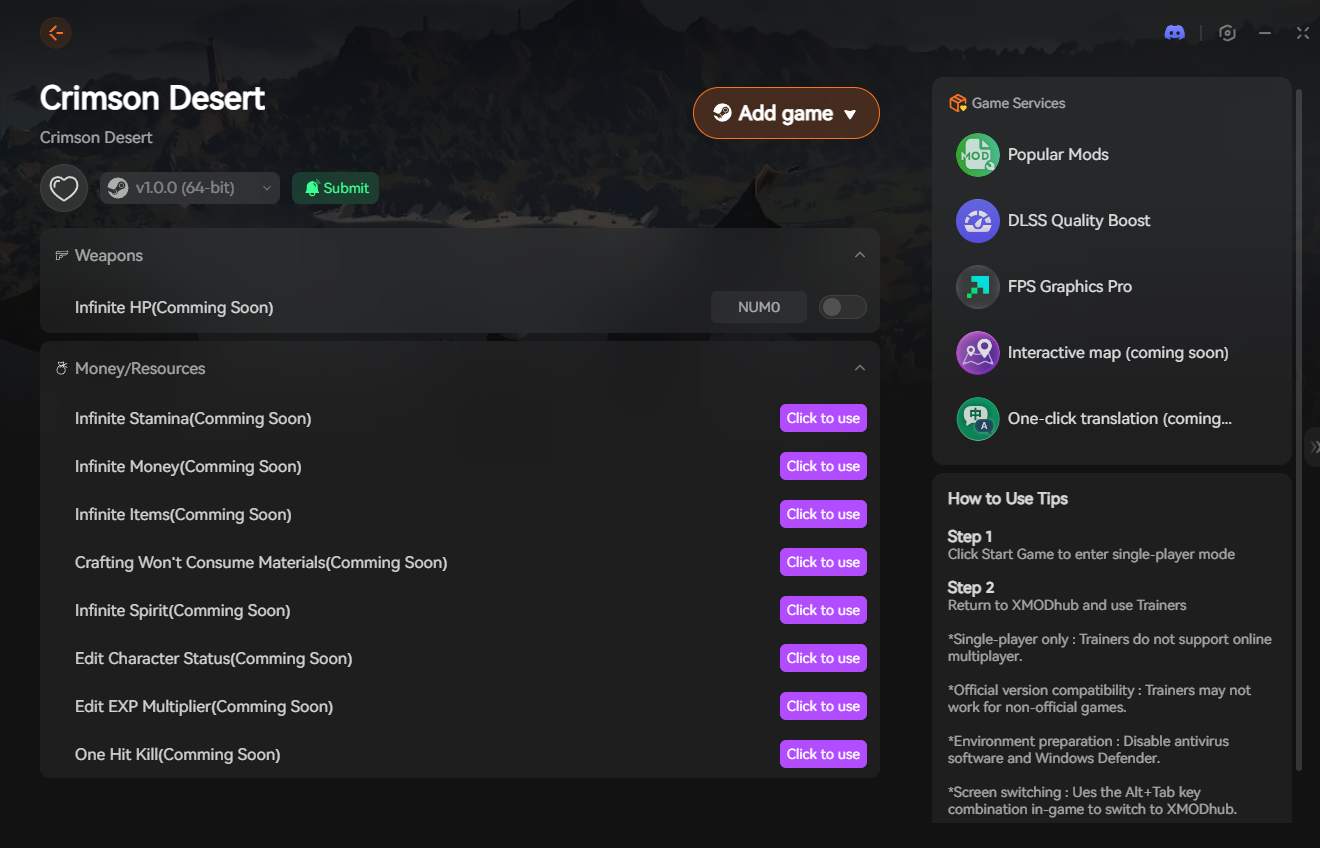
Recovering your lost time and rebuilding your character takes less than a minute. Here is how to use the trainer safely in single-player:

- Download the Client: Grab the verified, digitally signed XMODhub desktop software from our official website. It operates silently in the background and modifies local memory safely.
- Launch & Hook: Boot up a fresh Crimson Desert save file. Once you are past the intro cutscene, open the XMODhub client and click “Play” on the game’s module.
- Inject the Overlay: Press your designated hotkey to bring up the XMODhub in-game menu. It hooks seamlessly into the BlackSpace Engine’s progression values.
- Reclaim Your Time: Use the visual spawner and stat modifiers to recreate your lost character, manually save the game, and continue your adventure right where you left off.
PC Save File Location for Manual Backups
To ensure you never have to deal with a total wipe again, you must make a habit of manually backing up your save files to a separate folder or external drive after every long gaming session.
- •Local Game Saves (Your Character Data):
%USERPROFILE%\Documents\Crimson Desert\SaveGames\ - •User Config & UI Settings (Safe to Delete):
%USERPROFILE%\Documents\Crimson Desert\UserCache\
Frequently Asked Questions (FAQ)
Q: Does Crimson Desert support cross-save progression?
A: At this time, cross-save functionality between the PC version and console versions (PS5/Xbox Series X) is not natively supported. Your PC save files are locked to your specific Steam or Epic Games account ID.
Q: Can I download someone else’s Crimson Desert save file to skip the intro?
A: No. The BlackSpace Engine encrypts local save files and ties them directly to your unique platform ID (like your Steam ID64). If you drop a downloaded save file into your folder, the game will recognize a mismatch and instantly flag it as “Corrupted.”
Q: Will turning off Steam Cloud saves prevent corruption?
A: Disabling cloud saves won’t stop the game from crashing, but it does give you absolute control over your backup files. Many players prefer to manage their own manual backups in the SaveGames folder to prevent Steam from accidentally overwriting a good local save with a corrupted cloud version.
Conclusion: Reclaim Your Playthrough
A corrupted save file is the ultimate nightmare for any RPG fan. While restoring .bak backup files or clearing your user cache can occasionally rescue your data, the BlackSpace Engine’s strict file security means that a mid-save crash often results in a total loss.
You should not be forced to abandon a game you love just because a technical glitch erased your progress. By equipping the XMODhub PC Trainer, you can completely bypass the lack of native console commands, instantly spawn your lost gear, rapidly level back up, and seamlessly reclaim the epic story of Kliff Macduff on your own terms.

Sono un giocatore appassionato e uno scrittore di XMODhub, che si dedica a fornire le ultime notizie, consigli e approfondimenti sui giochi.
Collegatevi con me:
Profilo LinkedIn

 Nancy Miller
