Catherine Hu
Editor’s View: Why This Matters
“We have all been there. You are deep into the final laboratory section of Resident Evil Requiem, running low on ammo, and suddenly—a power outage, or a random Fatal Error during an auto-save. When you relaunch, the ‘Continue’ button is grayed out. It is a survival horror fan’s worst nightmare.
I specifically wrote this guide because Capcom’s RE Engine handles save management differently than most modern games. Your saves are not in the standard AppData folder. Even if you don’t plan on cheating or modding, please backup your save folder manually right now. Don’t learn this lesson the hard way like I did during my speedrun.”
There is nothing worse than sinking 15 intense hours into a Hardcore run in Resident Evil Requiem, only to lose your progress to a corrupted save file, a sudden crash, or a Steam Cloud sync error. Whether you want to manually backup your progress before a terrifying boss fight, transfer your save to a new PC, or modify the config file for better performance, you first need to find where the data is hidden on your drive.
Below is the exact file path for Resident Evil Requiem on Windows and Steam Deck, along with a safer, automated method to manage your backups so you never lose your S+ Rank.
Ti potrebbe interessare anche:
Resident Evil Requiem Cheat Engine Table vs. XMODhub Trainer: Best Free Alternative (2026)
Windows PC Save File Location (Steam)
Unlike Unreal Engine or Unity games, Capcom’s RE Engine strictly saves your progress directly into your Steam Client’s userdata directory.
C:\Program Files (x86)\Steam\userdata\<YourSteamIDNumber>\<AppID>\remote\win64_save\How to navigate there quickly:
- Open your File Explorer and navigate to the drive where you installed Steam (usually the C: drive).
- Vai a Program Files (x86) > Steam > userdata.
- Open the folder matching your specific Steam ID (a unique string of numbers).
- Locate the folder with the Resident Evil Requiem App ID (Check the game’s store page URL for this number).
- Aprire la sezione remote > win64_save folder. Your .bin files (like
data00-1.bin) are your actual save slots.
Resident Evil Requiem Config File Location
If you need to manually tweak graphics settings—like forcing Ray Tracing off, disabling Motion Blur, or changing the FOV—that are causing crashes in the in-game menu, you will need to edit the configuration file.
Percorso: C:\Program Files (x86)\Steam\steamapps\common\Resident Evil Requiem\
How to Edit: Right-click the config.ini file and select Open with Notepad.
Attenzione: Be careful not to change lines you don’t understand, as this can crash the RE Engine on startup. Always make a copy of the file before editing.
Xbox Game Pass Save Location
If you are playing Resident Evil Requiem via PC Game Pass or the Windows Store, Microsoft encrypts the save files and hides them in a completely different directory.
C:\Users\%USERNAME%\AppData\Local\Packages\CAPCOM.ResidentEvilRequiem_...\SystemAppData\wgs\Nota: These files will look like random strings of hexadecimal letters and numbers. You cannot easily rename them to transfer to the Steam version due to Microsoft’s encryption.
Steam Deck / Linux Save Location
If you are playing Resident Evil Requiem on the Steam Deck, the Steam Cloud automatically syncs your userdata saves to the native Linux Steam directory.
/home/deck/.local/share/Steam/userdata/<YourSteamIDNumber>/<AppID>/remote/win64_save/The Smarter Way: One-Click Backup with XMODhub
Navigating through hidden userdata folders every time you want to backup a save before a tricky boss fight is tedious and prone to error. One accidental delete or cloud sync overwrite, and your hard-earned progress is gone forever.
01
Auto-Backup
XMODhub automatically backs up your save file every time you exit the game or reach a Typewriter/Safe Room.
02
Version History
Corrupted your save? Roll back to a previous version from yesterday instantly to save your speedrun.
03
Visual Management
Access and organize your save slots with a single click from the dashboard.
XMODhub: More Than Just a Save Manager
XMODhub is your ultimate all-in-one toolkit for PC single-player gaming. Whether you need powerful Trainers (for Infinite Ammo or God Mode), real-time Translation Tools, or detailed Interactive Maps to find every last file and collectible, XMODhub has everything covered to customize your experience.
Our library supports over 5,000+ games, ensuring that whether you are playing Resident Evil Requiem or similar hits like Resident Evil 4 Remake and Dead Space, you always have the best tools at your fingertips.
How to Use XMODhub for Resident Evil Requiem:
Download and Install the XMODhub client safely from our official site.

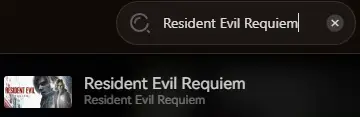
Search for Resident Evil Requiem in the client’s search bar.
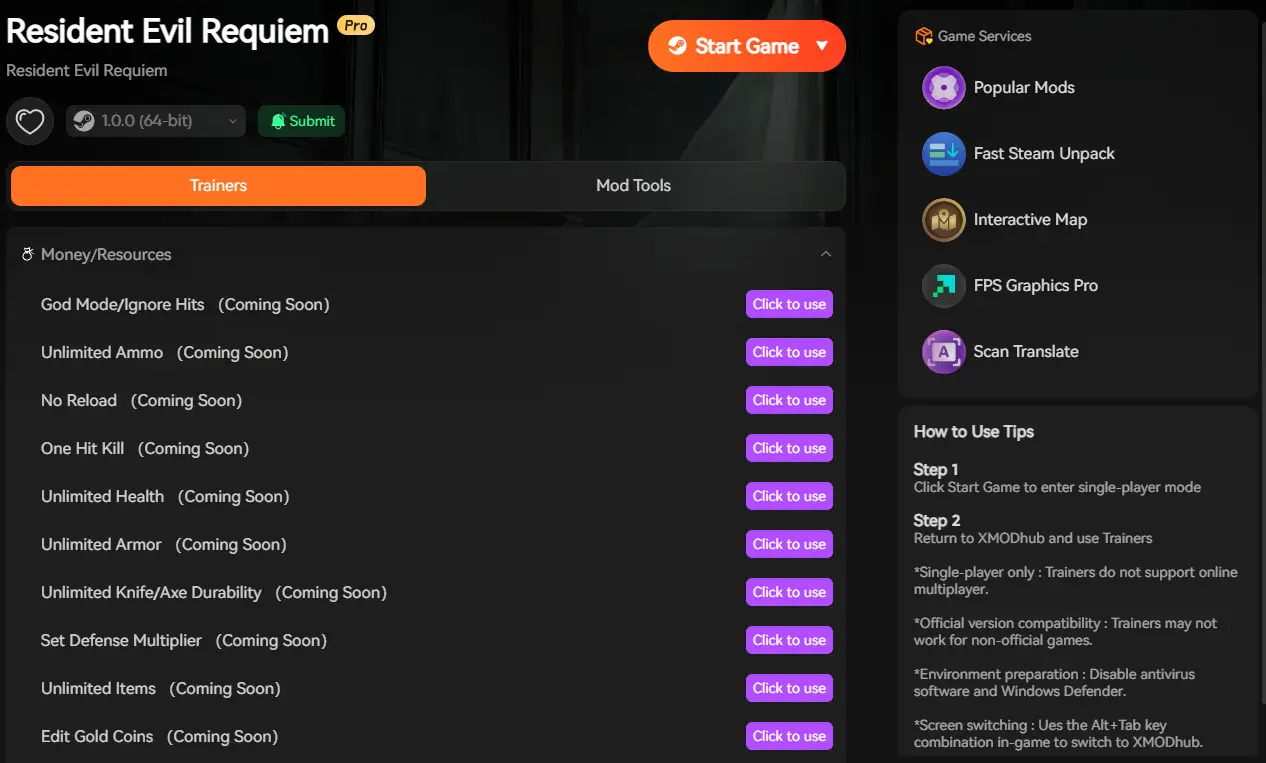
Select the specific tool you need (Trainer, Mods, or Save Manager).
Launch the game directly from the client and enjoy your enhanced gameplay!
FAQ
Q: Can I transfer my Resident Evil Requiem save to another PC?
Yes. Simply copy the entire contents of the win64_save folder mentioned above to the exact same location on the new computer. However, ensure both accounts share the same Steam ID, as Capcom saves are strictly account-bound.
Q: What happens if I delete the config file?
Usually, the RE Engine will regenerate a default config.ini file upon the next launch, resetting your graphics settings to default. This is a common fix for “Black Screen on Startup” errors. However, we strictly recommend renaming the file to config.ini.bak instead of deleting it permanently.
Q: Does modifying save files ban me?
In single-player mode, modifying your save file (e.g., adding resources or unlocking weapons) will not get you banned. However, ensure you are not uploading artificially modified clear times to official Capcom RE.net leaderboards.
Conclusione
Locating your Resident Evil Requiem save file is a crucial skill, whether you are recovering from a glitch, migrating your progress to a Steam Deck, or manually tweaking config files for better FPS.
However, digging through numeric Steam userdata folders always carries a risk. One wrong deletion can wipe out hours of horror survival progress instantly. If you prefer a safer, “set it and forget it” solution, we highly recommend the XMODhub Save Manager. It automates your backups, keeping your hard-earned S+ Rank secure so you can focus on the game, not the file directory.
Think Bigger: XMODhub is far more than just a modding tool or a save manager—it is a comprehensive Gaming Platform. With support for over 5,000+ titles, we provide an all-in-one ecosystem for PC gamers. Whether you are deep into Resident Evil Requiem or exploring similar survival horror hits, XMODhub ensures you always have the ultimate toolkit ready at your fingertips.

Sono un giocatore appassionato e uno scrittore di XMODhub, che si dedica a fornire le ultime notizie, consigli e approfondimenti sui giochi.
Collegatevi con me:
Profilo LinkedIn

 Nancy Miller