
 Catherine Hu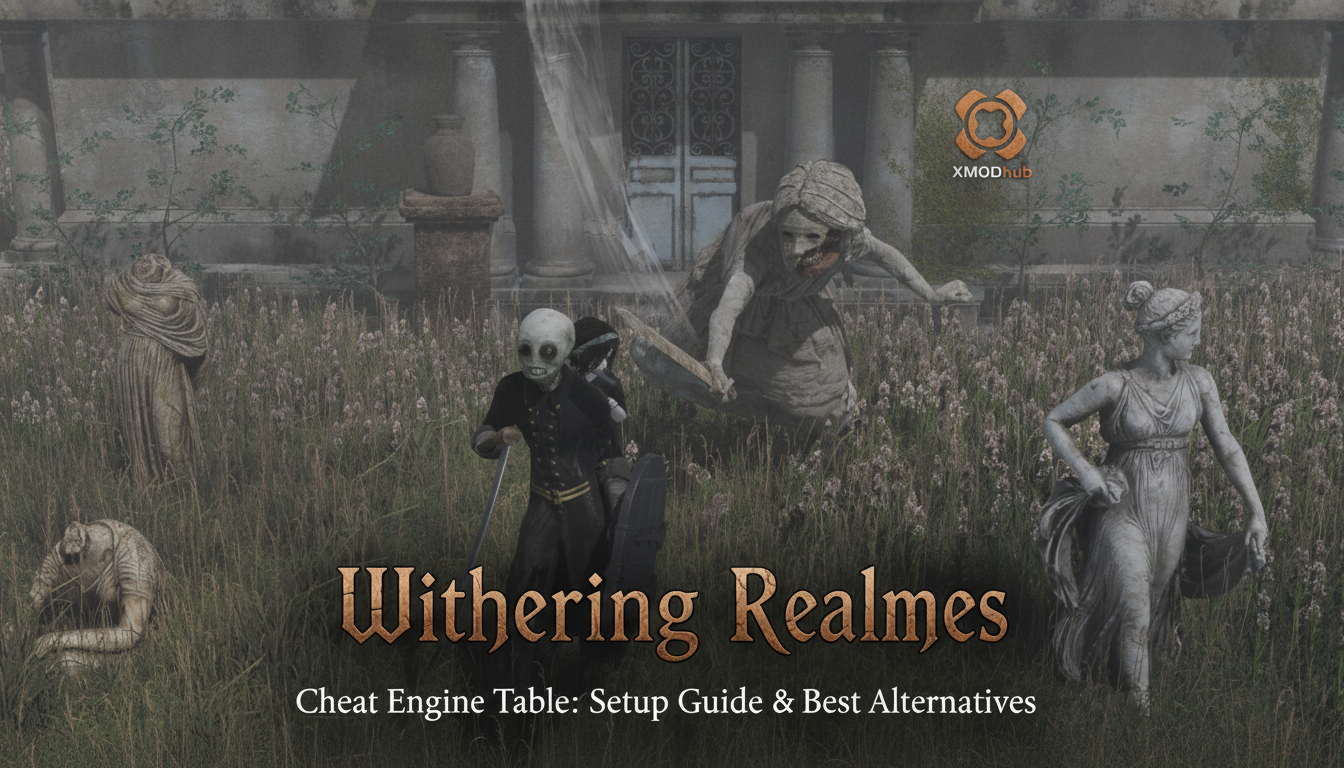
You are exploring the sinister, gothic streets of Penwyll, controlling an undead doll guided by the ghost of a little girl named Clover. Suddenly, you are swarmed by demonic creatures. You are out of magic, your long-range weapon ammo is depleted, and the brutal hack-and-slash combat is pushing you to your limits. In frustration, you alt-tab and search for a Withering Realms Cheat Engine table, hoping to freeze your health or give yourself infinite resources. Instead, you find broken links, outdated forum posts, and memory addresses that crash your game the moment you toggle them.
As a veteran of 3D Action RPGs, I spent hours trying to manually scan for memory values in the Early Access build of Withering Realms. Because the game receives frequent updates from its solo developer, traditional memory pointers shift constantly. Here is the current state of Cheat Engine tables for this title, how to manually find your own values, and the ultimate shortcut to bypass the headache entirely.
TL;DR: The Short Answer
If you are looking for a quick fix to your resource management problems in Penwyll, here is the current situation regarding memory editing:
- Current Status: No official fix has been confirmed yet regarding a stable, universally working Cheat Engine table. Because the game launched in Early Access on September 2 [1], frequent patches constantly break static memory addresses.
- Targetable Mechanics: Players are currently using manual memory scans to isolate values for long-range weapon ammo, magic points (MP), and the undead doll’s health pool [3].
- The Core Issue: As a 3D Soulslike RPG [3], the dynamic memory allocation means manual Cheat Engine scans must be repeated every time you launch the game until a community member creates an auto-updating script.
- The Ultimate Shortcut: For players who do not want to learn hexidecimal scanning, dedicated trainer software like XMODhub offers an immediate, patch-proof solution.
Table of Contents
- TL;DR: The Short Answer
- The State of Cheat Engine Tables in Early Access
- How to Manually Scan Memory in Withering Realms
- Understanding the Underlying Game Mechanics
- Why Your Cheat Engine Pointers Keep Breaking
- The Native Alternative: Built-In Options
- Common Memory Value Types in Withering Realms
- The Ultimate Shortcut: Using XMODhub
- Frequently Asked Questions
- Final Verdict: Surviving Penwyll
The State of Cheat Engine Tables in Early Access
Withering Realms is an ambitious 3D Soulslike RPG horror game developed by the solo independent developer Moonless Formless [3]. Because the game opened its Early Access phase on PC via Steam on September 2 (set in a 2026 release window) [1], the codebase is highly volatile.
In the modding and cheating community, a “Cheat Engine Table” (.CT file) relies on static pointers to tell the software exactly where a game stores specific data, like your current health or your inventory items. When a solo developer pushes a hotfix to patch a bug or tweak the hack-and-slash combat balance [2], the game’s executable file changes. This shifts all the memory addresses. Therefore, if you download a Withering Realms Cheat Engine table from a community forum today, there is a high probability it will cause a fatal crash tomorrow.
Currently, based on community reports, players are forced to manually scan for their own values during each play session. While this sounds intimidating, the process is relatively straightforward once you understand how the game handles its data.
How to Manually Scan Memory in Withering Realms
Since no official fix has been confirmed yet for a permanent, patch-proof Cheat Engine table, you will need to learn the basics of manual memory scanning. This step-by-step guide will teach you how to isolate the ammo for your long-range weapons, which is one of the easiest values to find.
Step 1: Preparation and Attachment
First, launch Withering Realms and load your save file so that Clover and her mechanical doll are fully spawned into the game world [1]. Pause the game. Open Cheat Engine, click the glowing PC icon in the top left corner, and select the Withering Realms executable from the process list.
Step 2: The Initial Scan
Equip a long-range weapon [3]. Take note of your exact ammo count (for example, 45). In Cheat Engine, set the “Value Type” to “4 Bytes” (the standard integer format for most indie RPGs). Type “45” into the “Value” box and click “First Scan”. The left panel will populate with thousands of addresses.
Step 3: Filtering the Noise
Return to Withering Realms. Fire your long-range weapon once to slay a demonic creature, reducing your ammo to 44. Pause the game, return to Cheat Engine, change the “Value” to “44”, and click “Next Scan” (Do not click New Scan). The list of addresses will shrink significantly.
Step 4: Isolation and Modification
Repeat Step 3 until only one or two addresses remain in the left panel. Double-click them to bring them down to the active code list at the bottom of the Cheat Engine window. Change the value to 999, and click the checkbox to “Freeze” the value. When you return to the gothic city, your undead doll will now have infinite ammo.
Warning: Attempting this method on the health bar is much more difficult, as health is often stored as a “Float” (decimal) value rather than a clean 4-byte integer. Guessing the wrong float value will instantly crash your game.
Understanding the Underlying Game Mechanics
To effectively cheat in Withering Realms, you must understand what kind of game it is. It is a spiritual successor to the developer’s previous game, Withering Rooms [3]. However, while the previous title was a 2.5D action roguelike, Withering Realms is a fully 3D Action RPG with direct control [2].
The narrative follows an occult event that occurred in 1926 [1]. You play as an undead doll, physically controlled by the ghost of a little girl (Clover) who sits over the doll’s shoulder [3]. This unique dual-character setup means that combat involves a combination of magic (likely tied to the ghost girl) and physical melee/long-range weapons (wielded by the doll) [3].
Interestingly, while the game draws heavy comparisons to Bloodborne, Lies of P, and Pragmata [3], it lacks the traditional “death penalty” found in most FromSoftware titles [3]. This means that losing a fight against the demonic creatures roaming the sinister Penwyll does not strip you of all your hard-earned currency. Because the punishment for failure is relatively low, players seeking a Withering Realms Cheat Engine table are usually doing so to bypass tedious resource grinding or to experience the retro, creepy atmosphere [1] without combat interruptions, rather than out of pure frustration.
Why Your Cheat Engine Pointers Keep Breaking
If you manage to create a working table using the manual scan method above, you will quickly notice that saving the .CT file and loading it the next day rarely works. This happens due to Dynamic Memory Allocation (DMA).
Modern 3D games built on modern engines do not store variables (like Clover’s magic points) in the exact same physical RAM location every time you boot the game. Instead, the engine dynamically assigns memory blocks based on whatever RAM is available at that exact millisecond.
Advanced Cheat Engine users bypass this by finding “Pointers”—a static base address that points to the dynamic address. However, finding reliable pointers in a game featuring complex hack-and-slash combat and constant Early Access updates [1] requires advanced debugging skills, assembly knowledge, and hours of trial and error.
The Native Alternative: Built-In Options
Before diving deeper into third-party memory editing, it is always worth checking if the developer left any debug tools accessible to the public. Indie developers sometimes leave developer consoles active during Early Access to help players bypass game-breaking bugs.
If you prefer native methods over memory editing and want to see if Moonless Formless left any backdoor commands in the game’s code, you should read our comprehensive breakdown on Withering Realms cheats and console commands. Utilizing built-in systems is always safer than injecting code into the game’s memory stream.
Common Memory Value Types in Withering Realms
If you are determined to build your own Withering Realms cheat engine table, understanding the data architecture of the game engine is crucial. Different in-game mechanics are categorized under specific value types. Searching for the wrong value type is the primary reason players fail to find the correct memory addresses.
Below is a reference chart detailing the most requested cheats and their corresponding data types within the game’s memory stream:
| In-Game Mechanic / Stat | Cheat Engine Value Type | Scan Difficulty | Stability Risk |
|---|---|---|---|
| Long-Range Weapon Ammo | 4 Bytes (Integer) | Low | Safe |
| Undead Doll Health (HP) | Float / Double | High | High (Crash Prone) |
| Ghost Magic Points (MP) | Float | High | High |
| Consumable Items | 4 Bytes (Integer) | Medium | Safe |
| In-Game Currency | 4 Bytes (Integer) | Low | Safe |
| Player Movement Speed | Float | Extreme | Very High |
Most Requested Hacks for Penwyll
Based on community forums, the highest demand revolves around surviving the relentless demonic creatures. Because Clover acts as the primary source of magic, freezing the Float value for her MP allows for infinite spellcasting. However, because HP and MP bars visually scale on the UI, they are often encrypted or stored as decimals, making a simple integer scan useless. This technical hurdle is exactly why manual scanning remains heavily flawed for the average player.
The Ultimate Shortcut: Using XMODhub
Let’s be honest: you downloaded Withering Realms to experience a gripping ghost story and mystery [1], to explore the gothic city, and to enjoy the Resident Evil and Silent Hill vibes [3]. You did not buy the game to spend three hours learning hexadecimal math and memory pointer isolation.
If you are tired of your manually created Withering Realms Cheat Engine table breaking every time the developer patches the game, there is a much better way. XMODhub is a premium, automated trainer platform designed specifically to bypass the headaches of manual memory editing.
Instead of scanning for values, XMODhub’s development team does the heavy lifting for you, updating their software automatically whenever the game patches. For Withering Realms, XMODhub offers a suite of perfectly tailored features:
- Undead Doll God Mode: Completely freeze your health, making you immune to all demonic creature attacks.
- Infinite Ghost Magic: Allow Clover to cast spells continuously without waiting for cooldowns or resource regeneration.
- Unlimited Long-Range Ammo: Never run out of bullets while exploring Penwyll.
- One-Hit Kills: Bypass the hack-and-slash grind and instantly defeat any enemy.
How to use the shortcut:
- Download XMODhub: Install the lightweight desktop client.

- Auto-Detect Withering Realms: Launch the game, and XMODhub will automatically detect the active process and the current game version.
- Toggle Cheats: Use your smartphone or a second monitor to toggle the cheats on and off with a single click, no coding required.
Download Withering Realms Trainer Now
Frequently Asked Questions
Is there an anti-cheat system in Withering Realms?
No. Based on the fact that Withering Realms is a single-player, narrative-driven indie game [1], there is no competitive multiplayer component. Therefore, the developer has not implemented any kernel-level anti-cheat software. You will not be banned for using Cheat Engine or XMODhub.
Can I use a Withering Rooms table for Withering Realms?
Absolutely not. While Withering Realms is a spiritual successor and shares the same universe and characters [3], the games are built on entirely different frameworks. Withering Rooms is a 2.5D roguelike, whereas Withering Realms is a 3D Action RPG [2]. Their memory structures are completely incompatible.
Why does my game crash when I freeze my health?
Health in 3D Soulslike games [3] is often encrypted or stored as a floating-point value. If you accidentally freeze a memory address that the game engine expects to change (like an animation timer that happened to share the same number as your health), the engine will instantly crash to the desktop.
Will there be an official Cheat Engine table release?
It is highly unlikely that the developer, Moonless Formless, will release an official table. Cheat Engine tables are strictly community-created tools. Until the game leaves Early Access and the code stabilizes, any community table will be temporary at best.
Final Verdict: Surviving Penwyll
Withering Realms is shaping up to be a masterful blend of Bloodborne’s gothic aesthetic, Pragmata’s dual-character dynamics, and the eerie atmosphere of Silent Hill [3]. However, the challenging hack-and-slash gameplay isn’t for everyone. While hunting down a Withering Realms Cheat Engine table is a valid way to tailor the difficulty to your liking, the volatile nature of Early Access updates makes manual memory editing a frustrating chore.
No official fix has been confirmed yet for a permanent, patch-proof Cheat Engine table. If you want to focus purely on the narrative of the ghost girl and her mechanical doll without worrying about hex codes or game crashes, XMODhub is undeniably your best option. Supporting over 5,000 single-player titles—including similar atmospheric masterpieces like Elden Ring, and Lies of P —XMODhub ensures that your journey through the sinister streets of Penwyll remains entirely on your own terms. Download XMODhub today, toggle your infinite magic, and uncover the dark occult secrets of 1926 without breaking a sweat.
Stop Grinding, Start Enjoying.
Bypass the tedious resource gathering and unlock your full potential instantly.

I am a passionate gamer and writer at XMODhub, dedicated to bringing you the latest gaming news, tips, and insights.
Connect with me:
LinkedIn Profile ↗





 Nancy Miller