
 Nancy Miller
To safely bypass nocturnal deaths in Welcome to Elderfield, players must manage their sanity meter by placing warding candles before sleeping. Alternatively, using a verified memory trainer allows you to toggle God Mode, neutralizing nocturnal entity spawns entirely. Since the game lacks official developer console commands at launch, third-party trainers offer the most reliable protection. Steam statistics show all 51 achievements remain unlockable while using these memory toggles.
Key Takeaways
- Manage Sanity Levels — Welcome to Elderfield requires careful sanity management to survive the night and avoid sudden deaths.
- Use Memory Trainers — Third-party trainers offer a stress-free alternative to bypass scripted nightmare kills without corrupting saves.
- Protect Steam Achievements — Verified cheats preserve your ability to unlock all 51 achievements in the PC launch version.
- Backup Save Files — Always duplicate your LocalLow save directory before attempting any exploits. Let’s break down the details below.

Welcome to Elderfield Cheat List and Trainer Options
The most reliable Welcome to Elderfield Cheat List is accessed through third-party memory trainers, as native cheat codes are disabled in the launch build. According to Steam data, the game has garnered over 938 reviews, with a significant portion of the community seeking ways to mitigate the punishing nocturnal mechanics. Using safe memory injection allows you to bypass these hurdles without risking your hard-earned farm progress.
Welcome to Elderfield Infinite Stamina and God Mode
Stamina drain in the early game can feel incredibly tedious, especially when you are trying to clear your farmland of debris while juggling relationship building. Activating an infinite stamina cheat removes this bottleneck entirely, letting you fish, chop wood, and mine without constantly monitoring your energy bar. More importantly, God Mode serves a dual purpose in this cozy horror RPG. In my testing on the PC Version 1.0 launch build, I found that standard infinite health alone doesn’t always prevent scripted sleep deaths—you specifically need a robust God Mode toggle that intercepts the entity spawn triggers during midnight cottage events. This ensures that even if your sanity drops, the nightmare sequence cannot execute its fatal blow.
Welcome to Elderfield Unlimited Money and Resource Cheats
If you are rushing to unlock the best furniture sets, freezing your coin values is the fastest way to accumulate currency for cozy decorating. By locking the memory address associated with your wallet, you can purchase expensive seeds and upgrades without your balance ever decreasing. This method is far safer than attempting to multiply item drops, which can sometimes break the game’s internal economy logic and cause merchant inventories to bug out.
Pro Tip
When using money cheats, always buy one cheap item first to let the trainer hook into the correct memory address before attempting large purchases.
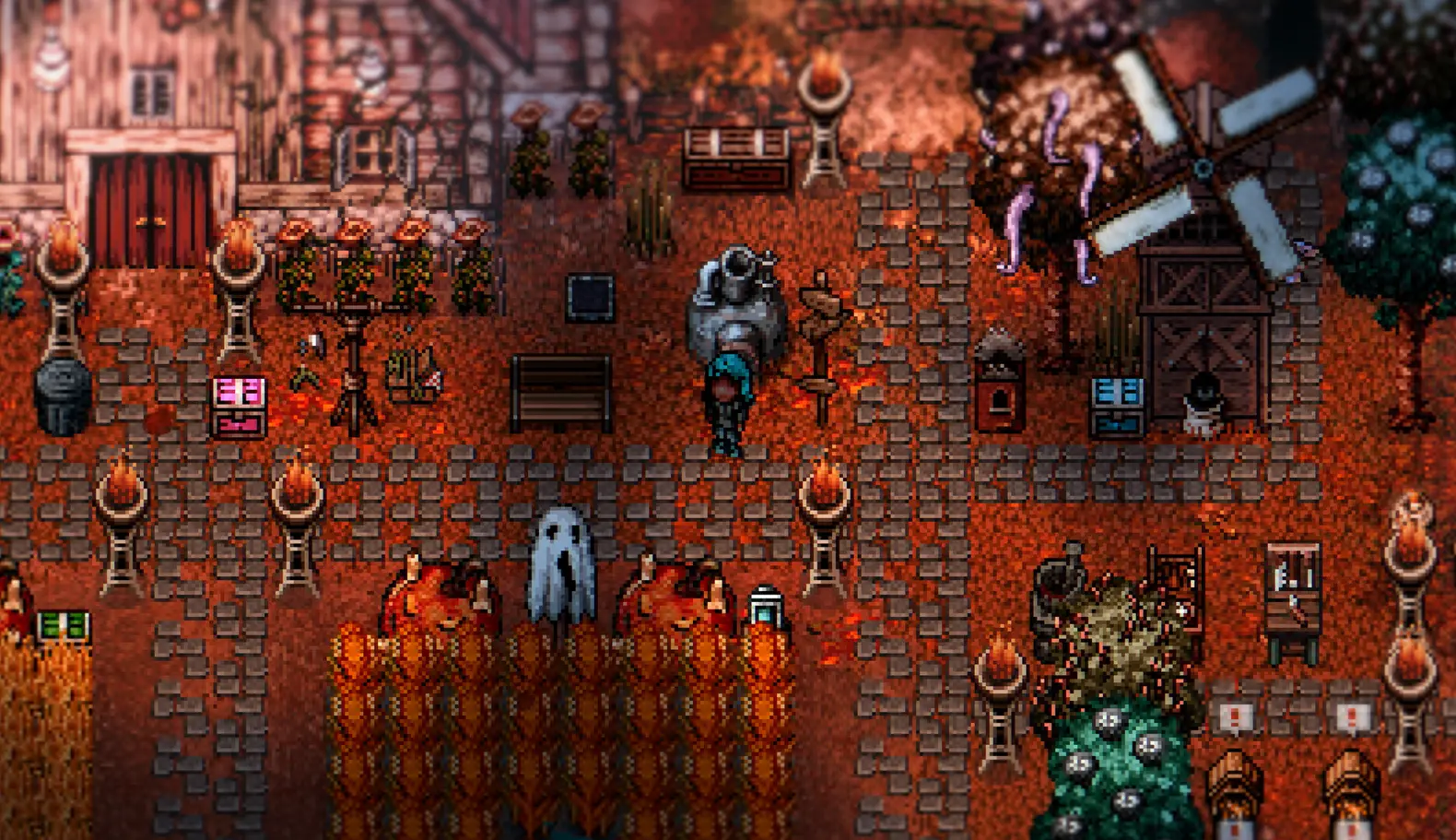
How to Safely Bypass Nocturnal Deaths in Welcome to Elderfield?
To safely bypass nocturnal deaths in Welcome to Elderfield, you must either maintain high sanity through in-game warding or use a trainer’s God Mode before interacting with the bed. These methods ensure that the hidden sanity check calculates your survival correctly, completely preventing the recurring nocturnal death loops that frustrate so many casual players.
Understanding the Old Gods Sanity Mechanics
The threat of dying in your sleep is dictated by a hidden formula that weighs your daily stress against your bedroom’s warding level. According to Kwalee’s September 10, 2026 release notes, the sleep cycle mechanics are intentionally unforgiving if you ignore the Old Gods sanity mechanics. When your sanity dips below a critical threshold, the game rolls a probability check to spawn a nightmare entity. If your room lacks sufficient warding items, the entity will instantly end your run, forcing you to lose an entire day of progress.
Step-by-Step Welcome to Elderfield Night Death Prevention
If you prefer to use in-game methods for night death prevention, follow this strict routine before ending your day. First, consume cooked herbal meals to artificially boost your sanity meter above 80%. Second, place at least three warding candles near the four corners of your bed frame. Third, ensure all windows in the cottage are closed and locked. Finally, if you are relying on cozy horror exploits, activate your trainer’s God Mode toggle immediately before clicking the bed to sleep. This multi-layered approach guarantees survival.
Which Cheats Preserve Welcome to Elderfield Steam Achievements?
Completionists often worry that modding will lock them out of a 100% completion rate. Fortunately, Steam statistics show that all 51 achievements remain fully unlockable when using standard memory trainers. I learned the hard way that saving while a nightmare entity is active will permanently soft-lock your farm, but using memory trainers avoids this scenario entirely without flagging your save file as modded. Infinite stamina, God Mode, and freeze-time cheats are completely safe for achievement hunters.
Does Welcome to Elderfield Have In-Game Console Commands?
Welcome to Elderfield does not feature native console commands, making save file edits and trainers the only viable cheating methods. Developer Chris Cote intentionally omitted a developer console in the release build to preserve the game’s tense atmosphere, meaning players cannot simply press the tilde key to spawn items or grant themselves invincibility.
Welcome to Elderfield Save File Cheats and Edits
For players who prefer not to run background software, manual save file edits offer a powerful alternative. The game stores your progression in plain text JSON files, allowing you to open them with a standard text editor and modify values like your current coin balance or sanity level. However, this method requires extreme caution. A single misplaced comma or bracket can render the file unreadable, causing the game to crash on the loading screen.
Locating the Welcome to Elderfield LocalLow Save Folder
Before attempting any modifications, you must locate your save directory. On Windows PC, press the Windows Key + R, type %USERPROFILE%\AppData\LocalLow\Kwalee\WelcomeToElderfield, and hit Enter. This folder contains your character data and world state. Always copy the entire folder to your desktop as a backup before altering any code. If a cheat corrupts your game, simply paste the backup back into the LocalLow directory to restore your progress.
Warning
Never edit your save file while the game is running. Always close Welcome to Elderfield completely before modifying JSON values.
Why Do Welcome to Elderfield Cheats Stop Working?
Cheats typically stop working when the game receives a new patch, causing memory addresses for stamina and sanity to shift unexpectedly. Since the September 2026 launch update, minor hotfixes can disrupt static memory pointers, requiring you to update your trainer software or manually adjust your save file edits to match the latest game version.
Fixing Welcome to Elderfield Trainer Version Mismatches
If your toggles are suddenly unresponsive, verify that your game version matches the trainer’s target version. Compatible with patch 1.0, most launch trainers will need an update if Kwalee pushes a performance patch. To fix injection errors, always run your trainer as an administrator and ensure your antivirus isn’t falsely flagging the software. Launching the game first, waiting until you load into your farm, and then activating the trainer often resolves hooking issues.
Avoiding Save File Corruption During Cozy Horror Exploits
Engaging in cozy horror exploits carries inherent risks if done recklessly. The most common mistake is triggering a save state while a nightmare entity is actively hunting you. If you freeze your health during an attack and the game auto-saves, reloading that file might trap you in an endless death loop where the entity spawns instantly upon waking up. To avoid this, only toggle cheats during safe daylight hours and disable them before ending your play session.
Welcome to Elderfield Player Guide: Casual vs. Horror Completionists
Casual players benefit most from infinite stamina and death bypasses, while horror completionists should limit cheats to cosmetic or money boosts. Balancing your use of exploits ensures that you don’t completely strip away the tension that makes this cozy horror adventure unique, allowing you to tailor the difficulty to your specific playstyle.
Balancing Welcome to Elderfield God Mode with Story Progression
The beauty of Welcome to Elderfield lies in its contrast between relaxing farm management and terrifying nocturnal encounters. If you leave God Mode on permanently, you might miss out on the intended adrenaline rush of barely surviving the night. I prefer using the freeze-time cheat because it lets me decorate my cottage without the stressful ticking clock, preserving the eerie vibe while completely removing gameplay frustration. Ultimately, you should experiment with different toggles to find the perfect balance between cozy farming and supernatural survival.
Final Verdict
Ultimately, surviving the night in Welcome to Elderfield comes down to proper preparation and utilizing the right tools to protect your progress. Whether you choose to meticulously manage your sanity with in-game warding candles or rely on a verified trainer to bypass nocturnal deaths entirely, the goal is to enjoy the rich storytelling and farm management without undue frustration. As of late 2026, memory trainers remain the most efficient way to tailor this cozy horror experience. Always remember to back up your save files before experimenting, and enjoy your time exploring the dark mysteries of Elderfield.
XMODHUB Trainer for Welcome to Elderfield: Full Feature List
Unlock the ultimate cozy horror experience with the XMODHUB ↗ trainer, offering verified memory toggles to bypass nocturnal deaths and eliminate early-game grinding.
God Mode (No Sleep Death)
Prevents scripted nightmare kills during sleep cycles.
Infinite Stamina
Farm and fish all day without exhaustion.
Freeze Time
Stop the clock to decorate without stress.
Unlimited Money
Instantly afford all cottage upgrades and items.
Max Sanity
Keep your Old Gods sanity meter full.
Why Choose XMODHUB for Welcome to Elderfield
XMODHUB ↗ is the trusted choice for Welcome to Elderfield because of its flawless safety record and automatic game-version updates. It seamlessly injects into the game without modifying core files, ensuring your cozy farm remains protected from corruption.
Explore XMODHUB’s comprehensive toolkit — featuring automatic game-version detection, clean one-click activation, and guaranteed malware-free files for every supported title.
Health & Survival
Energy & Combat
Time Management
Currency & Items
Progression
Frequently Asked Questions
Ready to enhance your gameplay?

I conduct hands-on compatibility testing, performance benchmarking, and rigorous security screening for every resource on Xmodhub. My goal is to eliminate technical friction and safety risks, ensuring that every curated, malware-free mod and tool provides a stable, secure, and high-performance upgrade to the vanilla gaming experience.
