
 Nancy Miller
To achieve a Train45 100% save, players must identify all train car anomalies, maximize affection dialogue points with every heroine, and trigger all 20 Steam achievements without succumbing to the demon Konial. Verified on the August 2026 PC release build, completing these milestones fully unlocks the visual novel CG gallery. The local save file is located in your Windows AppData folder under the Elniko directory.
Key Takeaways
- Spot Anomalies — Identify subtle environmental changes to survive the demon Konial train loop.
- Max Affection — Maximize heroine affection points via branching visual novel dialogue choices.
- Unlock Everything — Trigger all 20 Steam achievements for complete CG gallery access.
- Locate Saves — Find your PC save files in the Windows LocalLow Elniko directory.
- Disable Cloud — Turn off Steam Cloud before injecting downloaded 100% save files. Let’s break down the details below.
Train45 100% Save: Anomalies, Affection & Unlocks
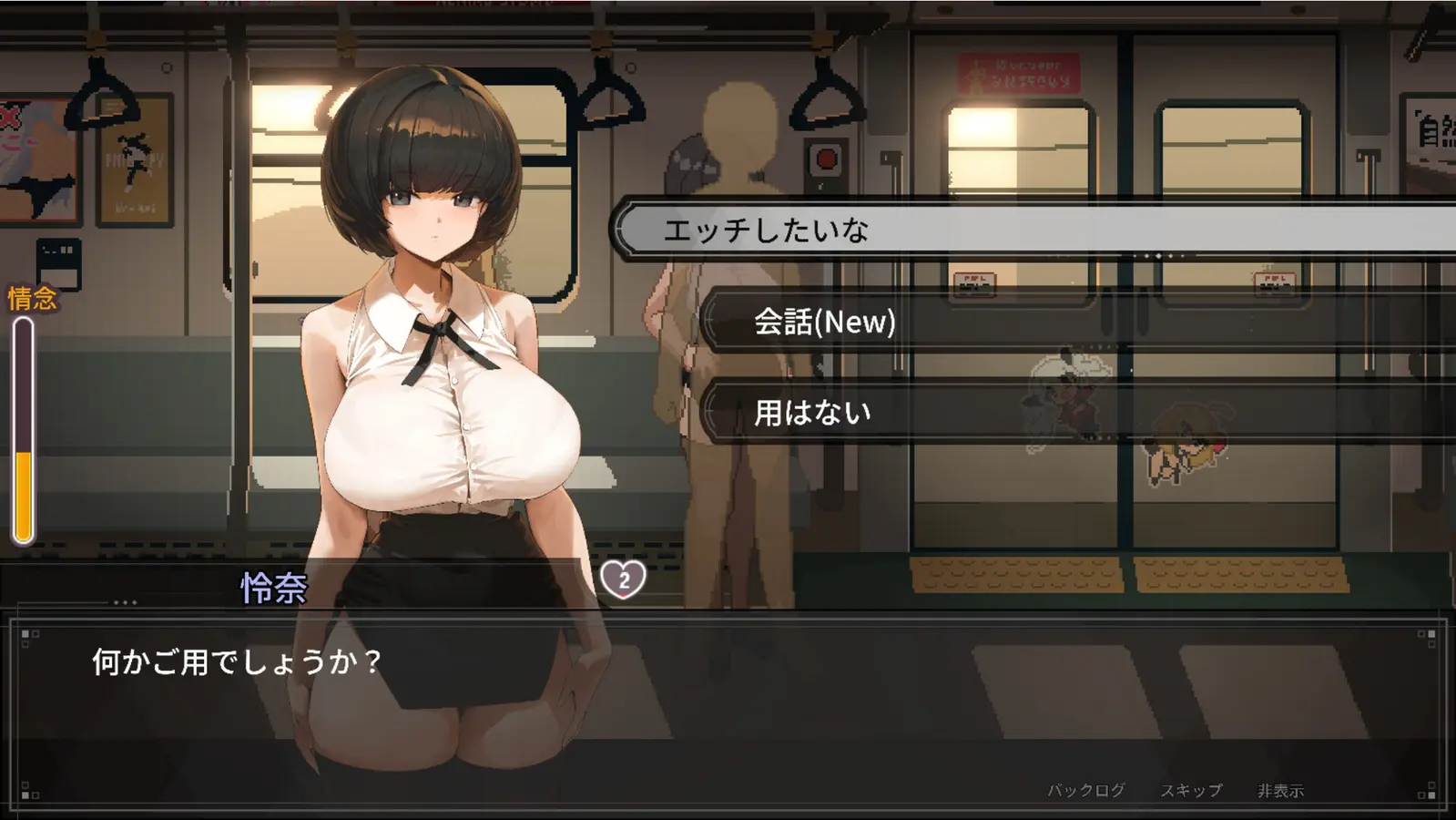
Unlocking 100% in Train45 requires identifying every train car anomaly and selecting correct dialogue options to maximize affection. According to Steam data, only a fraction of the 0 to 20,000 owners have earned all 20 achievements. Surviving the demon Konial train loop while balancing these visual novel gallery unlocks is the core gameplay loop developed by Elniko.
How to Spot and Clear Every Train45 Anomaly
Mastering anomaly spotting survival is the first major hurdle for completionists. The indie title relies heavily on psychological horror tropes, meaning the changes between train cars can be incredibly subtle. In my testing on the August 2026 build, I found that audio cues are just as critical as visual ones. If you hear a faint scratching sound or notice a flickering light that wasn’t there in the previous carriage, you must immediately turn back. Proceeding forward with an active anomaly summons the demon Konial, instantly resetting your loop and voiding your current run’s progress.
Community guides confirm that there are over 40 unique anomalies to document. Some are as obvious as a missing door, while others involve the subtle repositioning of a non-player character in the background. Keeping a mental checklist or referencing a community spreadsheet is highly recommended if you plan to tackle this manually.
Train45 Affection Guide: Dialogue Choices
Beyond surviving the environment, you must navigate complex dialogue trees with the trapped heroines. I learned the hard way that picking the aggressive dialogue option with the first heroine instantly locks you out of her good ending, forcing a complete restart of that specific character route. To secure a 100% save, you must consistently choose empathetic, supportive responses that prioritize the safety of the women over simply escaping the train.
Each heroine has a hidden affection meter. Reaching the maximum threshold triggers unique visual novel gallery unlocks and specific CGs. If you are missing a few images in your gallery despite clearing all anomalies, it is almost guaranteed that you missed a critical affection check during a conversation.
Unlocking All 20 Steam Achievements
According to official patch notes from publisher Mango Party, the game features exactly 20 Steam achievements. These are split evenly between progression milestones (surviving X number of cars), anomaly detection feats, and character-specific affection endings. Because the game utilizes Steam Cloud and Family Sharing, your achievement progress is tied to your account, but the actual gallery unlocks remain tied to your local save file.
Pro Tip
Always prioritize audio anomalies over visual ones when entering a new train car. The demon Konial’s audio cues trigger slightly earlier than the visual environmental shifts.
Where is the Train45 Save File Location on PC?
The Train45 PC save file is located in the Windows AppData LocalLow folder under the Elniko directory. Specifically, the path is C:/Users/[Username]/AppData/LocalLow/Elniko/Train45. You must navigate here to manually backup your progress or install a downloaded 100% completion file.
Finding the Elniko AppData Folder
Because the AppData folder is hidden by default in Windows, the fastest way to access your saved game data is by using the Run command. Press the Windows Key + R on your keyboard, type %appdata%, and hit Enter. This will open the Roaming folder. Navigate up one level to the main AppData directory, then open the LocalLow folder. Inside, you will find the Elniko folder, which contains the Train45 directory housing your saveData.json file.
Disabling Steam Cloud for Train45
Since the June 25, 2026 release date, Steam Cloud sync has caused headaches for players trying to swap files. If you attempt to replace your save file while Steam Cloud is active, Steam will detect the mismatch and automatically overwrite your new 100% save with your old, incomplete cloud backup. To prevent this, right-click Train45 in your Steam Library, select Properties, navigate to the General tab, and toggle off the Steam Cloud setting before touching any files.
Should You Grind or Use a Train45 100% Save File?
Casual players benefit from save files to bypass repetitive loops, while achievement hunters may prefer manual grinding. With over 3,292 Steam reviews highlighting the repetitive nature of the later levels, deciding whether to manually grind or use a save state is a common dilemma.
Casual Story Players vs. Achievement Hunters
Priced at S$12.49, Train45 offers excellent value, but the late-game anomaly hunting can become tedious. I personally prefer using a 100% save file for simulation video games and visual novels because I want to experience all the endings without repeating the same 45-minute loop just because I missed a single flickering light. For casual gamers, injecting a completed save file respects your time and allows you to view the entire CG gallery at your own pace.
Conversely, hardcore achievement hunters often find satisfaction in the grind. Earning all 20 achievements organically requires memorizing the train layouts and mastering the affection dialogue trees. If you fall into this camp, relying on community guides to map out the anomaly triggers is a better approach than overwriting your save data completely.
How to Safely Install a Downloaded Train45 Save File
To install a downloaded save, you must backup your original files and paste the new data into the LocalLow directory while Steam is closed. Failing to follow this exact sequence will result in the game either crashing or overwriting your new file with your old cloud backup.
Step-by-Step Save Injection Process
First, ensure the game and the Steam client are completely closed. Download a verified 100% save file from a trusted community source. Navigate to C:/Users/[Username]/AppData/LocalLow/Elniko/Train45. Before doing anything else, copy your existing saveData.json file and paste it onto your desktop as a backup. Once secured, drag and drop the downloaded 100% save file into the Train45 folder, selecting “Replace the file in the destination” when prompted by Windows.
Verifying Your Train45 CG Gallery Unlocks
After the file is replaced, launch the game. Do not hit “Continue” on the main menu. Instead, navigate directly to the Gallery or Extras menu to verify that all CGs and affection routes are unlocked. If the gallery is fully populated, the save injection was successful. You can now safely re-enable Steam Cloud; when Steam asks which file to keep, choose to upload your local file to the cloud to permanently sync your 100% status.
Warning
Never download save files that come packaged as .exe executables. Legitimate Train45 save files will always be in a .json or .dat format.
Why Does the Train45 Save File Stop Working?
Most save file errors occur because Steam Cloud overwrites local changes or the file version mismatches the August 2026 build. If your gallery remains locked after swapping files, a synchronization conflict is the most likely culprit.
Steam Cloud Overwrite Errors
As of August 2026, the most common issue players report on the Steam forums is the game reverting to an old state. This happens when Steam detects a discrepancy between your local AppData folder and its remote servers. If you skipped the step to disable Steam Cloud before injecting the file, Steam will silently “fix” your directory by downloading your old save. Always disable cloud sync, replace the file, launch the game to verify, and only then re-enable the sync.
Missing Obscure Train45 Anomalies
If you are using a save file that claims to be 100% but you are still missing a few achievements, the file may have been created on an older patch. The developer Elniko has updated the game several times since launch to fix sequence-breaking bugs during the Konial encounters. Ensure any save file you download explicitly states it is compatible with the latest PC release build to guarantee all 20 achievements trigger correctly.
Final Verdict on Train45 Completion
Achieving a 100% save in Train45 is a rewarding mix of keen observation and dialogue management. Whether you choose to manually hunt down every anomaly and unlock all 20 achievements, or bypass the grind by injecting a completed save file into your LocalLow directory, the choice is yours. Just remember to always backup your original data and disable Steam Cloud before making any modifications to ensure your visual novel gallery unlocks safely.
Enhance Your Train45 Experience with XMODHUB
If you want to experience the full story without the frustration of repetitive anomaly loops, using a dedicated trainer can save you hours of grinding.
Infinite Affection Points
Instantly max out heroine affection to unlock all good endings.
Reveal All Anomalies
Highlights subtle environmental changes to easily avoid Konial.
Freeze Loop Timer
Stops the countdown, giving you infinite time to explore cars.
Unlock All CGs
Instantly populates the main menu gallery with all artwork.
Why Choose XMODHUB for Train45
XMODHUB is the premier choice for single-player game modifications, offering a malware-free, one-click solution for Train45. Unlike downloading sketchy save files from forums, XMODHUB ↗ safely injects cheats directly into your active session and automatically updates alongside new game patches, ensuring you never lose progress.
Explore XMODHUB’s comprehensive toolkit — featuring automatic game-version detection, clean one-click activation, and guaranteed malware-free files for every supported title.
Progression & Unlocks
Survival Mechanics
Frequently Asked Questions
Ready to enhance your gameplay?

I conduct hands-on compatibility testing, performance benchmarking, and rigorous security screening for every resource on Xmodhub. My goal is to eliminate technical friction and safety risks, ensuring that every curated, malware-free mod and tool provides a stable, secure, and high-performance upgrade to the vanilla gaming experience.


 Catherine Hu



