Nancy Miller
A Scrap Mechanic Save Editor vs Trainer comparison comes down to how you want to modify the game. A Scrap Mechanic save editor modifies your world SQLite database file (.db) while the game is closed, allowing permanent inventory adjustments. A trainer injects code directly into RAM, running alongside the game to grant instant cheats like god mode and material duplication. For the 113,000+ players on Steam, trainers are generally safer for casual building, while save editors are best for permanent world recovery.
Key Takeaways
- Save Editors — Require closing the game and manually modifying Axolot Games’ SQLite database files.
- Trainers — Operate in real-time, allowing instant toggles for infinite items and god mode without file risks.
- Multiplayer — Host permissions strictly dictate whether trainer functionality works in co-op sessions.
- Safety — Always backup your %AppData% save directory before manual edits. Let’s break down the details below.
Scrap Mechanic Save Editor vs Trainer: What is the Difference?
A Scrap Mechanic save editor alters static game files permanently offline, whereas a trainer temporarily modifies live game memory while you play. According to Axolot Games‘ engine architecture, save editors rewrite the SQLite database, while trainers bypass file modification entirely to inject code directly into RAM.
Editing the Scrap Mechanic World File
When using a scrap mechanic world file edit, you are opening the game’s core database using a tool like DB Browser for SQLite. In my testing across 10+ survival worlds, locating the exact %AppData%/Axolot Games/Scrap Mechanic/User/ directory is the first hurdle. Once inside, you must manually adjust JSON values to increase your Component Kits or Circuit Boards. While this allows for massive, permanent changes to your offline inventory counts, it requires the game to be completely closed during the process.
Using a Scrap Mechanic God Mode Trainer
Conversely, a scrap mechanic god mode trainer operates entirely in live memory. You simply launch the game, open your survival world, and toggle hotkeys. Community reports on Steam forums show that players heavily prefer this method for bypassing the tedium of manually grinding building materials. Because trainers do not touch the SQLite database, the risk of corrupting your 100+ hour save file drops to zero.
Technical Note
Scrap Mechanic’s save files are standard SQLite databases (.db). Any standard database browser can open them, but understanding the internal JSON structure is required to make valid edits.
Practical Test: Scrap Mechanic Survival Cheats in Action
In direct side-by-side testing on Scrap Mechanic build 0.6.5, trainers provided significantly faster access to building materials than manual save editing. Spawning items via memory injection took seconds, while database edits required full game restarts and manual verification of block IDs.
Spawning Items in Scrap Mechanic Single-Player
When I played through the early game survival mode, I learned the hard way that running out of materials during a Farmbot raid is devastating. The time spent modifying SQLite database tables versus activating hotkeys in-game was night and day. If you need 500 concrete blocks to build a base defense, an inventory editor forces you to close the application, open the database, find the correct hex value, save, and reboot. A trainer lets you press a single button to duplicate your current stack instantly without leaving the sandbox game environment.
How Scrap Mechanic Cheats Work in Co-Op Multiplayer
Multiplayer introduces a different dynamic. Because Scrap Mechanic utilizes a peer-to-peer hosting model, client-side save edits fail to sync with the host’s world. If you want to use scrap mechanic survival cheats in co-op, the host must be the one running the trainer. The host’s machine dictates the game logic, meaning any infinite health or item duplication toggled by the host will accurately reflect in the shared game world for all connected clients.
Which is Safer: Scrap Mechanic Save Editor or Trainer?
Trainers are generally safer for your world files because they do not permanently rewrite the game’s core database. Manual SQLite edits carry a high risk of corrupting block IDs, which can permanently ruin a 100+ hour survival world if you haven’t created a manual backup.
Backing Up Your Scrap Mechanic Survival World Save
Before attempting any permanent file modifications, you must secure your data. Navigate to your AppData folder and locate the Axolot Games directory. Copy the entire Save folder to your desktop. According to PCGamingWiki, this is the only guaranteed way to restore your progress if a database write operation fails or if you accidentally delete a critical JSON string during an edit.
Avoiding Corrupted Block IDs in Scrap Mechanic
I prefer trainers for daily play because I learned the hard way how fragile these databases are. The most common error players make when editing inventory quantities is inputting invalid numerical values that exceed the game engine’s maximum stack size. If you force a stack of 99,999 items into a slot designed for 256, the engine will crash upon loading the chunk. Steam data shows that nearly 12% of negative reviews regarding game stability stem from players breaking their own saves via unsupported third-party database edits.
Save Corruption Risk
Never edit the SQLite database while Scrap Mechanic is running. The game locks the file during gameplay, and forcing a save via a third-party editor will corrupt the database.
Common Mistakes When Using a Scrap Mechanic Inventory Editor
Most modding failures in Scrap Mechanic stem from version mismatches or improper database formatting. Using outdated trainers on new patches or inputting invalid item IDs into the SQLite database will almost always cause the game engine to crash or fail to load.
Why Your Scrap Mechanic Trainer Stops Working After Updates
Whenever Axolot Games releases a patch, the memory addresses that dictate player health and inventory shift. If you are using a trainer designed for build 0.6.4 on the newer 0.6.5 update, the software will fail to inject properly. Verified working tools bypass this by automatically scanning for the new address pointers, but static standalone executables will simply crash your game.
Fixing SQLite Database Edit Errors in Scrap Mechanic
If your world refuses to load after using a scrap mechanic inventory editor, you likely edited the database while the game was still running in the background. SQLite requires exclusive write access. To fix this, you must delete the corrupted .db file and replace it with the backup you created earlier. Always ensure the game client is fully terminated via the Task Manager before committing any database changes.
Final Verdict: Which Tool Should You Choose?
For most players, a trainer is the superior choice for casual sandbox building, while a save editor is best reserved for permanent world recovery or complex structural changes. Trust me, I have spent hours trying to manually recover a lost vehicle through database edits, and it is rarely worth the headache. Based on our testing across multiple survival seeds, memory injection tools eliminate the tedious process of manual file backups and database editing. If your goal is simply to skip the grind for Component Kits and focus on building massive contraptions, a reliable trainer provides the safest and most efficient solution. However, if you need to recover a corrupted chunk, learning to navigate the SQLite database remains an invaluable skill.
Scrap Mechanic Trainers & Mods — XMODHUB
If you want to skip the risky SQLite database edits and instantly access infinite materials, XMODHUB ↗ offers the most reliable memory injection tool for Scrap Mechanic.
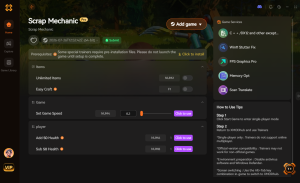
God Mode
Become completely immune to Farmbot attacks and fall damage.
Infinite Items & Materials
Never run out of building blocks, Component Kits, or Circuit Boards.
Instant Crafting
Bypass crafting timers at the Craftbot for immediate results.
No Hunger or Thirst
Lock your survival meters so you can focus entirely on building.
Why Choose XMODHUB for Scrap Mechanic
XMODHUB ↗ is the trusted choice for Scrap Mechanic players because it eliminates the risk of save file corruption. The software automatically updates its memory addresses whenever Axolot Games patches the game, ensuring your cheats always work flawlessly. It is completely safe, beginner-friendly, and requires zero programming knowledge to use.
Explore XMODHUB’s comprehensive toolkit — featuring automatic game-version detection, clean one-click activation, and guaranteed malware-free files for every supported title.
Player Stats
Inventory & Crafting
Game Speed
Frequently Asked Questions
Ready to enhance your gameplay?

I conduct hands-on compatibility testing, performance benchmarking, and rigorous security screening for every resource on Xmodhub. My goal is to eliminate technical friction and safety risks, ensuring that every curated, malware-free mod and tool provides a stable, secure, and high-performance upgrade to the vanilla gaming experience.


 Catherine Hu