Catherine Hu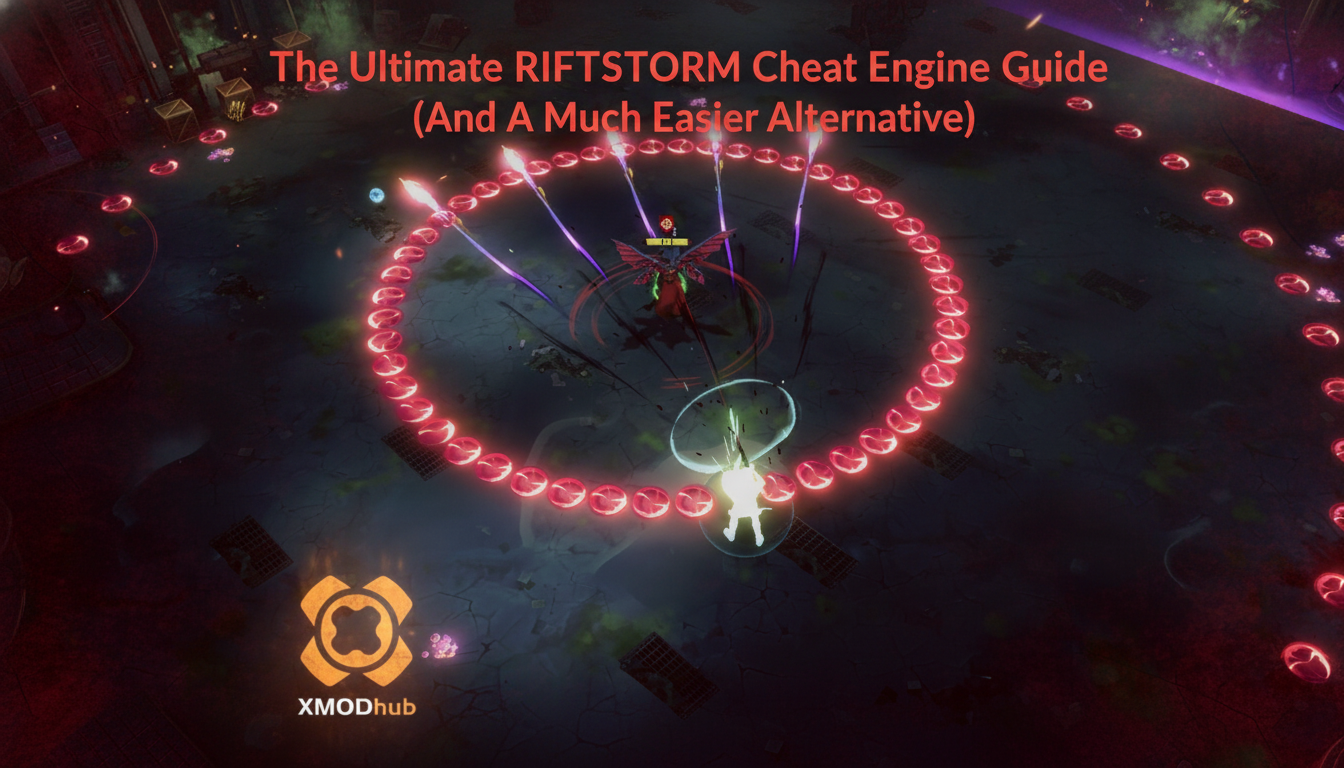
How do you cheat in RIFTSTORM? To cheat in RIFTSTORM, you can manually attach Cheat Engine to the game’s executable and scan for changing numeric values like your Weaver’s current health pool, active Lythogram energy reserves, or your total extracted resources before heading back to the Mythic Protocol base. However, because game updates frequently break Cheat Engine tables (.CT files), the safest and easiest alternative is using an auto-updating mod manager like XMODhub, which provides 1-click cheats without requiring any memory scanning.
[Editor’s Note] Look, I get it. We all start RIFTSTORM thinking we’re going to play it completely legit. But after dying to a massive horde of Mythic enemies on Threat Level 3+ for the 15th time, or spending hours grinding for ultra-rare Periapts just to optimize your build, the fun stops. I’ve been messing with Cheat Engine for years, and trying to isolate the exact memory values for this game’s current patch almost drove me insane. Today, I’m going to show you how to manually hack the values if you want the technical challenge—but I’ll also share the 1-click shortcut I actually use to save my sanity.
You may also like: The Ultimate RIFTSTORM Console Commands and Cheats Guide
📋 Table of Contents
- Quick Answer
- 1. How to Use Cheat Engine for RIFTSTORM (The Manual Way)
- 2. Common CE Errors: Pointers Breaking & Not Attaching
- 3. The Better Alternative: 1-Click Cheats with XMODhub
- 4. Where to Find Safe RIFTSTORM Cheat Tables (.CT)?
- 5. How to Edit Weapon Damage & Fire Rates (Advanced CE Tactics)
- 6. Best Weaver Upgrades to Unlock with Infinite Resources
- 7. Frequently Asked Questions (FAQ)
- Conclusion: Work Smarter, Not Harder
1. How to Use Cheat Engine for RIFTSTORM (The Manual Way)
If you want to go the old-school route and find the memory addresses yourself, here is the basic “First Scan/Next Scan” method tailored specifically for this game. Because RIFTSTORM features a unique blend of isometric action, cooperative roguelite gameplay, and extraction-lite mechanics, the values you want to modify are constantly shifting in the system memory.
To give you the most practical example, we are going to walk through how to manually isolate and lock the health value of your Weaver (whether you are playing as Rook, Starling, Hertz, Botsy, or Caracal) so that you can effectively create your own God Mode during high-stakes Threat Level 3+ procedural missions.
1. Attach Cheat Engine to the RIFTSTORM Process
First, launch RIFTSTORM and load into a solo procedural mission (do not attempt this in an online co-op lobby via Code invites, as client-server desync will immediately crash your game or revert your values). Once your Weaver spawns into the map, press Alt + Tab to switch to your desktop and open Cheat Engine. Click the glowing PC icon in the top left corner of the Cheat Engine interface. Scroll through the Process List until you find the RIFTSTORM.exe executable. Select it and click “Open”. You are now actively monitoring the game’s memory state.
2. Perform the Initial Health Scan (First Scan)
Switch back to RIFTSTORM and check your Weaver’s exact maximum health value on the UI. Let’s assume you are playing as the tankier Weaver, Rook, and your starting health is exactly 500. Alt + Tab back to Cheat Engine. In the “Value” box, type 500. Set the “Value Type” to 4 Bytes (though if this yields no results later, you may need to restart the process using Float, as Unreal/Unity engine games often use floating-point numbers for health). Click the “First Scan” button. The left panel will populate with thousands, sometimes millions, of memory addresses that currently hold the value of 500. Do not touch any of them yet.
3. Alter the In-Game Value by Taking Damage
Now you need to filter down that massive list of addresses. Return to RIFTSTORM and intentionally engage a low-level Mythic enemy. Allow the creature to hit you exactly once, then immediately dodge away and pause the game (or move to a safe zone if playing in a live instance). Look at your new health total. Let’s say the enemy hit you for 42 damage, leaving your Weaver with 458 health.
4. Execute the Next Scan to Filter Addresses
Quickly tab back over to Cheat Engine. Delete the 500 in the Value box and replace it with your new exact health number: 458. Click the “Next Scan” button (do absolutely not click “New Scan”, or you will reset your entire progress). The list of memory addresses in the left panel should drastically shrink. If you still have more than a dozen addresses, repeat step 3 and step 4—go take another hit from a monster, note your new health (e.g., 390), type 390 into Cheat Engine, and hit “Next Scan” again. Eventually, you will be left with just 1 to 3 static addresses.
5. Lock the Value and Test Your God Mode
Double-click the remaining addresses in the left panel to drop them into your active cheat table at the bottom of the window. In the bottom panel, you can now change the “Value” column back to 500 (or even 9999 if you want a massive health pool). To make yourself invincible, click the small checkbox under the “Active” column next to the address. This freezes the memory address, forcing the game to constantly read your health as 9999, regardless of how much damage the Mythic hordes inflict upon you. Congratulations, you have manually manipulated RIFTSTORM!
| In-Game Mechanic / Stat | Recommended CE Value Type | Memory Behavior & Scan Difficulty | Typical Use Case in RIFTSTORM |
|---|---|---|---|
| Weaver Health / Shield | Float / 4 Byte | Highly Dynamic. Resets upon extraction or loading a new procedural room. | Creating manual God Mode for Threat Level 3+ encounters. |
| Ammunition / Magazine | 4 Byte | Static during the mission, but resets when swapping weapons. | Infinite ammo for heavy looter-shooter weapons. |
| Lythogram Energy | Float | Often encrypted or server-side checked if playing in online co-op. | Spamming powerful Weaver abilities without cooldowns. |
| Periapt Stacks / Buffs | Byte / 2 Byte | Difficult to isolate due to rapid fluctuation during fast-paced combat. | Maximizing passive buffs and roguelite synergies instantly. |
| Extraction Resources | 4 Byte | Easiest to scan. Values only change when picking up loot drops. | Bypassing the grind to upgrade the Mythic Protocol base. |
2. Common CE Errors: Pointers Breaking & Not Attaching
If you are pulling your hair out because CE isn’t working for RIFTSTORM, you aren’t alone. Modding a modern action-indie RPG comes with a slew of technical hurdles. Here is what’s probably happening under the hood and how you can attempt to fix it.
Error: “Cannot attach to process” / Game Crashes:
RIFTSTORM might be using specific engine protections or basic anti-tamper mechanisms, especially since the game heavily features online co-op play via Lobby and Code invites. When you try to attach a standard debugger to the executable, the game’s security thread detects the intrusion and immediately terminates the process to prevent cheating, resulting in a sudden crash to your desktop.
To bypass this, you need to configure Cheat Engine to use the VEH Debugger instead of the standard Windows debugger. Open Cheat Engine, go to Edit > Settings > Debugger Options. Under the “Debugger Method” section, select “Use VEH Debugger”. This method intercepts the game’s exception handling rather than directly hooking into the active execution threads, making it significantly stealthier. Additionally, you may need to launch RIFTSTORM in offline mode or disconnect your internet temporarily during the initial injection phase to prevent the game from pinging authentication servers that check for modified memory states.
The Pointer Problem:
Even if you successfully find your health or Lythogram values using the steps in Section 1, you will quickly encounter the most frustrating aspect of manual memory editing: dynamic memory allocation. Because RIFTSTORM is built around procedurally generated missions and extraction mechanics, the game completely dumps and reallocates its memory structure every single time you load into a new map, extract back to the base, or transition between Threat Levels.
This means the memory address you found for Starling’s health (e.g., 0x1A4B892C) will be completely different the next time you play. To fix this, you have to find the “Pointer”—the static base address that points to the dynamic address. Finding pointers requires generating a Pointer Map, performing deep pointer scans, and writing complex Assembly (ASM) scripts to inject custom code. For the average gamer, spending three hours writing x86 assembly scripts just to keep your health frozen across different extraction runs is an absolute nightmare. This constant shifting is exactly why downloaded RIFTSTORM cheat engine table files break almost immediately after a small hotfix or patch.
3. The Better Alternative: 1-Click Cheats with XMODhub
Here is the dirty little secret of the modding community: Nobody actually wants to spend two hours updating Cheat Engine tables every time a patch drops. The moment RIFTSTORM updates on Steam to add new Weavers, balance changes, or new Mythic enemies, your hard-earned memory addresses shift, your carefully crafted pointers break, and your game crashes to the desktop the moment you press a hotkey.
Instead of fighting with hex codes and memory scans, the modern approach is using a dedicated mod manager.
| Feature / Metric | Manual Cheat Engine (.CT) | XMODhub Auto-Trainer |
|---|---|---|
| Setup Time | 30 – 60+ minutes per session | < 10 seconds (1-click injection) |
| Update Reliability | Breaks instantly on every minor game patch | Auto-updates via cloud within hours of a patch |
| Crash Risk | Very High (especially during pointer scans) | Extremely Low (custom bypass architecture) |
| Ease of Use | Requires technical knowledge of hex and memory | Intuitive UI with simple toggle switches |
| Feature Access | Limited to what you can manually find | Pre-built God Mode, Infinite Resources, etc. |
Why XMODhub beats manual CE for RIFTSTORM:
- Zero Hex Codes Needed: Just toggle a beautiful switch on our UI. You don’t need to know the difference between a 4 Byte and a Float value.
- Auto-Updating Cloud Tech: When the developers at Confiction Labs push an update, XMODhub updates its trainer automatically. No more broken scripts or waiting weeks for a forum user to update their RIFTSTORM cheat engine table.
- Premium Features Instant Access:
- Undetected God Mode / Infinite Health for all Weavers.
- Unlimited Lythogram Energy and Max Periapt Stacks instantly.
- Super Speed & Custom Jump Height to speedrun procedural missions.
- One-Hit Kills for annoying Mythic bosses on Threat Level 3.
How to Use XMODhub for RIFTSTORM?
- Download and Launch the free XMODhub desktop app from our official website.

- Search for “RIFTSTORM” in the massive game library.
- Click “Play” to auto-hook the game safely. XMODhub will automatically detect your game version and apply the correct bypasses.
- Toggle your desired cheats directly from the clean UI or via custom keyboard hotkeys while you play.
Download RIFTSTORM Trainer Now
4. Where to Find Safe RIFTSTORM Cheat Tables (.CT)?
If you absolutely insist on using CE and want to skip the manual scanning process, you will want to download a pre-made Cheat Table (.CT file) created by other community members. However, this comes with massive cybersecurity risks that you must be aware of before downloading random files from the internet.
When you search for a RIFTSTORM cheat engine table, you will likely stumble upon various gaming forums, obscure Discord servers, and unverified file-sharing sites. You must exercise extreme caution. A .CT file is not just a list of numbers; it can contain complex Lua scripts and Assembly code that execute with high system privileges when you attach Cheat Engine to a process. Malicious actors frequently upload fake cheat tables disguised as legitimate mods for popular Early Access games.
These compromised tables can silently execute background commands to install remote access trojans (RATs), keyloggers, or hidden crypto-miners that will throttle your GPU and CPU while you play. Because Cheat Engine itself is often flagged by antivirus software as a “HackTool” (due to its memory-altering nature), users are conditioned to ignore security warnings, making them the perfect targets for malware.
If you must download a .CT file, only get them from highly reputable, long-standing communities, and always open the file in a basic text editor first to inspect the Lua scripts for suspicious web requests or file downloads. Better yet, avoid the risk entirely. This is exactly why a verified, digitally signed application like XMODhub is the safe choice. XMODhub’s development team professionally curates and tests every single cheat, ensuring your PC remains completely safe from malicious third-party scripts.
5. How to Edit Weapon Damage & Fire Rates (Advanced CE Tactics)
While freezing your Weaver’s health is a great starting point, most players hunting for a RIFTSTORM cheat engine table actually want to boost their DPS to melt Threat Level 4 bosses. Modifying weapon damage is notoriously tricky because base damage numbers are often tied to static weapon IDs rather than dynamic memory addresses, meaning a simple numeric scan will yield zero results.
Instead of searching for raw damage output, you should scan for your weapon’s [Fire Rate] or [Reload Speed multiplier]. These are typically stored as Float values. By scanning for your current magazine size, shooting a bullet, and scanning the new value, you can easily isolate the ammunition address. Once found, right-click this address in Cheat Engine and select “Find out what writes to this address.” This will attach the debugger and reveal the exact Assembly (ASM) instruction handling your ammunition consumption. Replacing this instruction with a NOP (No Operation) gives you true infinite ammo without ever needing to reload.
Note: Writing Assembly code can permanently corrupt your save file if done incorrectly. If this sounds like a headache, XMODhub’s 1-click Rapid Fire and No Reload toggles handle this exact assembly injection automatically in the background.
6. Best Weaver Upgrades to Unlock with Infinite Resources
Whether you manually lock your extraction loot values via CE or use XMODhub’s “Infinite Resources” toggle, you will suddenly find yourself with enough currency to completely max out the Mythic Protocol base. But which upgrades actually matter for endgame procedural runs? Here is our hardcore tier list for optimizing your Weaver builds once the grind is bypassed.
| Upgrade Classification | Specific Ability / Node | Optimal Use Case | Priority Level |
|---|---|---|---|
| Mobility | Dash Recovery T1 | Rapidly escaping dense bullet grids during boss fights. | High |
| Defense | Shield Capacity Boost | Absorbing stray orb hits from Mythic swarms. | High |
| Offense (Rook) | Heavy Caliber Rounds | One-shotting elite Mythic variants on Threat Level 3+. | Essential |
| Utility (Starling) | Lythogram Efficiency | Spamming crowd-control skills without energy drought. | Medium |
| Progression | Periapt Drop Rate | Farming ultra-rare synergized passive buffs. | Low (If using cheats) |
7. Frequently Asked Questions (FAQ)
| Platform / Environment | Cheat Engine Compatibility | XMODhub Compatibility | Ban Risk Level (Singleplayer / Co-op) |
|---|---|---|---|
| Steam (Solo Play) | Yes (Requires manual updates) | Yes (Fully Supported) | Low (Client-side memory only) |
| Steam (Online Co-op) | Highly Unstable (Desync issues) | Yes (Host-only features) | High (Do not ruin public lobbies) |
| Epic Games Store | Yes (Different pointer base) | Yes (Fully Supported) | Low (Client-side memory only) |
| Xbox Game Pass (PC) | No (Blocked by UWP encryption) | Yes (Bypasses UWP seamlessly) | Low (If kept strictly to solo sessions) |
Q: Can I use Cheat Engine on the Xbox Game Pass version of RIFTSTORM?
A: Usually, no. Game Pass uses strict Universal Windows Platform (UWP) file encryption and restricted folder permissions that actively block Cheat Engine from reading or writing to the game’s memory space. Attempting to attach CE to a Game Pass executable usually results in an “Access Denied” error. However, XMODhub is specifically engineered to bypass these UWP restrictions seamlessly, allowing you to mod the Game Pass version just as easily as the Steam version.
Q: Is it illegal to use Cheat Engine?
A: Modifying data on your own PC for a single-player experience like RIFTSTORM is completely legal. There are no laws against altering the RAM on your personal hardware. However, it does violate the game’s Terms of Service. Just remember the golden rule: never bring memory editors into a public multiplayer server. RIFTSTORM adopts an extraction-lite approach focused on cooperative play, so using cheats in a public lobby can ruin the experience for others and will likely get your account permanently banned by the developers.
Q: Will using Cheat Engine drop my FPS or slow down my PC?
A: Yes, especially during the scanning phase. When you perform a “First Scan” using Cheat Engine, the software has to read and page gigabytes of active RAM, which causes a massive spike in CPU usage and memory bandwidth. This can cause RIFTSTORM to stutter or temporarily freeze. Furthermore, if you use the “Active Freezing” feature on hundreds of addresses simultaneously, Cheat Engine forces your CPU to constantly overwrite those memory blocks every few milliseconds. In a fast-paced action RPG with hordes of enemies on screen, this constant memory writing can significantly drop your frame rate. XMODhub avoids this by using optimized code injection that requires virtually zero background CPU overhead.
Conclusion: Work Smarter, Not Harder
Learning how memory manipulation works in Cheat Engine is a cool flex. It teaches you the fundamentals of game architecture, hexadecimals, and debugging. But let’s be real—when you come home from a long day at work, you just want to spawn in that legendary Tier-3 Periapt loadout, equip your favorite Weaver, and wreck some Mythic enemies without taking a computer science class.
Why spend 45 minutes digging through hex codes, fighting with broken pointers, and crashing your game when you can click one button and instantly get God Mode? RIFTSTORM is an incredible game, but its looter-shooter progression and extraction mechanics can become a grueling grind. And the best part? XMODhub supports over 5,000+ PC games. Once you install the app, you can ditch the complicated, malware-risky cheat tables for good.

Stop Grinding, Start Enjoying.
Bypass the tedious resource gathering and unlock your full potential instantly.

I am a passionate gamer and writer at XMODhub, dedicated to bringing you the latest gaming news, tips, and insights.
Connect with me:
LinkedIn Profile ↗