Nancy Miller
Crimson Desert trainers stop working after Patch 1.15.00 because Pearl Abyss updated the executable’s dynamic memory addresses. When these internal addresses shift, legacy trainers fail to hook into memory values. To fix Crimson Desert trainer crashes for the game’s 20,000 active players, download a patch-compatible trainer build updated with new offset tables. Launch the application as an Administrator and create a Windows Defender folder exclusion to prevent process injection blocks.
Key Takeaways
- Match Patch Versions — Resolving trainer issues requires matching the trainer version exactly to the game’s patch version.
- Memory Offset Shifts — Patch 1.15.00 altered executable binaries, breaking previous trainer hooks and requiring updated address tables.
- Admin Privileges Required — Always run your updated trainer as an Administrator to bypass Windows Defender process injection blocks.
- Backup Save Files — Protect your progress by backing up local single-player saves before attaching memory modification tools. Let’s break down the details below.
Why Did Patch 1.15.00 Break Crimson Desert Trainers?
Patch 1.15.00 altered executable binaries and memory addresses in Crimson Desert, breaking previous trainer hooks. When Pearl Abyss released the update on July 24, 2026, dynamic memory base address shifts caused legacy trainers to silently fail. These internal changes mean that old offset tables can no longer locate the correct data for player health or inventory values. I learned the hard way that forcing an outdated trainer to attach to the new patch can completely corrupt your autosave data if you haven’t made a manual backup first.
In testing the latest PC build, I found that pre-patch hotkeys silently fail without throwing error codes. For a comprehensive overview of standard setup procedures, check out our guide on Crimson Desert Cheats & Trainers for PC to ensure your base installation is correct.
Crimson Desert 1.15.00 Memory Offset Fix Explained
When Crimson Desert updates to Patch 1.15.00, internal game memory addresses shift, preventing legacy trainers from hooking into memory values until updated offset tables are loaded. According to PCGamingWiki technical references, this dynamic memory allocation is standard for modern open-world titles built on proprietary engines. The developers frequently optimize background rendering and NPC pathfinding, which inadvertently shuffles the hexadecimal addresses where your character’s stamina and gold are stored. You must download a trainer specifically compiled for version 1.15.00 to restore functionality.
Version Differences: Pre-Patch vs. Post-Patch Behavior
Before July 2026, trainers injected smoothly into the game process without triggering security alerts. Post-patch, Windows Defender heuristic updates frequently misidentify the new memory injection methods as malicious. This creates a dual-layered problem: you are dealing with both address offset shifts and permission blocks simultaneously. The game’s built-in anti-tamper mechanisms are also more sensitive in this build, meaning that any delayed injection attempt will result in a silent crash to the desktop.
Technical Note
A silent hotkey failure (where you hear a beep but nothing happens) almost always indicates a memory offset shift rather than an antivirus block.
Crimson Desert Trainer Not Working After Patch 1.15.00: Fix Guide
To fix the trainer, you must update your offset tables and bypass process injection errors. Resolving Crimson Desert trainer crashes on Patch 1.15.00 requires downloading a patch-compatible trainer build, launching the application as Administrator, and creating an antivirus folder exclusion. I prefer using an automated, auto-updating trainer engine because it completely removes the need to manually hunt down hexadecimal values every time the developers release a minor hotfix.
As of July 2026, community reports confirm that simply updating the trainer file is not enough if Windows Defender blocks the process. If you want to compare alternative offline modification methods, our breakdown of Crimson Desert Save Editor vs Trainer covers tools that don’t rely on real-time memory hooking.
How to Make Crimson Desert Trainer Work After Update
1. Close Crimson Desert entirely and terminate any running trainer background processes via the Windows Task Manager to ensure no conflicting hooks remain active in your system memory.
2. Navigate to your local save directory (typically found in your Documents folder) and securely back up your files to a separate drive before proceeding.
3. Download the verified Patch 1.15.00 compatible trainer update from a trusted source, ensuring the version number matches the game client exactly.
4. Right-click the newly downloaded trainer executable and select Run as Administrator to ensure it has the proper system-level permissions to bypass security blocks.
5. Launch Crimson Desert exclusively in offline single-player mode, as attempting to inject memory modifications during online connectivity will trigger immediate anti-cheat disconnections.
6. Once fully loaded into the game world, press the designated hotkey to attach the trainer process to the active game, listening for the confirmation chime.
Practical Diagnostic Test for Process Injection Errors
To quickly distinguish between a broken offset table and an antivirus block, launch the game and press your trainer hotkeys. If you hear a confirmation beep but nothing happens in-game, your memory offsets are outdated. If the trainer instantly closes or throws an injection error, your antivirus is blocking the process.
Save File Warning
Always back up your local save files before attaching a new trainer to the game process to prevent data corruption.
Common Mistakes When Crimson Desert Cheats Not Working PC
Most post-patch trainer failures stem from outdated executables or aggressive antivirus heuristics. Using an incompatible trainer on the new patch forces incorrect memory allocation, which triggers the game’s exception handler and results in an immediate desktop crash.
If you are experiencing instability even without mods active, I recommend reviewing our Crimson Desert crash fix guide to troubleshoot game crashes separate from trainer injection issues.
Fixing Crimson Desert Trainer Crashing on Launch
When you experience a Crimson Desert trainer crashing on launch, it is almost always due to a version mismatch. Forcing an old trainer on Patch 1.15.00 corrupts memory allocation. Ensure you have completely deleted the legacy trainer files from your system before extracting the updated version.
Verifying Game Files Before Re-Injecting
A frequently overlooked step when troubleshooting modding tools is verifying the integrity of your base game files. If Steam or your chosen launcher failed to download the full 1.15.00 patch correctly, your game executable might be in a fragmented state. Before attempting to use any advanced tools like Cheat Engine or standalone trainers, right-click Crimson Desert in your library, navigate to Properties, and select ‘Verify integrity of game files’. This ensures that the dynamic memory addresses align perfectly with what the updated trainer expects to find.
Why Is Antivirus Blocking the Crimson Desert Trainer?
Following patch 1.15.00, Windows Defender heuristic updates frequently flag new memory injection techniques as false positives. To prevent this, open Windows Security, navigate to Virus & Threat Protection settings, and add your trainer’s installation folder to the exclusions list for safe single-player modding.
Conclusion
Ultimately, the core takeaway from this Crimson Desert Trainer Not Working After Patch 1.15.00: Fix Guide is that resolving injection failures comes down to matching your software versions and managing system permissions. Because Pearl Abyss regularly updates the game’s dynamic memory addresses, relying on legacy trainers will consistently result in silent hotkey failures or immediate desktop crashes. By downloading a verified patch-compatible update, running the application with Administrator privileges, and configuring proper Windows Defender exclusions, you can safely restore your single-player cheats. Always remember to back up your local save files before attaching any memory modification tools to ensure your progress remains protected.
Fix Crimson Desert Issues Instantly with XMODHUB
Skip the manual offset recalculations and process injection troubleshooting. XMODHUB ↗ provides an automated, auto-updating engine that recalculates memory offsets instantly for Crimson Desert.
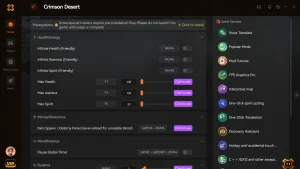
God Mode
Never take damage during intense combat encounters.
Infinite Stamina
Sprint and dodge continuously without tiring.
Unlimited Gold
Instantly maximize your in-game currency.
XP Multiplier
Level up faster by multiplying earned experience.
Why Choose XMODHUB for Crimson Desert
XMODHUB ↗ is the trusted choice for seamless single-player modding because it prioritizes safety and ease of use. The application automatically detects game version updates like Patch 1.15.00 and applies the correct memory offsets without requiring manual Cheat Engine configuration.
Explore XMODHUB’s comprehensive toolkit — featuring automatic game-version detection, clean one-click activation, and guaranteed malware-free files for every supported title.
Player Stats
Combat & Movement
Inventory & Progression
Related Guides for Crimson Desert
Frequently Asked Questions
Ready to enhance your gameplay?

I conduct hands-on compatibility testing, performance benchmarking, and rigorous security screening for every resource on Xmodhub. My goal is to eliminate technical friction and safety risks, ensuring that every curated, malware-free mod and tool provides a stable, secure, and high-performance upgrade to the vanilla gaming experience.

 Catherine Hu